Month: July 2024

Establishing an Effective Social Media Approval Process: A Comprehensive Guide

Managing the process of creating, obtaining approvals, and publishing on various platforms like LinkedIn, Instagram, and Facebook can feel like an endless race against time. Whether leading a small group or collaborating across a large organization, there’s always a possibility that mishaps can occur—such as an off-brand statement, a legal complication, or a post that is released at an inappropriate moment. A social media workflow provides a structured approach that standardizes content creation and helps keep your team focused.

With a strategically designed process, you can eliminate last-minute panics, misunderstandings, and the “oops” moments that could harm your brand’s image.

This guide will take you through the steps involved in establishing social media approval workflows, from selecting the most suitable type for your team to initiating an automated process using Sprout Social.

What constitutes a social media approval process?

A social media approval process is a predefined set of actions that content or posts must undergo before being published on your organization’s social media channels.

It acts as a checklist to ensure that everything is accurate—the message is free of errors, fulfills a defined objective, and adheres to your brand’s guidelines concerning tone and style. An effective social media approval workflow ensures all your posts maintain a consistent brand voice. It also reduces errors and prevents your team from disseminating potentially damaging or incorrect information.

Various forms of social media approval workflows

There is no singular “best” approval workflow. The optimal process for your team is contingent upon your company’s size, industry, and content requirements.

Are you a rapidly growing mid-sized creative agency looking for speed, or a regulated financial institution that prioritizes compliance? Perhaps you find yourself somewhere in the middle. Regardless of your circumstances, the right social media approval workflow can transform your social media efforts from a chaotic free-for-all to a smoothly operating content engine. Let’s take a look at some common options:

  • Optional approval: Not every approval needs to be mandatory. Optional workflows work best for low-risk or urgent posts, where postponing for approval could lead to significant delays. However, without careful oversight, this can result in inconsistencies or mistakes.
  • Required approval: Every post must receive approval from someone before it goes live. While this ensures tighter control and brand uniformity, it can also delay posting.
  • Multi-stage approval: This process necessitates approvals from multiple levels or departments. For instance, a post might require consent from the marketing team, followed by legal, and finally the executive team. While time-consuming, it allows for comprehensive reviews.
  • Parallel approval: In parallel approval, multiple stakeholders or departments assess the post concurrently. This can expedite the process, as you do not need to wait for one person to finish before moving on to the next, though it may result in conflicting feedback.
  • Automated approval: Social media automation tools can manage parts of the approval workflow, such as inspecting the post for grammatical errors. While this can save time and lessen human error, it may overlook subtle nuances a human reviewer might catch. If automated approval is utilized, we recommend involving a human for quality assurance.

Six steps to develop a social media approval workflow

Keep in mind that there is no one-size-fits-all solution for your approval process. You have the flexibility to tailor yours according to your team’s size and requirements. Below is a framework for a content approval workflow that can be adapted for agencies, large marketing teams, and everything in between.

1. Build your team and identify decision-makers

Start by determining the key individuals in your content workflow.

From refining your messages to enhancing your posts, many contributors are essential to different aspects of your social media presence.

Your team might consist of any combination of the following:

  • Social media and community managers
  • Content creators, designers, and copywriters
  • C-level executives
  • Team members from other departments (e.g., sales)

With a team collaboration tool like Sprout Social, you can clearly define approval roles. Need to add a new member to your social team? Looking to include someone whose primary task is to approve posts? No matter the size of your team, Sprout allows you to assign authors and establish workflows that keep your content progressing.
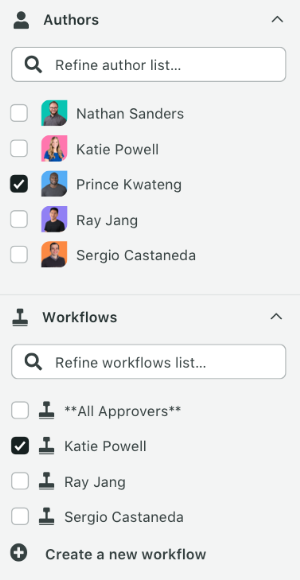
A selection menu with authors and workflows. There are several authors listed and selected in the dropdown menu. The workflows listed include options to select all approvers and specific approver names.

Clearly defined roles simplify teamwork because you can determine who is engaged in your social media approval process. You can designate who has the authority to upload content and implement changes, as well as who has the final say on approval.
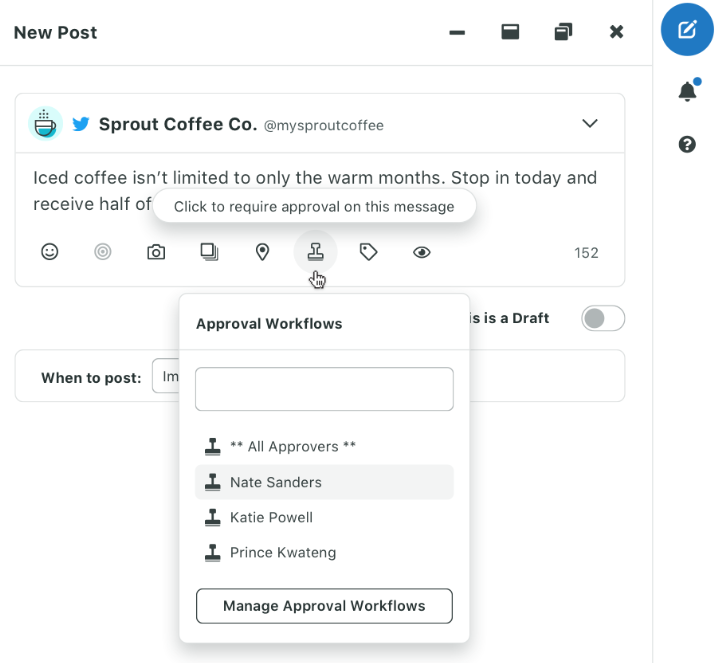
A preview of Sprout’s post composition interface. There's a draft post from @mysproutcoffee about iced coffee being available year-round. Below that is an approval workflow section listing several approvers.

This is where Sprout’s versatility stands out. Whether requiring a straightforward one-person sign-off or a complex multi-step approval process, we’ve got it covered. You can customize permissions for each social profile, clarifying who is allowed to post and who must give approval. Additionally, you can include external stakeholders such as agencies or clients for seamless collaboration and approval.

Adding new team members or modifying roles? A breeze. Just navigate to the Users & Social Profiles section to make changes.

We suggest restricting the number of individuals involved in your social media approval workflow to prevent bottlenecks and ensure that content flows smoothly from one person to the next. As a team, determine who needs to review your content prior to publication.

2. Organize your social assets and deliverables

Crafting a social message may appear simple, but think about the decision-making and discussions surrounding the following:

  • Creating on-brand social captions
  • Selecting images and videos for each social post
  • Linking relevant promotions and pages
  • Addressing customer inquiries and feedback

When you’re interacting with hundreds or thousands of customers, systematic organization of these elements is essential. Tools like Sprout’s Asset Library can be invaluable. Instead of scrambling to find a specific photo or content piece, your team can access everything in one location.
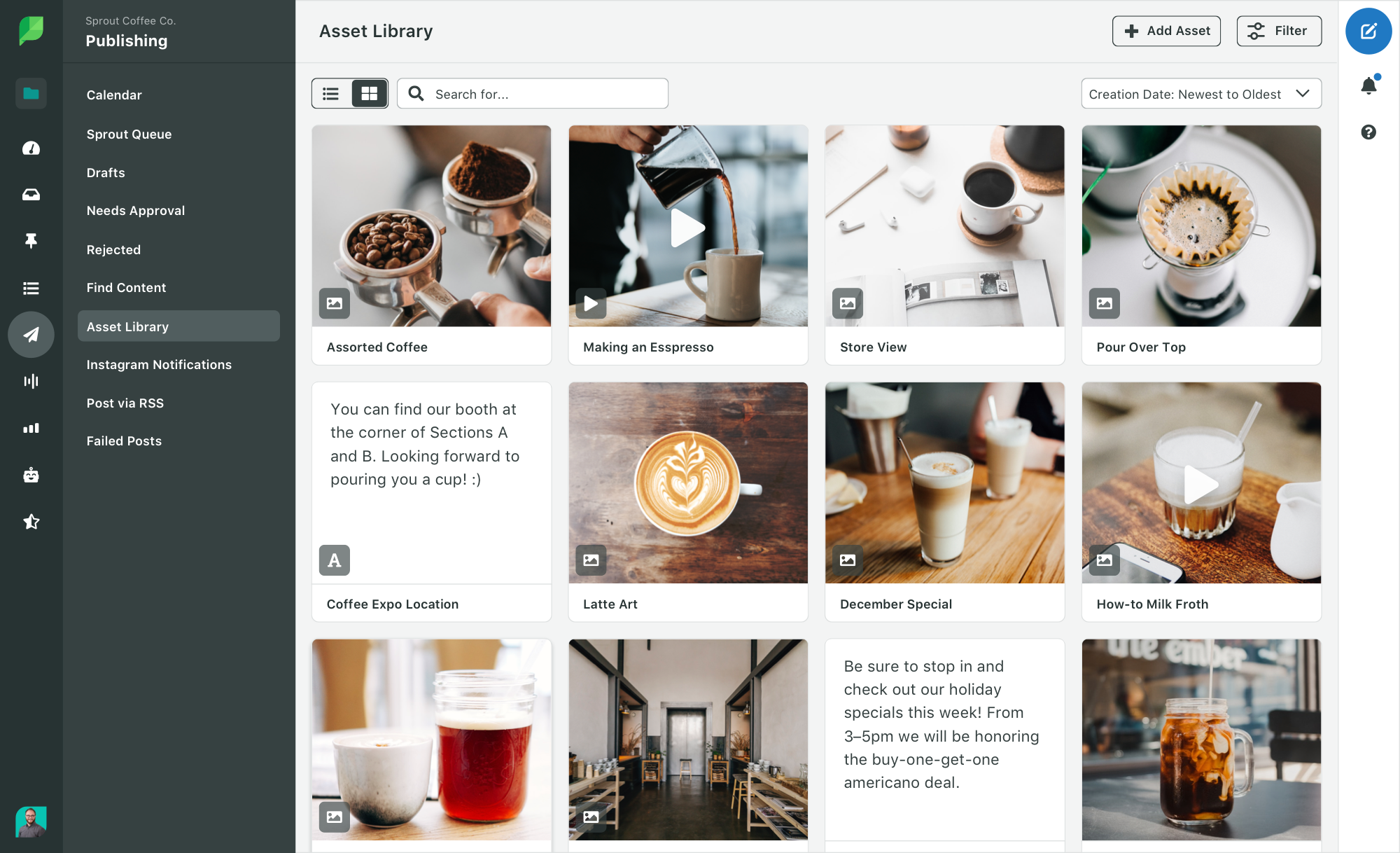
Sprout’s Asset Library interface with various coffee-related images and posts. It includes photos of coffee beans, espresso, latte art and coffee shop interiors.

Moreover, Sprout’s Asset Library does more than merely store your assets. You can create new assets right within Sprout or import them from popular tools like Canva, Bynder, or Google Drive.

This integration allows for editing and publishing content from one platform. It streamlines your production workflow and ensures all team members can view the most current approved assets.

In addition to creative assets, Sprout enables you to save common responses to customer queries so you can quickly address concerns without improvising or potentially steering customers in the wrong direction. You can also develop social media templates for frequently utilized replies.

3. Set a social media approval timeline

A significant advantage of creating a social media approval process is avoiding last-minute scrambles for content. Ideally, your approval procedure should empower you to adhere to a predetermined timeline. You should set specific timelines for posts (consider: how many per day or week).

Think about the time required for content approval as well. This is crucial when executing time-sensitive social media campaigns.

For instance, you may expect a post to be approved within 24 or 48 hours after submission. This allows your team members some breathing room in their schedules while also ensuring timely actions.

Sprout’s Publishing calendar offers a comprehensive view of your content calendar (daily, weekly, and monthly) at any given point. This ensures everyone on your social team and within your approval workflow is aware of what is set for publication and what remains pending approval.
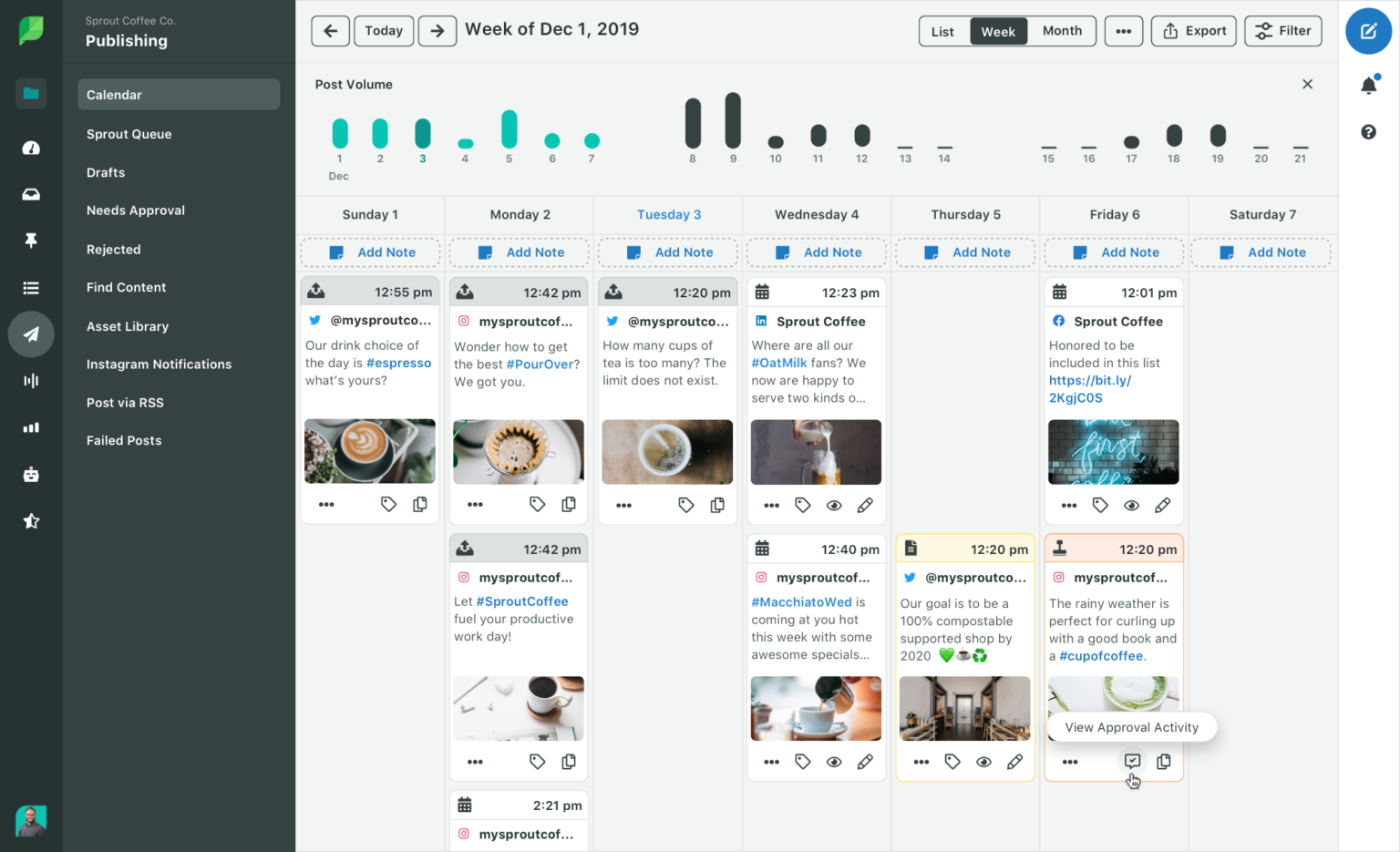
Sprout’s social media content calendar interface with various scheduled posts displayed across a week view. The posts contain coffee-related images and text.

However, being human often means that some details might be overlooked. That’s where Sprout’s automated notification system steps in to assist your team:

  • Receive a daily summary of posts requiring review in the next 24 hours
  • Get hourly reminders for pending approvals
  • Authors will be alerted if a post exceeds its approval timeframe

These intelligent alerts work seamlessly with your publishing calendar, keeping your approval workflow moving smoothly even when you’re not online.

4. Ensure consistent brand voice with a style guide

The more collaborators involved in your content workflow, the more critical it is to maintain your brand voice. As a message circulates between individuals, each contributor may leave their personal mark. However, you want to prevent your brand’s tone from getting lost in transition. For example, it would be surprising for a traditionally straightforward, professional brand to suddenly adopt a meme-heavy approach.

This highlights the necessity of having a social media style guide. A document outlining your brand’s voice and values can provide guidance for your team regarding best practices for your organization. It also simplifies the onboarding process for new members of your social team or external collaborators who may be unfamiliar with your business.

5. Don’t overlook optimization

If you are establishing a social media approval process, you are likely concerned with maximizing your content’s outreach. Each social media platform has distinct character limits, cultural norms, and audience profiles, each with different best practices and opportunities for optimization that you must harness for every post.

Before hitting the publish button, ensure that each post is appropriately optimized. For example, Sprout’s hashtag analytics indicate popular and relevant tags for your content, no matter the platform.
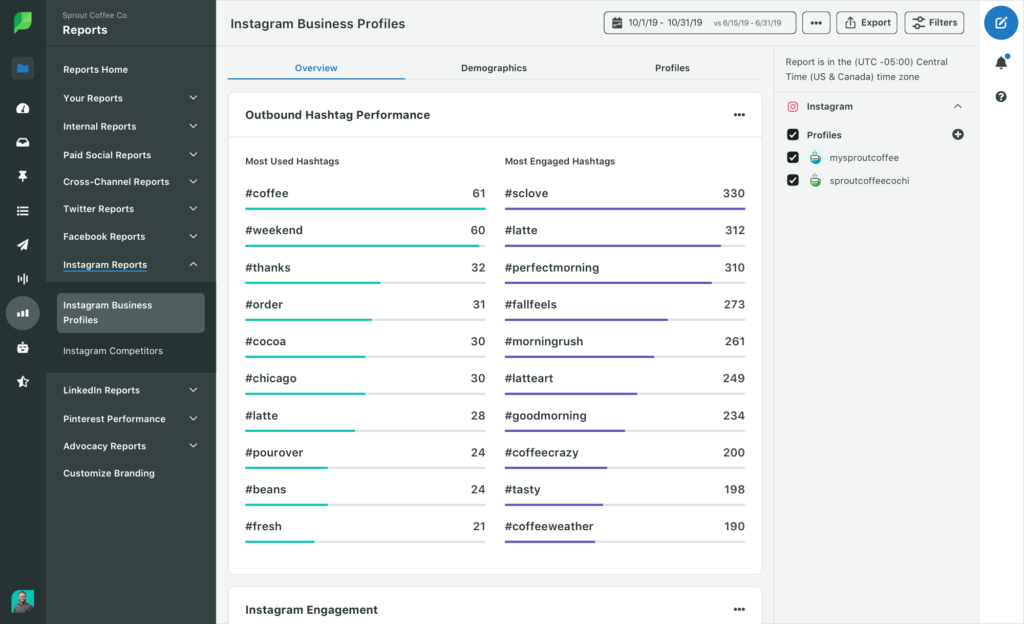
Sprout’s Instagram Business Profiles Report showing outbound hashtag performance. The left column lists the most used hashtags and the right column lists the most engaged hashtags. Hashtags include #coffee, #weekend, #thanks, #order and more.

However, optimization isn’t limited to hashtags.

Want to transform your Instagram bio into a tool for driving traffic? Utilize SproutLink. This feature allows you to create a customized link-in-bio page.
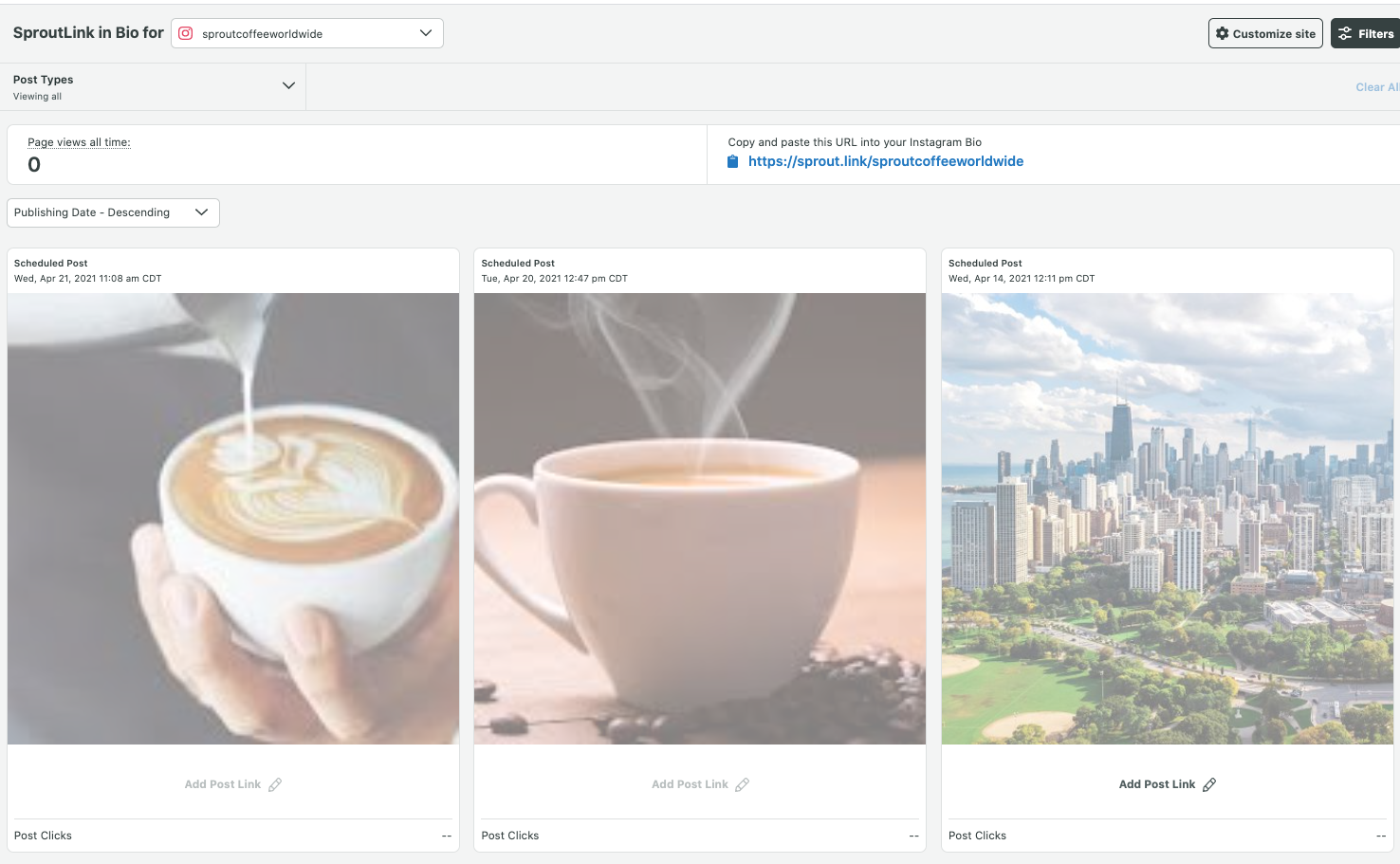
A SproutLink interface for managing Instagram bio links. It displays scheduled posts with coffee-related images and a cityscape.

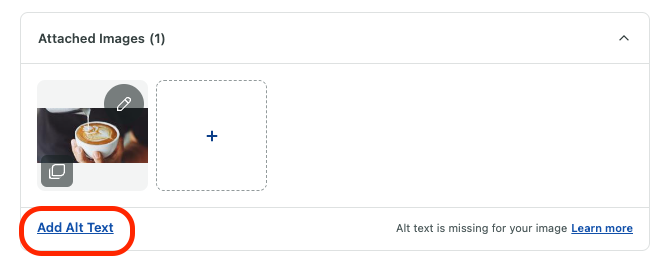
And on those days when creativity feels stifled, leverage artificial intelligence (AI) to enhance your social workflow with AI-driven caption suggestions and alt-text generation. This provides fresh ideas while ensuring your content remains accessible and engaging.
6. Adhere to a publishing and approval timetable

The final component of your approval workflow is publication. But how do you determine the timing of your content releases? Just as you establish a timeline for approvals, you should uphold a schedule for publishing and organizing your content.

This strategy benefits both your team and your followers. You develop a routine for obtaining approvals while consistently creating and sharing content for your audience. Consistency is crucial on social media. With Sprout, you can strategically schedule your posts or use tools like ViralPost® to publish at times when your audience is most engaged.
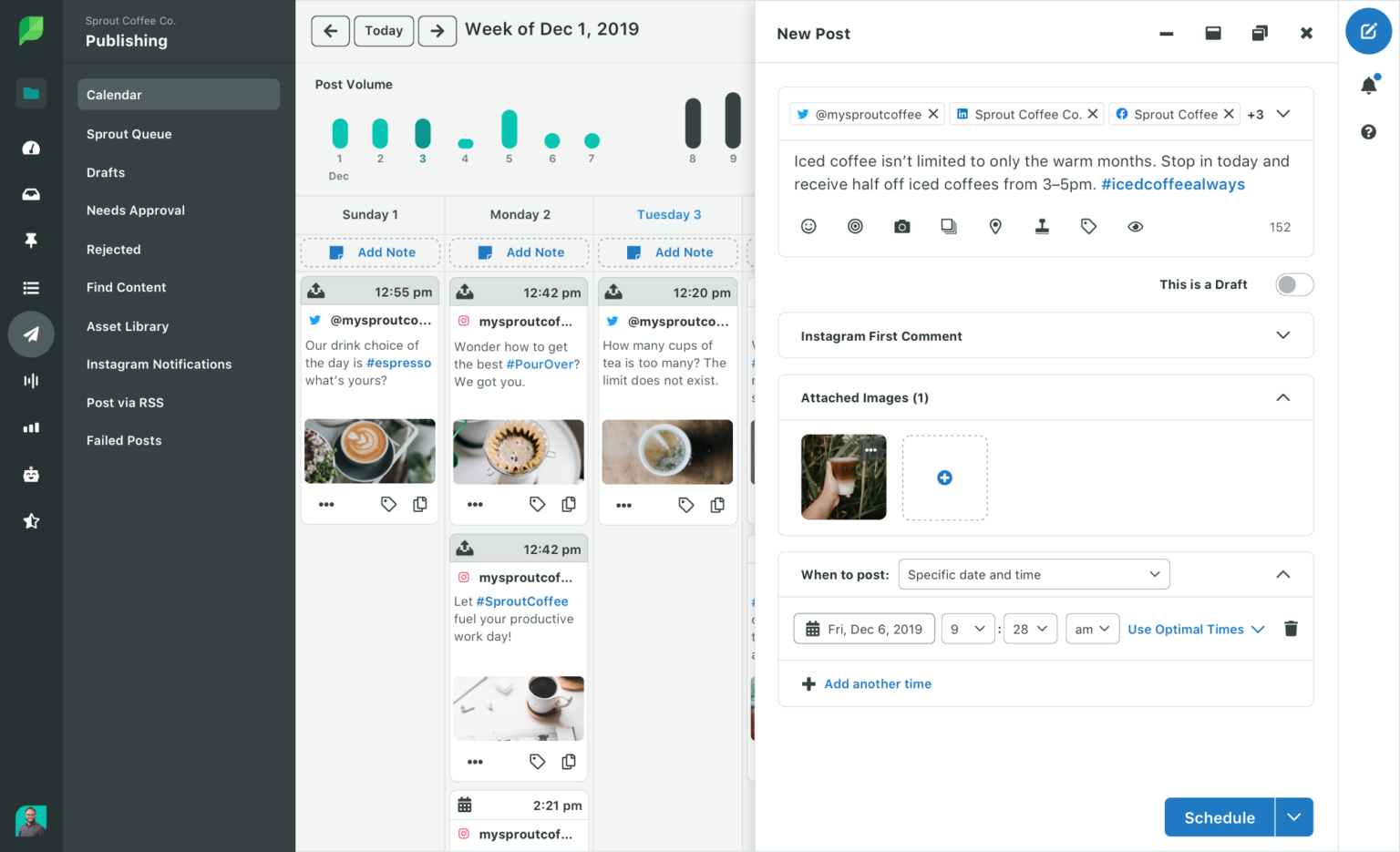
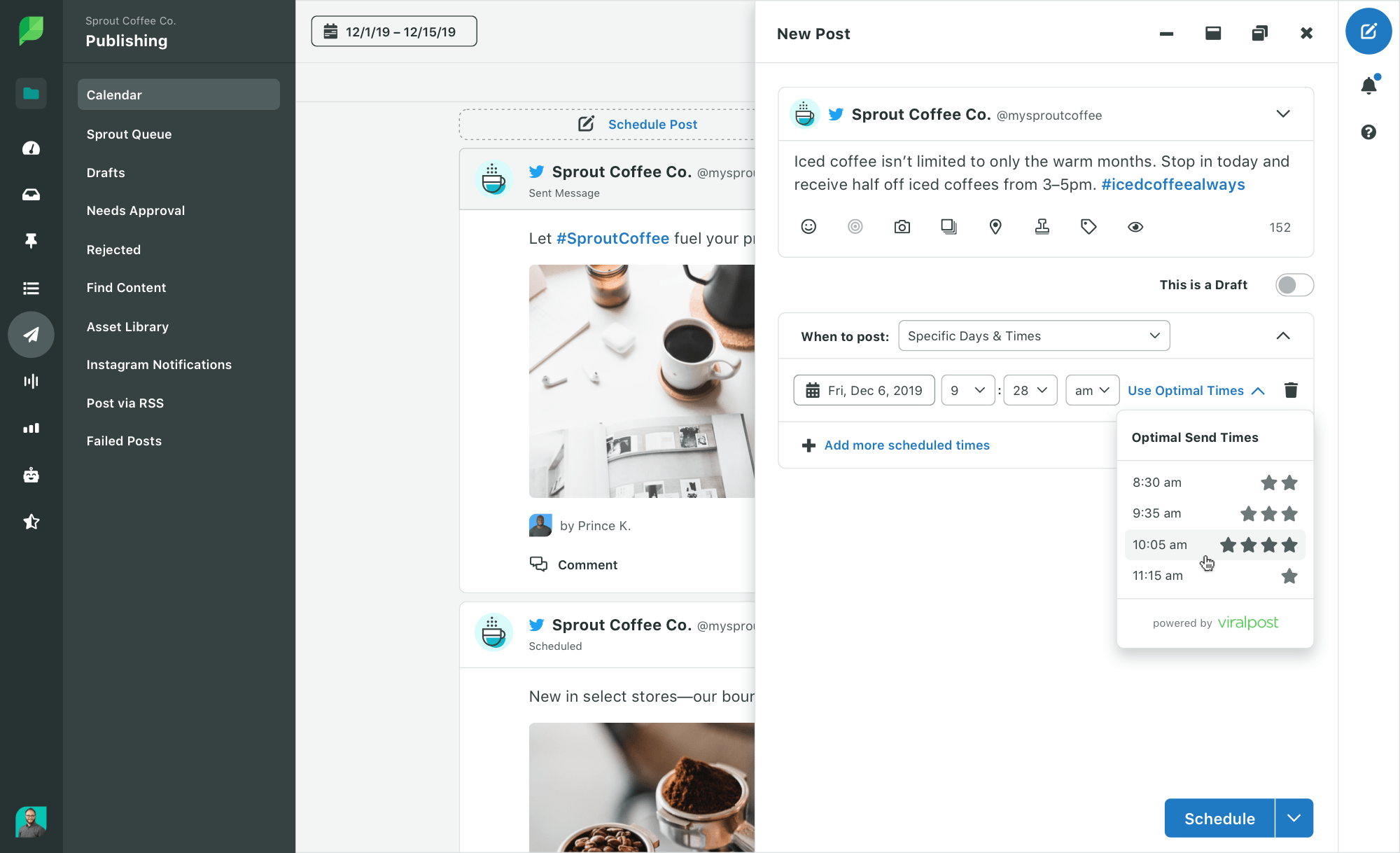
Sprout’s Publishing calendar view for Sprout Coffee Co.. Multiple social media posts are scheduled, including posts with images of coffee and text descriptions. The new post editor is open on the right side with a draft post about iced coffee.

Who gains from a social media approval process?

Implementing a social media approval process may feel like an extra chore, but it’s an investment that yields benefits throughout your organization. The primary beneficiaries include social media managers, strategists, and content creators. They enjoy:

  • Streamlined communication
  • Centralized task management
  • Fewer missed messages
  • Effective campaign oversight

Your social team regains valuable time through a unified workflow that enables them to better manage campaigns across different networks.

Marketing teams gain by experiencing fewer errors and improved crisis management. Multiple reviewers can catch issues like broken links, inappropriate content, misinformation, and poorly timed promotions. This protects the brand’s reputation and financial health.

Managers and executives also experience benefits in accountability. They:

  • Justify social media expenditures more easily
  • Acknowledge individual contributions
  • Monitor workflow performance
  • Analyze team interactions
  • Evaluate post-publication outcomes

The broader company gains when your social media processes align with overarching goals. For instance, engaging departments like sales in the approval process may ensure campaigns mirror current market insights and customer demands. This fosters cohesive campaigns that resonate with target demographics, ultimately delivering more timely and valuable content to your audience.

A structured approval workflow enhances efficiency, quality, and alignment across your team and organization. This method converts social media management from a detached activity into a vital component of the overall business strategy.

Setting Up a Social Media Approval Workflow in Sprout Social

Social media approval tools like Sprout automate collaboration by allowing you to create multi-step, multi-user workflows for submitting, reviewing, and approving (or rejecting) social media messages.

Features include:

  • Message approval workflows with numerous steps and users for comprehensive content assessment
  • Collaboration with external approvers to include clients or stakeholders outside your organization
  • Automated approval notifications, featuring daily reminders and hourly updates
  • Approval for replies and templated responses for customer service messages to maintain brand consistency
  • A centralized Dashboard to monitor all approval processes and team contributions
  • Mobile message approval for team members on the go

To set up a message approval workflow:

  1. Navigate to Account & Settings > Settings > Approval Workflows
  2. Click Create New Workflow
  3. Name your workflow
  4. Add steps: Enter step name and select approvers
  5. Select Any or All for sign-off requirements
  6. Add more steps if necessary
  7. Click Save

With these customized workflows, Sprout helps you accomplish more through publishing, customer care, and analytics.

Future-proofing Your Strategy with a Social Media Approval Tool

By adopting a social media approval workflow, everyone from social media managers and content creators to higher management benefits. Teams witness enhanced communication, greater efficiency, and fewer mistakes, while management retains better oversight of brand communication.

Establishing the foundation for a social media workflow is merely the beginning. You require a dedicated social media approval tool that offers structure, automation, and quality control. This tool will become your command center, providing a comprehensive look at your content calendar for real-time collaboration.

Do not allow outdated processes to obstruct your social media initiatives and create fragmented communication. Discover how Sprout Social can enhance your team collaboration.

The post How to build a seamless social media approval process appeared first on Sprout Social.

Read More

A Comprehensive Guide to Installing a WordPress Theme in 2024: Four Simple Methods

Do you want to refresh the appearance of your existing website? That requires you to install a new theme that aligns with your new design goals. Themes provide the visual design for a WordPress site and much of the base functionality and utility. Whether starting a new blog, redesigning an existing site, or working on […]

The post How to Install a WordPress Theme in 2024 (4 Easy Methods) appeared first on Elegant Themes Blog.

Read More

Seven Powerful Techniques to Boost Your Social Media Traffic

Increasing social media traffic for your website is akin to a city planner strategizing how to efficiently manage traffic flow in and out of a city. If each road in the city symbolizes a distinct source of website visitors, your social media traffic acts as a key component of your traffic management strategy—guiding users directly to their desired destination.

To persuade social media users to navigate to your website, it’s essential to meticulously develop your social media presence. This involves connecting with your audience through genuine interactions and fostering brand loyalty. While paid social media promotions can increase website visitors, various organic tactics can capture your audience’s interest to elevate social media traffic. For instance, user-generated content (UGC) can attract more attention to your site through relatable posts.

In this article, we’ll explore how to leverage UGC along with six additional leading strategies to enhance your social media traffic.

What is social media traffic?

Social media traffic refers to the visitors who arrive at your website via your social media channels. For instance, a user might follow your LinkedIn page, see a post that links to your services page, and then decide to visit your website.

Consider how Pfizer effectively utilizes LinkedIn to direct their followers to a specific part of their website that highlights Canadian healthcare innovation. This serves as an exceptional illustration of how to boost social media traffic through targeted posting.


Pfizer uses LinkedIn to direct followers to a section of their website focusing on Canadian innovation in healthcare, illustrating effective targeted posts.
Such traffic from social media is precious because it consists of users who are already familiar with your brand and interested in your offerings.

If you aim to enhance your social media traffic to boost revenue, a solid guideline is “more in, more out.” The more followers, interactions, and traffic you generate on social networks, the greater the potential traffic you can divert to your website. If your social platforms are quiet, boosting your traffic from social media will prove challenging.

7 ways to enhance social media traffic

Each social media platform functions differently, thus to efficiently amplify your social media traffic, you should adhere to some fundamental principles across all your channels. Here are seven essential approaches to heighten your traffic and nurture brand loyalty.

1. Harness the power of user-generated content (UGC)

UGC is authentic, incredibly relatable, and enjoyable to engage with. According to The 2023 Sprout Social Index™, 45% of consumers follow brands on social media due to the enjoyment and entertainment their content provides.

Here’s how to integrate UGC into your social strategy to expand your social media audience, subsequently increasing your traffic.

Crowdsource content

A superb method to increase visibility for your brand’s content is by sourcing it from your followers. Encourage them to share their images, videos, and stories related to various aspects of your brand on your social channels. By resharing user-generated content, you acquire unique content while providing users with more exposure for their contributions—a win-win scenario for everyone.

A post from Apple showcasing user-generated content, creating a mutually beneficial scenario.

Incorporate user-generated content into your marketing assets

Utilize various forms of UGC in your marketing materials, including:

  • Social media posts
  • Videos
  • Images
  • Graphics
  • Testimonials
  • Reviews
  • Blogs

Integrate this content into your website, blogs, email newsletters, case studies, infographics, and other promotional materials.

The Index indicates that user-generated content and customer testimonials rank fifth among content types that consumers feel are insufficiently represented on social media—so why not include this valuable content in your marketing efforts?

Conduct contests and giveaways

Organize social media contests and giveaways, and cross-promote UGC from those activities on social media. You have two primary approaches:

  • Host the contest or giveaway on your website and promote it via social media posts. Ask participants to click through to your website to enter, immediately directing social media traffic to your site.
  • Conduct the contest solely on social media, asking users to enter by following your brand account, liking a post, or tagging a friend. This allows you to grow your social media following while introducing potential followers to more content that leads to your website.

Utilize lo-fi behind-the-scenes content

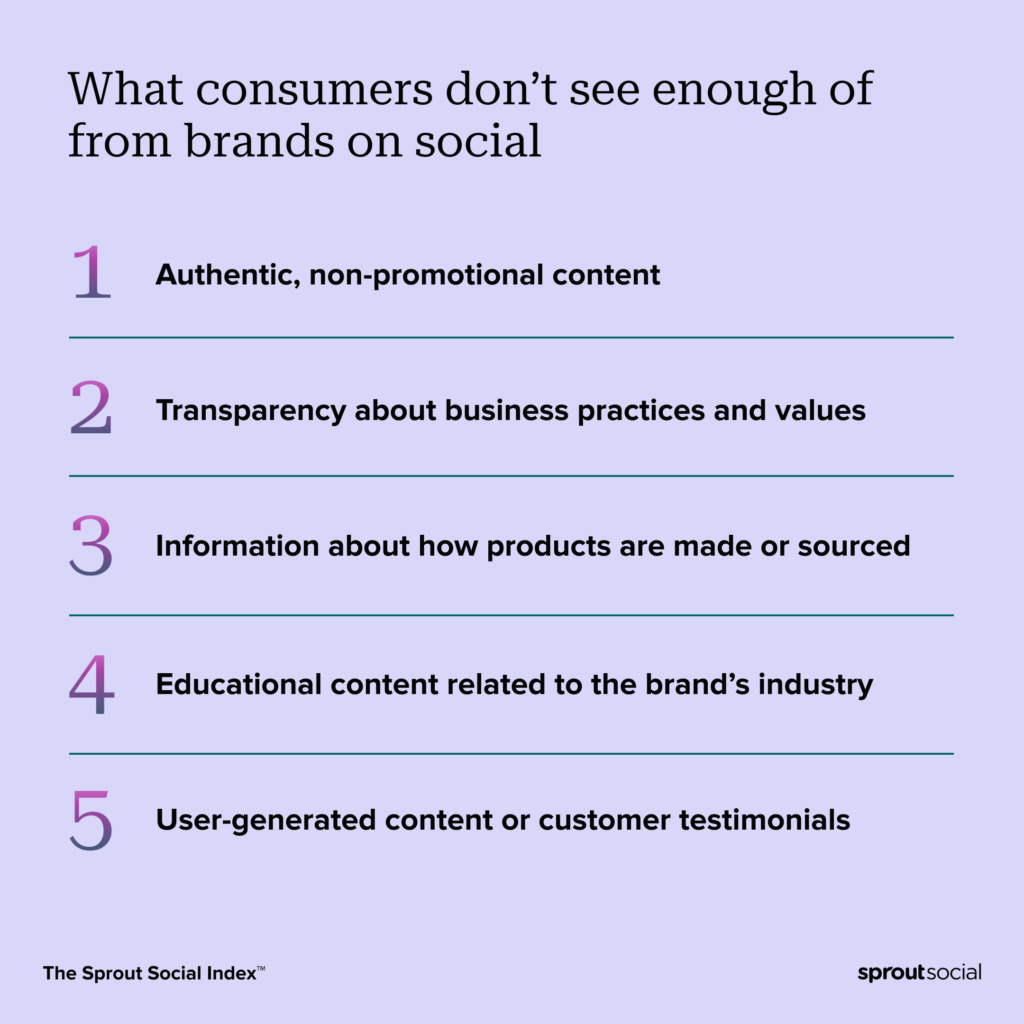
Consumers seek authentic content from brands. In fact, according to The 2023 Sprout Social Index, authentic, non-promotional content is the primary type that consumers feel is lacking from brands on social media.

Data card illustrating the top five elements consumers wish for from brands on social media, with authentic content leading the list.

Offer your social media followers behind-the-scenes glimpses into your brand, such as an office tour or day-in-the-life videos showcasing what your employees enjoy for lunch. Encourage your followers to provide lo-fi content of them using your products or services for you to share, too. Lo-fi content is what audiences expect on social media, so there’s no need to stress about production quality.

2. Enhance your social media profiles for SEO

To elevate your search engine optimization (SEO) efforts to boost social media traffic, you must integrate best practices into your social content. This will enhance your online visibility, generate more sales and leads, and reinforce your brand’s authority. It will also facilitate a more genuine connection with your target audience.

Here’s how to optimize your profiles:

Use hashtags strategically

Boost your searchability on social media by implementing hashtags in a strategic manner. Hashtags make your content simpler to discover and cater to your niche audience and demographics—thus increasing the chances that the “right” individuals encounter your content.

Remember, not all hashtags are equally effective on every social platform. For example, Instagram Reel hashtags are distinct from Facebook hashtags—and both differ from TikTok hashtags. Conduct audience research tailored to the specific platform you’re targeting.

A post from Walmart illustrating the effectiveness of hashtags in enhancing social media visibility.

Incorporate relevant keywords in your profile name, bio, and page titles

A straightforward yet effective method to boost social media traffic is to incorporate pertinent keywords—especially branded keywords—in your profile name, bio, and page titles. This assists your brand enthusiasts in discovering you on social media while also signaling to the social media algorithms that your account is credible and verifiable.

When optimizing your social media profiles, ensure you add your website URL to your bio as well. This spares your followers from searching for your website elsewhere; they can click through directly from your social profile.

Inspire your audience using visuals

First impressions matter. That’s why over 50% of marketers leverage visuals in over 91% of their content.

Provide visuals that not only stand out but also convey significant information about your product or service and your brand narrative. The best visuals on social media typically include:

  • Vibrant colors and well-structured layouts
  • High-quality photography
  • Visual storytelling
  • Visuals showcasing products or services from a unique perspective

Images can enhance your SEO when used strategically, by adding relevant alt text to each image and employing image-related hashtags in your posts.

Optimize images and videos for mobile devices

Speaking of images, it’s crucial to ensure that your visuals—both static and video—are optimized for mobile devices. Almost everyone uses their mobile phones to browse social media.

If your visuals load slowly or aren’t the right dimensions for mobile viewing, your social media followers may have a negative experience.

Ensure your website is responsive and mobile-friendly

Social media optimization and website optimization work in tandem when aiming to elevate social media traffic. Confirm that your website is mobile-friendly so it displays correctly on mobile screens. After all, if your followers engage with your social posts via their phones, it’s reasonable to assume they’ll also be viewing your website on their devices. If your website isn’t mobile-optimized, users may leave before engaging with your content, resulting in lost opportunities for valuable traffic from social channels.

3. Establish a consistent posting schedule

Regularly posting relevant content across all your social accounts is vital for accumulating more followers and enhancing engagement, ultimately creating more opportunities for traffic from social media. Here’s what you can do:

Utilize a social media calendar

Enhance your posting routine with a social media calendar to significantly impact your social media traffic.

To stay ahead on every channel, aim to populate your social media calendar with regular post ideas as much as you can. However, it’s wise to allow room for flexibility since social media is fast-paced, and you should have a space for timely content. Additionally, planned content may change occasionally.

After establishing a schedule, you’ll gain a comprehensive overview of your posting habits, frequency, and methods. Sprout Social’s specialized social publishing tools can assist in scheduling social messages while maintaining a visual overview of your calendar.

Select optimal times for posting on social media

It’s critical to identify the best days and times to post on social media. Neglecting to consider the best posting times could lead to lackluster attention on your posts and negatively impact your social media traffic.

Keep in mind that the best times and days for each social channel can differ, therefore, your posting schedule may vary by platform. For example, the optimal posting times on Instagram are Tuesday, Wednesday, and Thursday, while the best times for TikTok are Wednesday and Thursday. Mondays through Thursdays are recommended on Facebook.

List of the best days and times for posting on social media to gain maximum engagement.

Tools for social media management, such as Sprout Social’s Optimal Send Times, assist you in determining the best posting times, allowing for automatic or manual scheduling of content for optimized engagement.

4. Monitor social media trends

Social media trends come and go swiftly. However, if you don’t capitalize on them while they last, you’re missing out. Stay informed about the latest trends on social media since not every trend will suit your goals, but some may provide actionable insights.

Employ social listening for brand and customer insights

Do you understand the conversations happening around your target audience on social media and their motivations? Social media monitoring can help identify discussion topics, but social media listening reveals the reasoning behind those discussions.

Sprout’s Listening tool transforms social media discussions into brand insights, allowing you to connect more deeply with your audience. This leads to an uptick in social media traffic, improved conversions, and greater business impact.

Chart from Sprout Social's Listening Tool providing insights into audience conversations on social media.

Gain insight into your competitors

Social media competitive analysis enables you to compare your social media traffic to that of your industry competitors. You’ll easily locate key performance metrics and observe how similar audiences engage with competitors’ social posts. This method is also effective in answering any numerous social media questions you may have about your sector and its best practices.

Through competitive analysis, aim to glean insight into how your competitors effectively engage their followers. Understand what type of content drives comments, clicks, impressions, and shares. This could provide valuable direction for your own social media content planning.

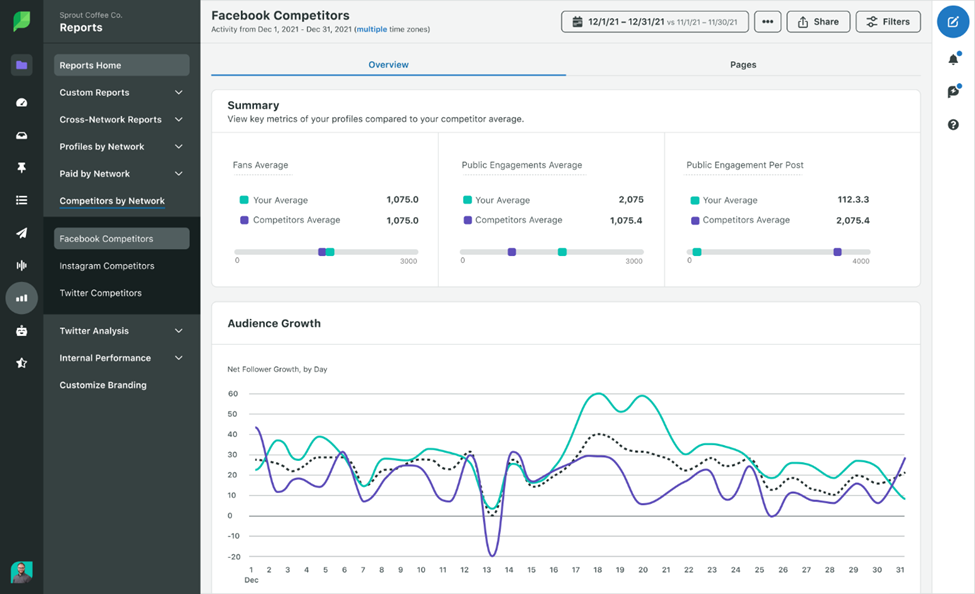
Sprout Social's competitive analysis for Facebook showing social media performance metrics.

For instance, Sprout Social’s analytics software for X (previously Twitter) provides a clear comparison of your profile against a competitor. You can also compare two competitors to discover who is generating more engaging content.

5. Maintain consistent engagement with your audience

Keeping your audience actively engaged is among the most effective methods to drive social media traffic. Additionally, it represents an essential component of social media management. Index data indicates that 28% of consumers follow brands on social media to interact with that brand’s community or customers. Moreover, among brands that have left a lasting impression, 51% actively respond to their customers. The takeaway? Consumers seek engagement—and they desire even more. Take advantage of this and elevate social engagement to guide engaged followers to your website and drive traffic.

Effectively manage your social inbox

Optimize the management of your social inbox to ensure you never overlook any customer messages. Sprout facilitates this by consolidating all incoming messages from your social media accounts into the Smart Inbox, allowing you to view everything in a single location and respond promptly. Track your replies to avoid duplication, ensuring your social media followers feel valued.

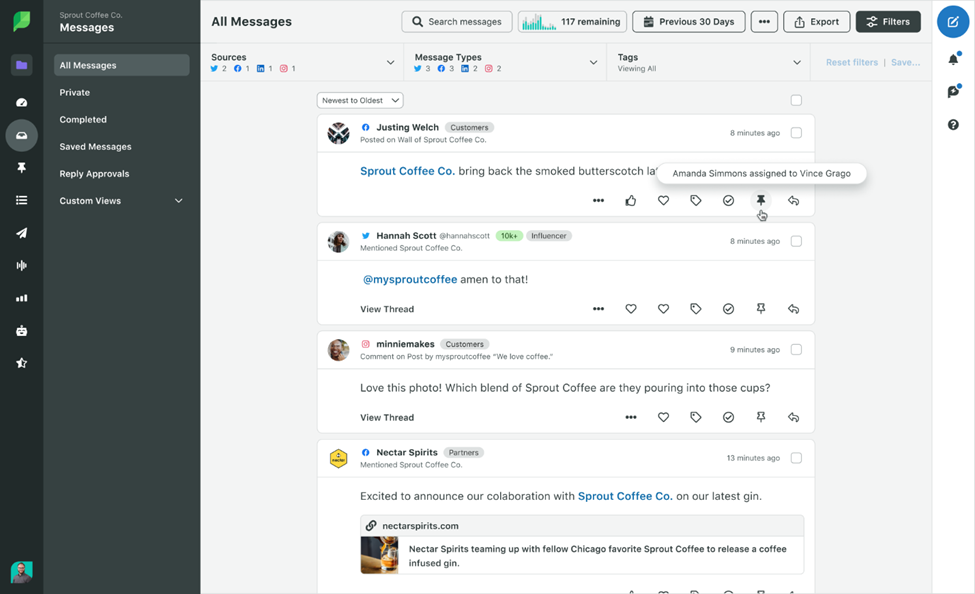
Sprout Social's Smart Inbox consolidating conversations for easier engagement management.

Transform real-life events into online engagement

Consider how your brand’s offline events might translate to social media engagement. For instance, if you host a product launch for VIP customers, establish a photo booth where they can take selfies and share them with an event hashtag. Afterwards, you can reshare their posts from your brand account or comment on their updates. The actions you take post-event can enhance engagement levels for your account.

Accelerate your response times on social media

Response times on social media are crucial. The Index reveals that most customers prefer to hear from you the same day, ideally within a few hours. Prompt responses reflect your dedication to your customers, fostering improved satisfaction, heightened loyalty, and a favorable brand reputation.

Graph indicating the expected response times for consumers on social media.

Boost your social media engagement levels

Enhance your social media engagement by monitoring current performance through analytics tools. Define your engagement objectives and create a strategy to attain them. Dedicating resources to both proactive and reactive community management is an excellent approach to amplifying engagement.

For example, Wendy’s shared a marketing video on Facebook featuring a massive balloon shaped like a Frosty floating above Niagara Falls. As user comments rolled in, Wendy’s promptly responded to heighten engagement and make their followers feel acknowledged.

Wendy's promotional video on Facebook displaying a giant balloon designed like a Frosty over Niagara Falls.

6. Collaborate with influencers within your niche

As per a Q3 2023 Sprout Pulse Survey, more than 80% of marketers believe that influencers play a critical role in their overarching social media strategy. Here’s how you can engage influencers to elevate your social media traffic.

Engage with micro and nano-influencers

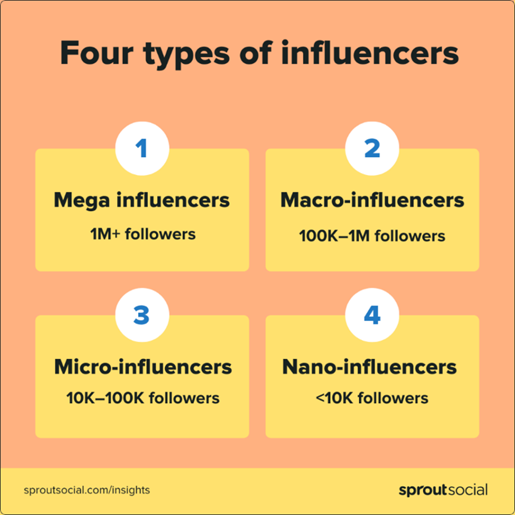
Influencer marketing has evolved from merely collaborating with high-profile celebrities to working with micro and nano-influencers. Although they may boast fewer followers than their larger counterparts, these influencers offer more accessibility and effective opportunities for brands aiming to reach a specific audience.

Four types of social media influencers: mega, macro, micro, and nano.

A Q1 survey of over 2,000 consumers from the US and UK revealed that 40% prefer to engage with micro and nano-influencers.

However, pinpointing the right influencers for your brand, regardless of size, can be challenging. That’s where tools like Tagger, Sprout Social’s influencer marketing platform, comes in. They assist you in identifying the right influencers to promote your brand and managing influencer campaigns while also measuring success.

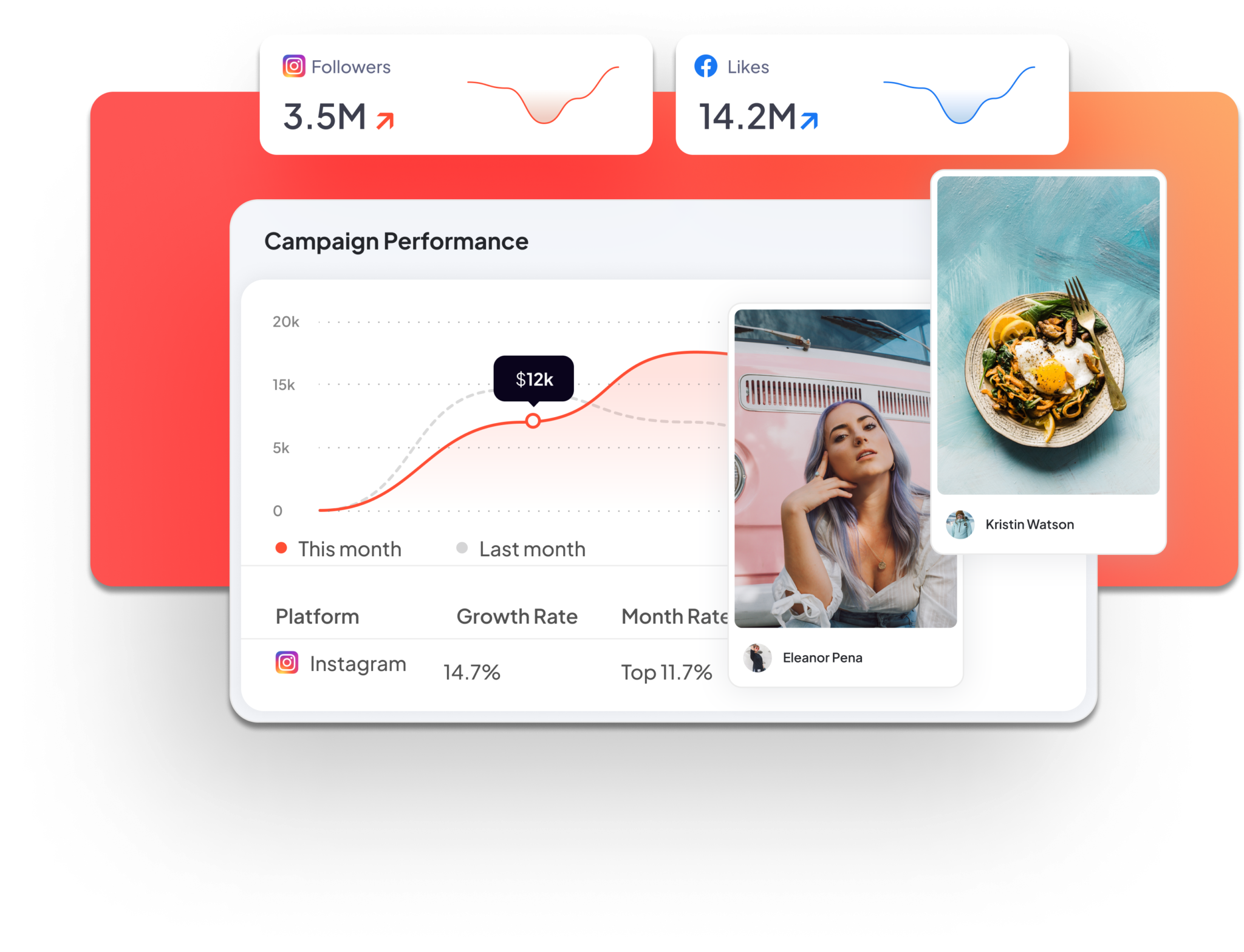
Tagger, an influencer marketing platform from Sprout Social, helps brands find suitable influencers to promote their products and manage and measure influencer campaigns.

Emphasize diversity and representation

Numerous influencer marketing trends are emerging, but diversity and representation continue to be paramount—there’s a compelling business case for it. According to Index research, skepticism regarding performative activism is growing.

It’s essential not only to collaborate with influencers from diverse backgrounds but also to engage with them meaningfully. For example, if your brand seeks to honor Pride month, partner with an influencer from the LGBTQIA+ community—or better yet, support those influencers year-round. Your customers will undoubtedly recognize your efforts.

Lilly Singh, a prominent social media influencer within the LGBTQIA+ community and the South Asian community, utilizes her distinctive humor to promote brands that align with her values, such as Skillshare. Through this partnership, Skillshare gains increased exposure to audiences who may not have otherwise encountered the brand, and with an influential figure like Lilly Singh backing the brand, her followers may become more inclined to consider Skillshare in the future.

YouTube video featuring Lilly Singh, a noted social media influencer connected to the LGBTQIA+ and South Asian communities.

7. Utilize social media management tools

To amplify traffic from social media, it’s vital to employ the right tools for maintaining an engaging and consistent presence. Streamlining workflows, analyzing data, and extracting insights from reports can all be optimized with the appropriate software.

Attempting these tasks manually or with basic tools can lead to spending more time on administrative duties rather than on strategy—and that’s never advantageous.

Here’s how social media management tools can assist you in optimizing your social performance and enhance your social media traffic.

Use data-driven insights to curate content

Adopting a data-driven approach to curate content can yield higher engagement across your social media channels and increase traffic to your website. However, it can be daunting to ascertain what content to share and when. Tools like Sprout Social’s Find Content help sift through social media to discover the most shared content, categorizing it appropriately for your brand. You subsequently can locate the most relevant content in that category to disseminate across your social channels.

Sprout Social simplifies the process of curating content on social media.

Monitor your engagement

Tracking your social media engagement serves as an effective method for evolving your strategy and continuously enhancing your results. Most social media platforms offer their own analytics tools. Moreover, you can employ third-party analytics solutions to acquire deeper insights into user interactions. For instance, Sprout Social utilizes AI-powered sentiment analysis tools to gauge your brand health, allowing you to better assess how to respond to inquiries.

Sprout Social quantifies brands' social media engagement.

Assess your progress with detailed reporting

Collecting data and keeping track of social media metrics is valuable, but reports are the primary asset. They aid in identifying trends and anomalies over time, informing your subsequent actions to achieve business objectives, such as increasing the traffic to your social media.

At Sprout, we leverage social media automation tools to assist in evaluating social performance across various networks, complete with custom graphics and reports for visualizing findings. Additionally, we focus on boosting social media traffic with tools like SproutLink. It features a clickable version of your Instagram grid, including unique links associated with each of your Instagram posts to funnel more traffic to your website. Our integration with Google Analytics enables brands to directly analyze traffic data within Sprout.

Sprout Social provides comprehensive reporting for social media activities.

Enhance your social media traffic and create a significant business impact

By streamlining all your social media interactions, comments, and content through a centralized inbox, coupled with the use of social listening tools and advanced analytics, these strategies can significantly elevate your social media traffic in no time.

Explore the suite of social media management tools offered by Sprout Social to boost social media traffic to your website and increase revenue.

The article 7 strategies to boost your social media traffic appeared first on Sprout Social.

Read More
18 Proven Techniques to Boost Views on Your YouTube Channel

Each minute, over 500 hours of video are uploaded to YouTube. That’s a significant amount of content to stand out against. However, expanding your YouTube channel isn’t solely about producing high-quality content—it’s also about ensuring that content is noticed.

Numerous factors influence your platform visibility, yet the most crucial is the total views your videos and channel receive.

This article will delve into effective strategies for enhancing your YouTube channel and boosting your viewership. Whether you’re just beginning or are eager to elevate your statistics, these insights will support you in reaching your YouTube marketing ambitions.

Bonus: We’ve crafted a template designed to assist you in establishing a channel and content plan that encourages organic engagement. Download it and commence enhancing your YouTube strategy today.

Download the template

Strategies for Growing Your YouTube Channel in 2024

<pExpanding a YouTube channel nowadays necessitates a change in perspective. While subscriber numbers remain significant, genuine growth stems from the success of your individual videos.

When your videos consistently garner views and engagement, YouTube’s algorithm becomes aware. It starts to recognize your content as valuable and promotes it to a broader audience. This creates a potent cycle: more views = more engagement = greater visibility = channel expansion.

Thus, producing videos that captivate audiences and encourage interaction is the cornerstone of a successful YouTube strategy. Equally essential is adeptly promoting your videos to ensure they receive the appreciation and attention they merit.

But prior to discussing strategies for boosting views on your content, let’s define what constitutes a view.

What Defines a View on YouTube?

Views indicate the total times your video or channel has been viewed. Each time a viewer plays a video for a minimum of 30 seconds, YouTube registers it as a view. If someone rereads your video, every instance is counted as a new view.

This rule applies across all devices, whether someone is watching on a smartphone or a computer. It also encompasses embedded videos and those shared on platforms like Facebook.

Moreover, a view is counted when someone visits your YouTube channel. Utilizing YouTube Analytics, you can access the Overview tab to ascertain how many views your YouTube channel garnered in the past 28 days.

Why are Views Crucial on YouTube?

Views are vital for the growth of your YouTube channel. When your videos amass more views, YouTube’s algorithm is inclined to suggest your content to additional users. This surge in visibility frequently results in more subscribers and accelerated channel growth.

Views also play a role in earning money on YouTube. Increased views yield higher ad revenue and enhanced opportunities for brand collaborations. The more you generate on the platform, the more resources you have to reinvest into your channel and develop even superior content.

Ultimately, views contribute to widening your brand’s reach. Each view presents a chance to connect with a potential customer or supporter. Over time, elevated view counts can enhance brand recognition and foster brand loyalty, assisting you in achieving larger business objectives in the long term.

18 Strategies to Boost Your YouTube Channel

This article will outline 18 strategies for increasing your YouTube channel views. In the following video, Jamia shares 10 methods to promote your YouTube channel for greater views and subscribers.

1. Craft Compelling, Irresistible Titles

Marketing on YouTube revolves around presentation.

Titles are pivotal to your video’s success. Reflect on this: are you showcasing your content as “must-watch” or “meh?”

The secret to creating captivating titles lies in seizing your audience’s interest without resorting to clickbait headlines. Viewers yearn for engaging content, and they want a clear understanding of your video’s purpose right away.

For instance, heed the practices of YouTube powerhouses like BuzzFeed and WhatCulture. Their videos often feature listicles, question-based titles, or exaggerations (“crazy,” “…of all time”) to acquire views.

Four Buzzfeed YouTube thumbnails featuring attention grabbing titles. The titles are as follows: We Tasted the Worst Reviewed Pizza in New York City, Gamer Girls Play Never Have I Ever, Ranking the Internet's Best Hot Cheetos Combo and We Only Ate Meals From India For a Week.

Athlean X’s fitness videos serve as another exemplary instance. The channel incorporates relevant keywords into titles while maintaining a conversational tone.

Five Athlean X YouTube thumbnails with keyword-driven titles. The titles read as follows: The Perfect Home Workout (Sets and Reps Included), Eight Worst Bodyweight Exercises Ever (STOP DOING THESE!), Never Do Pull-Ups Like This: 10 Most Common Mistakes, Do This Every Day: No More Low Back Pain! (30 SECS), and The Perfect Push-Up Workout (3 LEVELS)

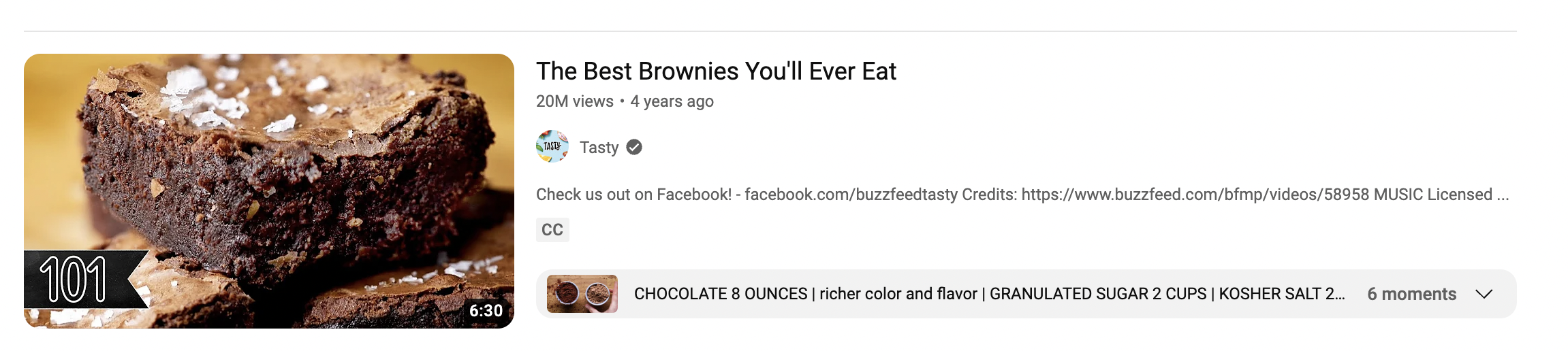
“Best-of” lists and “how-to” titles are also consistently effective. For example, the culinary channel Tasty opts for engaging titles such as:

The key takeaway is to dedicate time to devising engaging titles rather than settling for the first idea that comes to mind.

Specifically, research suggests that the ideal length for YouTube video titles is approximately 70 characters. Additionally, tools like CoSchedule’s headline analyzer proposes about 55 characters for an engaging headline. Although CoSchedule’s tool isn’t intended specifically for video titles, it is fantastic for generating YouTube-friendly titles that can aid in promoting your channel.

2. Optimize Your Videos for Better Visibility

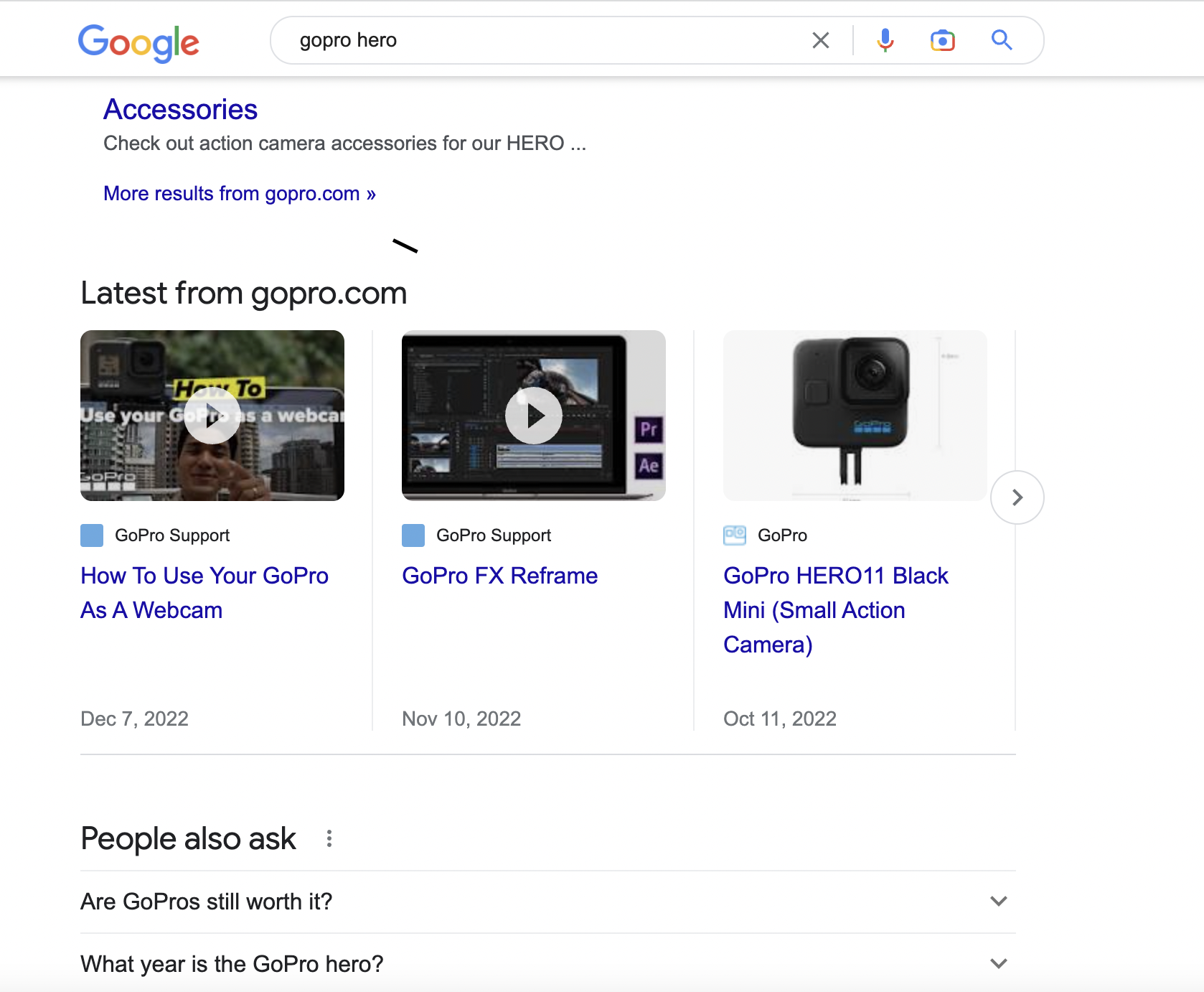
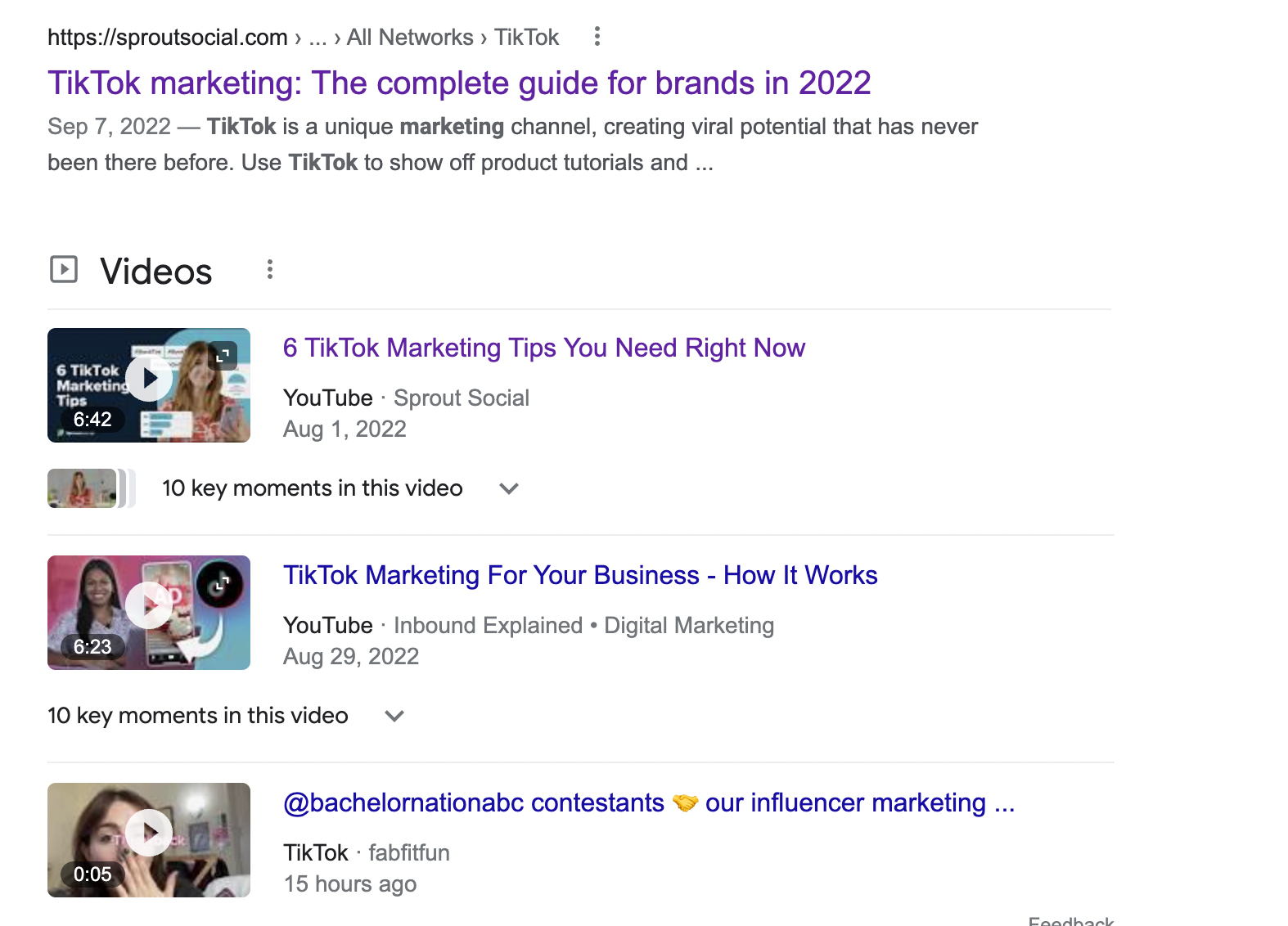
Consider this: YouTube videos show up in 70% of the top 100 Google search results.

Go ahead and check for yourself. A search for any product or “how-to” query on Google frequently yields results from YouTube.

Google search results page for GoPro Hero featuring videos from gopro.com

In fact, YouTube results can even appear before traditional websites or blogs. Remember, YouTube is the second-largest search engine globally. Just as individuals seek products and solutions on Google, the same applies on YouTube.

Treat your YouTube videos like any other content piece that must be optimized with keywords, tags, etc.

To boost your chances of appearing in search results, adopt some best practices for YouTube SEO:

  • Title and descriptions: Incorporate target keywords in both your titles and descriptions. Utilize a tool like Keywordtool.io to discover keyword suggestions.
  • Verbalize keywords in your video: As suggested by Brian Dean of Backlinko, uttering your target keywords in the video can assist YouTube in grasping your video’s subject matter more efficiently.
  • Engagement: YouTube considers viewer engagement (likes, comments, views) as a factor for ranking videos in its search results.
  • Categories: Categorizing your videos aids YouTube in determining relevant audiences for your content.
  • Tags: Alongside categories, employ tags to offer YouTube more context regarding your content. Use as many relevant tags as possible to enhance this context.

Similar to SEO for your website, avoid keyword stuffing. Utilize keywords sensibly and naturally rather than simply to incorporate them.

3. Understand Your Audience’s Needs

For any content you create, ensure it aligns with your audience’s desires. Whether writing a blog or producing a video, first, identify your audience and the types of content they wish to view from you.

If you’re just starting to promote your YouTube channel, analyze your competitors or other content creators in your industry. Examine which of their videos receive the highest views and engagement. This analysis will provide insights into the topics your audience is interested in and what style of videos they prefer.

Utilize Sprout Social’s competitive analysis tools to monitor your competitors. Track essential metrics on YouTube such as views, engagement, and followers while establishing realistic goals for your performance. Additionally, leverage Sprout’s listening features to observe keywords and mentions and gauge audience sentiment regarding specific topics and brands.

Screenshot of Sprout Social's Social Listening tool features showing related keywords and related hashtags to a sentiment analysis campaign.

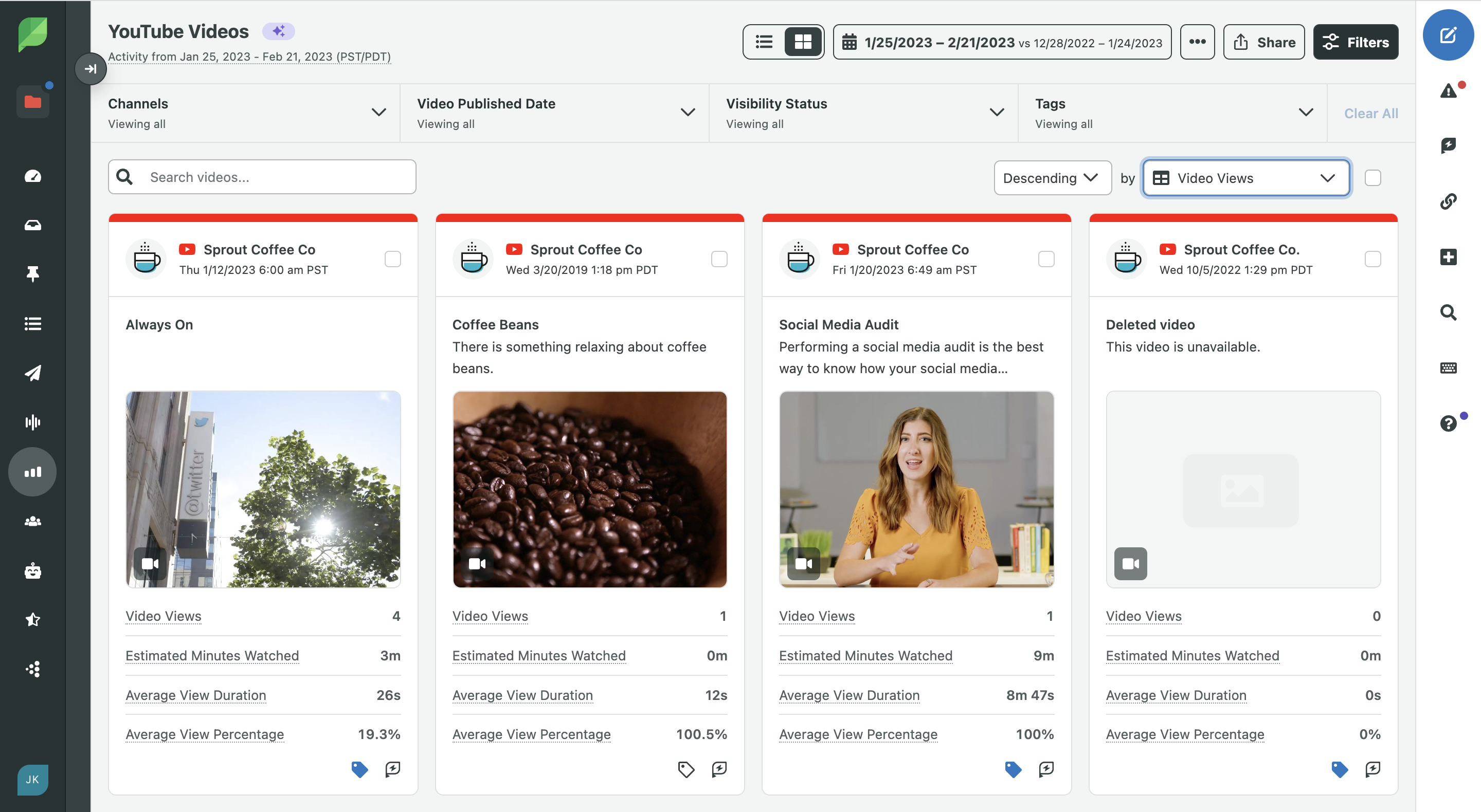
Alternatively, if you’ve uploaded videos, check your YouTube Analytics for valuable insights. YouTube provides detailed demographic information about your audience, including location and engagement metrics. You can also leverage YouTube reporting within Sprout Social to compare your content performance against other social videos you’ve produced.

Sprout Social YouTube Videos dashboard featuring posts with several metrics including video views, estimated minutes watched, average view duration and average view percentage.

Want a deeper understanding of your YouTube metrics? Download our video metrics cheat sheet to learn about key metrics to track and to get tailored content ideas for your marketing goals.

Download our Social Media Video Metrics Cheat Sheet

4. Boost Engagement by Requesting Comments and Likes

At times, simply prompting for engagement is the most effective method to enhance your videos’ visibility, especially considering the immediacy and connection that video content facilitates.

Not everyone who enjoys your video will remember to like or subscribe, so it’s common practice to incorporate reminders in the video itself or the description.

If you’re an emerging channel, there’s no harm in openly requesting support. In fact, posing a question to elicit comments or directing viewers to another video are perfect ways to keep the engagement flowing. You can also provide links to other videos or external sites to provide a clear call-to-action.

5. Plan Live Streams for Quicker Growth

Live video is among the leading social media trends, and it shows no signs of slowing down. With platforms such as Facebook, Periscope, and Instagram readily facilitating live streaming, more brands are seizing this opportunity.

YouTube has offered live streaming for years but has only recently begun gaining traction. Explore some popular YouTube Live videos to observe how other brands utilize this feature.

The Lofi Girl's YouTube live stream video, comments populate in the Top Chat sidebar on the right.

Possible uses for YouTube Live include:

  • Webinars
  • Live tutorials
  • Q&A sessions
  • Product demonstrations

Don’t fret if your streams don’t unfold as planned. Part of the excitement (and uncertainty) of live video is that anything can happen. The unscripted, authentic nature of live content is precisely what makes it captivating. For further guidance on launching into YouTube Live, check out Google’s introduction to live streaming.

6. Capitalize on YouTube Shorts to Maximize Views

Shorts utilize rapid, attention-grabbing vertical video formats dominating social media (think TikTok and Instagram Reels). They’re ideal for captivating viewers accustomed to scrolling through extensive video feeds on their devices.

YouTube Shorts are not merely a trend—they serve as powerful instruments for growth on the platform. Here’s how to incorporate Shorts into your branding strategy:

  • Share quick tips and mini tutorials
  • Create humorous memes or comedy skits
  • React to viral news or trending challenges
  • Showcase product features and benefits
  • Respond to customer inquiries
  • Develop before-and-after videos
  • Provide an inside look at your operations

Here’s how we utilize it at Sprout Social:

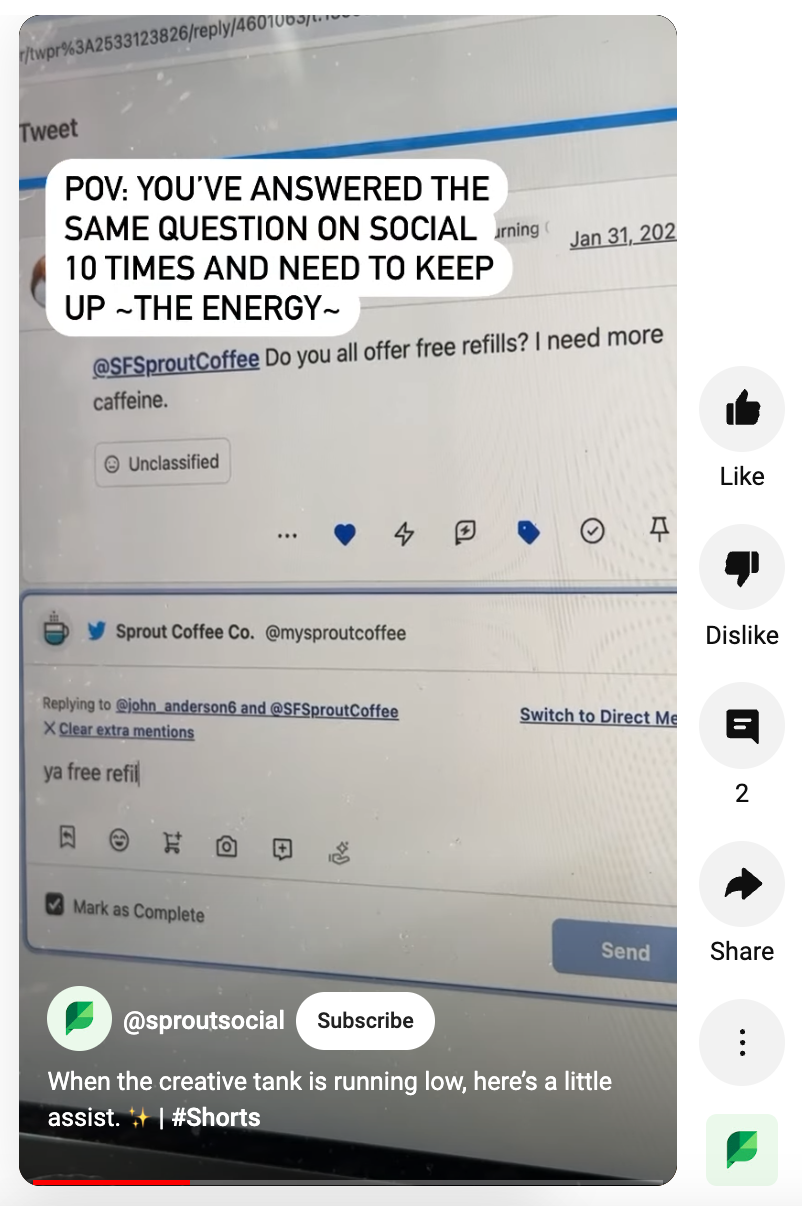
An example of a YouTube Short from Sprout Social.

Source: YouTube

You can also transform your longer videos into short-form Shorts content to broaden reach and enhance brand recognition. Don’t forget to include a call-to-action encouraging viewers to check out the full video on your channel to drive more views there as well.

7. Interact with the YouTube Community

Though you might not consider YouTube a typical social network, it represents a dynamic community where users are actively engaging through content, profiles, “likes,” and comments.

Sounds rather “social,” doesn’t it?

As mentioned earlier, any interaction with your viewers is perceived positively by YouTube. At a minimum, engaging with your subscribers can strengthen your bond with your audience. “Liking” comments only takes moments, as does highlighting a notable comment as a personal note to your followers.

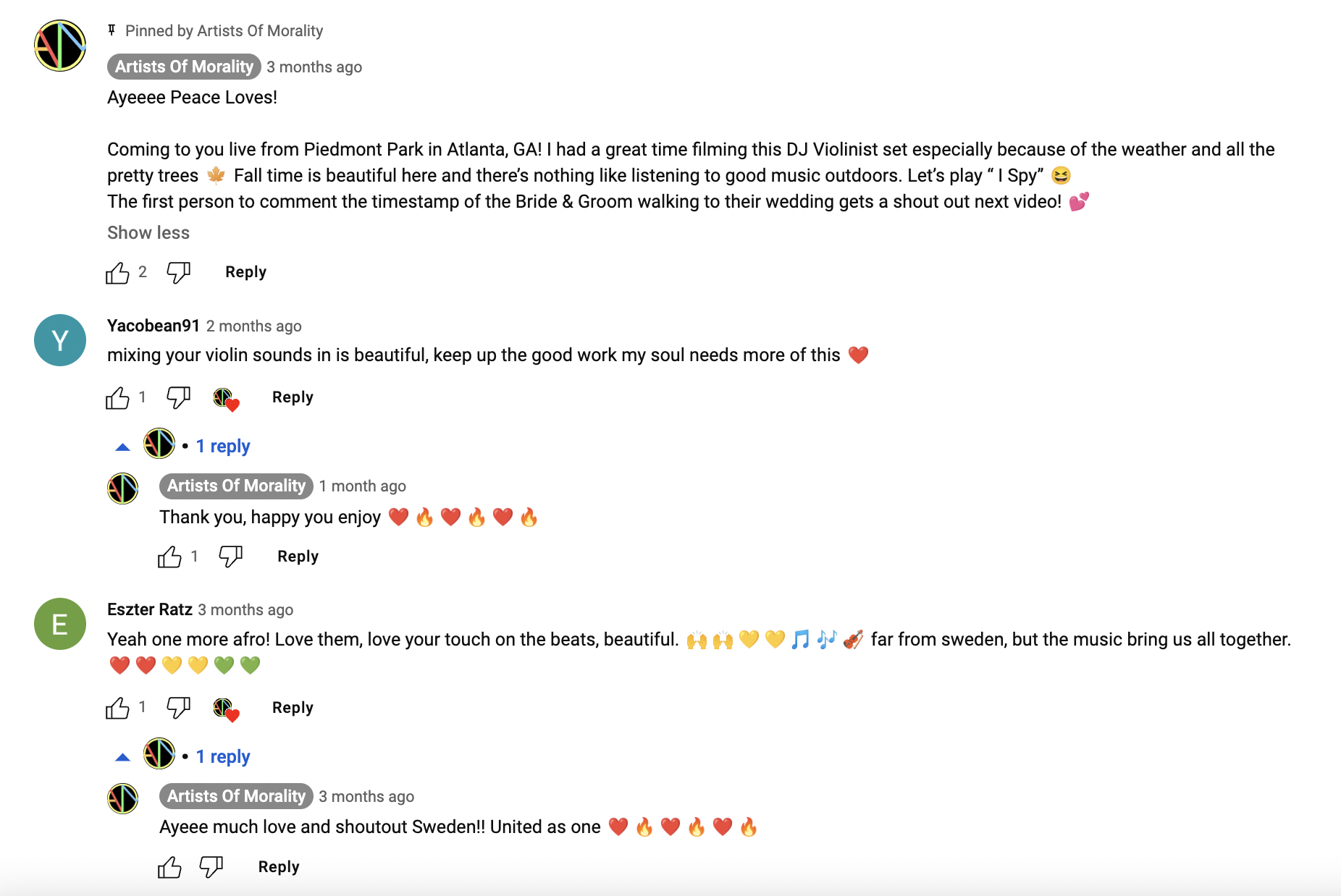
For example, the music channel Artists Of Morality consistently likes and responds to comments on recent uploads. The creator often engages with subscribers to express gratitude and address inquiries as well. They even post challenges in their pinned comments, as seen below:

Artists of Morality's YouTube comment section featuring several interactions with subscriber comments and a pinned comment. The pinned comment challenges viewers to comment the timestamp of a bride and groom walking in the video for a shout out in the next video.

Just like with any other social network, responding to comments and interacting with followers on YouTube is essential.

8. Personalize Your Thumbnails

One of the easiest yet impactful ways to promote your YouTube channel is through custom thumbnails. Consider your title and thumbnail a two-pronged approach to grabbing a viewer’s attention.

By default, YouTube captures a screenshot from the video and uses it as the thumbnail. Unfortunately, this image may capture an unflattering moment or a transition.

Not an ideal representation, right?

Crafting your thumbnails not only enhances the attractiveness of your videos at first glance but also signifies a level of professionalism.

Thumbnails don’t need to be overly complex. You can even design a template with specific fonts and styles for consistency and branding purposes. This is made easy with image creation tools such as Canva. Here’s a fitting illustration from Binging with Babish:

Five Binging with Babish templated thumbnails. Each thumbnail features a close-up shot of food and a shortened title in bold font.

For easy social media templates to start using with Creator Studio, check out our complimentary YouTube banners available for download today!

9. Cross-Promote Your Own Videos on YouTube

Chances are you’re addressing similar topics across various YouTube videos. To leverage your previous content, make a concerted effort to cross-promote your videos where appropriate.

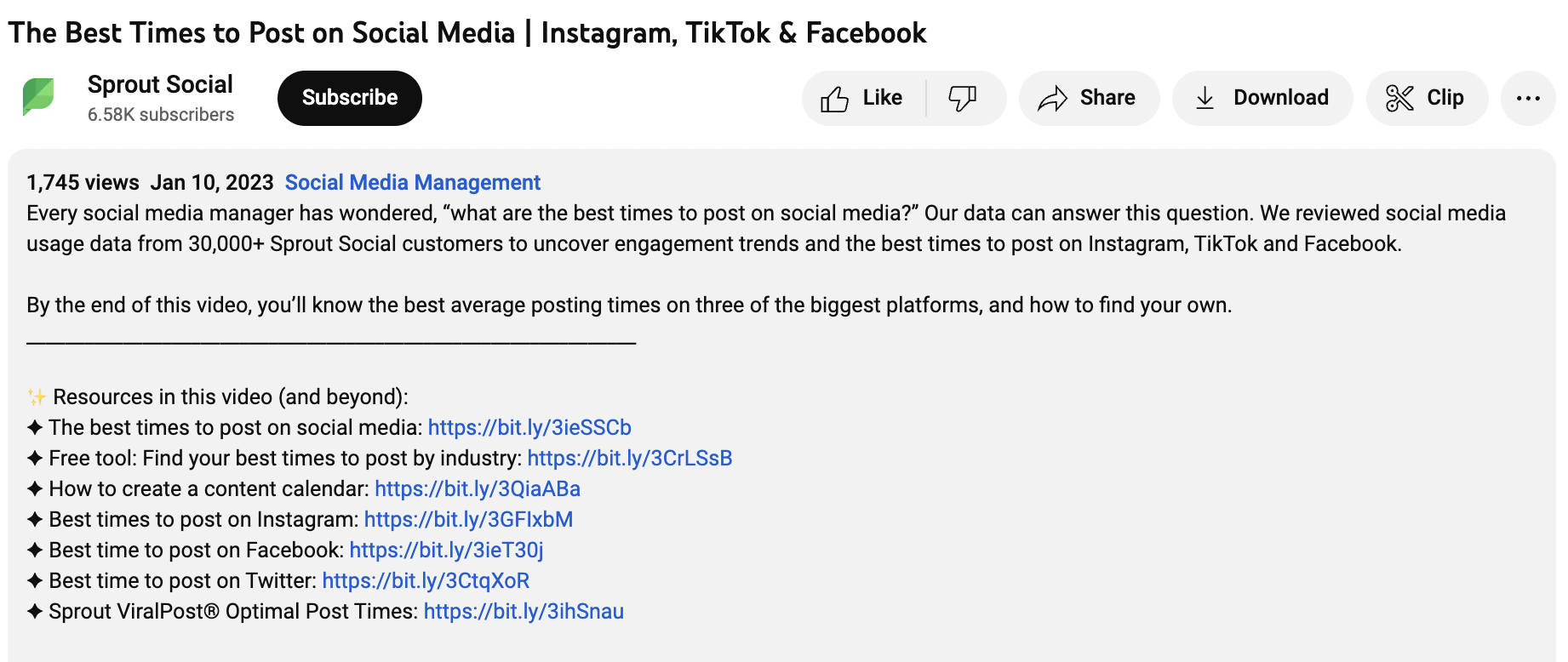
For instance, you can include links in the description of a video, encouraging viewers to explore them as a call-to-action. Some users might lament YouTube’s removal of its annotation feature, but linking in your descriptions prompts viewers to stay engaged without straying.

Sprout's description box for the Best Times to Post on Social Media video. The section includes a description of the video and featured resources with links.

10. Aim for Google Search Results

As noted, YouTube excels in terms of SEO.

While you shouldn’t solely produce content for search engines at the expense of your audience, it’s beneficial to keep SEO in mind when promoting your YouTube channel.

Specifically, product reviews, how-to guides, and longer videos (10+ minutes) focusing on targeted keywords typically perform well in search engine results. If you’re short on content ideas or looking to capitalize on trending topics in your field, reflect on how you can integrate this into your YouTube channel marketing.

11. Host Competitions or Giveaways

If there’s one thing YouTube enthusiasts adore, it’s a giveaway. Organize a YouTube competition or giveaway to motivate people to subscribe to your channel and engage with your content.

To keep these contests straightforward, require people to like your video, comment, and subscribe to enter.

Adhere to these best practices for running any social media contest:

  • Ensure adherence to YouTube’s guidelines.
  • Offer a prize relevant to your brand: it’s essential to attract more than just those after free giveaways.
  • Get creative by incorporating user-generated content or other innovative entry methods.

However, exercise caution when conducting frequent YouTube contests. Make certain your efforts yield results; otherwise, you risk squandering time, money, and resources. After completing a contest, take a moment to analyze your subscriber drop-off rate and engagement statistics. If you find yourself attracting disengaged subscribers, you may just be drawing individuals interested solely in free rewards.

12. Motivate Viewers to Follow Your Series

One effective method for promoting your YouTube channel is to establish a distinct video series revolving around a recurring theme or subject. For instance, Sprout Social’s YouTube channel features various series that collectively represent our YouTube presence, such as our “Always On” series.

Series benefit both creators and viewers alike. For creators, they provide accountability for producing fresh YouTube content, alleviating the burden of constantly brainstorming ideas. For viewers, series create expectations, encouraging them to return to your channel regularly.

13. Embed Your YouTube Videos

Some of the finest places to promote your YouTube channel extend beyond YouTube itself.

Notably, video content has been shown to boost conversion rates and reduce bounce rates on websites. If you wish to keep visitors engaged on a product page or blog post, consider embedding a video (just as we did below).

Remember: any opportunity to channel your on-site (or social!) traffic to YouTube is beneficial.

14. Develop Playlists to Organize Your YouTube Content

As you produce more videos, organizing your channel can become increasingly challenging.

This is why playlists are crucial. They allow you to categorize your videos, enhancing navigation and tapping into viewers’ binge-watching tendencies.

For instance, Beardbrand’s grooming channel offers hundreds of videos on a myriad of topics. The various playlists guide subscribers to relevant content without forcing them to dig

15 of Beardbrand's YouTube playlists featuring hair grooming content.

15. Collaborate with Other Creators and Brands

A strategy successfully employed by many prominent YouTube personalities is collaborating with other creators. Each collaboration increases your exposure to new audiences. The best aspect is that these new viewers are typically more inclined to subscribe to your channel, having trust in the content creator they’re familiar with.

The key to a fruitful YouTube collaboration is selecting the right partner. Seek out creators whose interests align with your brand to ensure the authenticity of your video message. This classic collaboration between BuzzFeed and Purina is a prime example of a well-considered collaboration that doesn’t come off as overly promotional.

Utilize a platform like Tagger to find top influencers in your niche easily. Its intelligent Affinity Engine digs deep into audience interests and behaviors, ensuring you pinpoint creators whose followers genuinely align with your brand’s ethos and campaign objectives.

A screenshot of Tagger's influencer analytics.

16. Launch a Paid YouTube Ad Campaign

As marketing becomes increasingly a pay-to-play landscape, you have the option to enhance visibility using paid YouTube ads. YouTube offers various ad formats, including:

  • Display ads: These ads appear on the right sidebar of videos and are only accessible on desktop.
  • Overlay ads: Semi-transparent ads featured at the bottom of a video, exclusive to desktop.
  • Skippable and non-skippable video ads: These ads show before, during, or after videos. Skippable ads can be bypassed after five seconds, while non-skippable ads require complete viewing.
  • Bumper ads: These non-skippable ads must be watched before accessing the video and can last up to six seconds.
  • Sponsored cards: Cards displayed within relevant videos promoting your products or other content.

For ad creatives, use existing videos or create fresh content tailored for a specific campaign. Employing an existing video maximizes value by selecting established clips that previously garnered strong engagement. Conversely, crafting a new video for ads allows you to design targeted content with precise control, such as including a specific call-to-action at the end directing viewers to a landing page or alternate video. Explore YouTube’s video ad formats here.

17. Routinely Promote Your YouTube Content on Social Media

It’s no secret that video content rules on social media regarding engagement and performance.

Thus, ensure you regularly promote your YouTube channel to your social media followers to motivate them to subscribe. When a video goes live, make it a priority to notify your followers on Facebook, Twitter, Instagram, and LinkedIn. You can also craft snippets or previews for each social platform, linking back to your ultimate production.

With Sprout Social’s help, you can schedule your content and cross-promote it without toggling between platforms. Features like ViralPost® can also help ensure your content goes live when your social audiences are most engaged.

Sprout ViralPost® provides personalized best send times.

18. Incorporate Best Practices in Pre-Production

Put on your producer hat and implement effective pre-production best practices. There’s much to consider when creating video content prior to filming, but following these methods will streamline your production process.

  • Create a contingency plan: What action will you take if there’s an issue with your filming location? What if your talent falls ill? Planning ahead prepares you for unexpected challenges.
  • Develop the video concept from start to finish: Use a storyboard to delineate each segment of the video. This outline can include visual cues, animations, calls to action, etc.
  • Create a shot list: A shot list helps organize crucial details such as lighting, location, and camera angles. Once your script and storyboard are finalized, list each scene and identify pertinent action and dialogue. Mark the type of shot desired (e.g., wide-angle vs. close-up).

Streamlining your production method will enable you to generate more video content efficiently since your workflow resembles a well-oiled machine rather than a chaotic one. A structured process also ensures each video resonates correctly since you’ve thoughtfully analyzed visual elements and logistical aspects that enhance viewers’ experiences.

Consequently, as you create more pertinent videos, you will see an increase in views and subsequently grow your YouTube channel over time.

Four Resources for Enhancing Your YouTube Channel

Alongside the 17 strategies listed above, ensure you’re keeping up with everything YouTube. Optimize your efforts with these guides:

And with this, we conclude our guide on how to increase your views on YouTube!

How Do You Promote Your YouTube Channel?

Developing a YouTube audience is intentional. It can indeed feel like a challenge, especially in a crowded market.

This is precisely why it is beneficial to equip yourself with a range of promotional tactics. Although some of the aforementioned tips may require extra effort than others, all can assist you in enhancing visibility for your channel and increasing subscribers consequently.

If you’re prepared to advance your YouTube presence and start witnessing tangible business results, Sprout Social’s YouTube integration offers features to help streamline your scheduling and content publishing process. Additionally, with our integration, you can access deeper analytics to refine your video strategy.

The post Enhance Your YouTube Views: 18 Effective Strategies first appeared on Sprout Social.

Read More

In-Depth Handbook on Essential Customer Engagement Metrics to Monitor

The prosperity of your enterprise hinges on how effectively you connect with your customers. Customers who are deeply engaged are more inclined to make purchases from you and maintain their allegiance to your brand. Therefore, it is essential to monitor your customer engagement metrics closely to enhance different facets of your performance. This encompasses everything from the material you produce to the customer care you offer.
This article outlines several crucial metrics you must keep track of to comprehend customer engagement. Utilize this information to identify the significant metrics and the methods for measuring them.

What are metrics for customer engagement?

Metrics for customer engagement are the tools used to evaluate the level of engagement your customers exhibit. They allow you to assess how customers interact with your brand and respond to your marketing tactics. As a result, they provide a clearer picture of how connected customers feel to your brand and how certain strategies resonate.

You can evaluate these metrics for particular campaigns or even for your broader business operations. For instance, you might utilize KPIs related to customer engagement like Instagram likes and comments within a social media campaign. Furthermore, you can assess the impact of customer service using churn rates and customer satisfaction.

The benefits of tracking metrics for customer engagement

The advantages of measuring customer engagement reach beyond social media and influence your overall business performance. Here are some key benefits of monitoring your customer engagement KPIs:

  • Assessing customer engagement enables you to follow trends in customer behavior. This insight helps you understand their preferences and needs so you can adapt your strategies. For example, if you observe a significant drop-off during the checkout process, you could enhance the checkout interface to boost conversions.
  • Monitoring your customer engagement metrics aids in enhancing your return on investment. These metrics enable you to pinpoint the most effective channels and campaigns for your brand, allowing you to concentrate your efforts and resources where they will generate the highest returns.
  • Metrics such as Net Promoter Score™ (NPS) and customer satisfaction score (CSAT) measure the customer experience. Keeping track of these metrics will indicate how you can address pain points and refine your customer experience strategy.
  • You can also harness customer engagement metrics to inform your customer journey mapping. They help you detect inefficiencies, identify pain points, and recognize content deficiencies to enhance each customer interaction.
  • A further significant advantage of monitoring engagement metrics is boosting customer retention. Metrics like customer lifetime value (CLV) and churn rates can indicate which customers may be at risk, enabling you to develop focused retention strategies that ultimately enhance loyalty.

10 customer engagement metrics to monitor

1. Net Promoter Score™ (NPS)

Net Promoter Score™ or NPS gauges how willing people are to recommend your business to others. This makes it an outstanding indicator of customer loyalty and brand advocacy. It not only provides insight into customer satisfaction with your brand but also into their likelihood of remaining as customers.

Moreover, it reveals whether your business can expand organically through word-of-mouth.

NPS surveys categorize your customers into three groups based on their responses:

  • Promoters: Those who answered 9 or 10
  • Passives: Those who answered 7 or 8
  • Detractors: Those who answered between 0 and 6

To calculate your NPS, you can use the following formula:

NPS = % of promoters – % of detractors

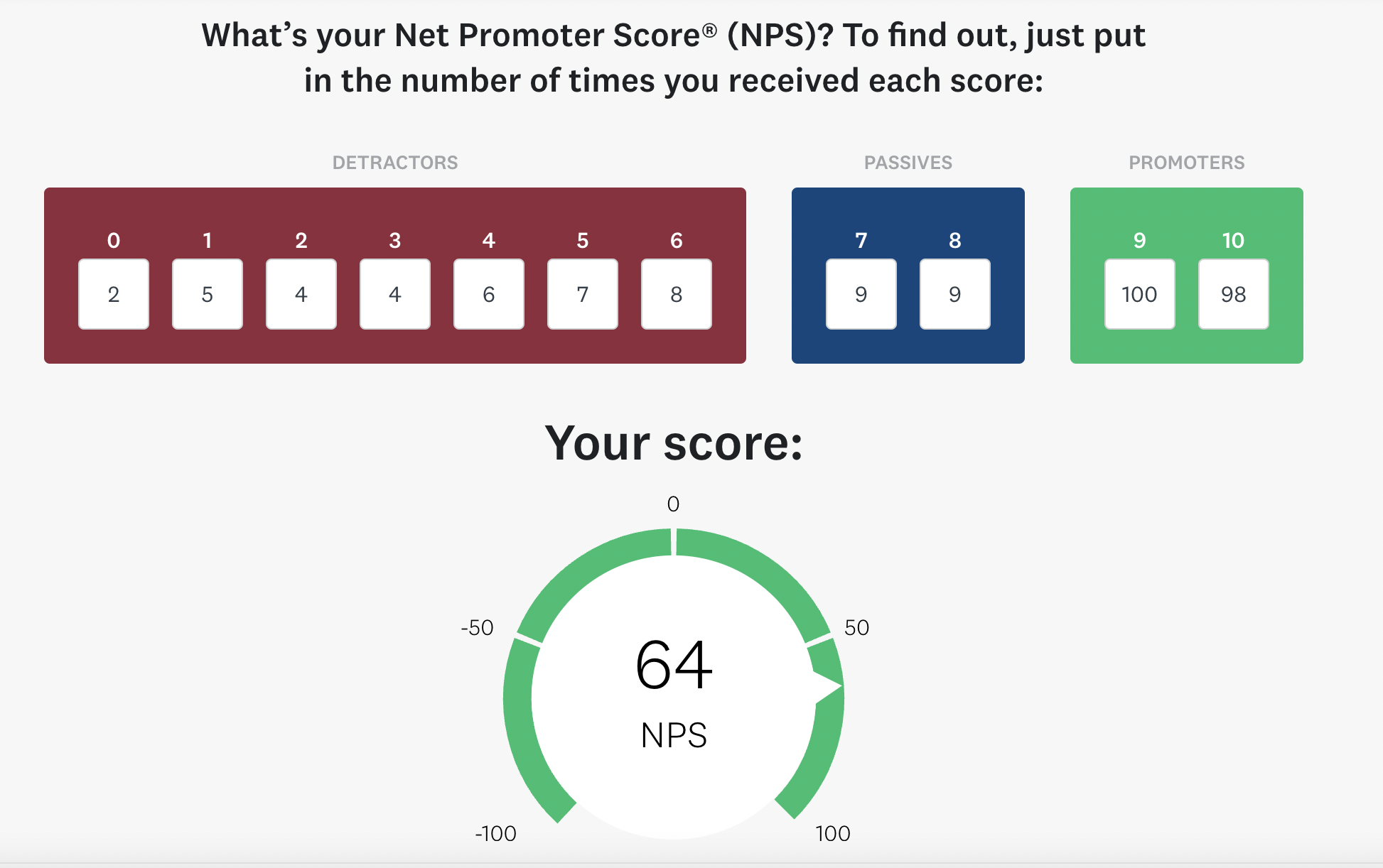
Survey Monkey provides an NPS Calculator for easily determining your score.

NPS Calculator showing fields to enter number of detractors, passives and promoters and an NPS of score of 64

Source: SurveyMonkey

2. Customer satisfaction score (CSAT)

This customer engagement metric evaluates how satisfied customers are with your brand. It’s an excellent method for assessing customer experience and identifying improvement opportunities.

Most businesses utilize CSAT surveys as part of their customer service strategy. That’s why you often receive surveys at the end of a customer service interaction, asking if you were satisfied with the experience.

Typically measured on a scale of 0-5, a rating of 4 or higher is considered positive. Conversely, a rating of 3 is neutral, while 2 or below is viewed negatively. You can use this formula to determine your CSAT:

CSAT = (Positive responses/Total responses) x 100

Utilize tools such as the CSAT Calculator from SmartSurvey for simple calculations.

CSAT Calculator showing fields to enter the number of responses and a meter showing a CSAT score of 58.33

Source: SmartSurvey

Some businesses also provide an option for additional written feedback alongside numerical scores. This approach helps gather qualitative feedback on enhancing the customer experience and boosting your CSAT.

3. Customer effort score (CES)

Your customer effort score or CES evaluates how easy it is to interact with your business. This makes it a crucial measurement of the overall customer experience.

In fact, your CES affects other facets of your customer engagement and business efficacy. Gartner reports that low-effort companies have a 65-point higher NPS compared to high-effort companies. CES is also 40% more precise than CSAT in predicting customer loyalty.

Moreover, 94% of customers who experience low-effort interactions are more inclined to make repeat purchases. This rationale holds; when acquiring something from a company is easy, customers are likely pleased with the interaction and are inclined to return for another purchase.

A CES survey prompts a question that users must rate on a scale from 1 to 7. You can then compute the score with the following formula:

CES = Sum of responses/Total number of responses

Tools like SmartSurvey’s CES Calculator also assist in simplifying this process.

CES Calculator showing fields to enter the number of responses and a meter showing a CES of 3.67

Source: SmartSurvey

4. Customer churn rate

Churn rate indicates the number of customers who cease using your products or services over a set period. Therefore, it’s an excellent indicator of customer discontent.

An increase in customer churn often signifies that consumers are dissatisfied with your brand, usually due to a poor experience. According to Zendesk, just one negative experience can lead 52% of customers to switch to another brand.

Occasionally, you might observe a spike in churn when a new competitor emerges in the market. Regardless, this pattern suggests a need to evaluate your customer engagement approaches. You should also stay informed on the latest customer service trends to maintain a competitive edge.

The formula for calculating churn rate is:

Churn rate = (Number of customers lost/Original number of customers) x 100

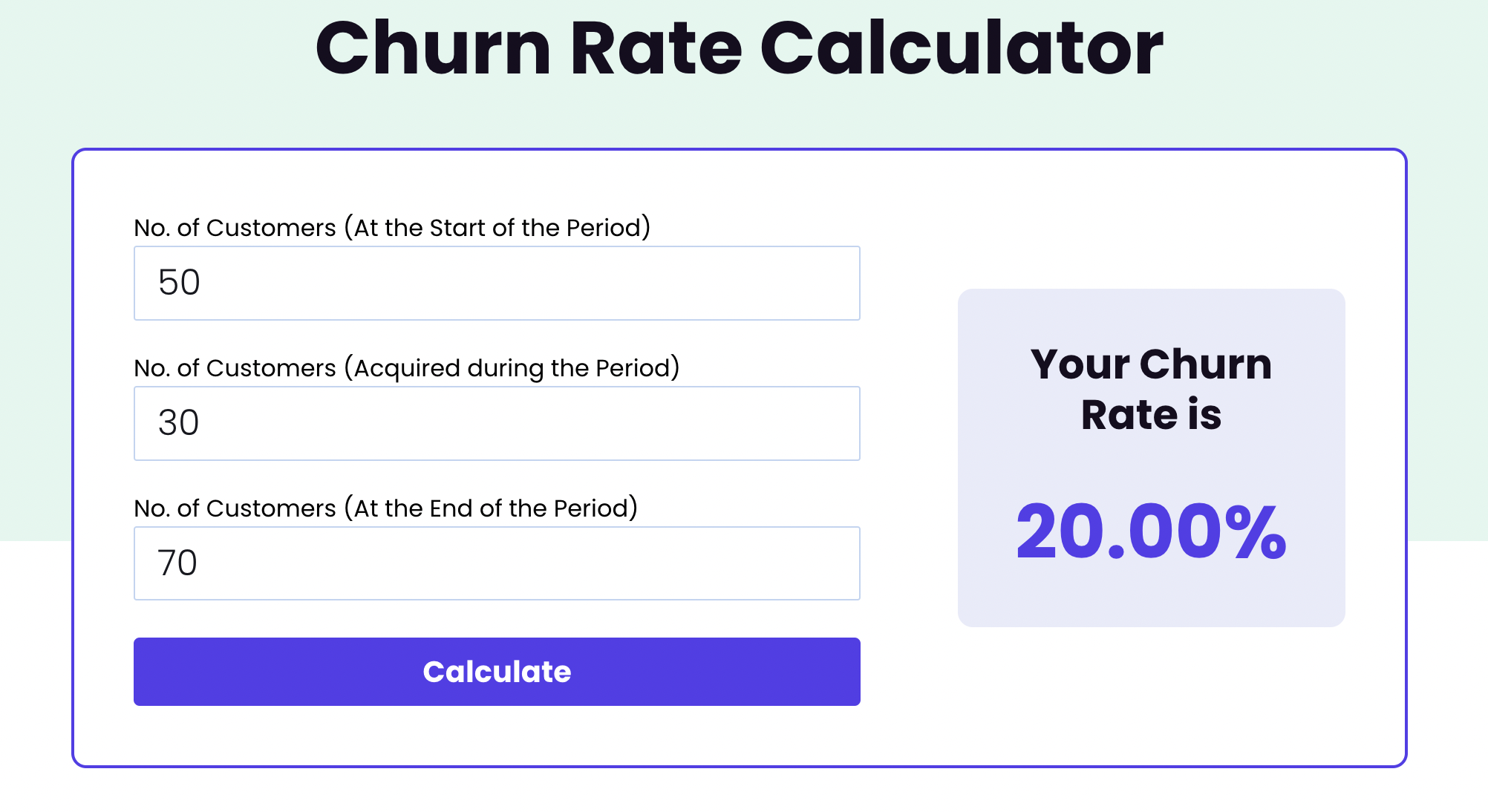
You can utilize the WebEngage Churn Rate Calculator to calculate your churn rate.

Churn Rate Calculator showing three fields to enter the number of customers at the start, acquired, and at the end of the period and a churn rate of 20.00%

Source: WebEngage

5. Customer retention rate

Closely related to churn rate is the customer retention rate. This metric indicates the percentage of customers who remain engaged with your brand over a specific duration. Essentially, it assists in measuring your customer loyalty.

This metric serves as a strong indicator of how effectively your brand engages its customers. Therefore, it provides insight into whether you are delivering experiences that encourage them to remain.

Surveying your most loyal customers can help you understand why they stay with your brand. Utilizing these insights can direct improvements to the customer experience and further increase retention.

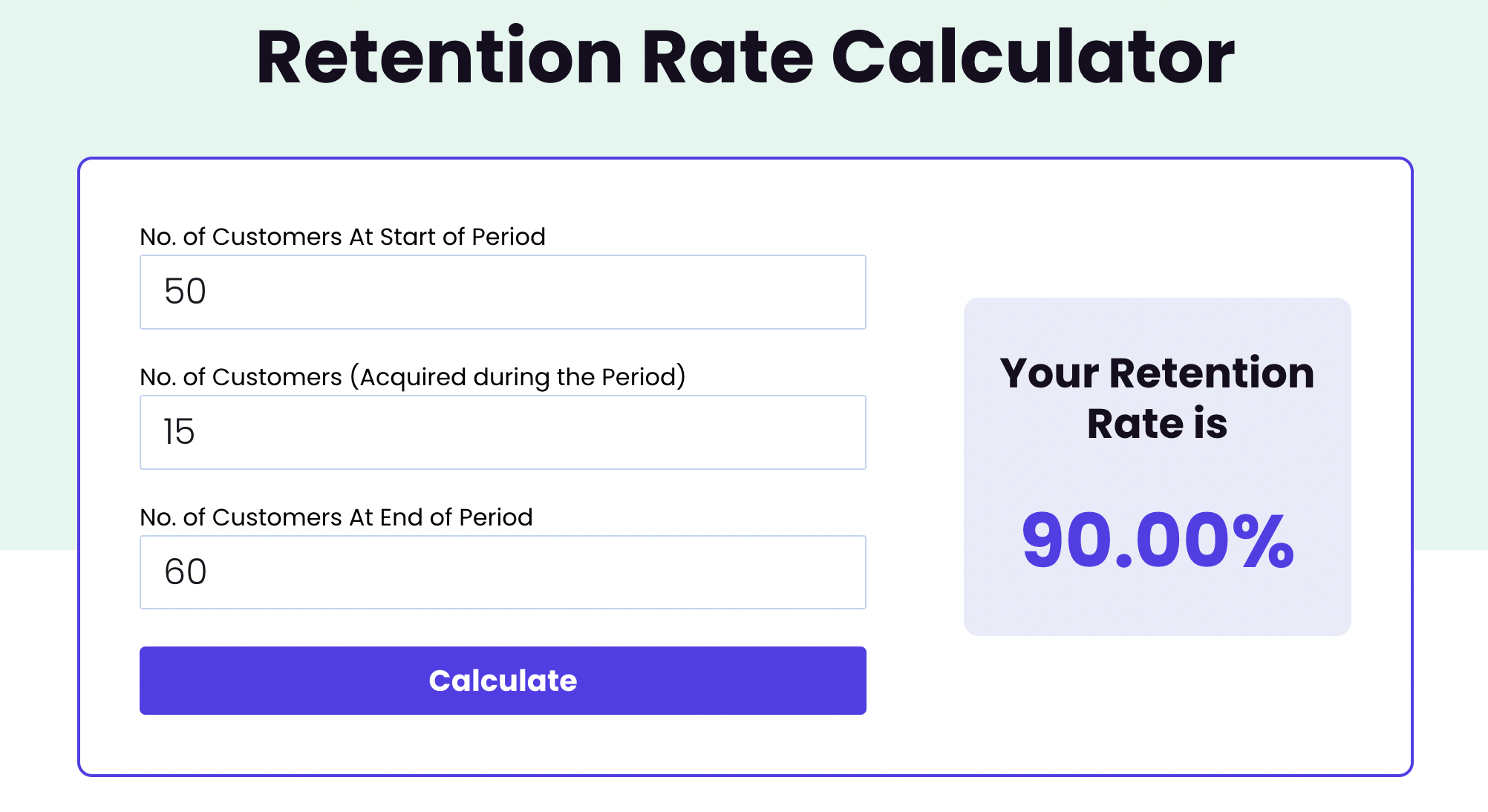
The formula for calculating customer retention rate is:

Customer retention rate = [(Total customers – New customers)/Original number of customers at the beginning of the period] x 100

The Retention Rate Calculator from WebEngage can expedite this calculation.

Retention Rate Calculator showing the number of customers at the start, acquired, and at the end of the period and a retention rate of 90.00%

Source: WebEngage

6. Average resolution time

How swiftly are you addressing customer issues? Your average resolution time tracks the speed at which you resolve customer support tickets.

This metric plays a vital role in customer satisfaction; resolving complaints quickly enhances your chances of impressing customers. However, if resolution takes too long, it may lead to customer frustration.

This metric is essential for assessing your customer service effectiveness. It can help you gauge the efficiency of your customer support operations, including social media customer service.

If you have different customer service tiers, aim to decrease resolution times across all tiers.

7. Social media engagement

Metrics related to social media engagement provide insight into the effectiveness of your social media initiatives. You can use these metrics to evaluate specific campaigns or to measure social media’s contribution towards your overall business objectives.

Analyze which types of posts and campaigns connect most with your audience based on engagement metrics. Additionally, assess whether you’re fostering an engaged brand community through your social media interactions.

Depending on your objectives, you can apply various metrics to assess engagement on social media. Some of the most recognized social media metrics for evaluating customer engagement include:

  • Follower growth
  • Likes
  • Comments
  • Shares
  • Brand mentions
  • Saves
  • Post clicks
  • Story retention
  • Reply time
  • Conversions

Most social media platforms provide native analytics, offering these engagement insights. Alternatively, you can also utilize third-party social media analytics tools for additional metrics.

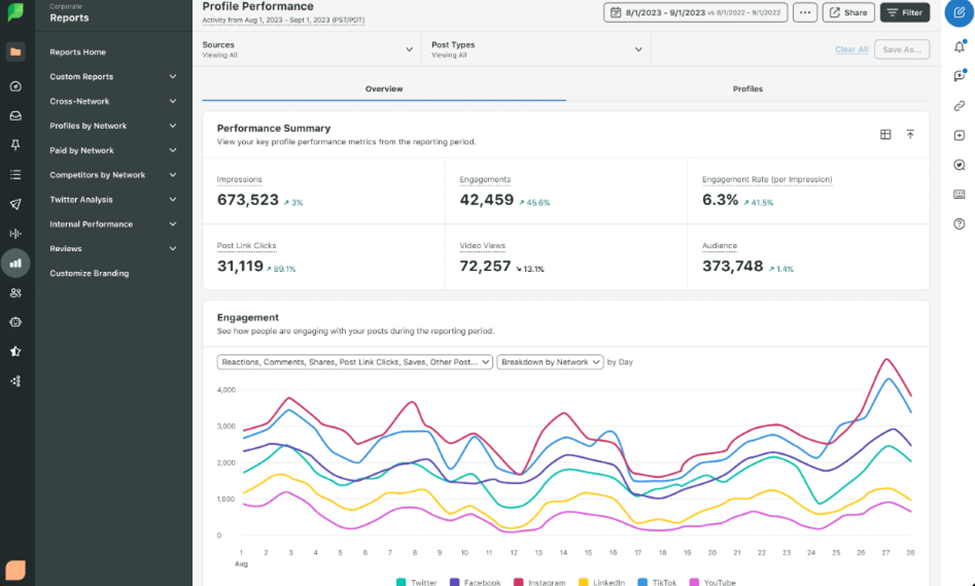
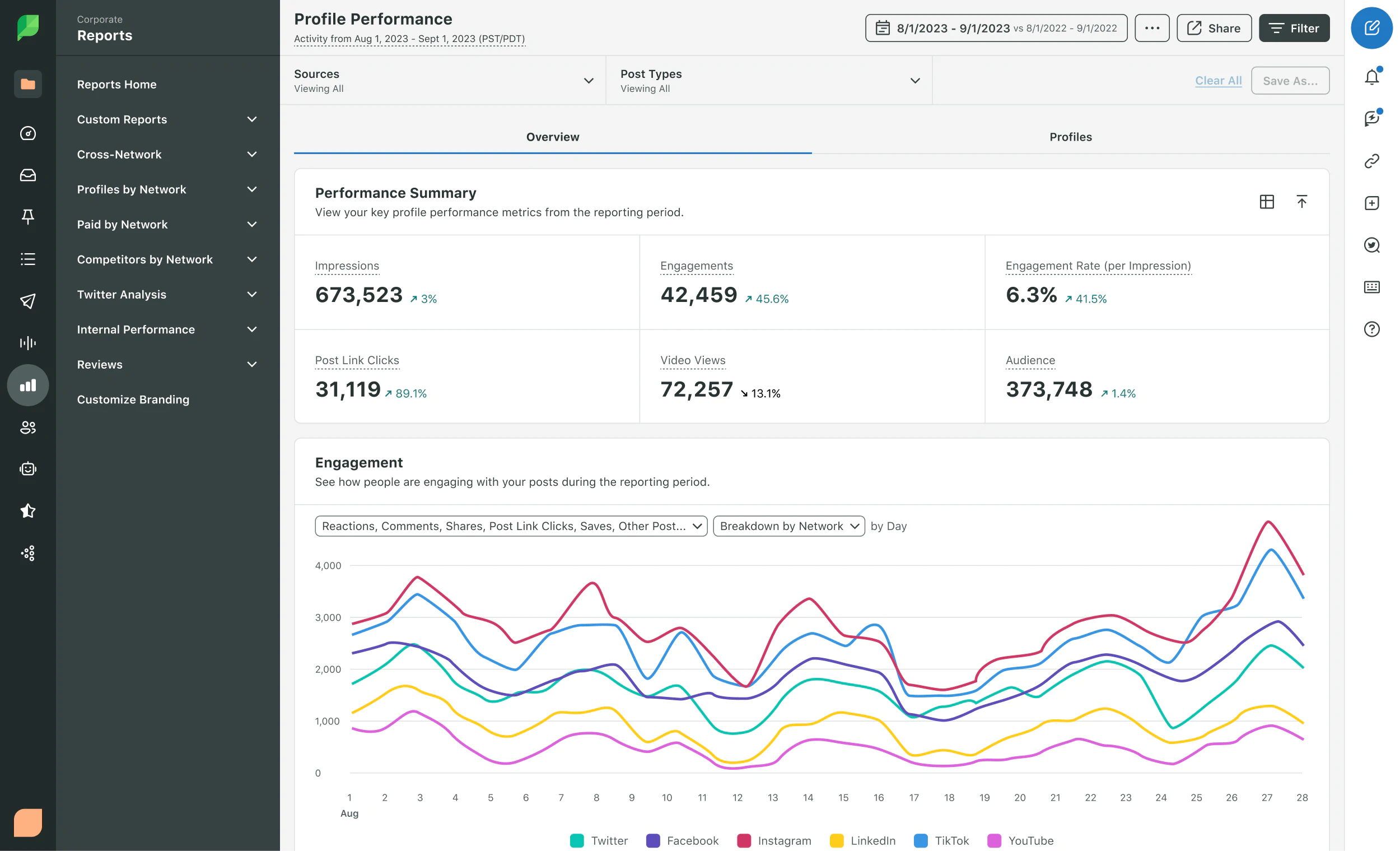
Sprout Social Profile Performance dashboard showing a summary of performance metrics and a graph measuring changes in customer engagement8. Click-through rate (CTR)

Your click-through rate indicates how many individuals clicked on your links or advertisements. Therefore, it serves as a measure of the efficacy of your calls to action and marketing efforts. It proves highly beneficial for evaluating engagement levels in your ads, marketing emails, and social media posts.

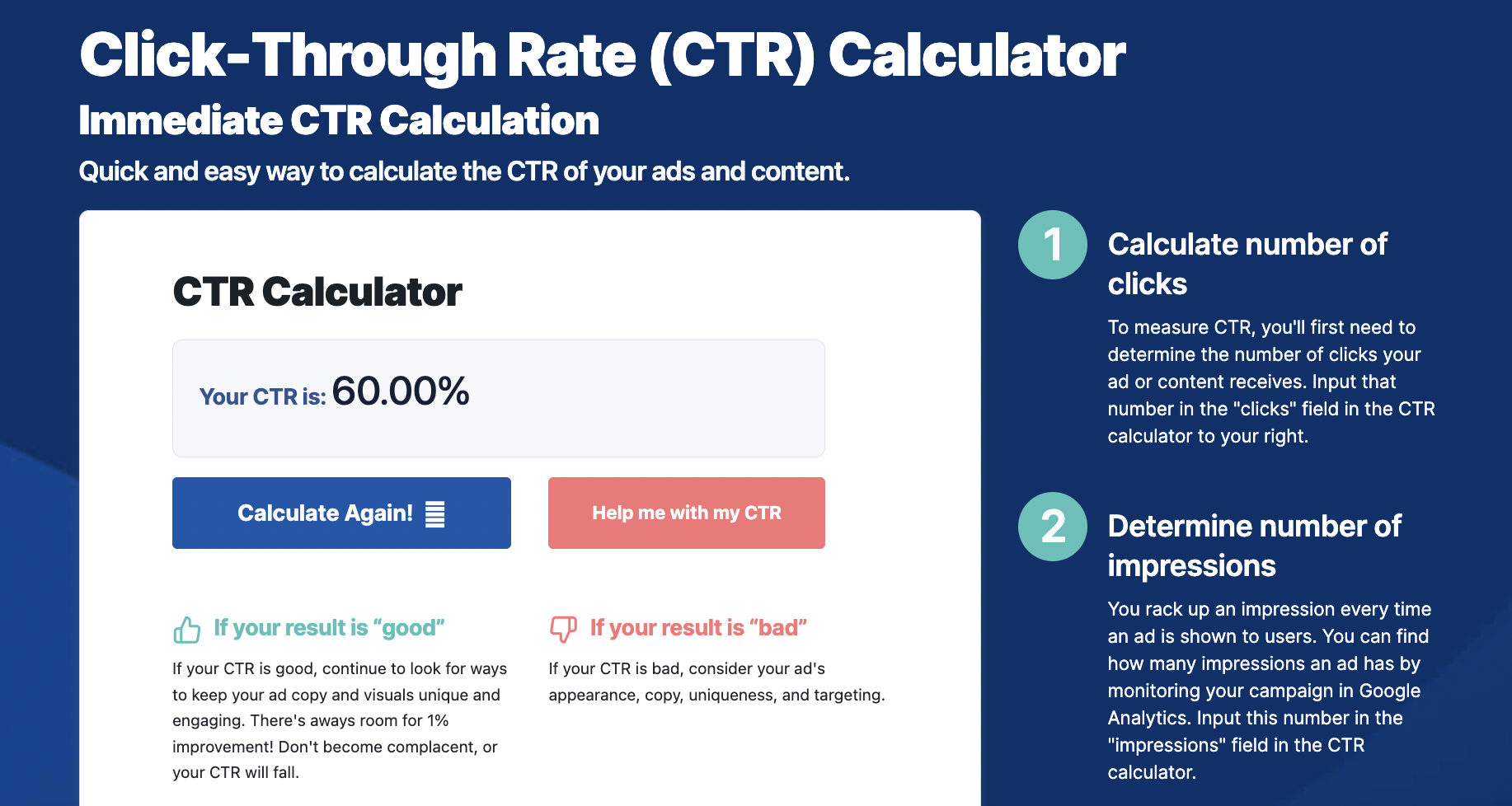
You can gauge your click-through rate using the following formula:

CTR = (Number of clicks/Number of impressions) x 100

<p Utilize this CTR Calculator tool from WebFX for instant click-through rate calculations.

CTR Calculator showing a CTR of 60%

Source: WebFX

9. Average session duration

Your average session duration reflects the length of time visitors spend on a page. It serves as a good indication of how engaged they are with your content.

This renders it an essential metric for tracking the performance of your content marketing. If a particular blog post achieves a session duration exceeding the average, it suggests that visitors find its content valuable. You can leverage this data to create content that meets your target audience’s needs. This information can also inspire customer-centric marketing campaigns that connect effectively.

10. Bounce rate

Your bounce rate represents the percentage of visitors who exit your site after only viewing one page. A high bounce rate signifies that your website or content may not be engaging enough.

Ideally, you should aim to keep your bounce rate below 40%. Anything exceeding that threshold may signal the need to revise the page to enhance its appeal. This might involve improving load speeds, optimizing specific elements, or revising the content itself to ensure it meets your audience’s needs effectively.

How to assess customer engagement

Here are best practices to facilitate accurate measurement of customer engagement.

Clearly articulate your objectives

What is your motivation for measuring customer engagement? Begin with a defined purpose to streamline your efforts effectively.

Perhaps your aim is to enhance your customer care efficiency. Or you may wish to analyze the effectiveness of a particular campaign. You may even conduct customer engagement analytics to improve the omnichannel customer experience.

Your customer engagement metrics can influence various aspects of your enterprise. Approach with a well-defined end goal to extract meaningful insights.

Identify key engagement metrics

With the plethora of engagement metrics at your disposal, it’s easy to lose focus on what to measure. Streamline your efforts by concentrating on the metrics most pertinent to customer engagement.

This selection will depend on your analytical objectives. For example, if your intention is to enhance customer care, consider metrics like CSAT and response time. If your aim is to elevate the omnichannel experience, CES will provide the insights you’re looking for.

Gather data from appropriate sources

The quality of your insights largely depends on the sources from which they originate. Collect data from diverse sources to attain comprehensive insights. This strategy will yield a more thorough and accurate understanding of your customer engagement.

Look beyond your website and native social media analytics. Maximize the potential of third-party analytics tools to gather necessary data. Customer surveys and support interactions can also yield valuable qualitative insights.

Evaluate, refine, and enhance customer engagement

Measuring customer engagement metrics constitutes merely the first step. What holds significance is how you proceed with these insights. Ultimately, the objective is to employ these metrics to inform and enhance your performance.

Advance your engagement levels with Sprout Social’s robust social customer service capabilities. Seamlessly monitor your customer care team’s engagement metrics to assess their impact. Additionally, automatically gather feedback through NPS and CSAT surveys. Enhance your interactions with AI Assist and witness growth in customer engagement.

The article The ultimate list of customer engagement metrics to monitor originally appeared on Sprout Social.

Read More