

To thrive with Instagram Reels, you need more than just the ability to jump on trends and edit videos. The key difference between successful creators and others lies in their utilization of analytics.
These metrics provide insight into what resonates with your audience and what doesn’t, enabling you to consistently share high-caliber videos that genuinely connect with them.
This article will guide you on how to monitor your Instagram Reels analytics. You’ll also discover which metrics are essential to track, what they reveal about your content, and how to leverage this data to grow a broader, more engaged audience.
How to access Instagram Reels analytics via the app
Before delving into the meaning behind your metrics, let’s ensure you can access them.
To view your Instagram Reels analytics, you must have a business or creator account. If you currently have a personal account, there’s no need to fret – you can easily transition to a professional account.
Once you’ve made the switch, Instagram offers two ways to monitor your Reels statistics:
- View analytics for individual Instagram Reels
- Check Reels metrics within overall account insights
We’ll guide you through each method below (illustrated with screenshots).
Monitoring analytics for individual Instagram Reels
Curious if that fresh hook worked? Or how many new followers a particular Reel gained? By assessing each Reel’s performance, you can pinpoint exactly which styles, subjects, and formats your viewers favor.
Here’s how to obtain these insights:
1. Open your Instagram profile and click the Reels tab to see all your Reels.
2. Select the Reel you wish to analyze.
3. Click View insights at the bottom to uncover metrics for that specific Reel.

Alternatively, you can tap the three-dot icon (•••) at the bottom right of your Reel and select Insights from the options to see the same metrics.
Monitoring Reels metrics within overall account insights
If you are looking for a wider understanding of how your Reels contribute to your overall performance on the platform, tracking Instagram metrics through account insights is the way to go. This approach allows you to identify trends across your content and assess overall engagement.
Here’s how to access this information:
1. From your Instagram profile, click the hamburger menu in the upper right corner.
2. Choose Insights to open your account’s analytics dashboard.
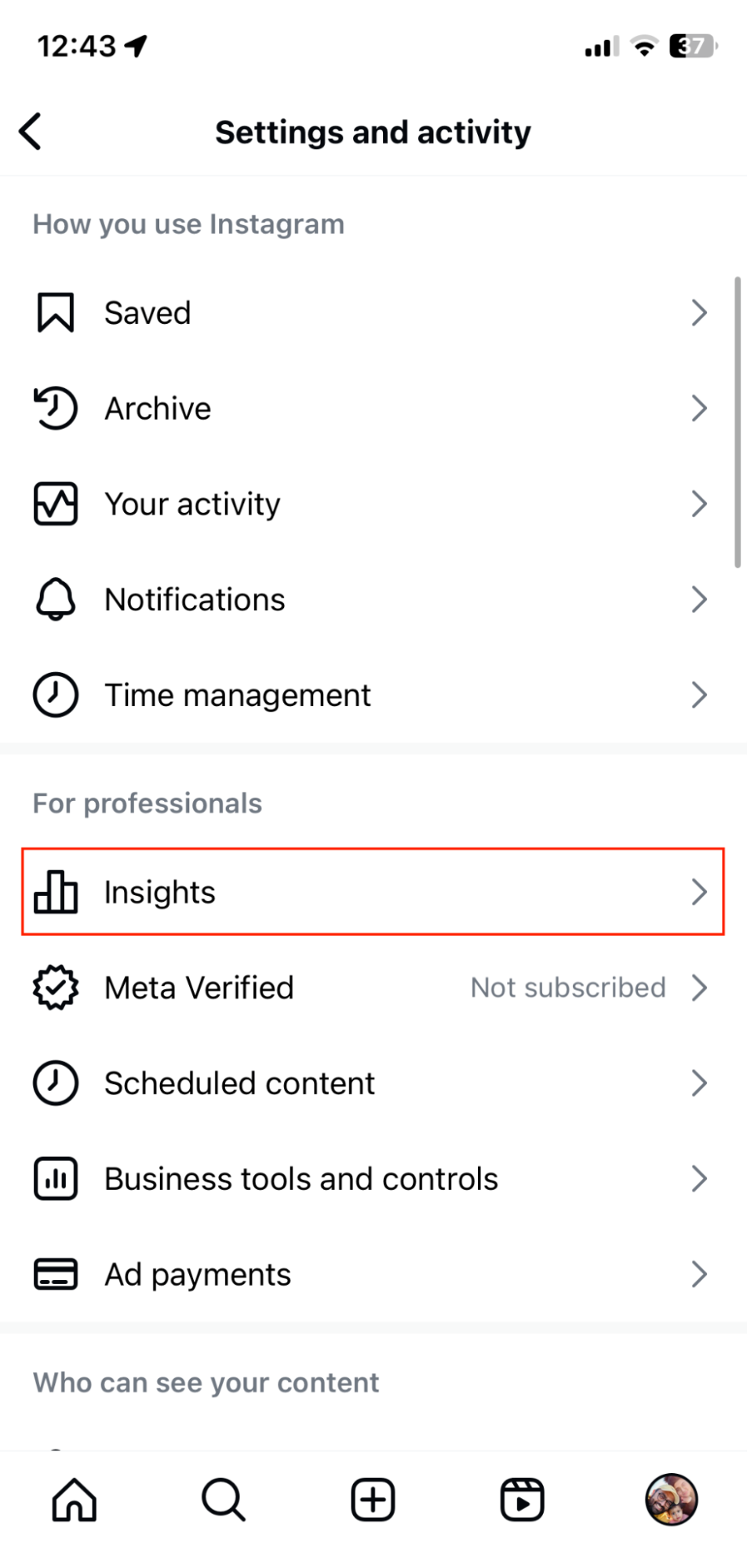
3. Scroll down to the Content you’ve shared section.
4. Click on Reels to view performance metrics for all of your videos. You can customize the time frame, filter by metric (e.g., views, comments, likes, reach, etc.), or sort your videos according to newest, highest, or lowest.
Note: You can also access your Professional dashboard directly from your Instagram profile. Tap on Content you shared and select Reels from the dropdown for the same insights.

Instagram Reels metrics for informed decisions
Tracking Instagram Reels metrics can facilitate exponential growth on the platform—provided you grasp what each metric signifies for your strategy. Additionally, it’s critical to recognize how these metrics interact to reveal your content’s true effects.
Let’s break down each metric and what it discloses about your Reels performance:
Views
Views indicate how many times users have played or replayed your Reel. This metric reflects your video’s ability to captivate attention, particularly in the initial seconds.

However, as views also include repeats by the same users, they do not inherently imply that you’ve reached a broad audience. When compared with other metrics, they can, however, provide significant insights into your content.
For instance, a Reel with high views but low average watch time may suggest a strong hook but poor engagement in the rest of the video.
Additionally, examine patterns in your top-viewed Reels. If Reels that begin with a strong statement garner twice as many views as those that start with questions, you may want to modify your hooks.
You could also experiment with various Reel thumbnails (e.g., text overlay or facial expressions) to discern what captivates your audience and encourages them to watch your Reel.
Reach
Reach indicates the number of unique accounts that have viewed your Reel. Instagram further divides this metric into the percentage of followers and non-followers who watched your video.
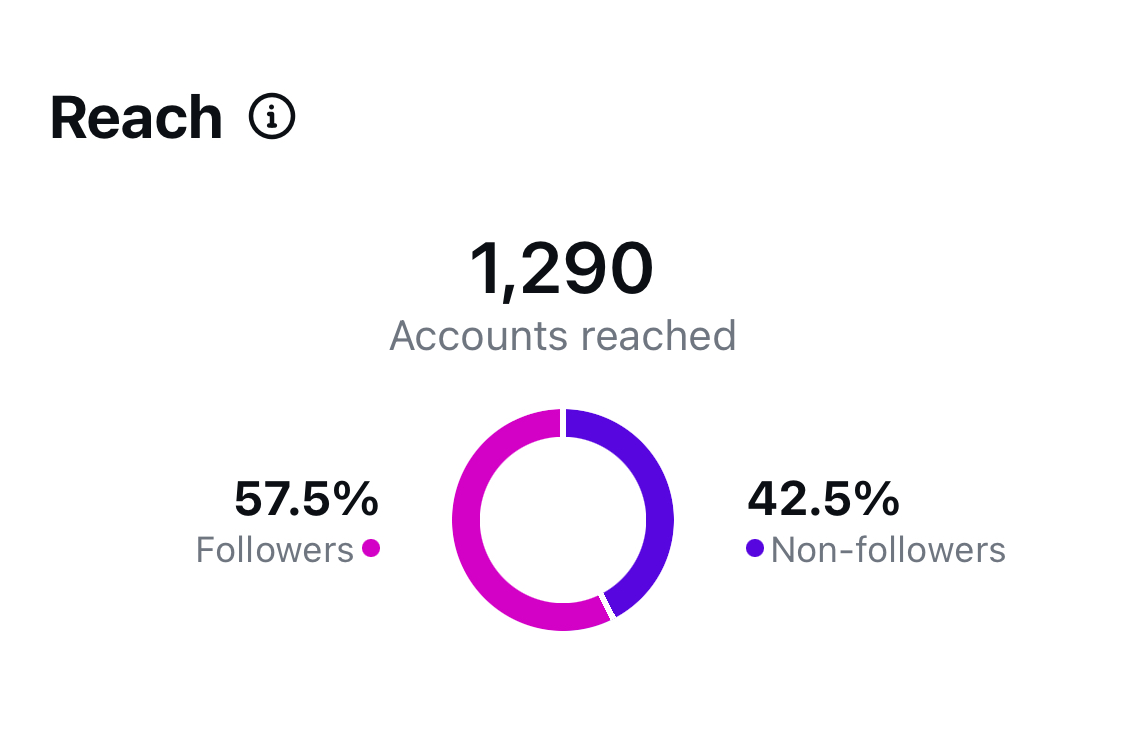
High reach typically signifies that the Instagram algorithm is effectively promoting your content to new audiences via the Reels tab, explore page, or hashtags. When your reach considerably surpasses your follower count, you’re successfully engaging with a wider audience.
There’s also a link between your views and reach. For example, exceeding views than reach indicates viewers are rewatching your Reel—an excellent signal of captivating content.
Monitor which types of content routinely reach fresh audiences. Many brands find that educational material typically travels further than promotional posts. Creating Reels on trending subjects can also significantly enhance your reach.
Watch time
Watch time quantifies the total duration viewers spend watching your Reel, including replays. This metric is useful for assessing audience engagement in a broader sense.
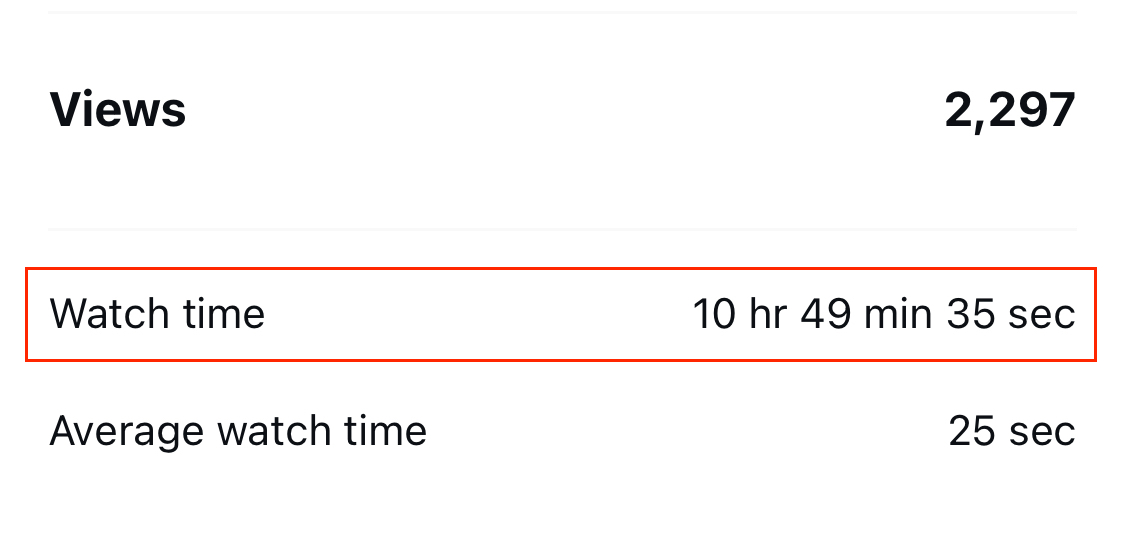
For example, substantial watch time coupled with numerous unique views indicates a wider audience’s curiosity in your content. Conversely, high watch time alongside fewer unique views signifies deeper engagement from a smaller viewer base.
Watch time is also a valuable metric for establishing goals and gauging campaign success. For instance, your brand may assess total watch time across several Reels for a comprehensive view of which videos were most-watched overall.
Average watch time
The average watch time reveals how much of your Reel people generally watch before leaving. It is determined by dividing the total watch time by the number of initial plays (excluding replays).
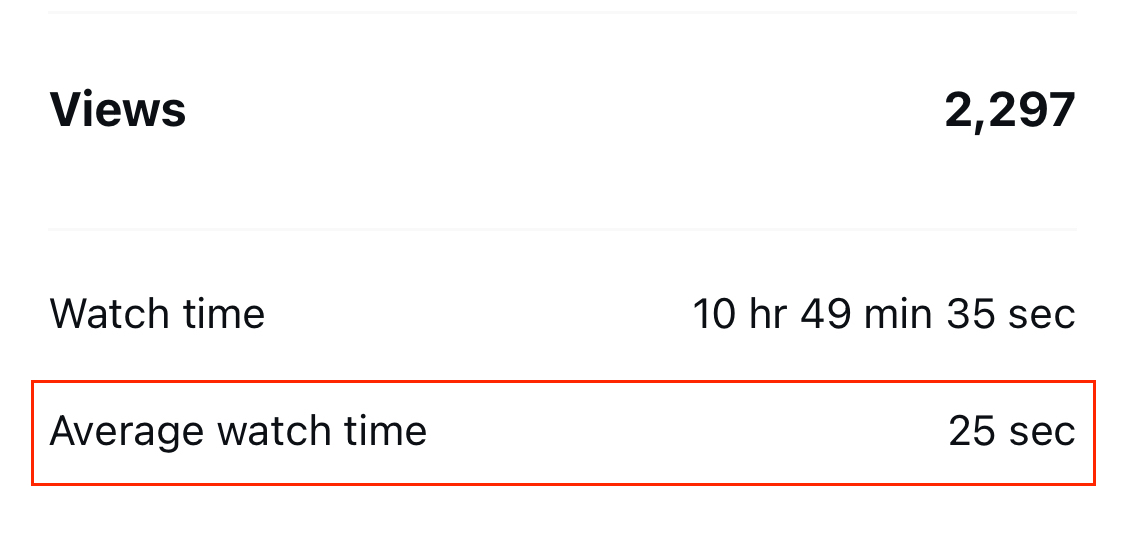
A high average watch time suggests that viewers are watching most or all of your video, instead of merely scrolling past after a few seconds.
In contrast, a low average watch time might indicate that your hook is misleading or your content fails to meet viewer expectations (for instance, being dull or not offering value).
Understanding the average watch time allows for a more accurate assessment of your content quality.
To illustrate, a 60-second tutorial with an average watch time of 50 seconds but fewer views might create a deeper impact than a 15-second viral clip with higher views yet only an average watch time of 5 seconds.
Reels interactions
Reels interactions indicate how viewers are actively engaging with your content. What actions do they take after viewing your Reel? This metric encompasses the following:

- Likes represent quick, positive reactions. While they are the most effortless form of engagement, they can help identify which Reels immediately resonate with your audience.
- Comments indicate a deeper level of engagement. An abundance of comments on your Reels shows that they are effective in stimulating conversation.
- Saves demonstrate Reels people want to refer back to later. To boost saves, consider sharing more educational material or videos that provide long-lasting value.
- Shares reveal the content your audience finds valuable enough to share. Users generally prefer sharing Reels that are relatable, provide unique insights, or solve problems.
Your total Reels interactions are the aggregate of all the above sub-metrics. A higher number of interactions indicates that your content is promoting active engagement, while lower interactions suggest that viewers are consuming it passively without taking any action.
Follows
Follows indicate which Reels motivate viewers to join your audience. This metric directly influences your account growth.
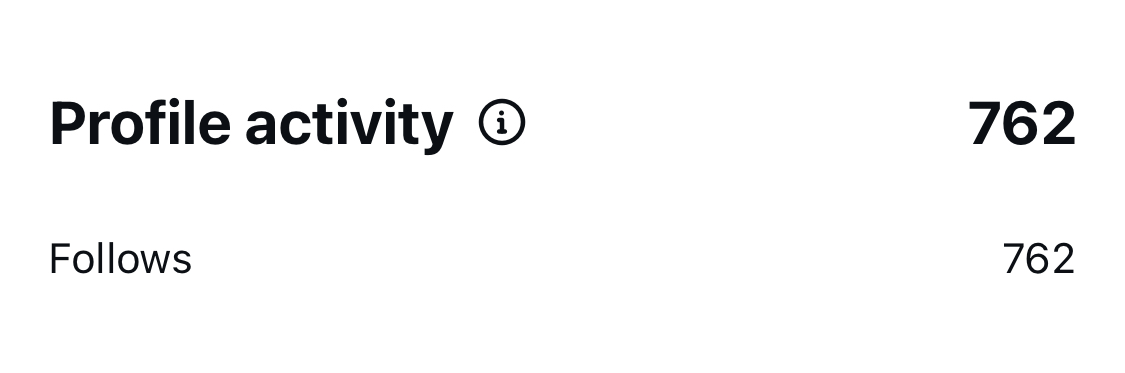
An increase in follows, even on Reels with moderate views, might highlight content that genuinely attracts your target audience on Instagram. These individuals not only appreciate your content—they desire more of it.
Follows from Reels can be a solid success indicator, especially if your brand’s objective is to cultivate community and long-term engagement on Instagram.
Enhancing your Instagram Reels analytics using Sprout Social
While Instagram’s built-in analytics cover the basics, serious brands and creators require deeper insights to thrive on Instagram. This is where Sprout Social’s Instagram analytics tools come into play.
Here are three ways Sprout can transform your Reels metrics into actionable insights that improve your social media content strategy:
In-depth analytics and reporting
Sprout Social’s social media analytics provide comprehensive insights into your Instagram Reels performance through custom, visual reports that can be easily shared.
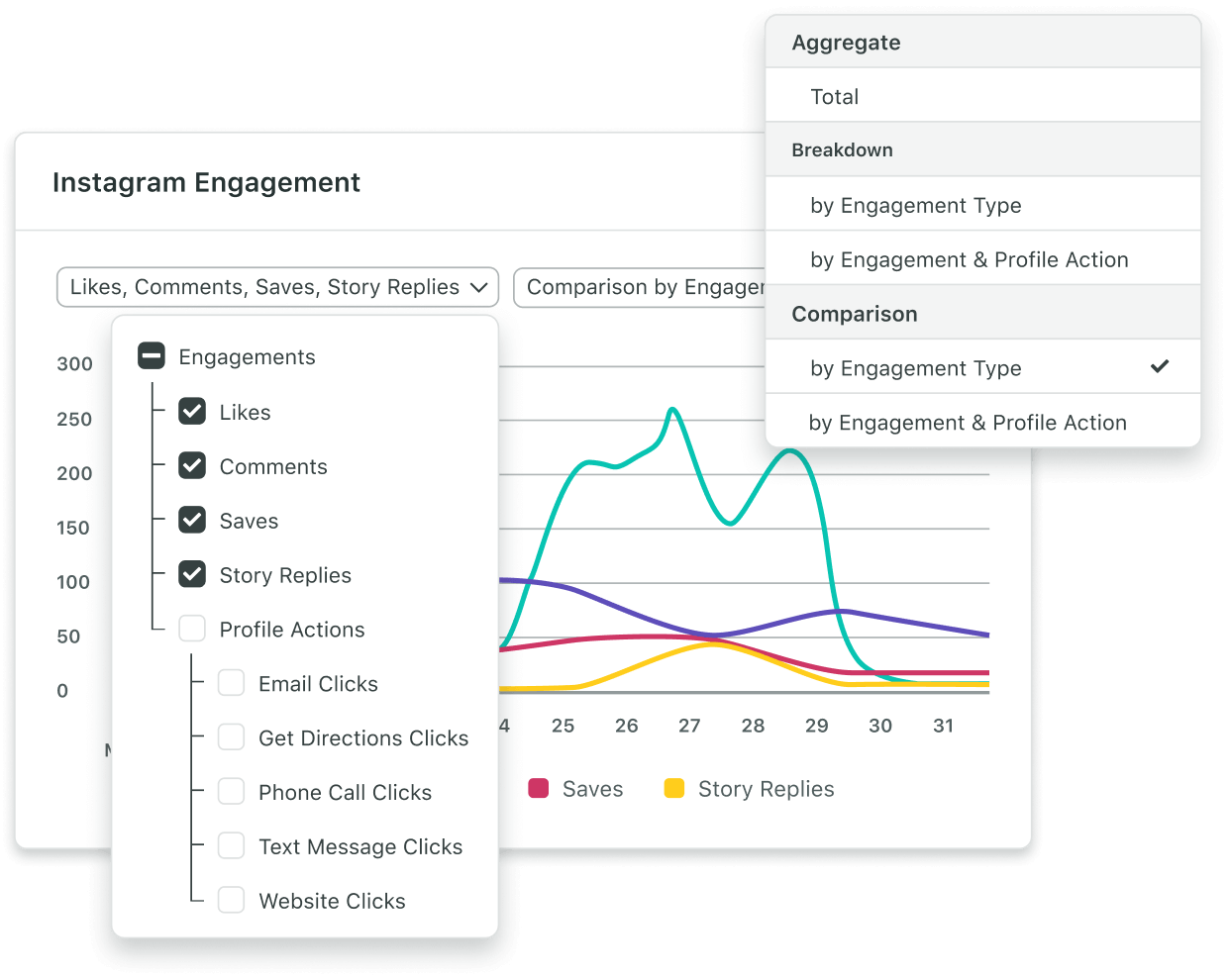
Track unique metrics such as total plays for your Reels, which encompasses both initial plays and replays. This assists in understanding how your content resonates with your audience on a deeper scale and fine-tuning your social media strategy accordingly.
Smart Inbox for managing interactions
Rather than juggling between apps, you can respond to comments or inquiries on your Reels (and DMs) directly from Sprout’s Smart Inbox. This feature helps you achieve quicker response times and foster community by managing conversations effectively.

Calendar for tracking publishing activity
Sprout’s Publishing Calendar provides a clear overview of how Reels integrate into your overall content strategy. View your Reels alongside different content types (like posts or Stories), even across other platforms.
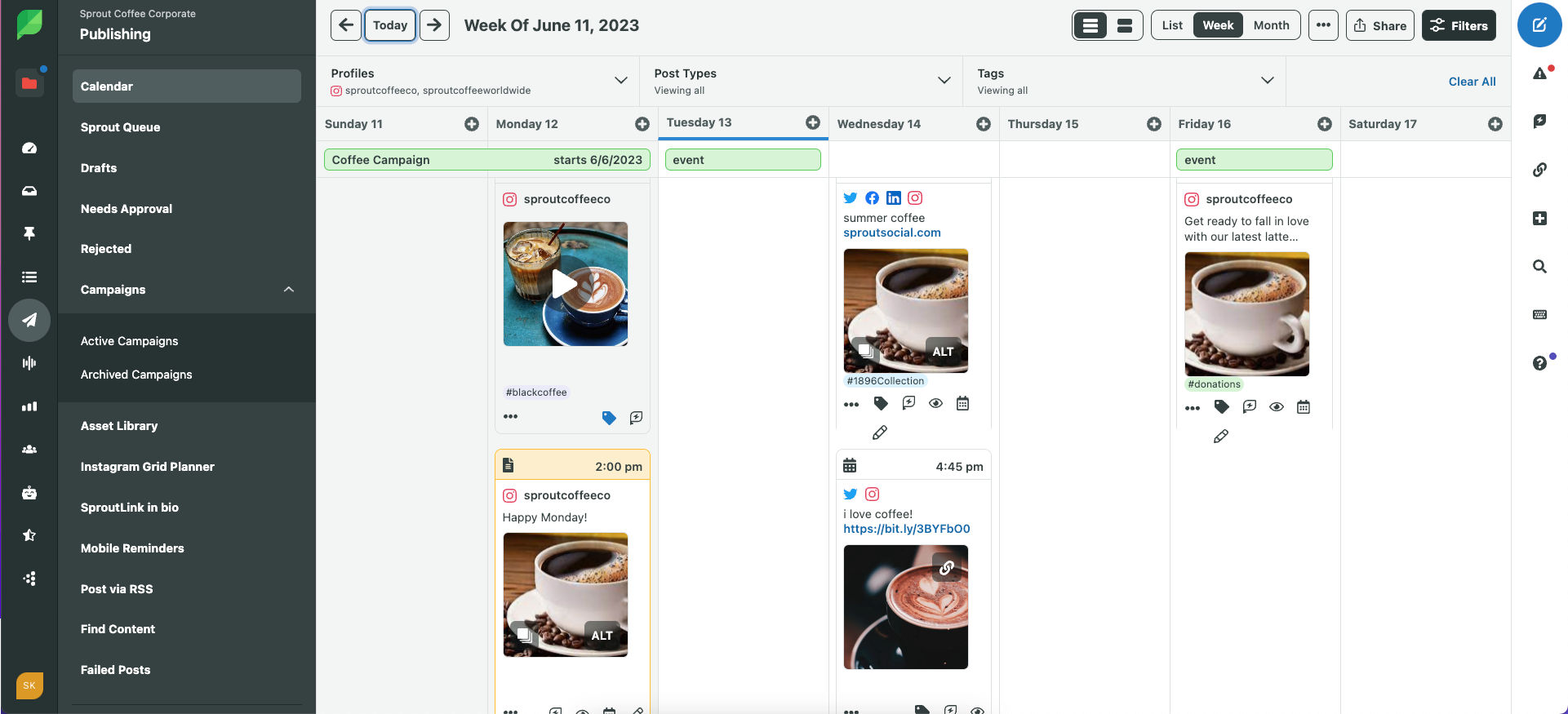
You can toggle between Monthly and List views, pinpoint gaps in your social media plan, and maintain a consistent posting rhythm that engages your audience.
Curious about the impact of improved analytics? Sign up for a free trial and convert your Reels data into tangible growth.
How to enhance your Instagram Reels for optimal results
With an understanding of your analytics, it’s time to convert those insights into actionable steps. Here’s how to refine your Reels according to what the metrics dictate:
Leverage trends effectively
Creating Reels around trending topics and audio can elevate your performance, but a strategic approach is essential. Develop a quick checklist to evaluate trends before diving in:
- Does it align with your brand?
- Can you contribute value to it?
- Will your audience care about it?
Take, for instance, Stanley’s interpretation of the “very demure, very mindful” audio trend:
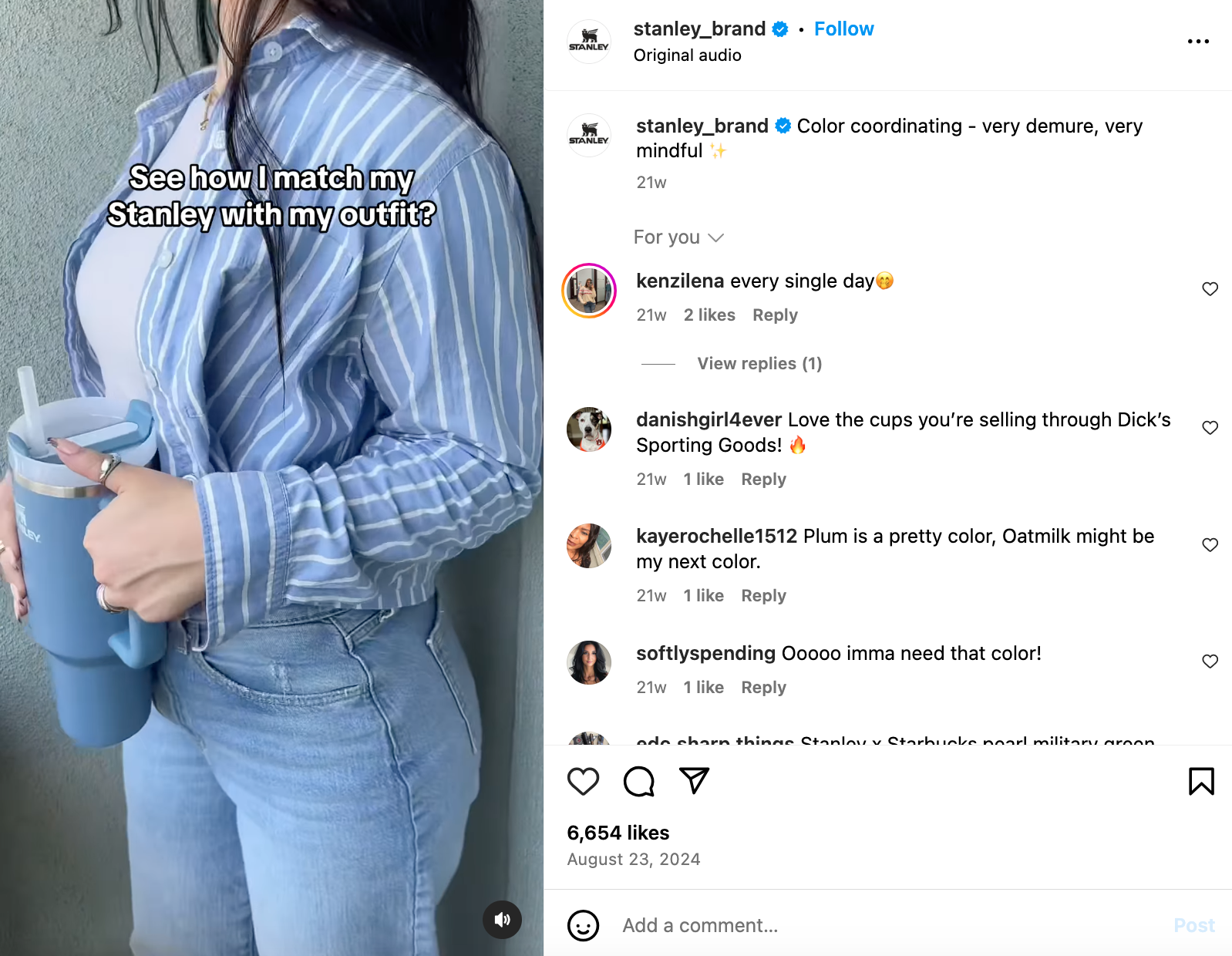
By being selective, you’ll focus on trends that authentically resonate with your brand’s voice (as Stanley achieves above with its Instagram feed mainly featuring colors and aesthetics). Consequently, your Reels will perform better as they genuinely engage your audience.
Pro tip: Trends you catch early commonly yield better results than those you join later. Sprout Social’s AI-powered listening tools can assist in identifying trending keywords and subjects on Instagram and beyond, keeping you ahead of the competition.
Refine your hooks – and follow through.
The initial moments of your Reel are pivotal in deciding whether viewers will linger or scroll past. Craft compelling openings that grab attention and compel viewers to continue watching.
Here are some tried-and-true hook strategies to implement in your Reels:
- Begin with a striking point or assertion (whether spoken or text overlay)
- Present an eye-catching visual or transformation (such as before and after)
- Pose a question targeting your audience’s interests (and subsequently respond to it)
Oreo captivates viewers with this attention-grabbing Reel combining high-quality (and delectable) visuals, intriguing text, classic music, and ASMR audio.
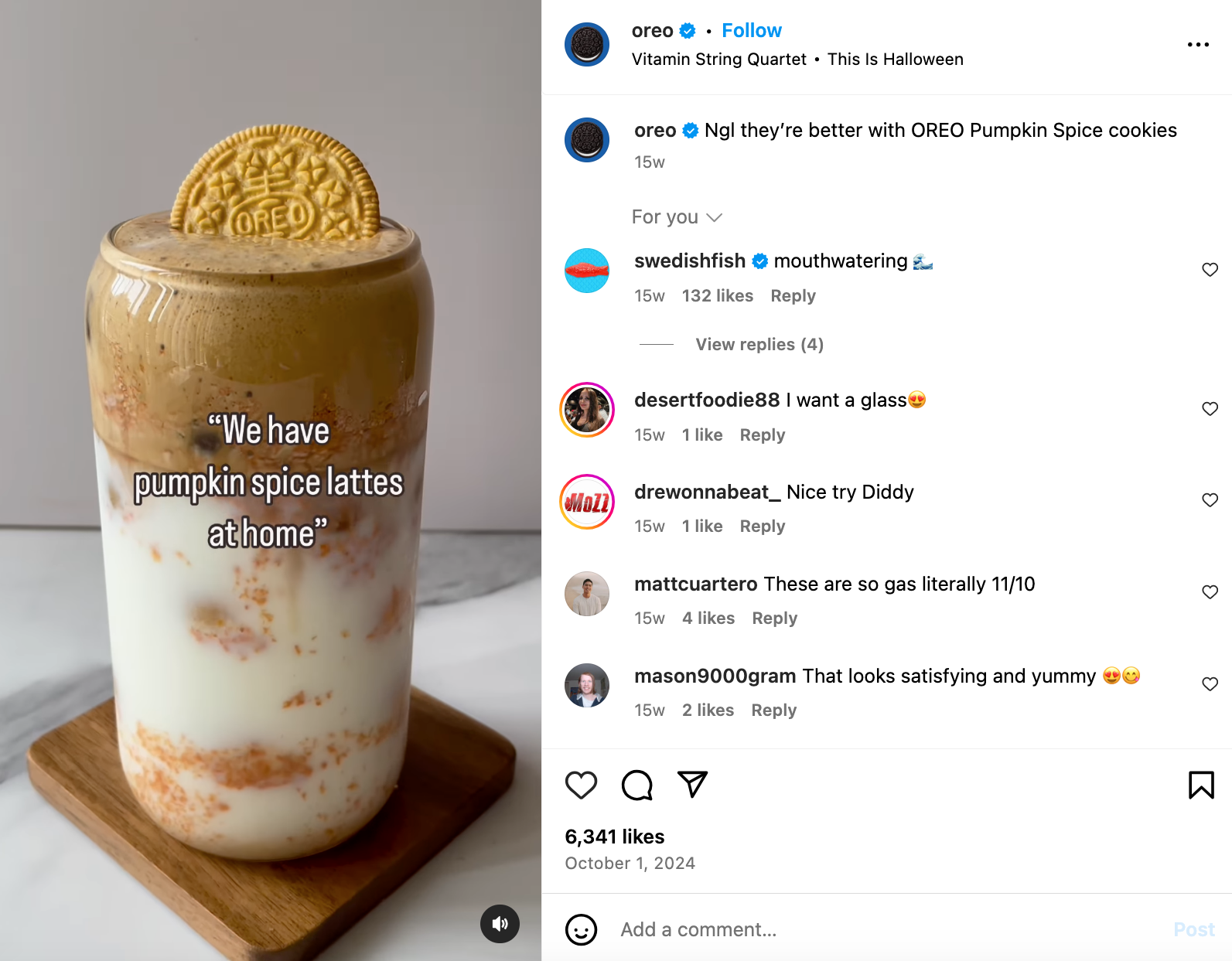
Remember, though: a strong hook is effective only if your content fulfills its promise. Ensure your content quality matches your opening, maintain an engaging pace, and conclude with clear value to enhance watch time and engagement on your Reels.
Pro tip: Save successful hooks from high-performing Reels within your niche. Use this collection of Reel ideas to test various openings and discover what resonates best with your brand.
Schedule around peak activity periods.
When your Reel is published influences its reach and engagement significantly. Instead of posting whimsically, establish a publishing calendar that aligns with your audience’s peak activity times.
You can also consult our guide to the best times to post on Instagram to discern average times diverse formats, countries, and industries thrive. Here’s an overview:
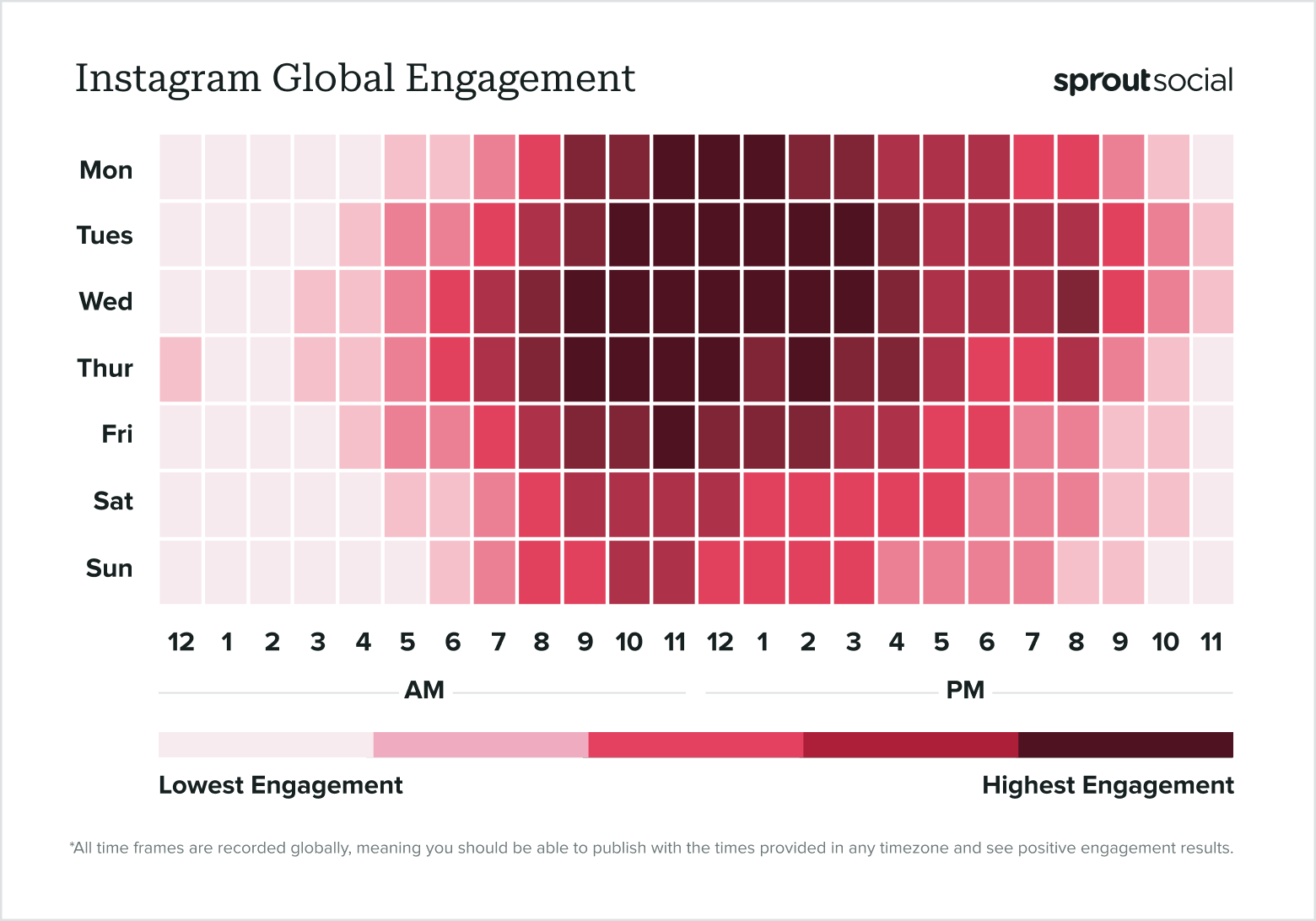
Pro tip: Do your audiences span multiple time zones? Factor in their respective time zones when scheduling your Reels. Sprout’s ViralPost technology recommends optimal posting times for your audience based on historical data, and even automates your Reels scheduling.
Respond to comments swiftly
The first hour following the posting of your Reel is critical for generating engagement momentum. Allocate 15-30 minutes to actively engage with comments during this vital window.
This effort involves more than mere courtesy (though that’s essential)—it’s a strategic tactic to win over the algorithm and enhance your Reel’s exposure.
Avoid generic responses; instead, add real value to the dialogue. Personalize your replies, ask follow-up questions, and relate to viewers’ experiences. For instance, see how baby feeding app Solid Starts manages this:
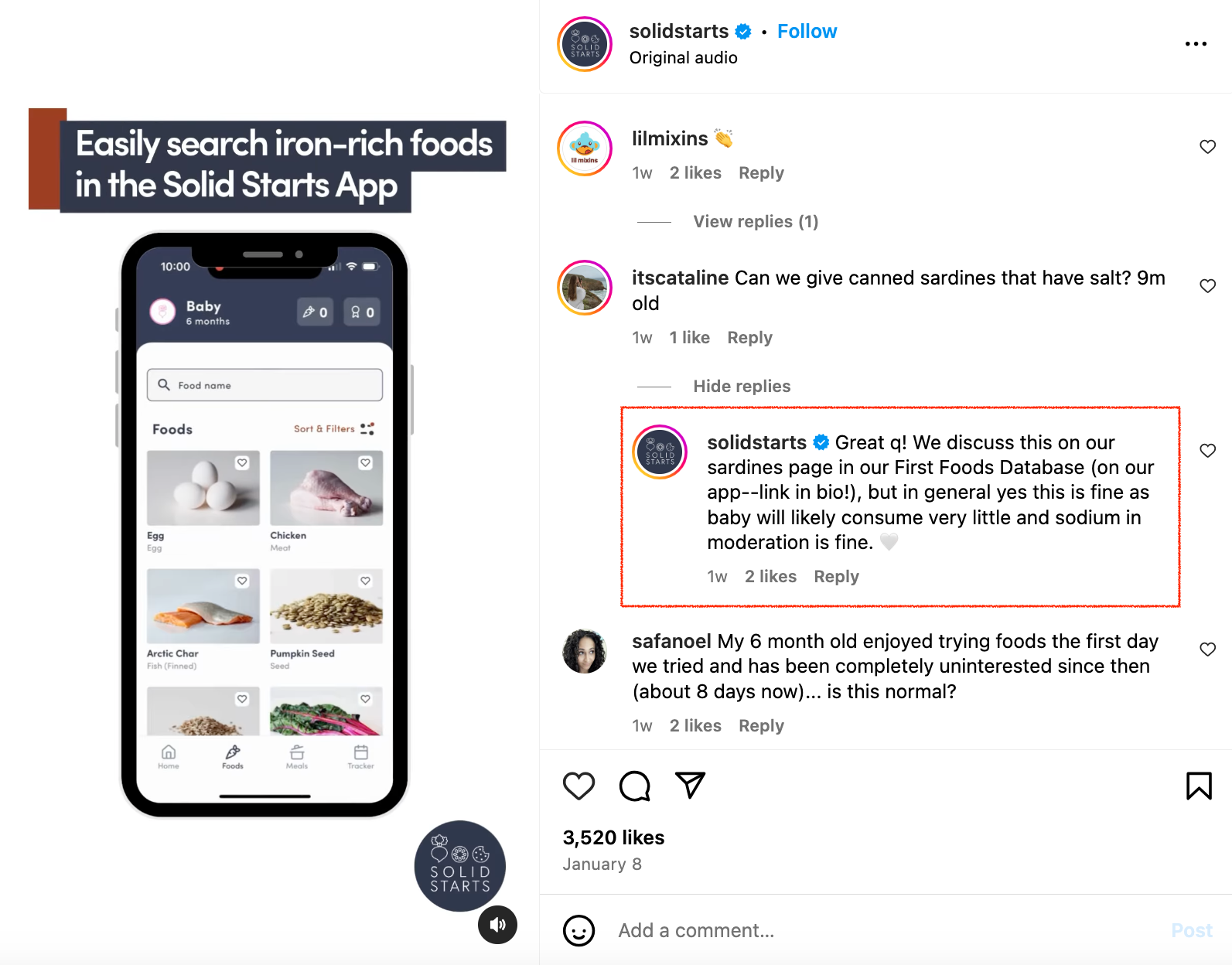
Genuine engagement builds trust, sustains conversations, and encourages viewers to save, share, follow, and return for more content.
Utilize Instagram Reels analytics to inform your strategy
Consistently producing successful Reels isn’t purely a matter of luck—it involves understanding your analytics and applying that data to fine-tune your strategy. Begin with Instagram’s built-in analytics to monitor basic Reels metrics, and then leverage Sprout Social for an in-depth analysis of your performance. Sprout’s cross-platform analytics will clarify how your Instagram Reels and posts integrate into your overarching social media strategy. Start your 30-day free trial today.
The post How to analyze Instagram Reels analytics to grow appeared first on Sprout Social.

Recent Comments