
With today’s digital landscape becoming more competitive, crafting a strong online presence is imperative, especially for freelancers, creatives, or anyone aiming to make their mark. That’s where the Identity Child Theme for WordPress and Divi comes in. This gorgeous child theme lets you showcase your work beautifully, helping you build a captivating one-page website that effectively showcases your work and reels in new clients. In this post, we’ll introduce you to the Identity Child Theme and showcase its features.
Let’s dive in.
What is the Identity Child Theme?
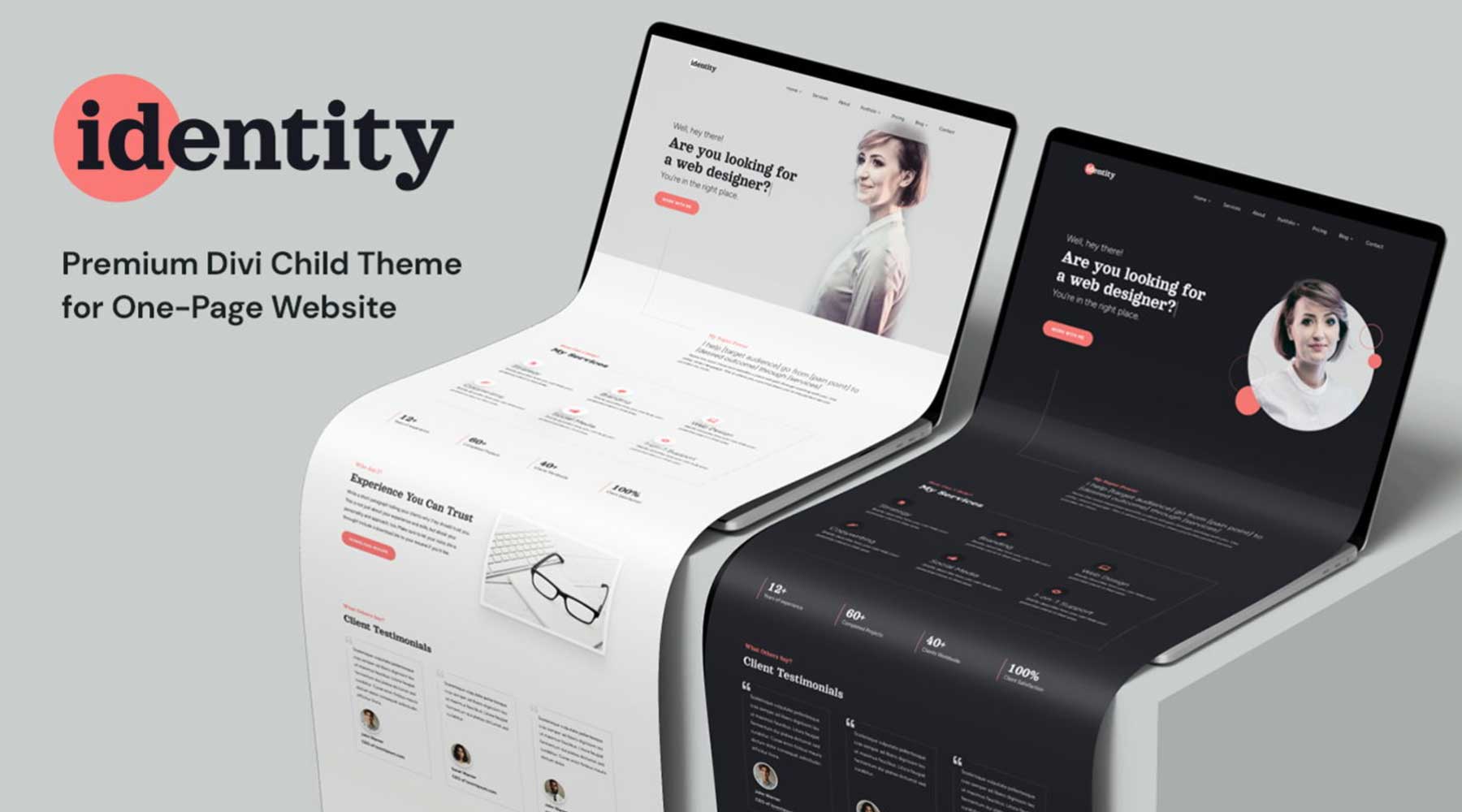
The Identity Child Theme by Divi Lover is a premium child theme that embraces the power of a one-page layout. This approach keeps your visitors focused on the most important information about you and your services. With Identity, you get a collection of pre-designed sections, including About Me, Portfolio, Testimonials, and more. Each section is fully customizable, allowing you to design them to meet your needs and brand messaging.
What’s Included with Identity Child Theme?
The Identity Child Theme offers three home page versions: light, dark, and agency layouts. There are also sections for services, about, pricing, and contact. Finally, there are two layouts for projects and their categories in light and dark versions, as well as two blog posts and category layouts. Let’s look at what you’ll get with the Identity Child Theme.
3 Hero Sections
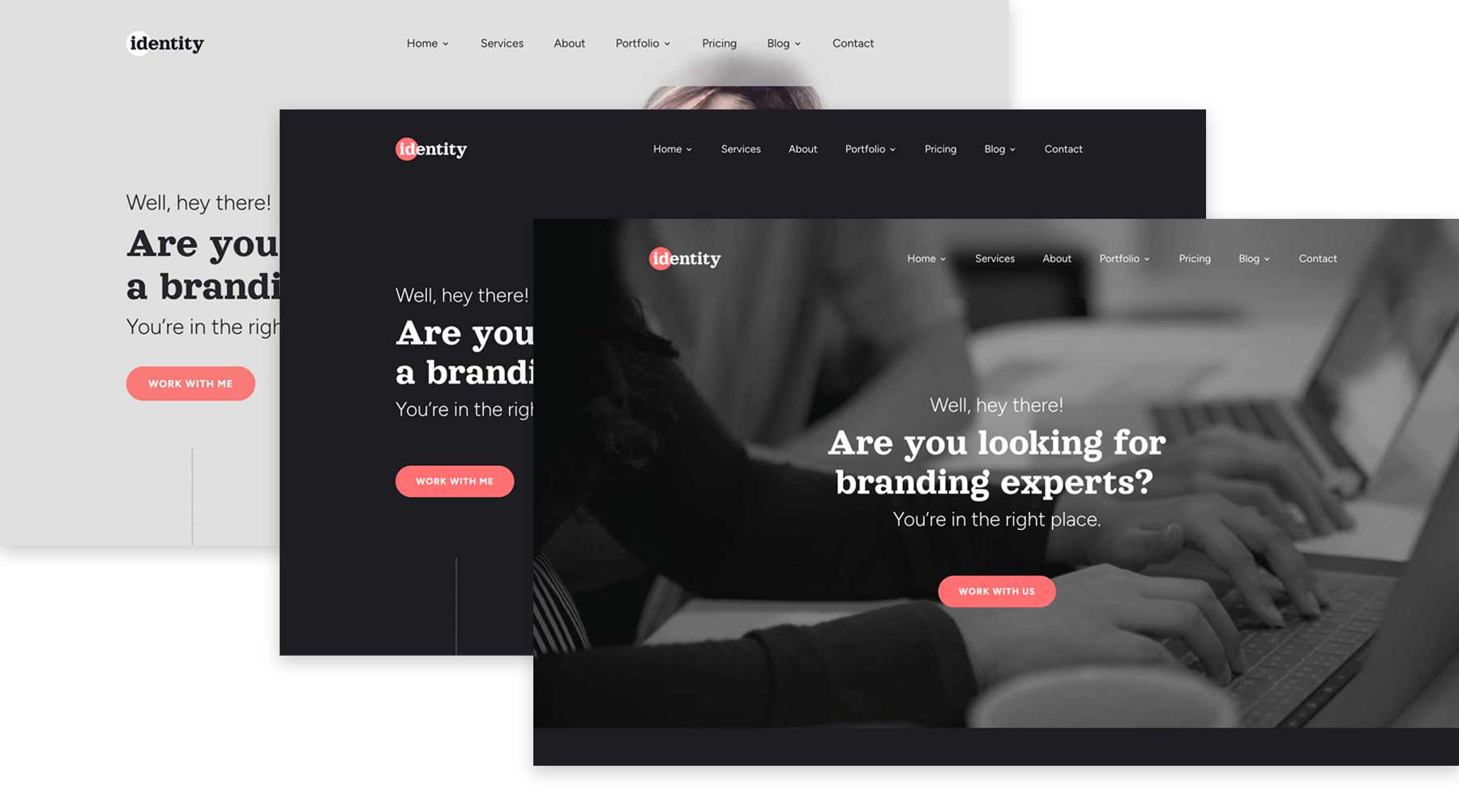
The hero section is your website’s digital greeting, the first impression that grabs your visitor’s attention. Identity understands this, offering many customization options to provide three hero sections that perfectly reflect your brand. With light, dark, and agency designs, you’ll have three layout options to wow your visitors. You can easily swap out the background video, add a background image, customize the text, and adjust colors to suit your needs. To ensure your audience is truly captivated, Identity’s hero sections have a typewriter text effect for the headline.
2 Services Sections
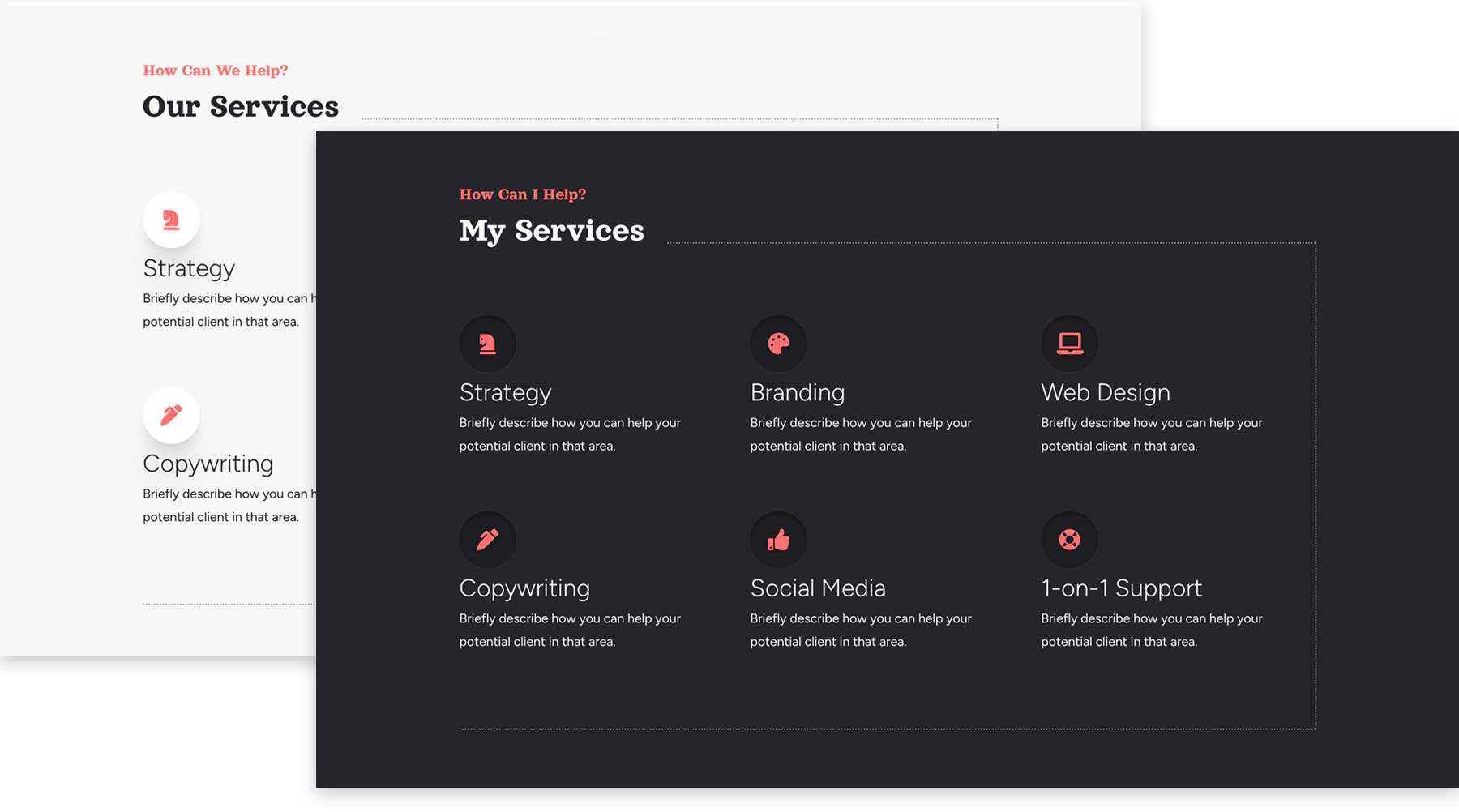
When building a website to showcase your freelance abilities, including a list of services is always a good idea. Thankfully, the Identity Child Theme offers light and dark versions. That way, you can choose the layout that resonates with you most. Both sections include blurbs to showcase all your freelance business offers, allowing visitors to understand what you offer.
2 About Me Sections
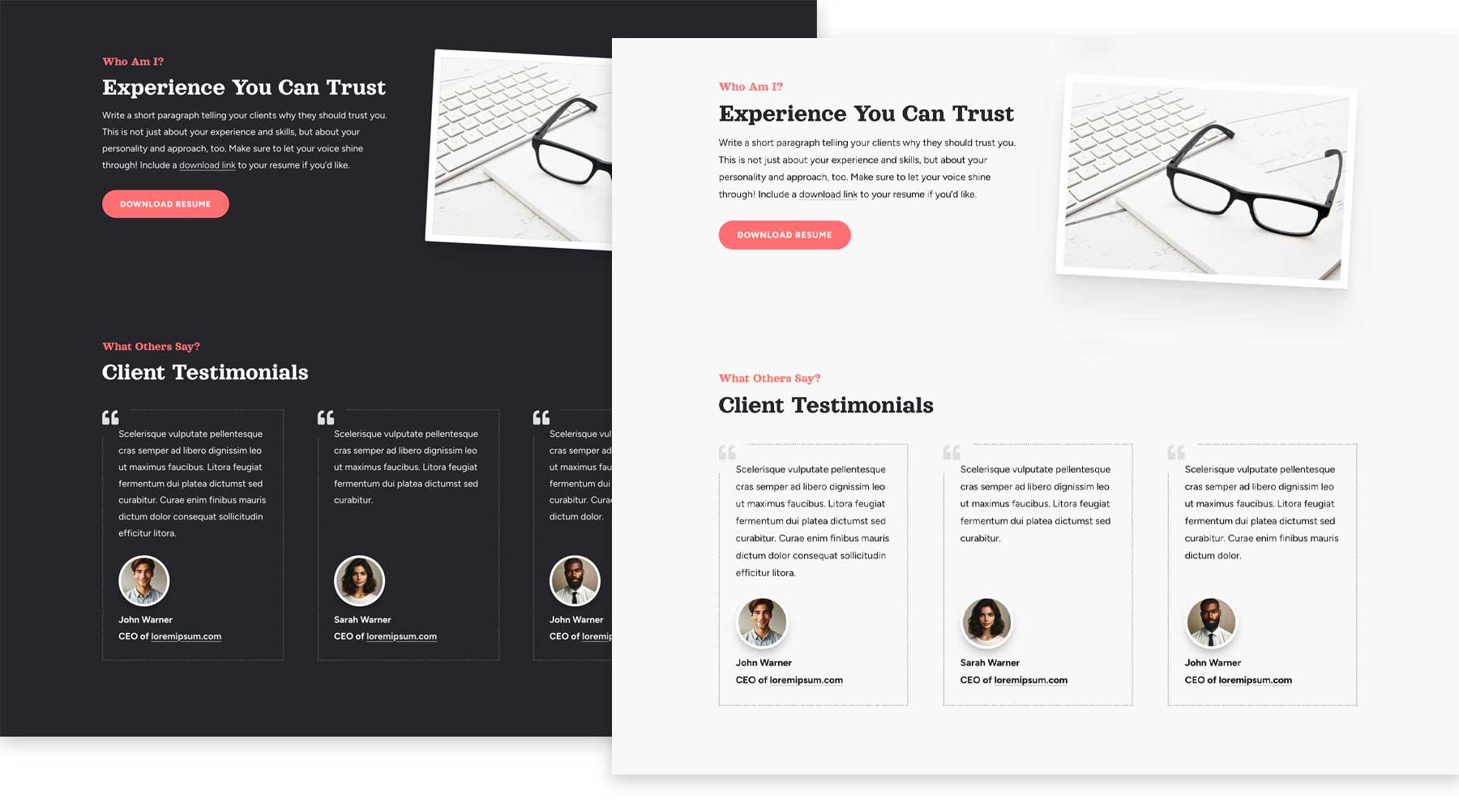
An About section allows you to connect with your audience personally. Identity provides a dedicated space to write a captivating introduction that showcases your skills, experience, and what makes you unique. There are two designs to choose from (light and dark), featuring a section for your bio and one to showcase client testimonials.
4 Portfolio Layouts
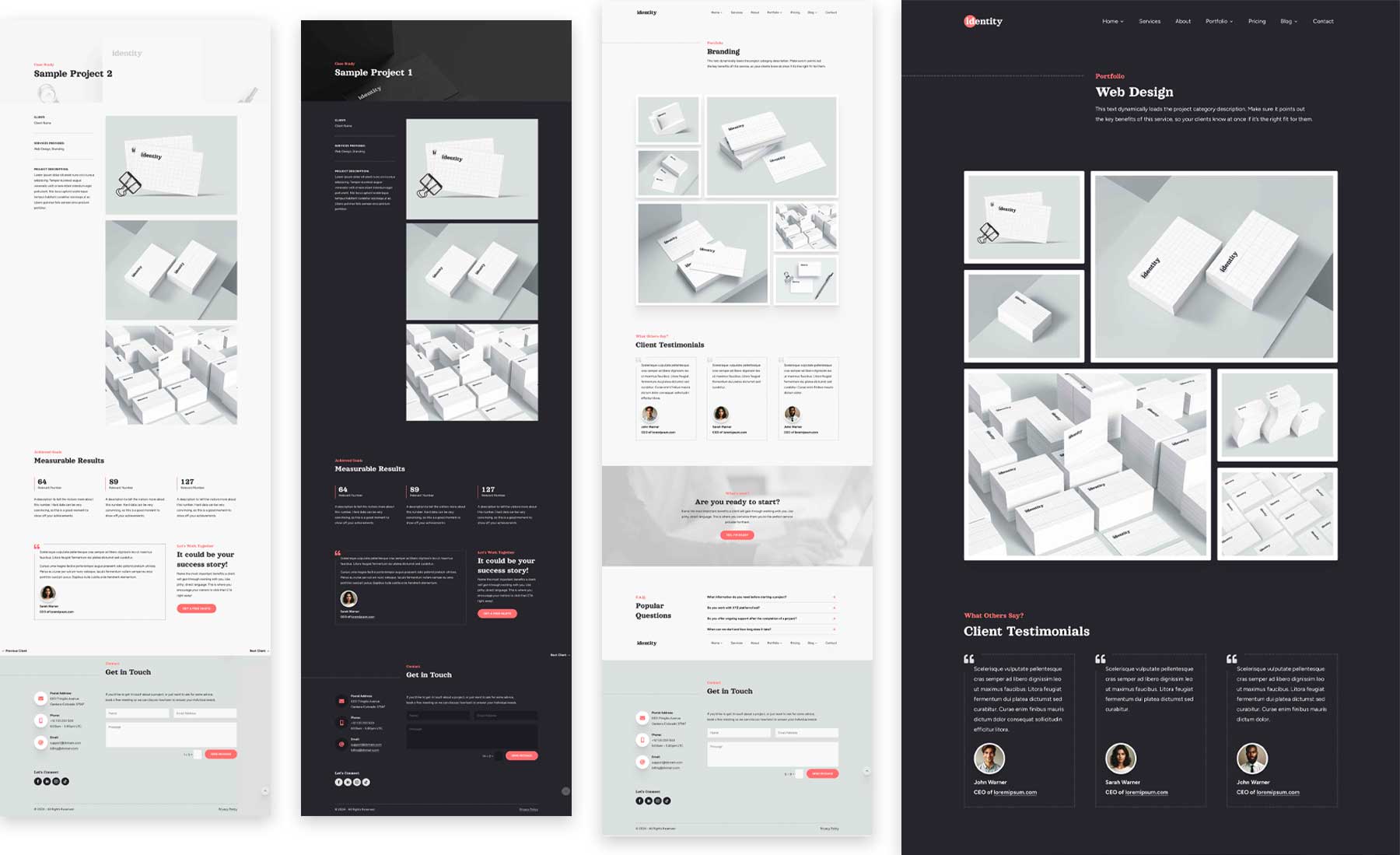
A portfolio featuring your best work is crucial when building a freelance website. Thankfully, the Identity Child Theme understands this and provides two layouts for your portfolio items and two category page designs. These layouts utilize the project post type, allowing you to display your work easily.
2 Pricing Sections
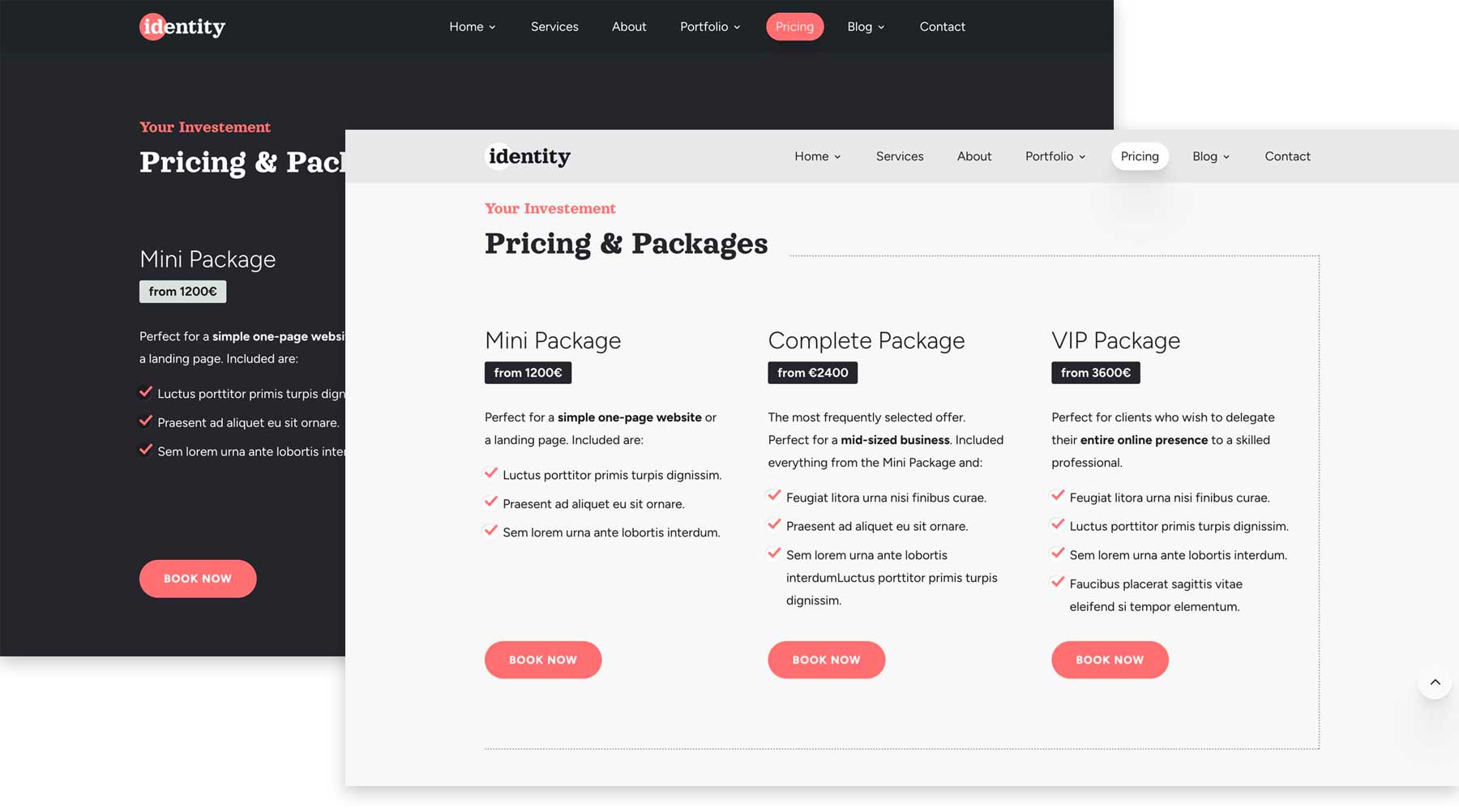
Publicly displaying pricing helps you pre-qualify potential clients by eliminating those outside their budget range. Doing so gives you time and effort to reduce unnecessary communication, such as back-and-forth emails for a client who likely won’t be able to afford your services anyway. The Identity Child Theme addresses this issue by providing two beautiful pricing sections. Like the other sections of the child theme, you can easily change the colors, fonts, and text to suit your preferences.
4 Blog Layouts
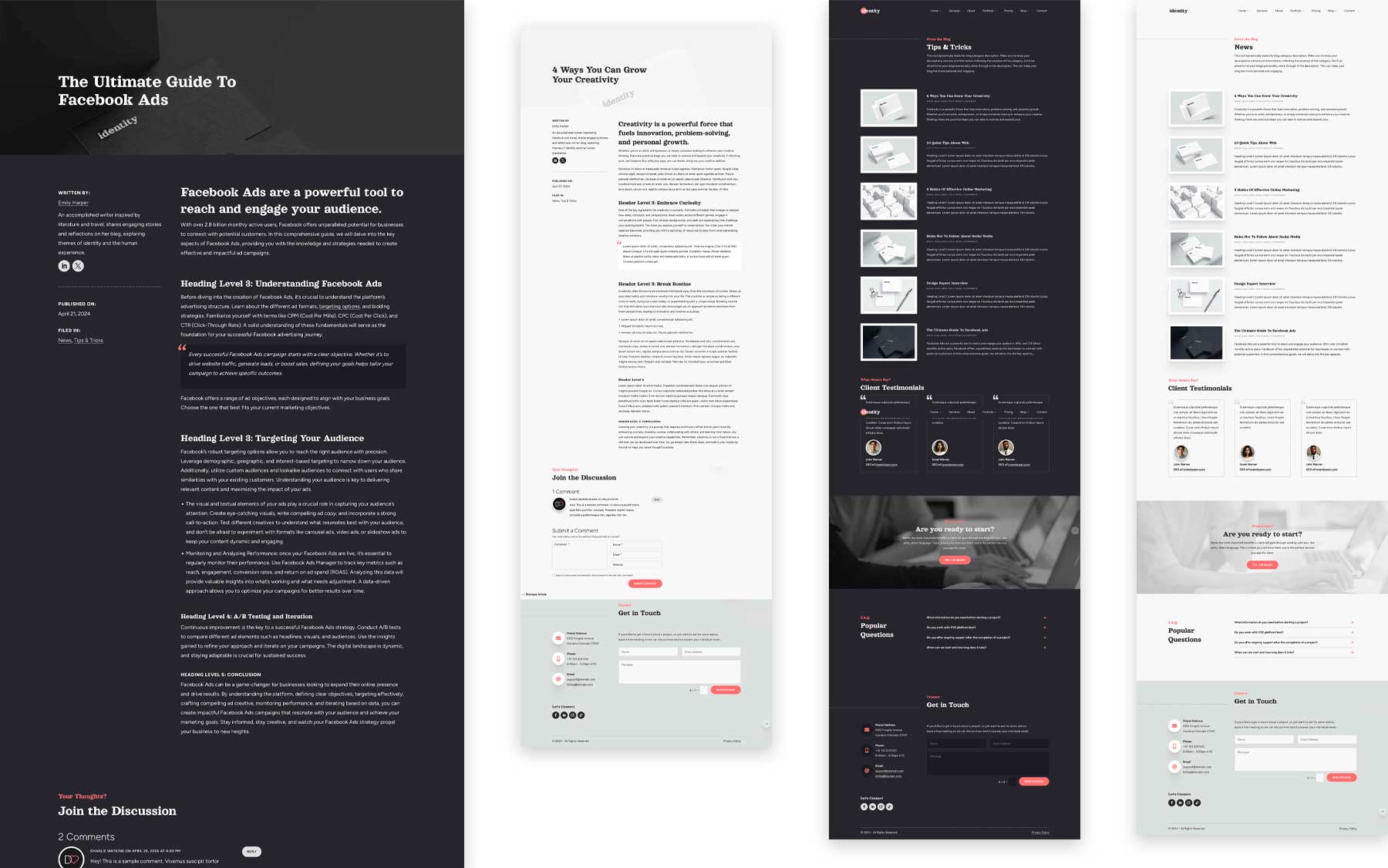
Adding a blog to your freelance or portfolio website lets you showcase your field knowledge and expertise. Regularly publishing informative and engaging content can position you as an expert and a reliable resource for potential clients. The Identity Theme does an excellent job of providing options for this important aspect of your website. You can choose from two post layouts and two categories to display your posts.
2 Contact Sections
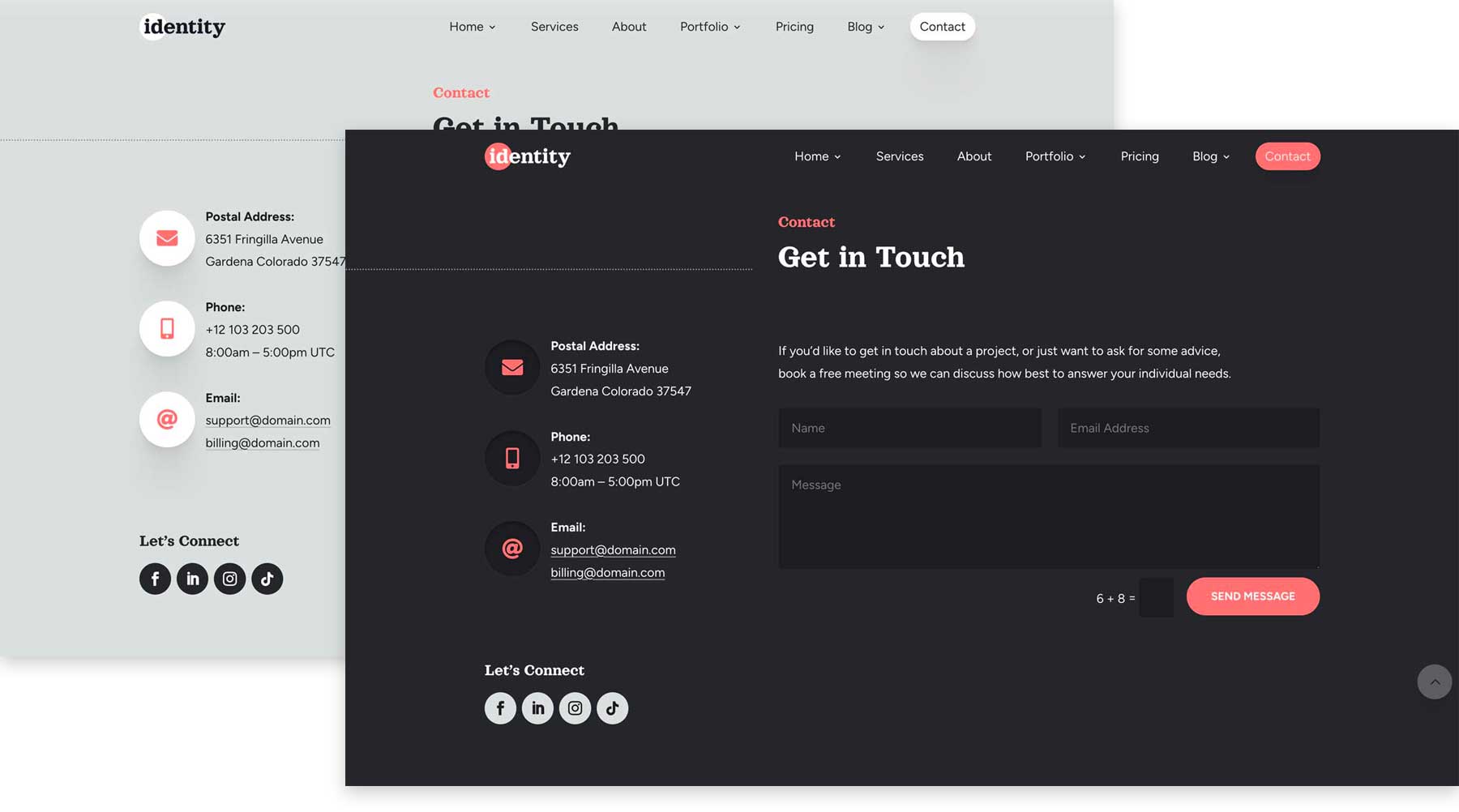
Fostering connections with your website’s visitors is one of the most important aspects of your site. That’s why Identity Child Theme features a user-friendly contact section with pre-designed layouts that make it easy for clients to reach out. It provides all the necessary parts of a good contact area, including contact details, social media links, and a contact form. Similar to the other sections on the layout, Identity provides one light and dark version so you can choose the best options for your needs.
Unleash Your Creative Vision with the Identity Child Theme
The Identity Child Theme for Divi empowers you to create a website that reflects your unique brand identity. But the beauty lies in the fact that it can be fully customized using the Divi Builder. Leveraging the power of Divi’s no-code Visual Builder, Identity offers unparalleled customization options within the Divi themes’s framework. You can easily swap out the theme’s colors for a palette that perfectly complements your style. Find the perfect font with Divi’s built-in Google font library, re-arrange sections, adjust padding, add stunning effects, and more. The sky is the limit with the power of Divi and the gorgeous simplicity of the Identity Child Theme.
Key Benefits of the Identity Child Theme
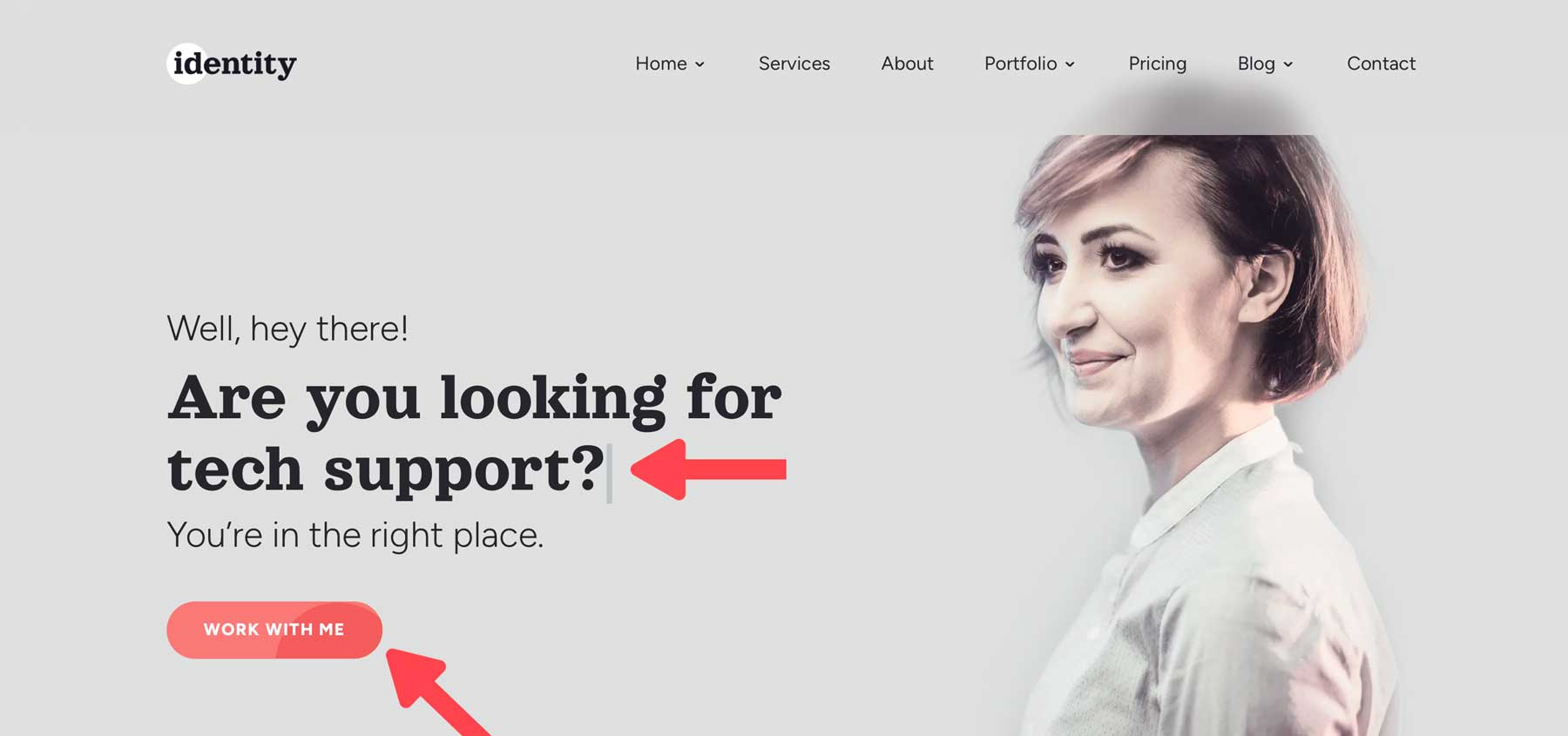
- It’s 100% Responsive: The Identity Child Theme is fully responsive, meaning that it will look incredible on all devices, regardless of the screen size.
- Choose Between Light and Dark Designs: The theme comes with multiple templates for posts and categories, as well as premade sections in both light and dark themes.
- Change Colors Globally: Identity Child Theme comes with global color settings that allow you to change the colors with just a few clicks.
- Stunning Effects: Several theme elements, including nav links, CTA buttons, images, and icons, come with cool hover effects to make your content stand out. Additional effects include typewriter text in the hero section, a timeline module, pre-loading animations, and a sticky sidebar.
How to Install the Identity Child Theme
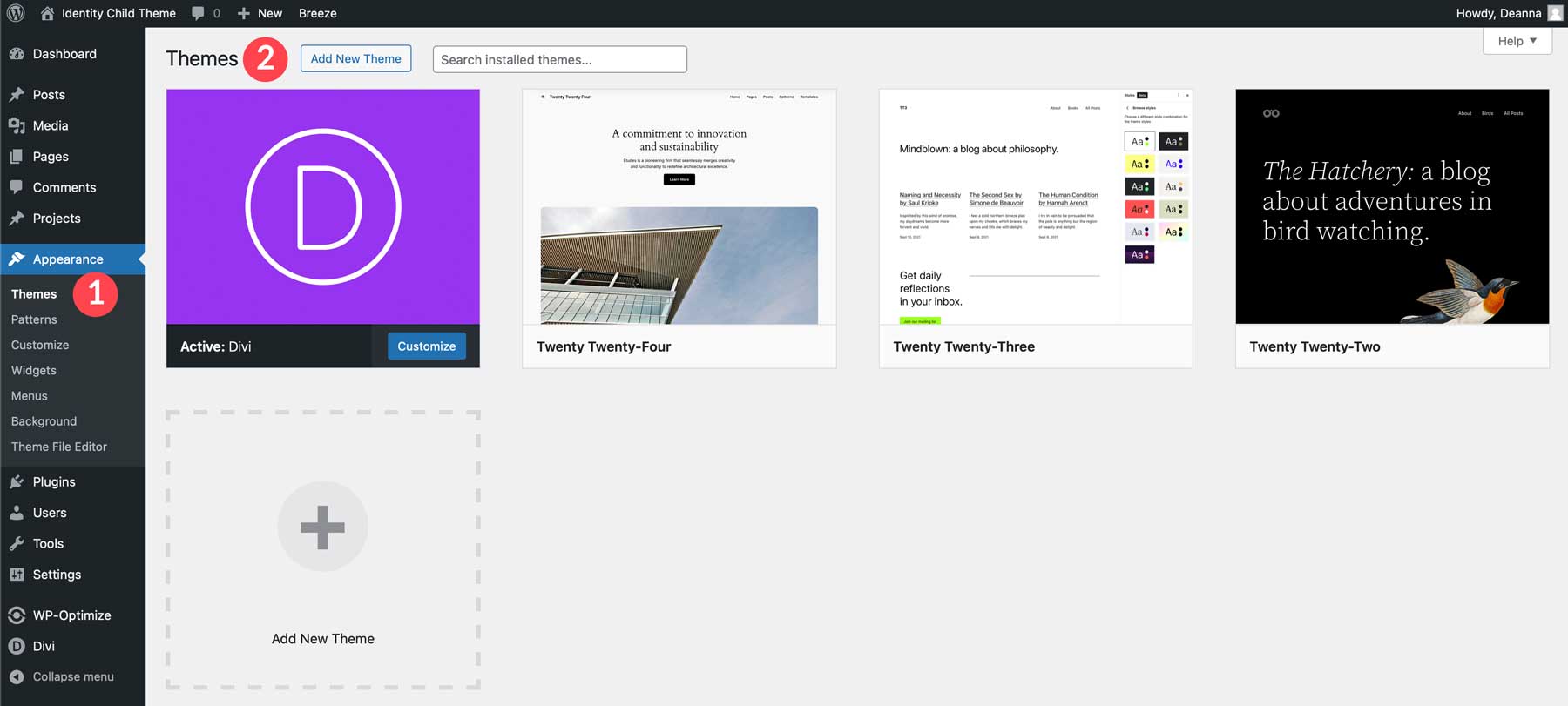
Adding a new theme to your WordPress website is a snap. First, ensure you have installed and activated the Divi Theme before proceeding. Once Divi is activated, navigate to Appearance > Themes in the WordPress dashboard. Next, click Add New Theme.
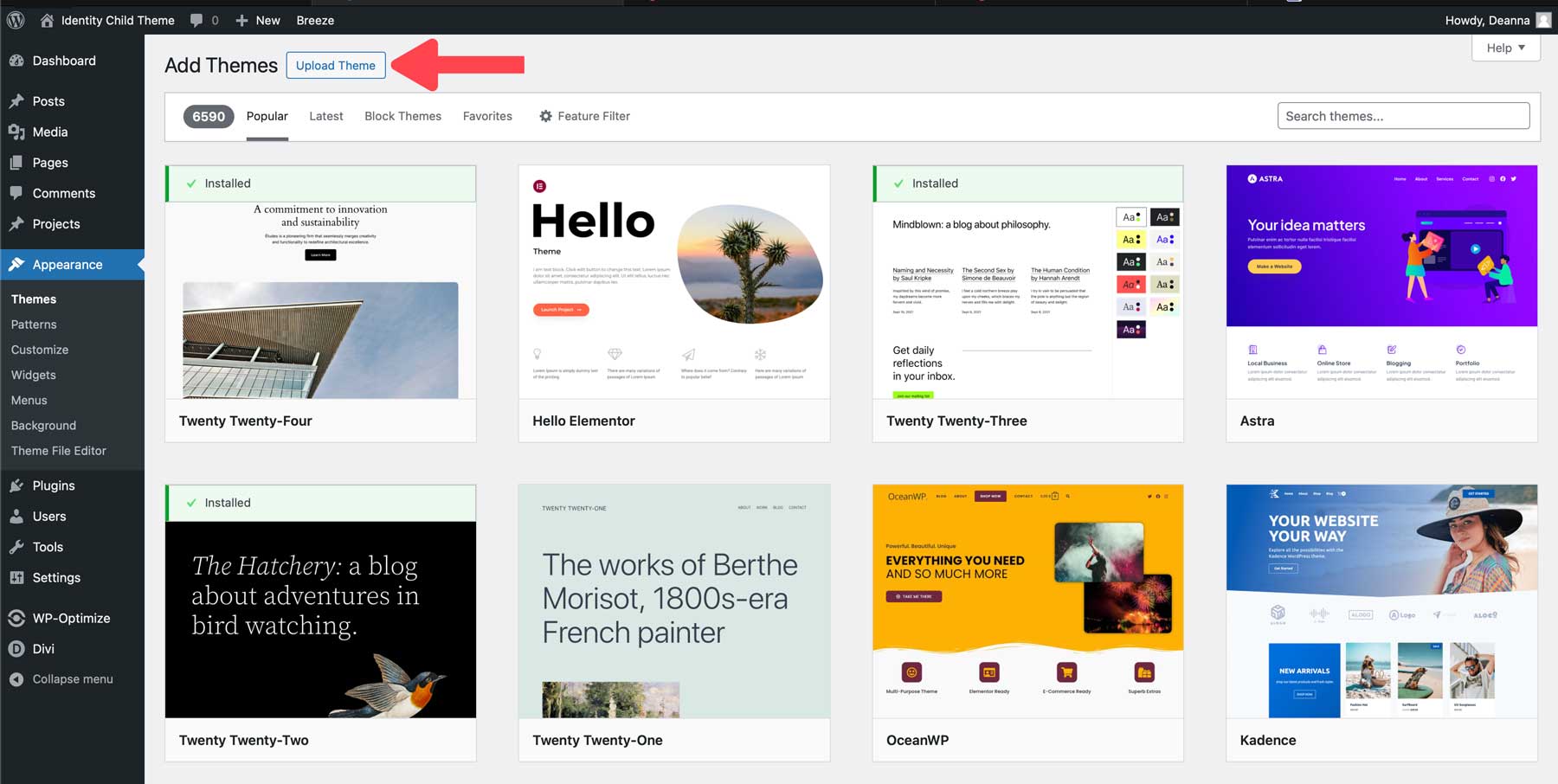
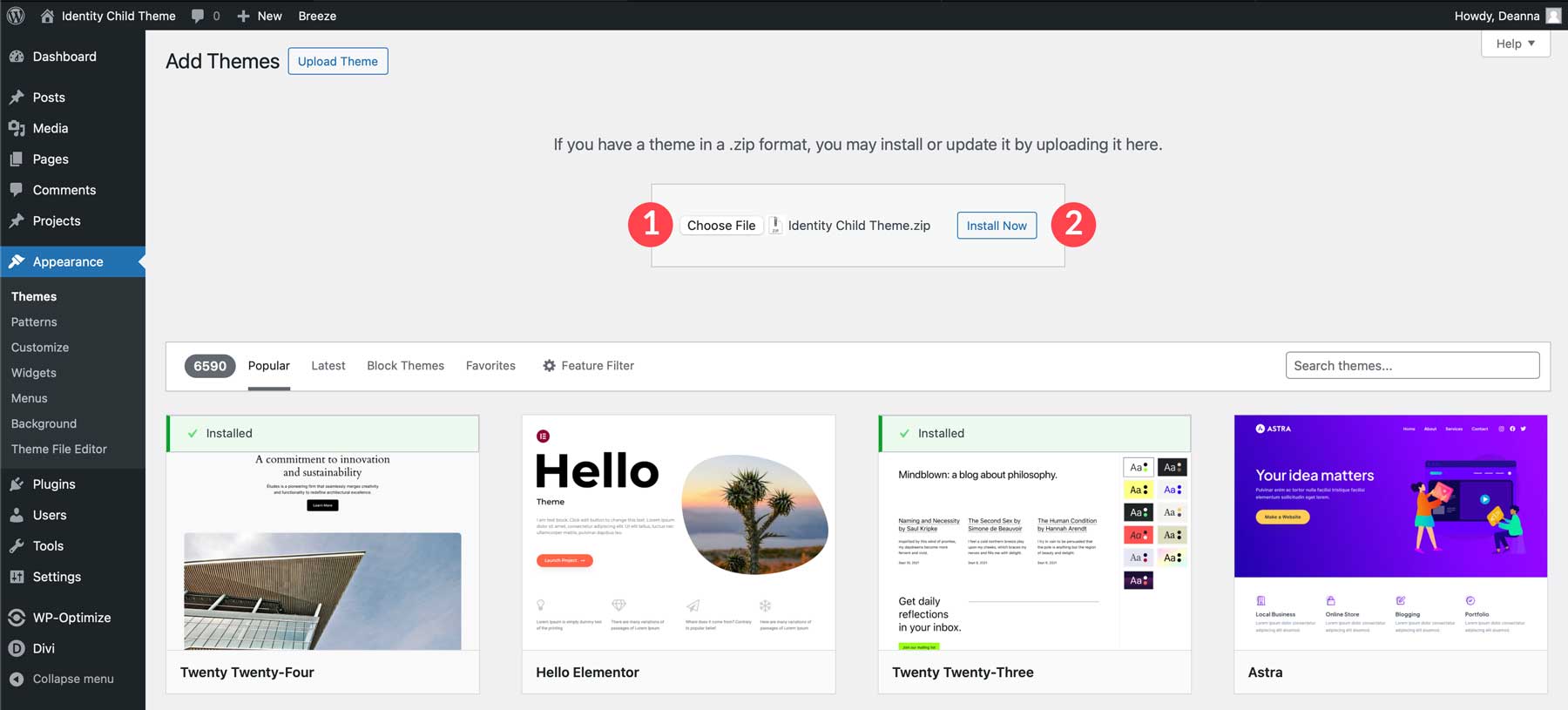
When the screen refreshes, click the Upload Theme button.
Click the Choose File button, locate the zipped theme file on your computer to upload it, and click the Install Now button.
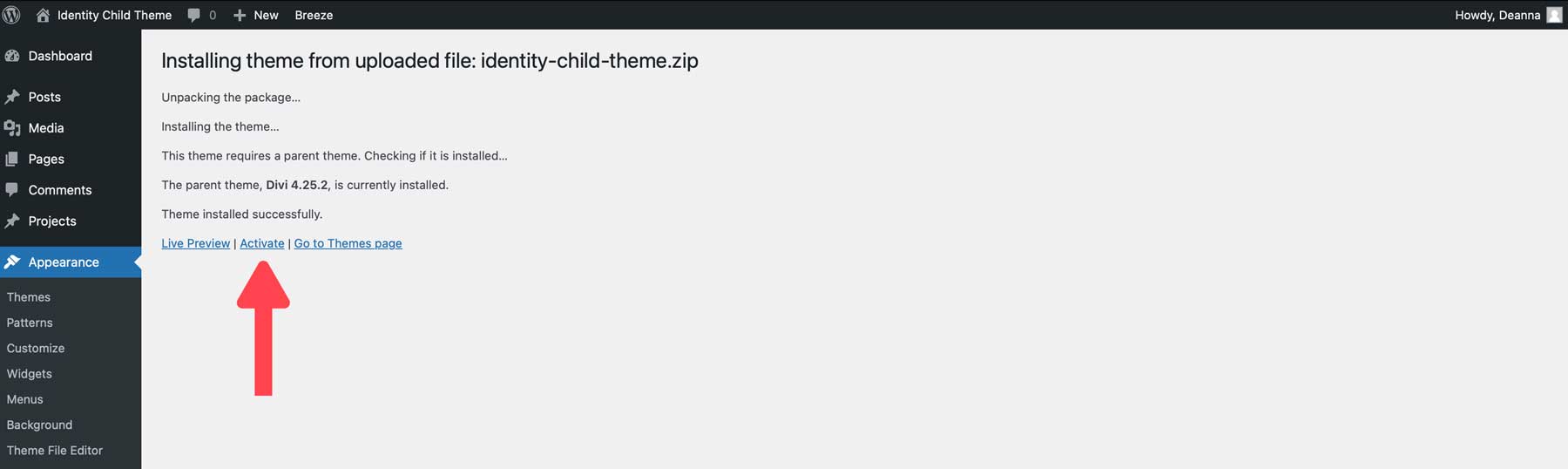
Once the theme is installed, click the Activate link to install the Identity Child Theme.
How to Use the Identity Child Theme
To use the Identity Child Theme, you must first import its content. There are a few files you’ll need to familiarize yourself with, including:
- identity-wordpress-content.xml
- identity-theme-customizer-settings.json
- identity-divi-theme-options.json
- identity-divi-theme-builder-templates.json
- identity-divi-library-layouts.json
These files allow you to add all sections, templates, and theme settings to your Divi website. Let’s start by importing the content first.
Import Identity Child Theme Content
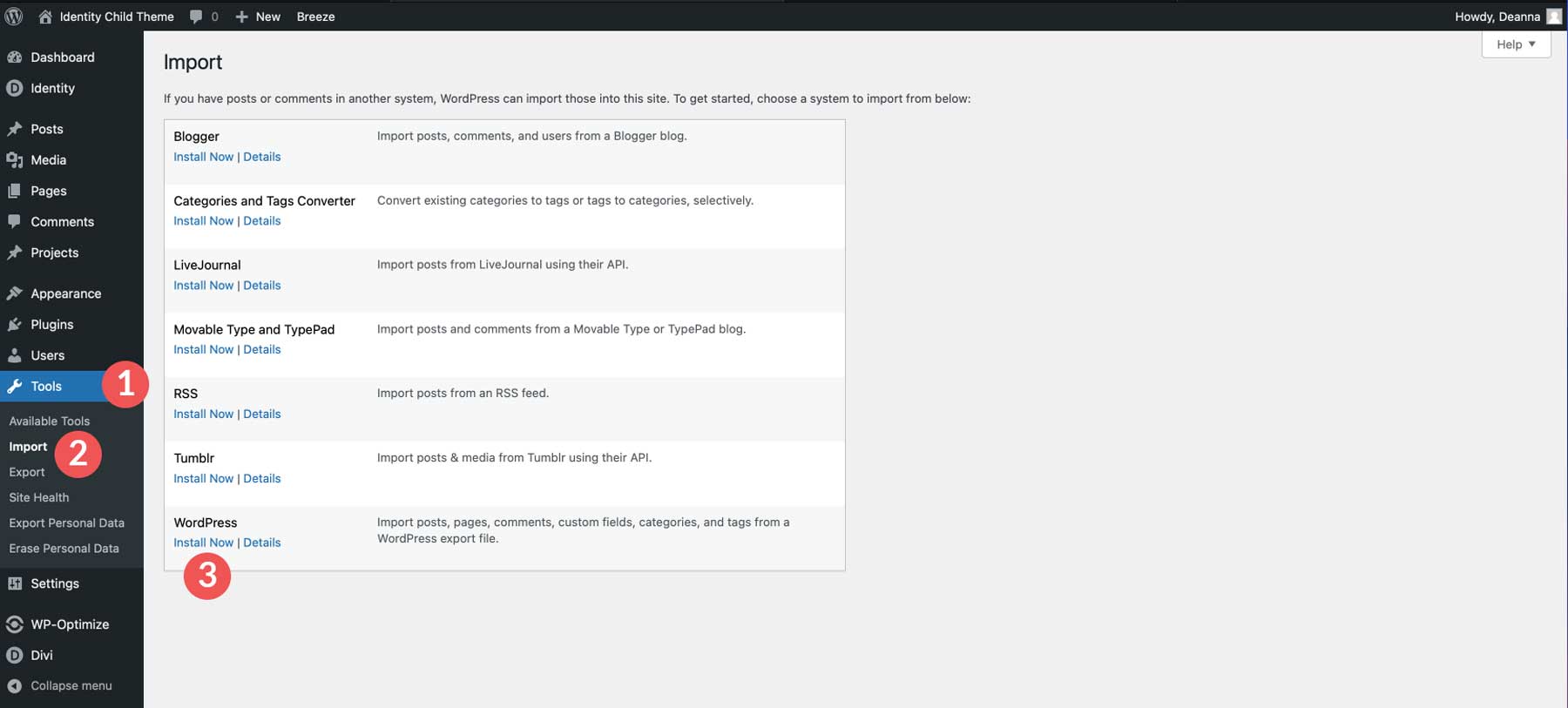
Navigate to Tools > Import. Locate the WordPress importer and click Install Now.
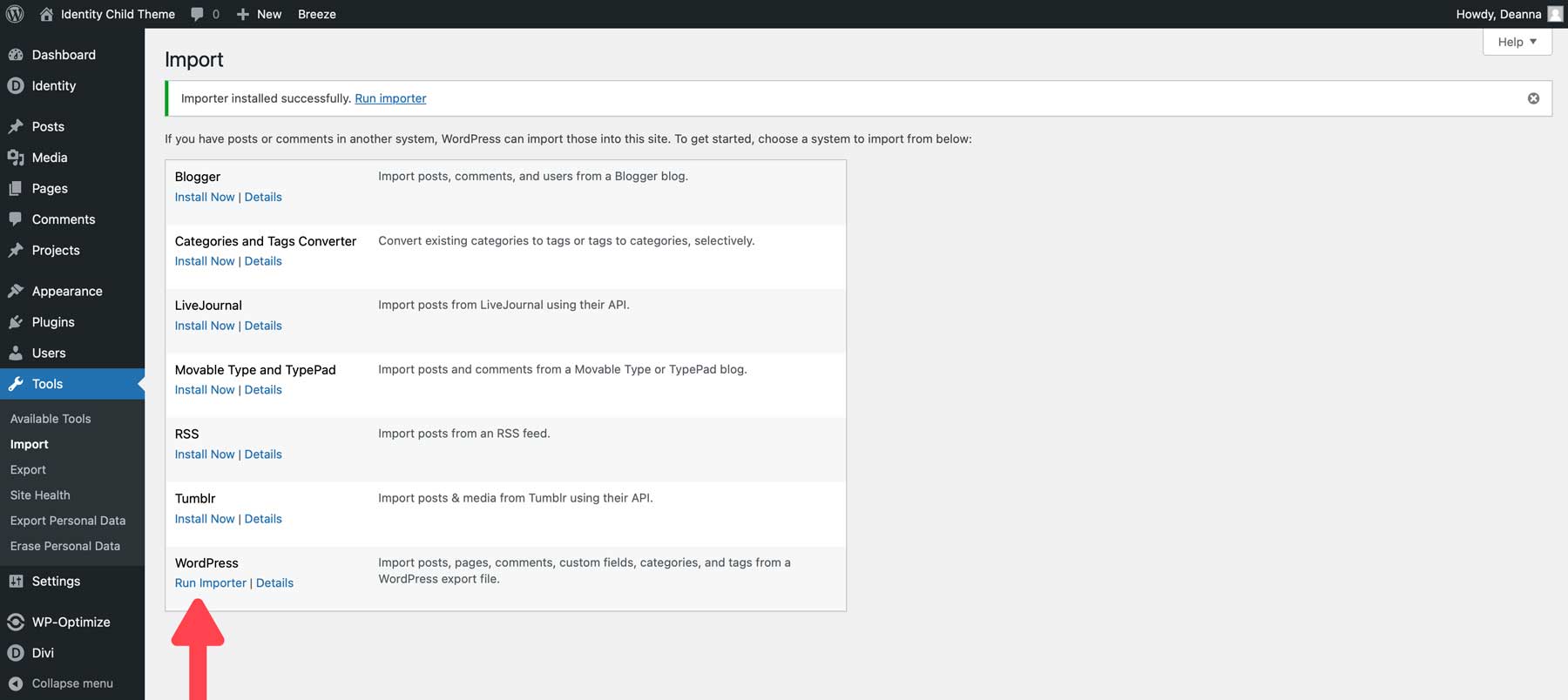
Once the installer is ready, click Run Importer.
Click the Choose File button to import the XML file. Locate the identity-wordpress-content.xml file on your computer.
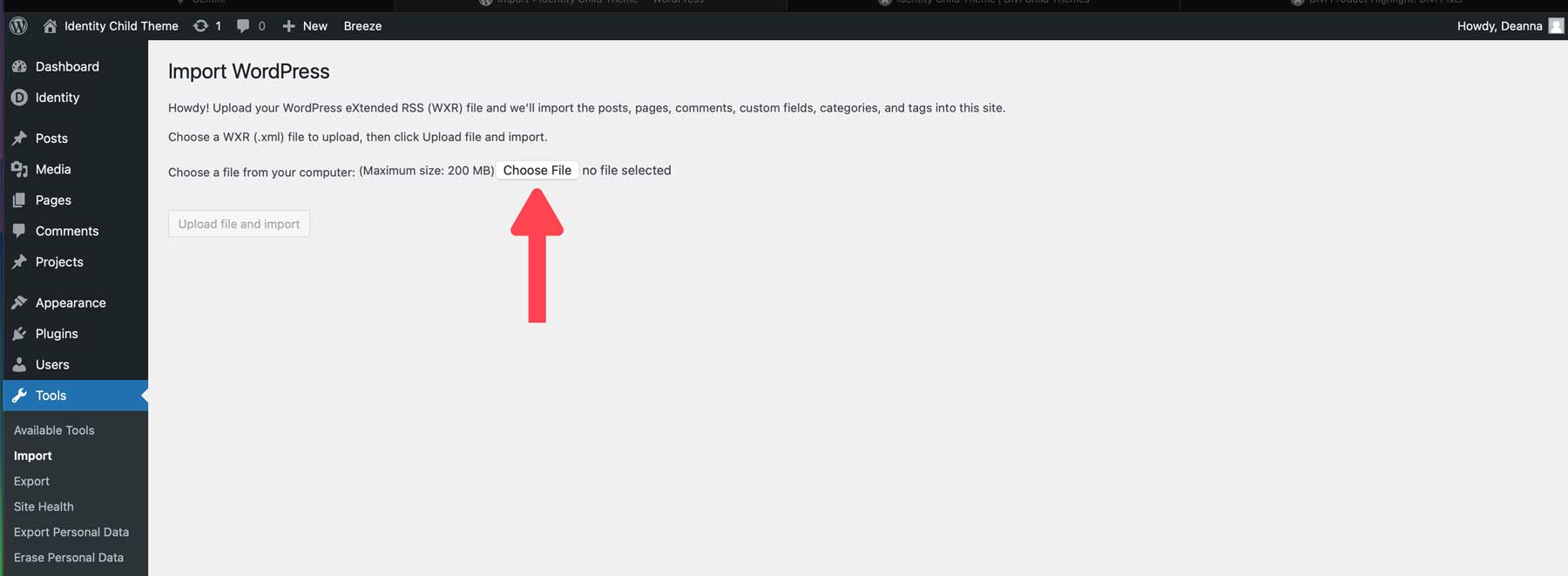
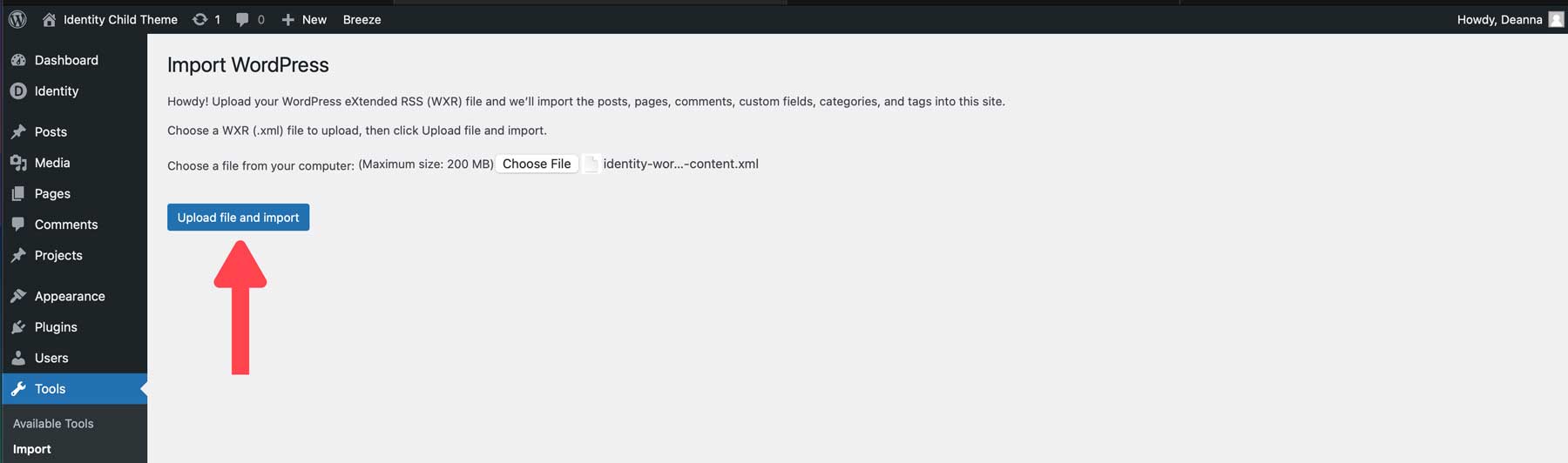
Once the file is loaded, click the Upload file and import button.
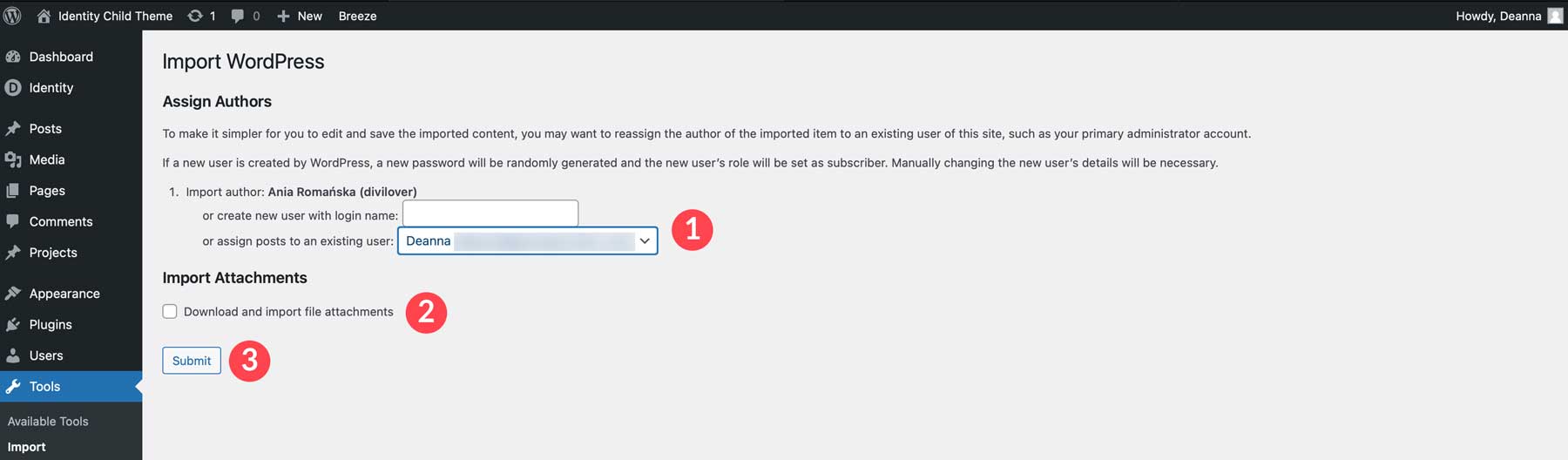
WordPress will ask if you want to add a new user or assign posts to an existing user. Select your username from the dropdown list, check the download and import file attachments checkbox, and click the submit button.
Import Divi Theme Customizer Settings
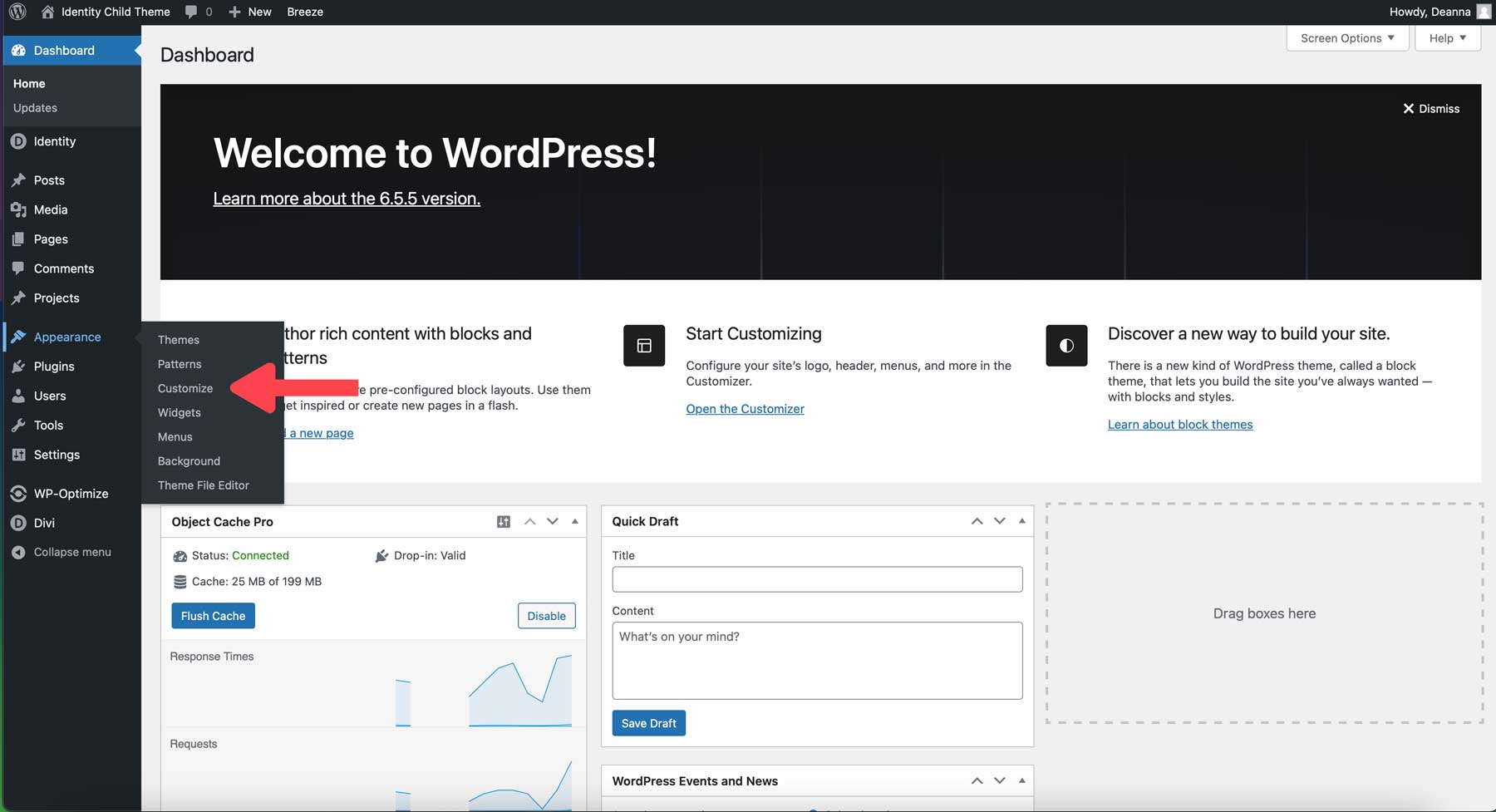
The WordPress customizer allows you to adjust your website’s look and feel. The Identity Child Theme comes with pre-defined styles, including colors and fonts. To add those settings to your website, you’ll need to import the identity-theme-customizer-settings.json file. Navigate to Appearance > Customize.
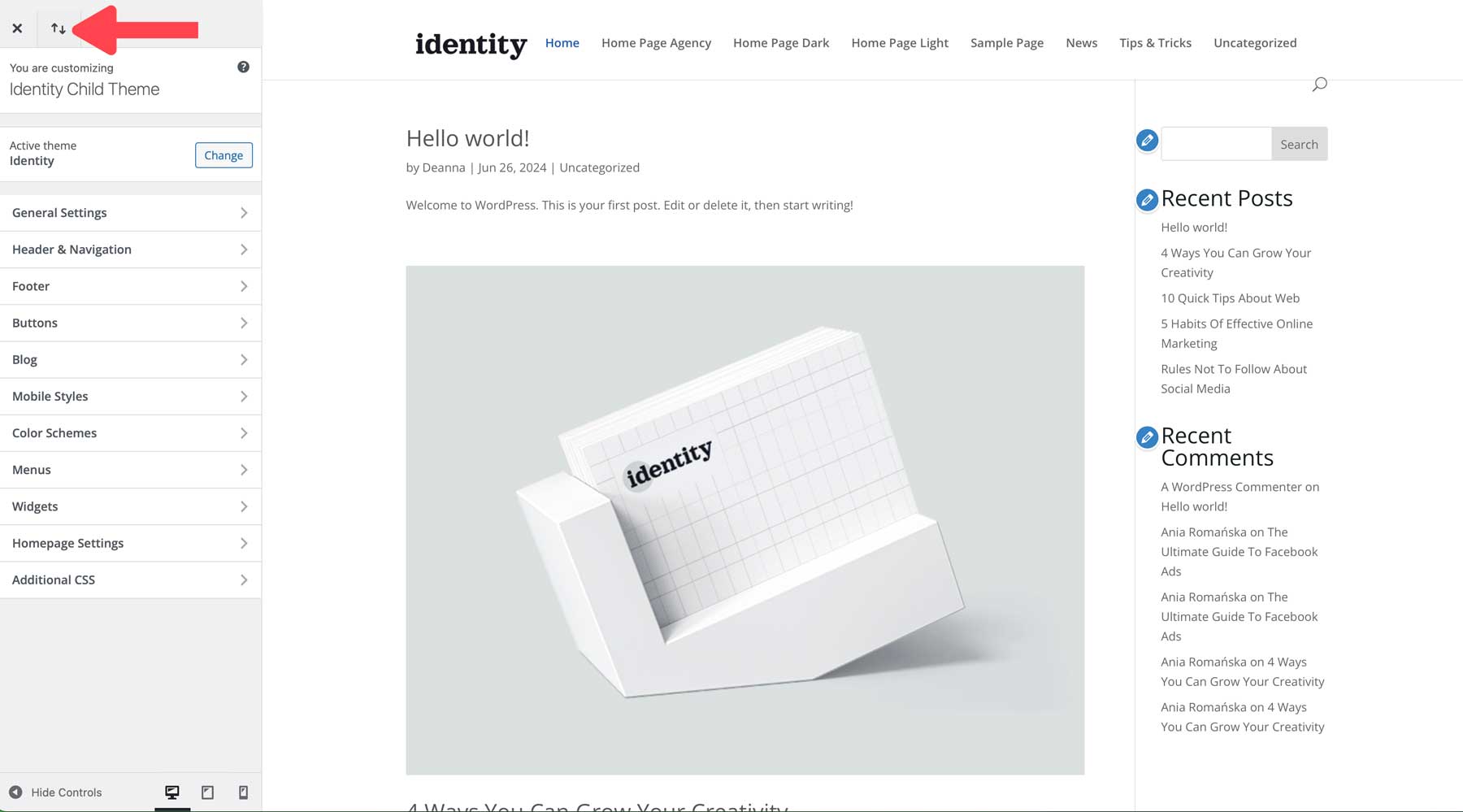
When the customizer appears, click the import/export icon at the top left of the page.
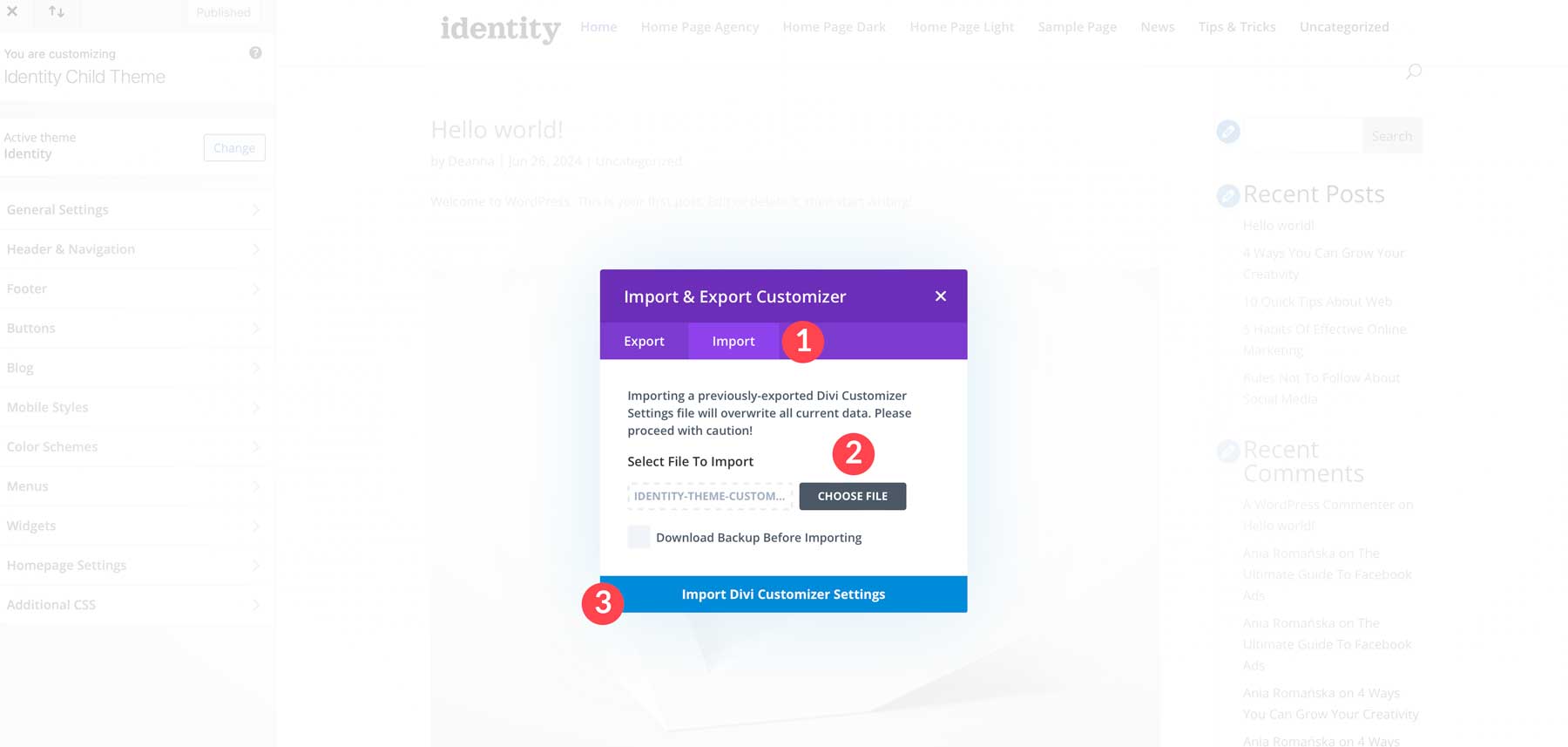
Click the Import tab, click the Choose File button, and upload the identity-theme-customizer-settings.json file. Select the Download Backup Before Importing tick box to ensure the process goes smoothly. Finally, click the Import Divi Customizer Settings button.
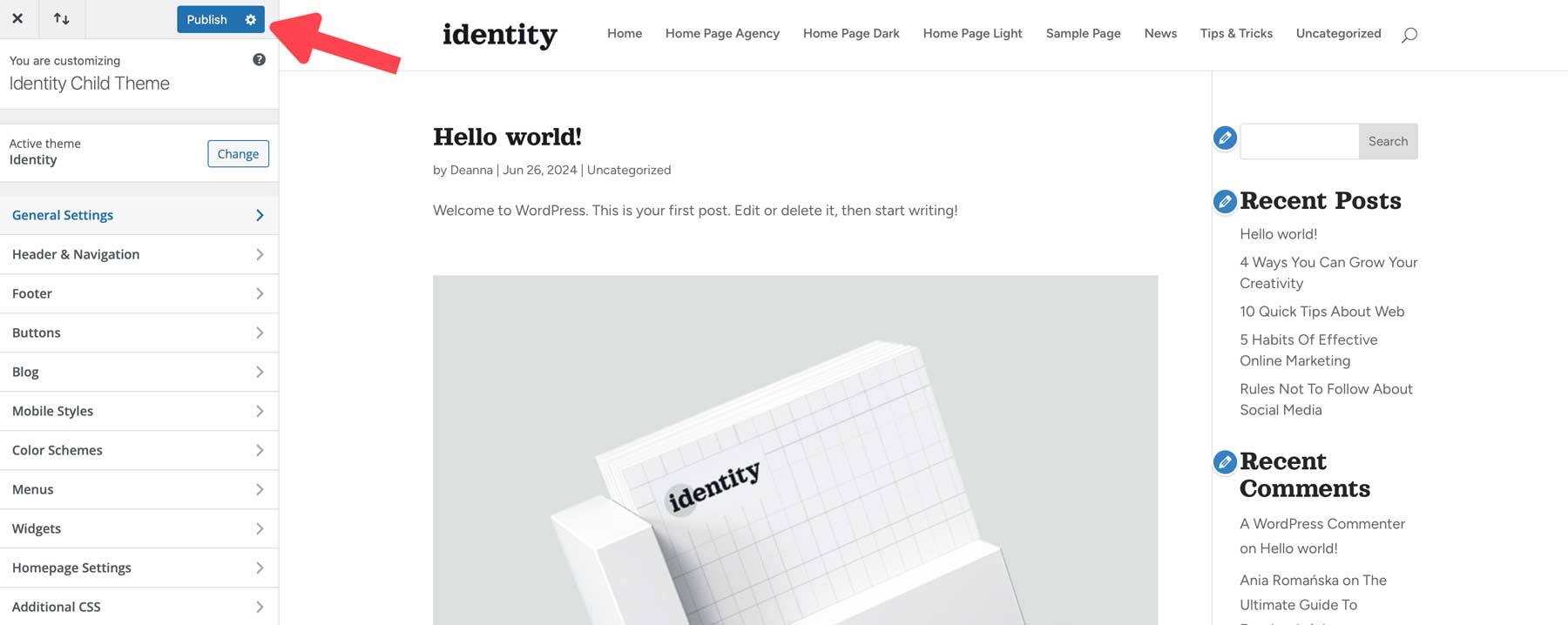
Once the settings are imported, click the Publish button to save the changes.
Import Identity Child Theme Options
The next step is to import the theme options associated with Identity. Theme Options control global colors, performance settings, and other Divi Theme settings customized for Identity. Navigate to Divi > Theme Options. Click the import/export button at the top right of the page.
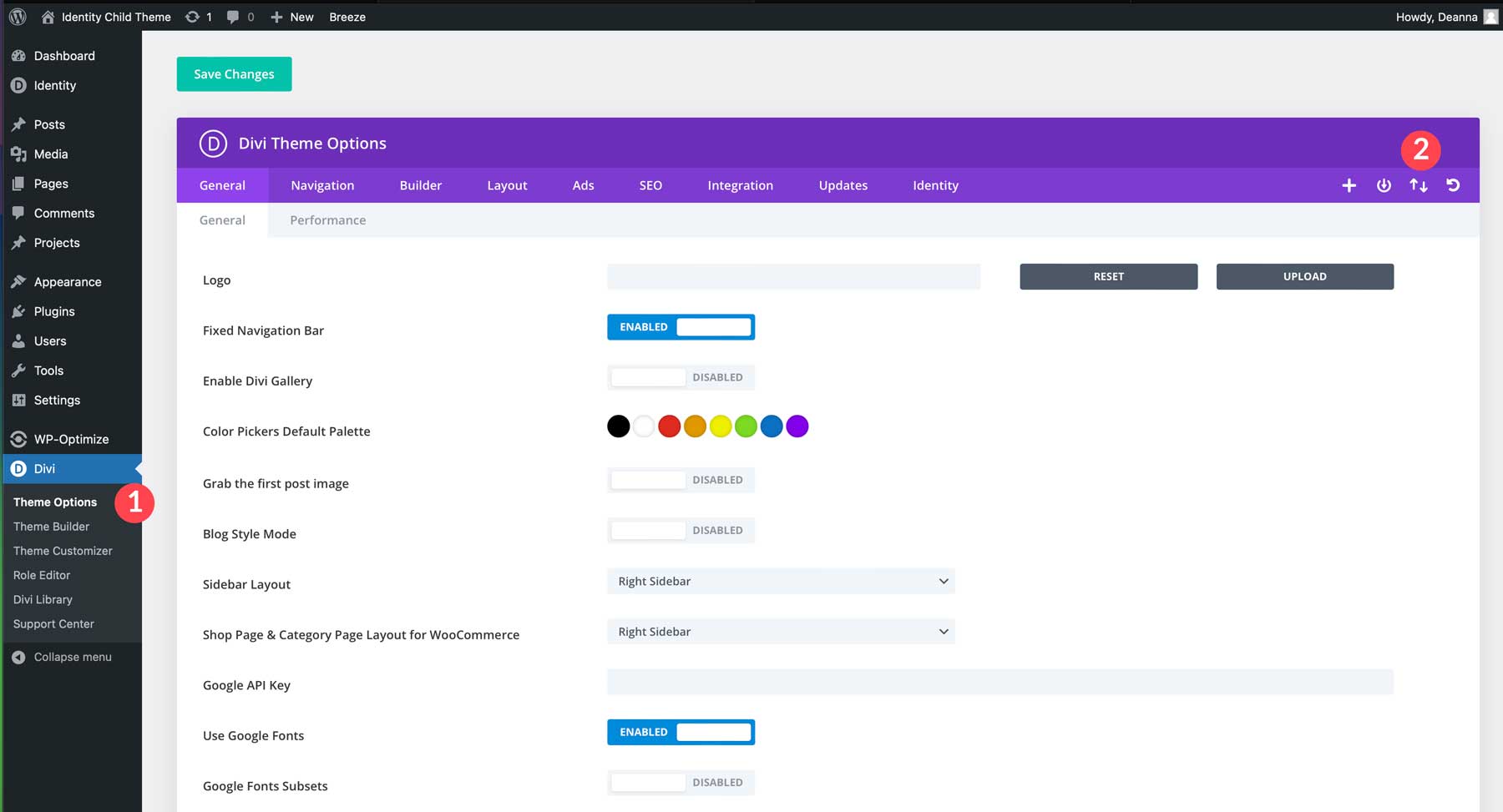
Click the Import tab and click the Choose File button to import the identity-theme-customizer-settings.json file. Once the file is loaded, click Import Divi Theme Options. As an optional step, check the Download Backup Before Importing checkbox to ensure the process goes smoothly.
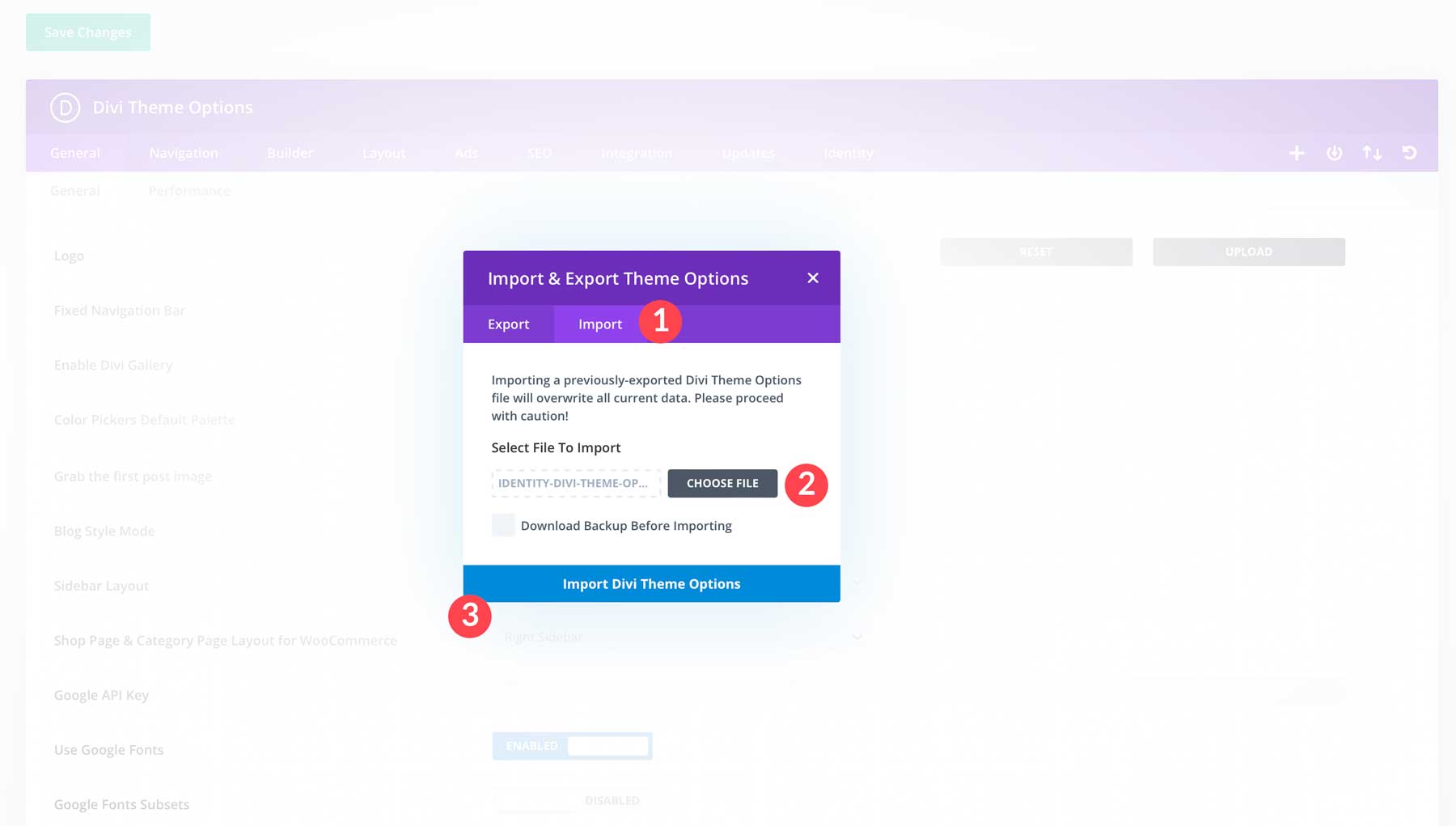
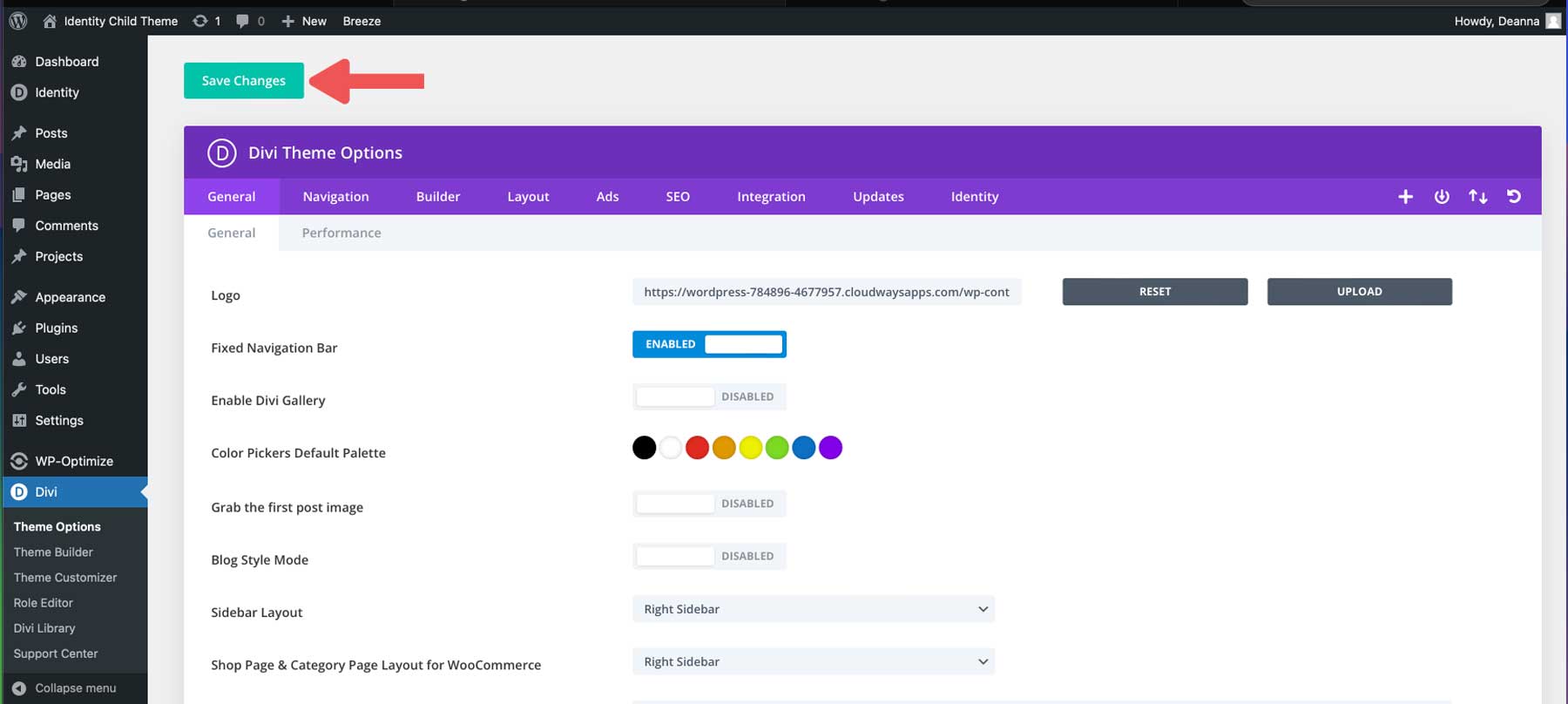
Once the JSON file imports, click the save changes button.
Import Identity Theme Builder Templates
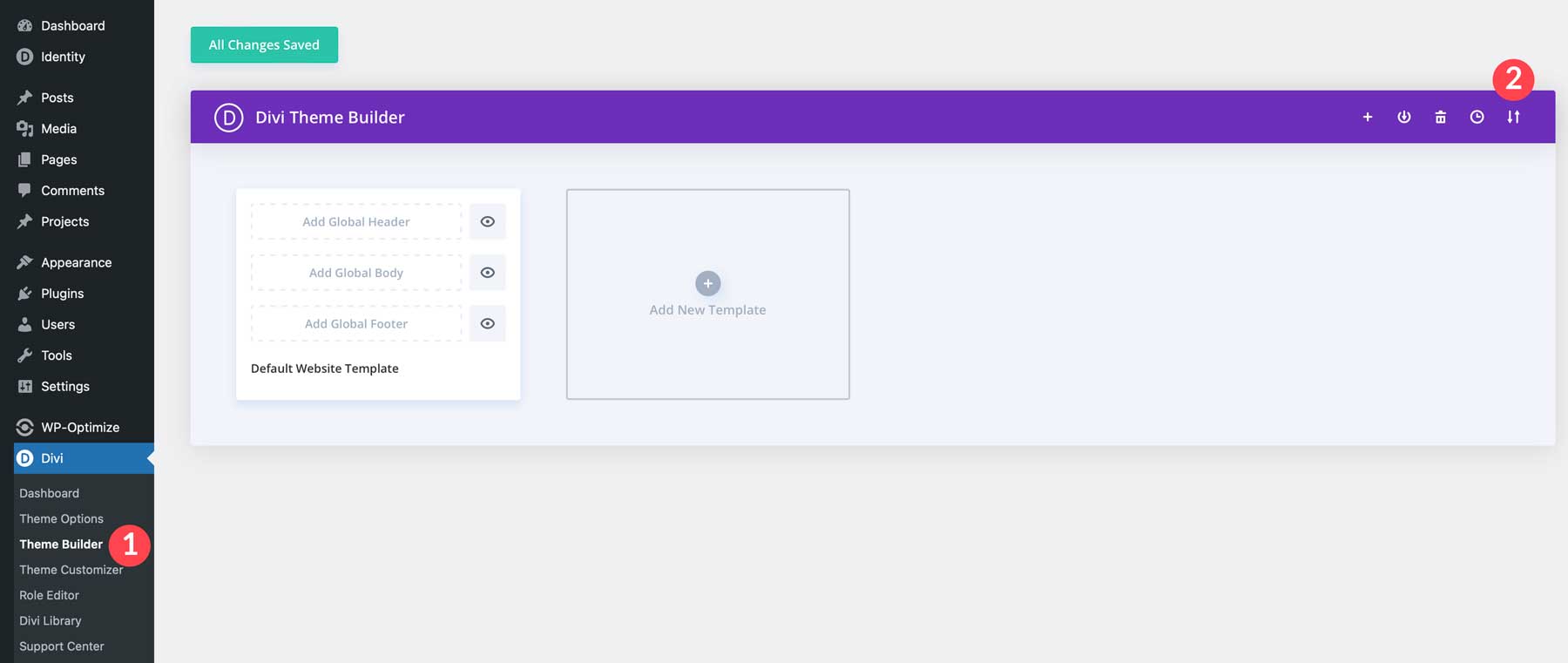
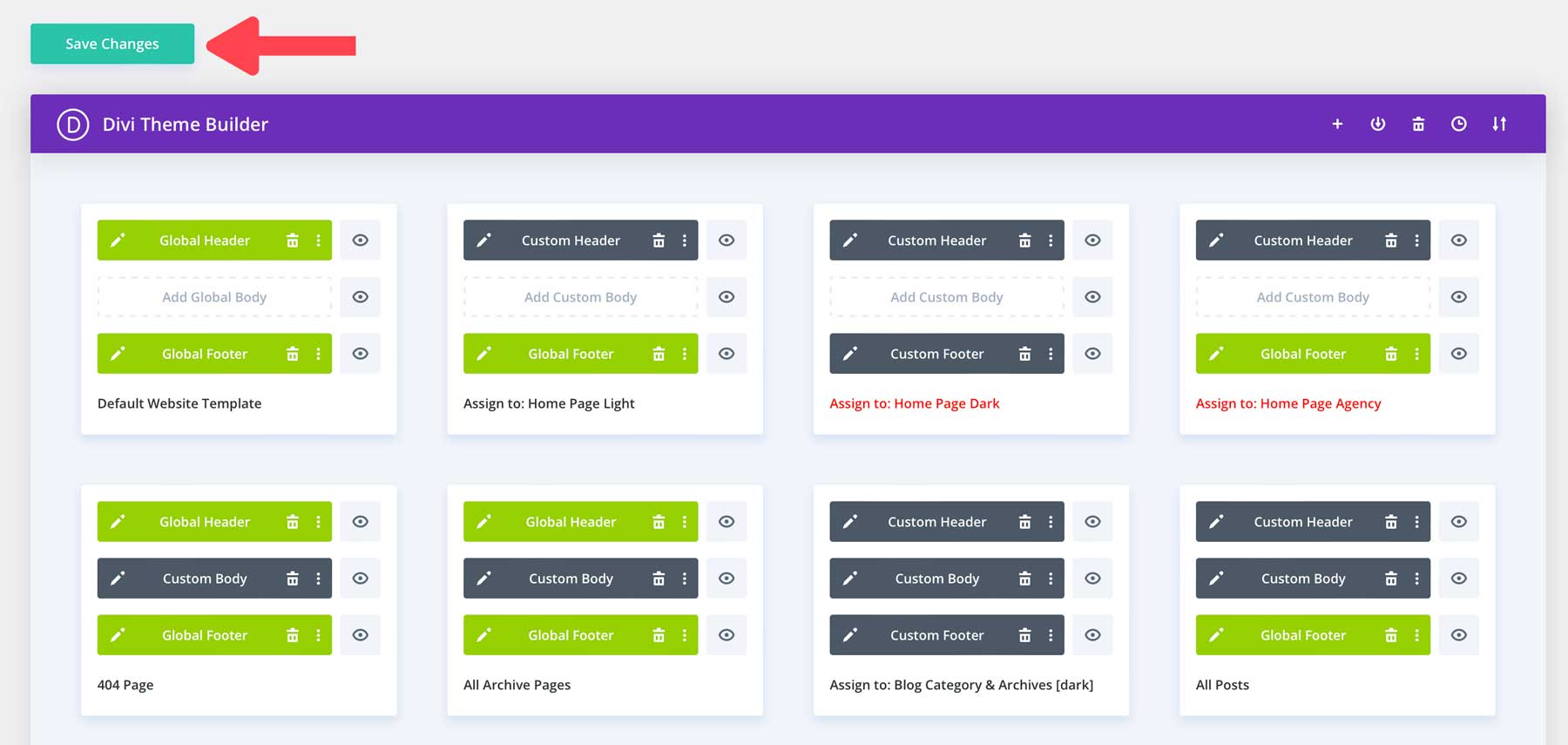
Next, we need to import the Theme Builder templates for Identity. Templates allow you to easily update content without designing each post or category page. Identity comes with a global header, footer, post and category templates, and project and category templates. To import them into your Divi website, navigate to Divi > Theme Builder. Locate the import/export icon at the top right corner of the page.
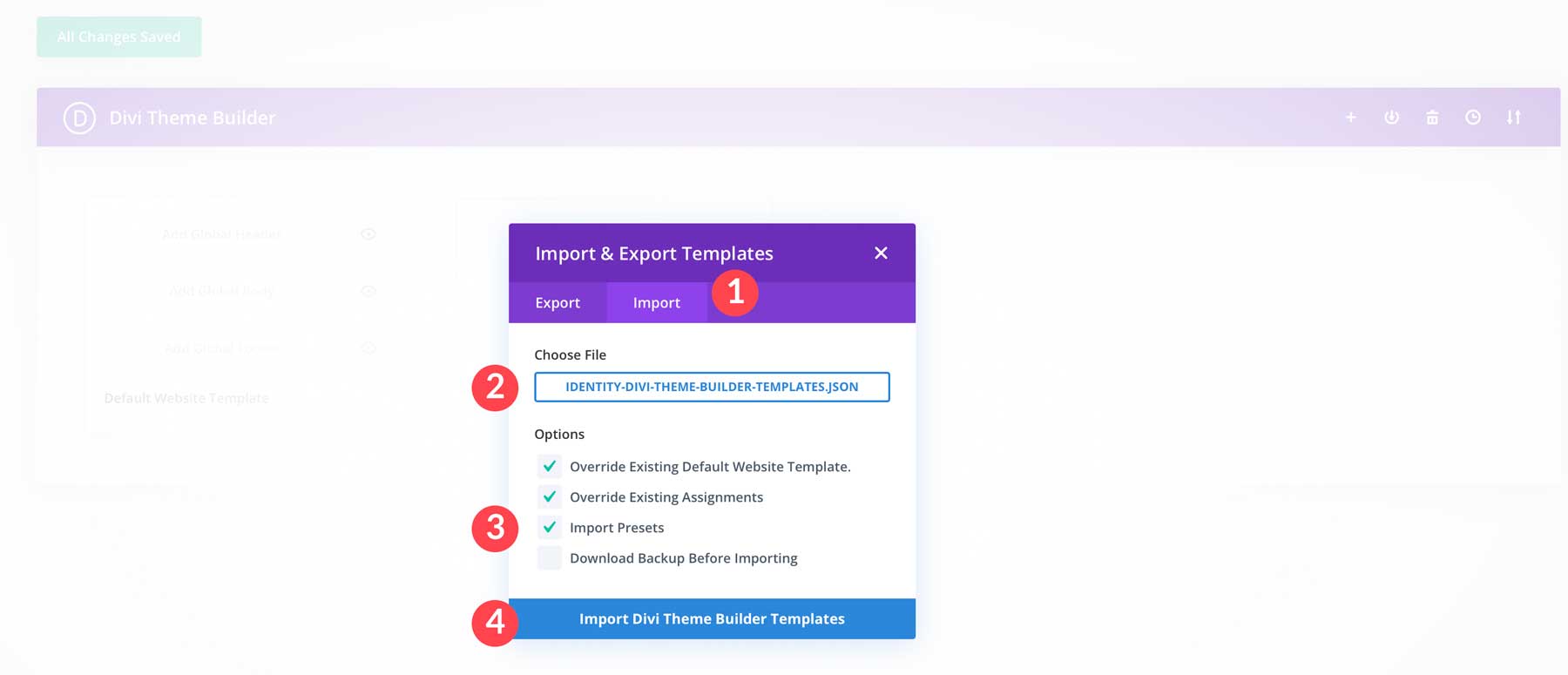
Click the Import tab and choose the identity-divi-theme-builder-templates.json file on your computer. Under options, leave the two checkboxes enabled, select import presets, and click the Import Divi Theme Builder Templates button.
You’ll see the templates in the Theme Builder library when the page refreshes. Click the Save Changes button to proceed.
Import Divi Library Layouts
The last content we must import is the Divi library layouts associated with the Identity Child Theme. Navigate to Divi > Divi Library. Click the Import & Export button to continue.
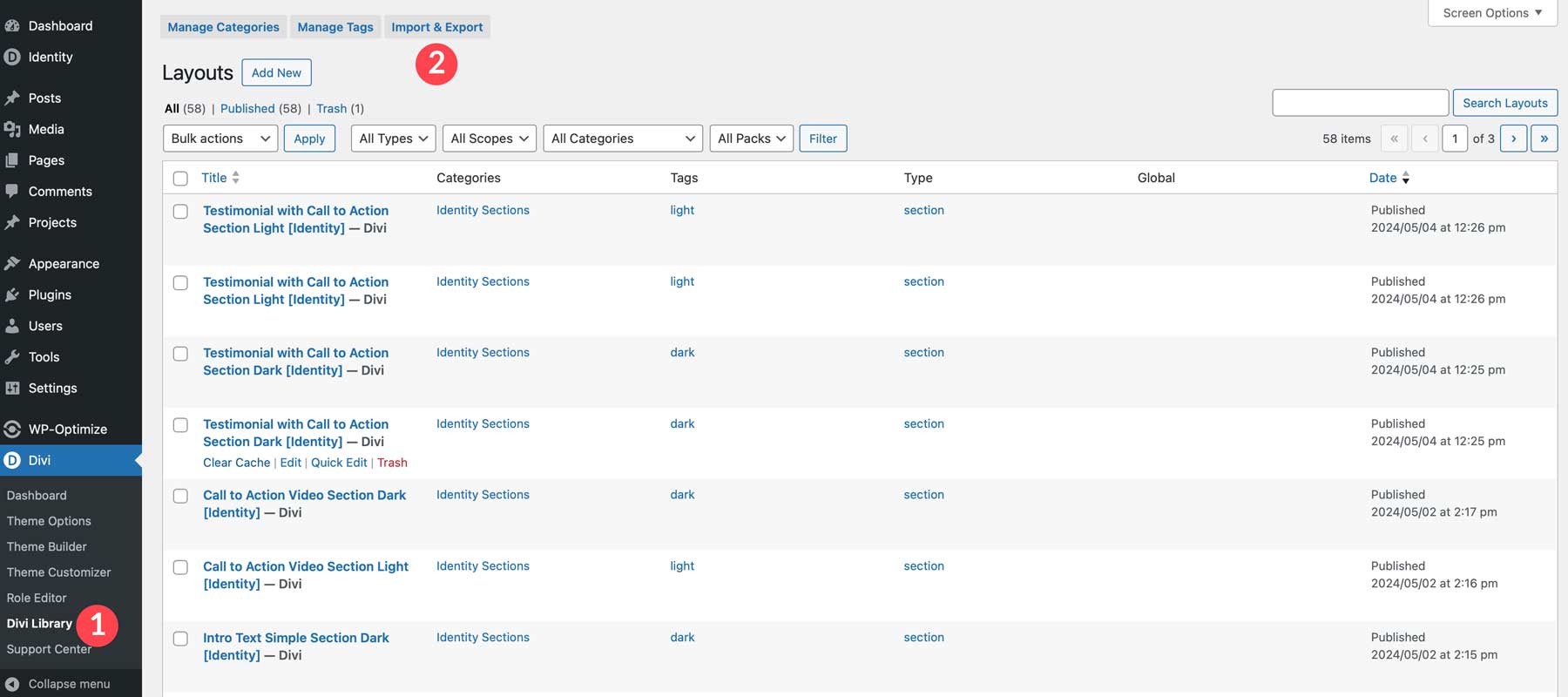
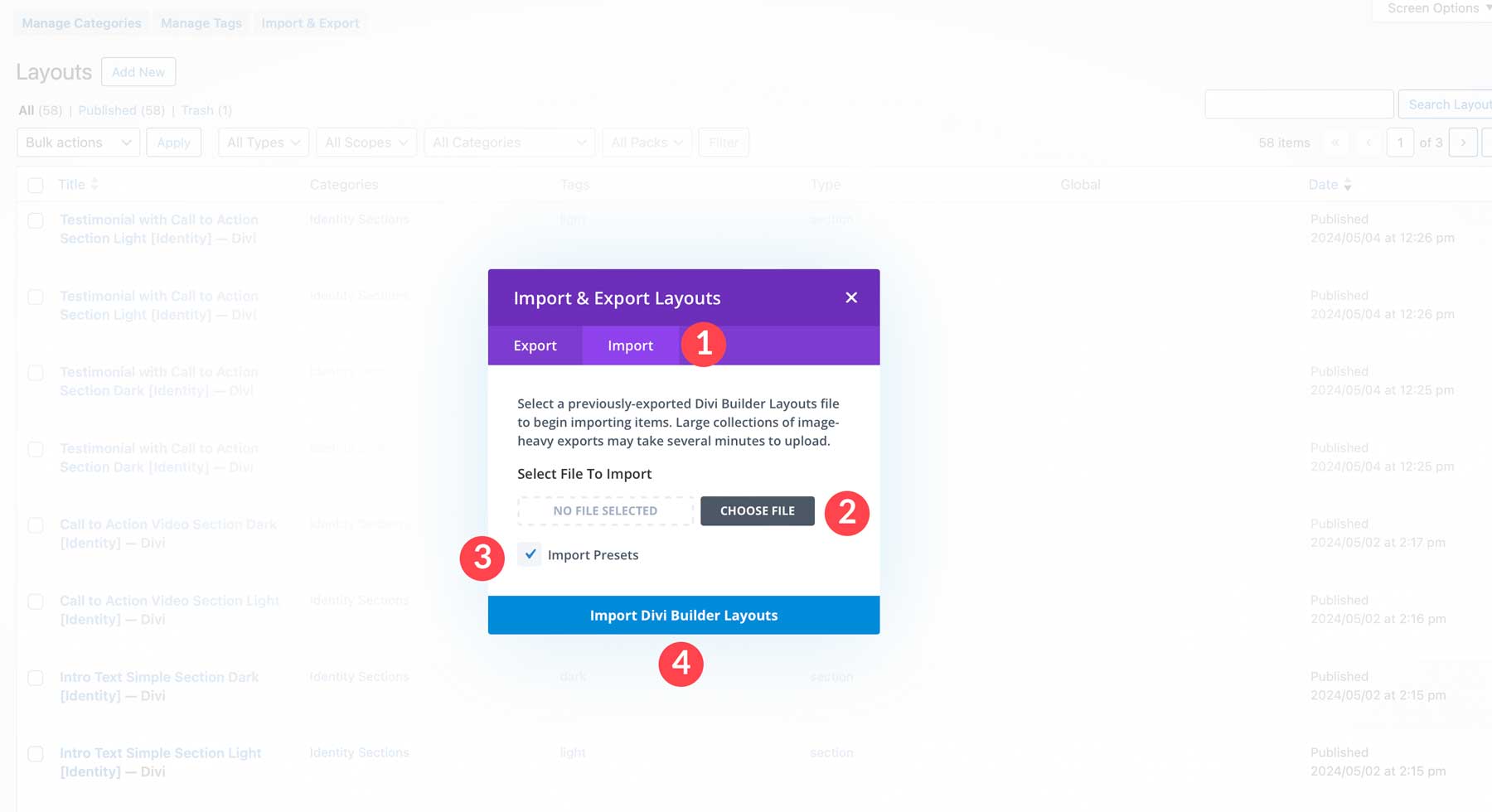
Click the import tab and click the choose file button to upload the identity-divi-library-layouts.json file from your computer. Enable the import presets tick box and click the Import Divi Builder Layouts button to import the files.
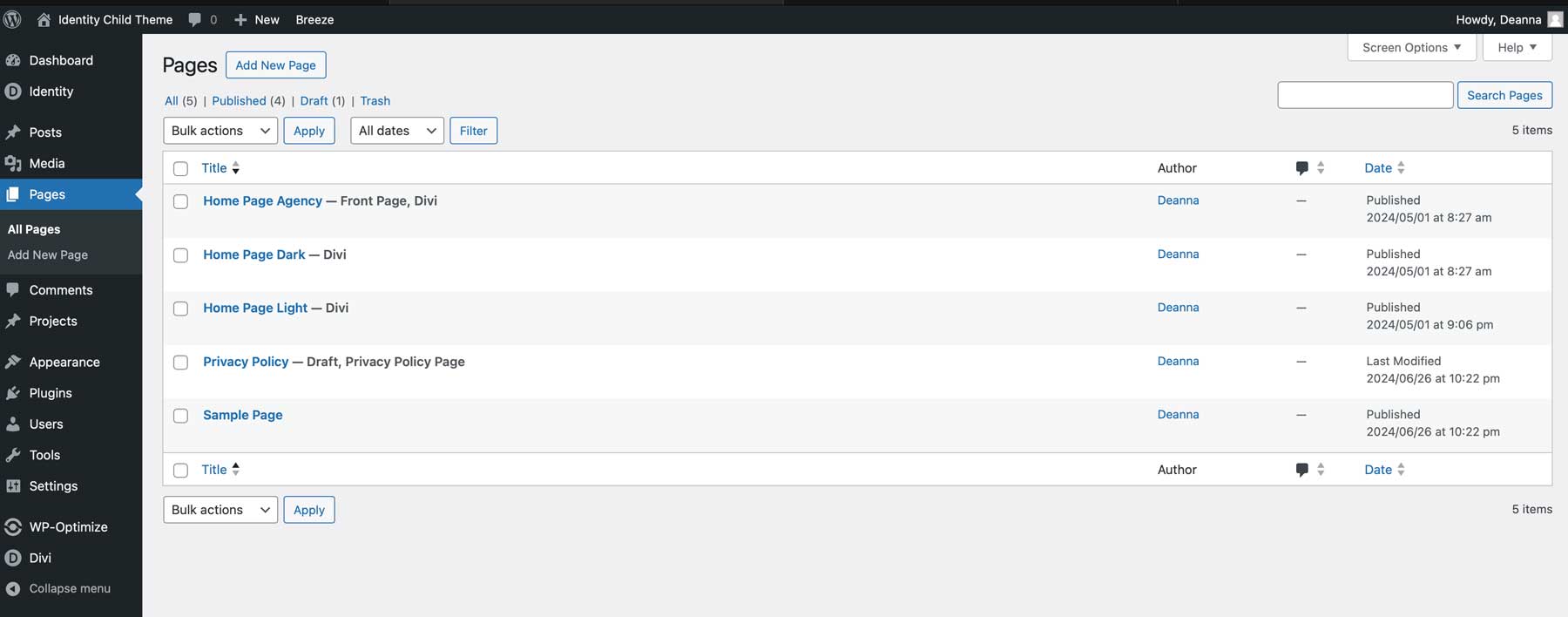
That’s it! Once the layouts are imported, we can see that our pages and all their content are added to your website.
Identity Child Theme Pricing
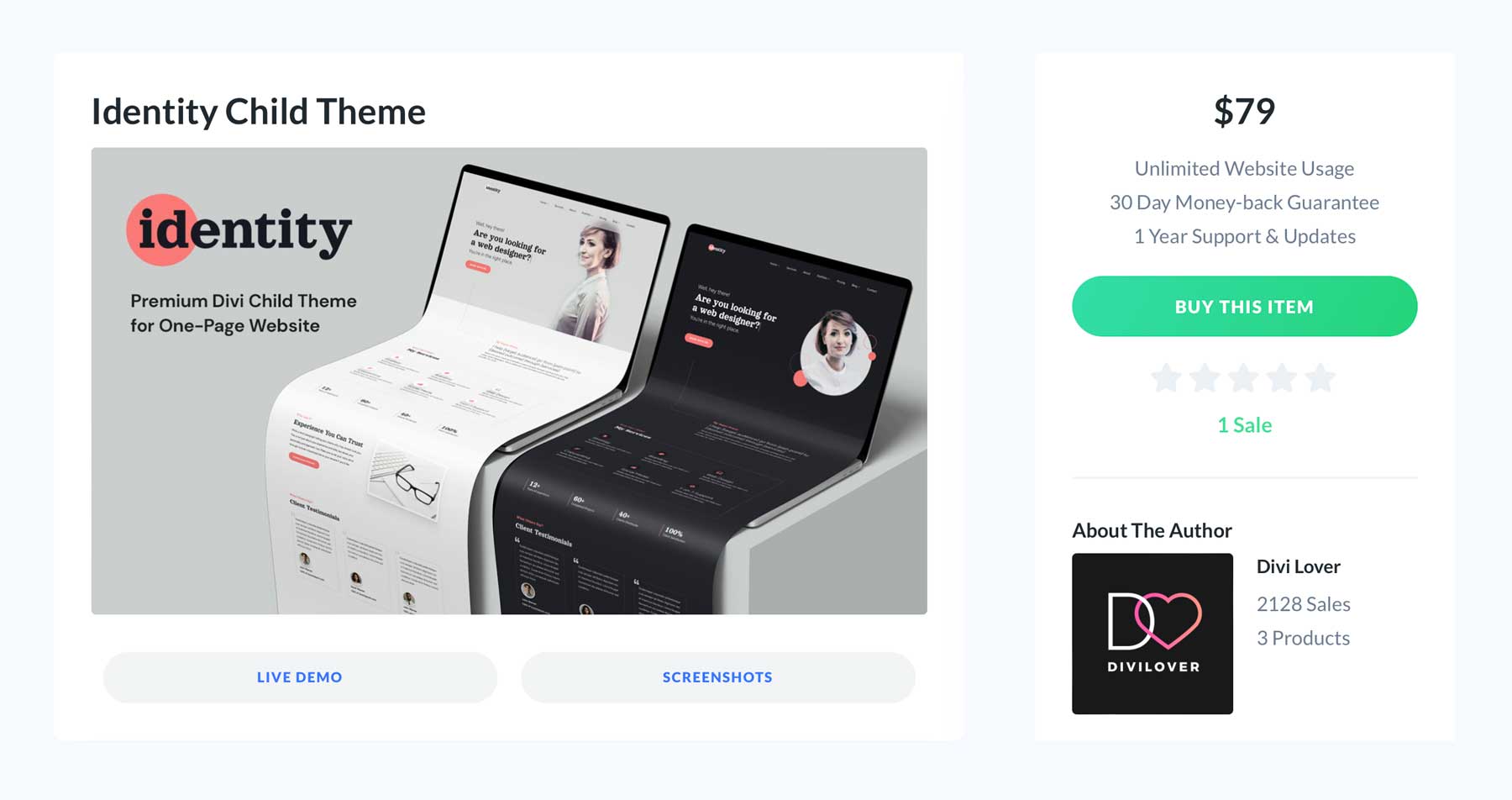
The Identity Child Theme is available for $79 per year. It comes with unlimited support and updates for one year, so you’ll have peace of mind knowing your website is safe and secure. In addition, the folks at Divi Lover offer a 30-day money-back guarantee, so if you aren’t completely satisfied with your purchase, you’ll get a 100% refund, no questions asked. Finally, Identity can be used on unlimited websites.
Is the Identity Child Theme Worth the Price Tag?
Oh, it absolutely is. There is tremendous value in Identity. It has a sleek and modern design, offers various sections and premade templates, and provides slick but subtle animations to entice your website’s visitors. Identity provides the perfect foundation, whether you’re a freelancer showcasing your skills, a creative displaying your portfolio, or anyone aiming to establish a strong online presence. If you’re looking for a child theme to elevate your freelance business or portfolio website, then Identity Child Theme is an excellent choice.
The post Divi Product Highlight: Identity Child Theme appeared first on Elegant Themes Blog.
# Overview of the Divi Product Highlight: Identity Child Theme
In the ever-evolving landscape of web design, the need for customizable, user-friendly themes is paramount. Among the myriad of options available, the Divi theme by Elegant Themes stands out as a powerful tool for creating stunning websites. One of the most noteworthy additions to the Divi ecosystem is the Identity Child Theme. This article provides an overview of the Identity Child Theme, exploring its features, benefits, and how it can elevate your web design projects.
## What is a Child Theme?
Before delving into the specifics of the Identity Child Theme, it’s essential to understand what a child theme is. A child theme in WordPress is a sub-theme that inherits the functionality and styling of another theme, known as the parent theme. This allows users to customize their website without altering the original theme’s files. By using a child theme, designers can ensure that their modifications remain intact even after the parent theme is updated.
## Introducing the Identity Child Theme
The Identity Child Theme is specifically designed for the Divi theme, offering a unique blend of aesthetics and functionality. It is tailored for businesses, freelancers, and creatives looking to establish a strong online presence. The Identity Child Theme provides a solid foundation for building a professional website while allowing for extensive customization.
### Key Features of the Identity Child Theme
1. **Pre-Built Layouts**: The Identity Child Theme comes with a variety of pre-designed layouts that cater to different industries and purposes. These layouts are fully responsive, ensuring that your website looks great on all devices.
2. **Customization Options**: With the built-in Divi Builder, users can easily customize every aspect of their site. The Identity Child Theme includes custom modules and settings that enhance the Divi Builder’s capabilities, allowing for a more tailored design experience.
3. **SEO Optimization**: The Identity Child Theme is designed with SEO best practices in mind. It includes clean code and optimized structure, which can help improve your website’s visibility on search engines.
4. **Fast Loading Times**: Performance is crucial for user experience and SEO. The Identity Child Theme is optimized for speed, ensuring that your website loads quickly, which can reduce bounce rates and improve user engagement.
5. **Support and Documentation**: Elegant Themes provides comprehensive documentation and support for the Identity Child Theme. This ensures that users can easily navigate any challenges they may encounter during installation or customization.
### Benefits of Using the Identity Child Theme
1. **Time-Saving**: With pre-built layouts and modules, the Identity Child Theme significantly reduces the time required to design a website from scratch. Users can quickly set up their site and focus on content creation and marketing.
2. **Professional Appearance**: The Identity Child Theme is designed with a modern aesthetic, helping businesses and individuals present a polished and professional image online.
3. **Flexibility**: Whether you’re a small business owner, a freelancer, or a creative professional, the Identity Child Theme offers the flexibility to adapt to various branding needs and styles.
4. **Future-Proofing**: By using a child theme, users can ensure that their customizations remain intact even as the Divi theme receives updates. This future-proofs your website against potential issues that may arise from theme updates.
5. **Community Support**: As part of the Divi ecosystem, users of the Identity Child Theme can tap into a vibrant community of designers and developers. This community offers a wealth of resources, tips, and shared experiences that can enhance your web design journey.
### Conclusion
The Identity Child Theme for Divi is a powerful tool for anyone looking to create a professional and customizable website. With its pre-built layouts, extensive customization options, and focus on performance and SEO, it provides a robust foundation for building an online presence. Whether you’re a seasoned web designer or a newcomer to the world of WordPress, the Identity Child Theme can help you achieve your design goals efficiently and effectively. By leveraging the capabilities of Divi and the Identity Child Theme, you can create a website that not only looks great but also functions seamlessly, setting the stage for success in the digital landscape.

Recent Comments