
I’m here to give you a sneak peek at a feature coming soon to Divi 5. With Divi 5’s foundation complete, we’re now focused on aggressive feature development, with new features in the works as part of the Divi 5 feature swap.
Every time we finish a feature, we start working on a new one, and every time we start working on a new feature, I’m going to tell you all about it!
Last week, we released Advanced Units, and the team involved is already working on their next project: Nested Rows.
Rows inside of rows! It’s a simple idea but an important first step in creating a more flexible layout system for Divi 5.
Get all the details in this video. 👇
Divi 5’s Flexibility And Nestability
In Divi 4, there is a limitation regarding the nestability of elements. The old shortcode-base framework couldn’t handle it, but that’s no longer true in Divi 5. We built Divi 5 to be incredibly flexible, which opens up many opportunities for new features.
Fortunately, that means nested rows will fall right into place.
Infinitely Nested Rows
Soon, you will be able to add rows inside of rows, unlocking new layout structures. When you click the plus button inside a column, you won’t limited to adding modules; you can add rows too.
That’s the feature: simple in its explanation but far-reaching in its implications.
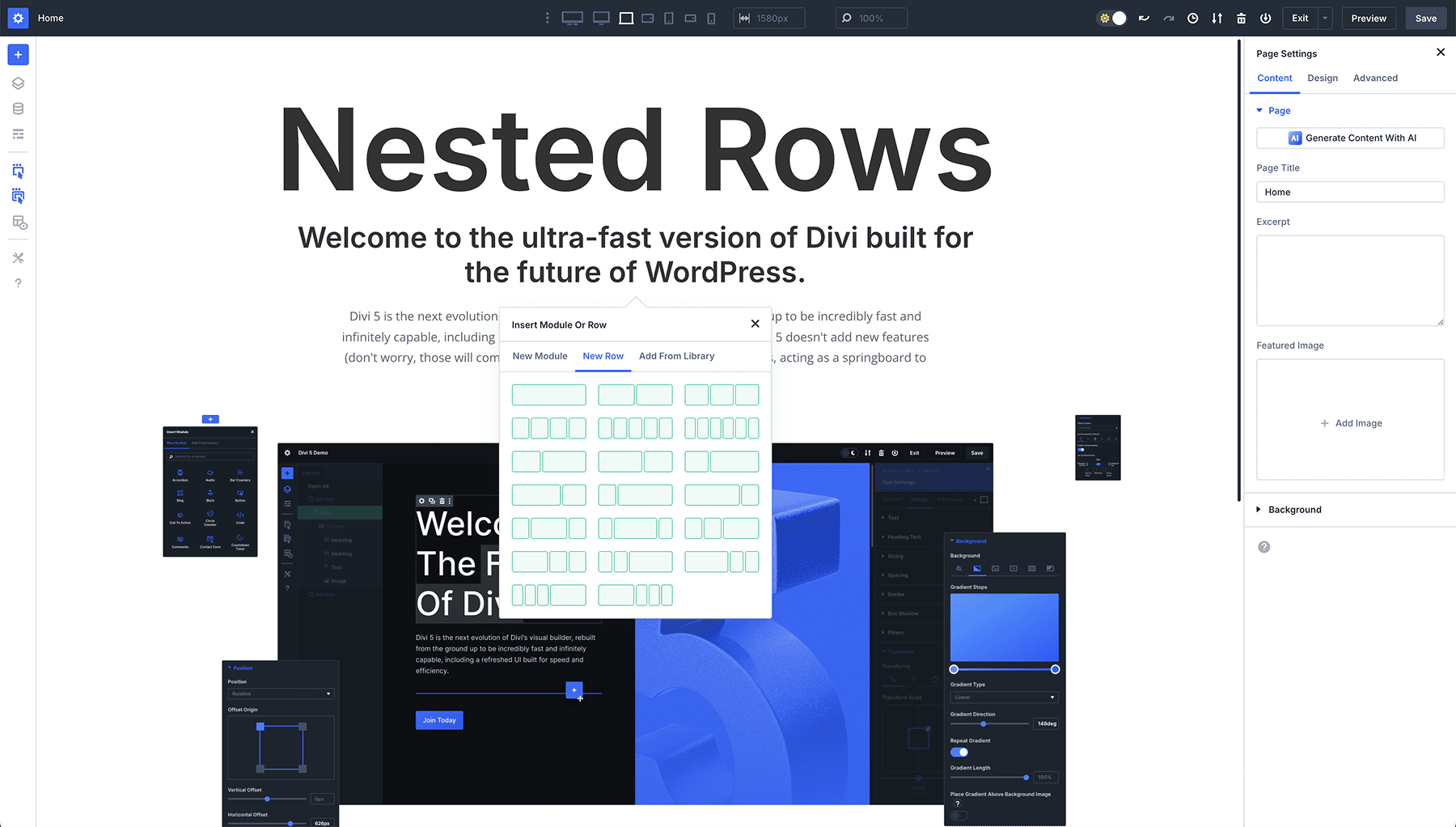
With the ability to nest rows, you won’t be limited to Divi’s core set of row structures, and you will be able to craft new layouts that previously weren’t possible with Divi’s specialty sections, which are limited in scope.
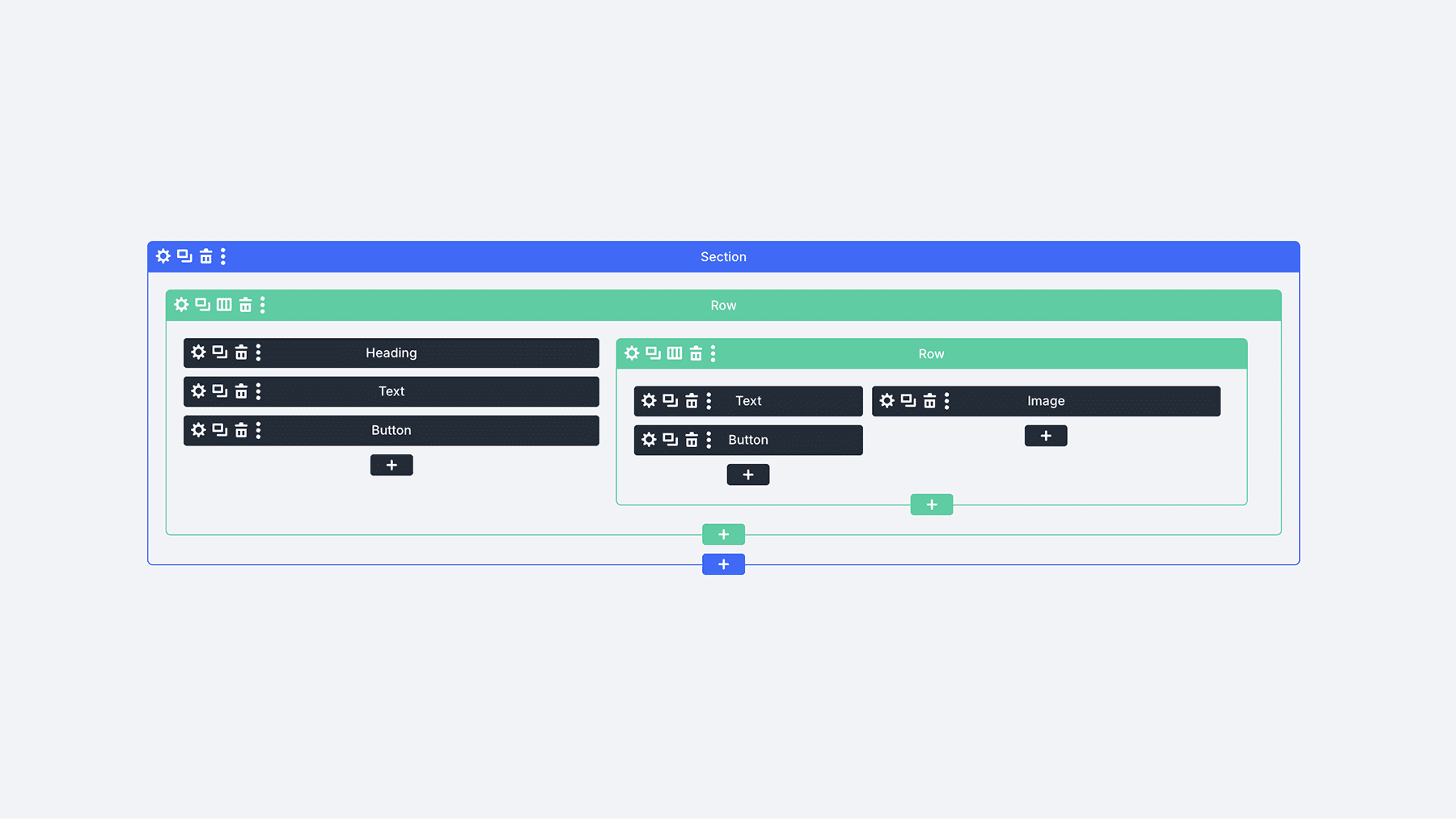
To illustrate the concept, Here is an example of a 2-column row nested inside another 2-column row as viewed in wireframe mode.
This Is Just The First Step
It’s important to note that this is only the first step towards a more capable layout system for Divi 5. A future update will introduce a new flexbox-based grid, flexbox controls, and the deprecation of specialty and fullwidth sections. With infinitely nestable flexbox rows, the sky’s the limit!
Significant changes are coming, but that’s a sneak peek for another day. 😉
Let us know your thoughts or if you have any questions. I’d love to know if you are enjoying the blazing-fast pace at which we are releasing new features. Are you a believer in the Divi comeback? Is 2025 really the year of Divi 5?
Let me know in the comments.
Have You Tried Advanced Units?
In case you missed it, check out my video from last week announcing the release of Advanced Units.
It introduces support for all CSS units, variables, and functions, such as camp() and calc(), making designing responsive websites with fluid typography easier than ever.
Get all the details in this video. 👇
Many More Features Coming Soon
Before you go, I have a favor to ask. We are on a mission to leapfrog the competition in 2025 with dozens of new features, and we want you to know about all of them.
That’s why you must subscribe to our YouTube channel, as it’s the primary way we spread the word (in addition to the Divi newsletter). Over 50% of our viewers keep returning to read and watch these updates but aren’t subscribers. If that’s you, consider clicking the subscribe button and following along as Divi makes its comeback.
All it takes is one little click. 😁
We will fill this year with feature announcements and sneak peeks you don’t want to miss. Stay tuned, and I’ll see you for another sneak peek, which I promise is right around the corner.
The post Divi 5 Sneak Peek! Nested Rows appeared first on Elegant Themes Blog.
# Introducing Nested Rows in Divi 5: A Preview of New Features
As the web design landscape continues to evolve, so too do the tools that empower designers and developers to create stunning, user-friendly websites. One of the most popular WordPress themes, Divi, has consistently set the standard for versatility and ease of use. With the upcoming release of Divi 5, users can look forward to a host of new features designed to enhance the design experience. Among these exciting updates is the introduction of Nested Rows, a feature that promises to revolutionize the way we structure layouts in Divi.
## What Are Nested Rows?
Nested Rows allow designers to place rows within other rows, creating a hierarchical structure that offers greater flexibility in layout design. This feature enables users to create complex designs without the need for additional modules or custom CSS. With Nested Rows, designers can easily manage spacing, alignment, and responsiveness, making it a game-changer for both novice and experienced users.
## Key Benefits of Nested Rows
### 1. Enhanced Layout Flexibility
One of the most significant advantages of Nested Rows is the ability to create intricate layouts with ease. Designers can now group related content together within a parent row, allowing for more organized and visually appealing designs. This flexibility means that users can create multi-column layouts, staggered content sections, and more, all while maintaining a clean and structured appearance.
### 2. Improved Responsiveness
With the rise of mobile browsing, responsive design has become a critical aspect of web development. Nested Rows simplify the process of creating responsive layouts. By nesting rows, designers can ensure that content adapts seamlessly to different screen sizes. This feature allows for better control over how elements stack and align on various devices, enhancing the overall user experience.
### 3. Streamlined Design Process
Nested Rows reduce the need for additional modules or custom CSS, streamlining the design process. Designers can achieve complex layouts using fewer elements, which not only speeds up the design process but also reduces the potential for errors. This simplicity is particularly beneficial for those who may not have extensive coding knowledge, allowing them to create professional-looking websites with ease.
### 4. Greater Control Over Spacing and Alignment
With Nested Rows, users gain enhanced control over spacing and alignment. Designers can adjust padding and margins at both the parent and child row levels, allowing for precise control over the layout. This feature ensures that content is not only visually appealing but also well-organized, making it easier for visitors to navigate the site.
## How to Use Nested Rows in Divi 5
Using Nested Rows in Divi 5 is straightforward. Here’s a quick guide to get you started:
1. **Add a New Row**: Start by adding a new row to your Divi layout.
2. **Insert a Nested Row**: Within the parent row, you can add another row by selecting the option to insert a new row. This will create a nested structure.
3. **Customize Your Layout**: Once you have your nested row in place, you can customize it just like any other row. Add modules, adjust settings, and configure spacing as needed.
4. **Preview and Adjust**: Use the preview feature to see how your nested rows look on different devices. Make adjustments as necessary to ensure a responsive design.
## Conclusion
The introduction of Nested Rows in Divi 5 marks a significant milestone in the evolution of web design tools. By offering enhanced layout flexibility, improved responsiveness, and a streamlined design process, this feature empowers users to create stunning websites with ease. Whether you’re a seasoned designer or just starting, Nested Rows will undoubtedly enhance your Divi experience, allowing you to bring your creative visions to life.
As we await the official release of Divi 5, the excitement surrounding Nested Rows and other new features continues to build. Stay tuned for more updates and prepare to elevate your web design projects with the innovative capabilities of Divi 5!

Recent Comments