

You’ve utilized hashtags on platforms such as Twitter, Instagram, LinkedIn, and Facebook. However, have you thought about implementing hashtags on YouTube?
Fair warning: YouTube SEO is a challenge. Identifying optimal keywords, optimizing every aspect of your video, and choosing the appropriate hashtags for your content are crucial elements of a unified YouTube content optimization approach.
In this detailed guide, we will clarify what YouTube hashtags are, their significance, and the correct way to use them to boost your video views.
What are YouTube hashtags?
YouTube hashtags are terms or phrases starting with the “#” symbol that categorizes and tags video content on the platform. These hashtags assist users in discovering videos that align with their interests while browsing or searching YouTube. When users click on a hashtag, they are directed to a results page displaying a collection of videos that include the same hashtag. Hashtags can be incorporated into video titles, descriptions, and comments.
Why use YouTube hashtags?
Much like hashtags on Facebook, Twitter, and Instagram, YouTube hashtags serve as essential tools for enhancing video visibility and outreach. By thoughtfully integrating relevant and trending hashtags, marketers can broaden the audience for their content beyond their current subscribers. Let’s explore some reasons to incorporate hashtags on YouTube:
Hashtags help YouTube understand your video content
Using relevant keywords as hashtags for your videos provides YouTube with more context about the subject matter. This allows YouTube to categorize your video correctly and suggest it to users searching for similar topics or who have shown interest in related material. In essence, hashtags serve as indicators that assist YouTube in positioning your video in appropriate search results and recommended video feeds, enhancing the likelihood of its discovery by the right audience.
Hashtags expand your audience reach
Hashtags function as connectors, linking your video to a broader audience on YouTube. By including relevant hashtags in your video’s title and description, you categorize your content and facilitate YouTube’s search and discovery algorithms in showcasing your video to users who are actively seeking or expressing interest in those particular topics. It can be likened to casting a wider net to capture the attention of potential viewers who may not have encountered your content otherwise. This enhanced visibility can result in increased views, engagement, and subscriptions.
Hashtags assist in categorizing your content
Hashtags can serve as internal organizers for your video collection. By consistently using specific hashtags for particular themes or series on your channel, you create an easy pathway for viewers to navigate and discover similar content. This can motivate viewers to watch more of your videos, ultimately boosting overall engagement and watch time. Think of it as developing a personalized content library within your channel, simplifying the process for viewers to access what they find most appealing.
How to identify the best YouTube hashtags for your videos
Avoid using hashtags that are commonly associated with spammy or irrelevant videos. Always conduct a quick search to check what appears when you consider a hashtag to confirm that the content aligns with your own video.
Here are some methods to find the best hashtags for your videos:
1. Explore relevant trending videos
Look up the main theme of your video. For instance, we searched for “Internet of Things” to see which hashtags the top-ranking video was utilizing. While you may want to avoid using the branded hashtag, the other two hashtags being used would be beneficial (this video boasts over 2 million views!).

2. Investigate top-performing competitor videos
Examine the hashtags utilized by your leading competitors, along with their view counts. These hashtags can provide insights into what hashtags to adopt and generate topic ideas for future videos. Navigate to related videos to discover even more hashtags.
3. Utilize YouTube autosuggest
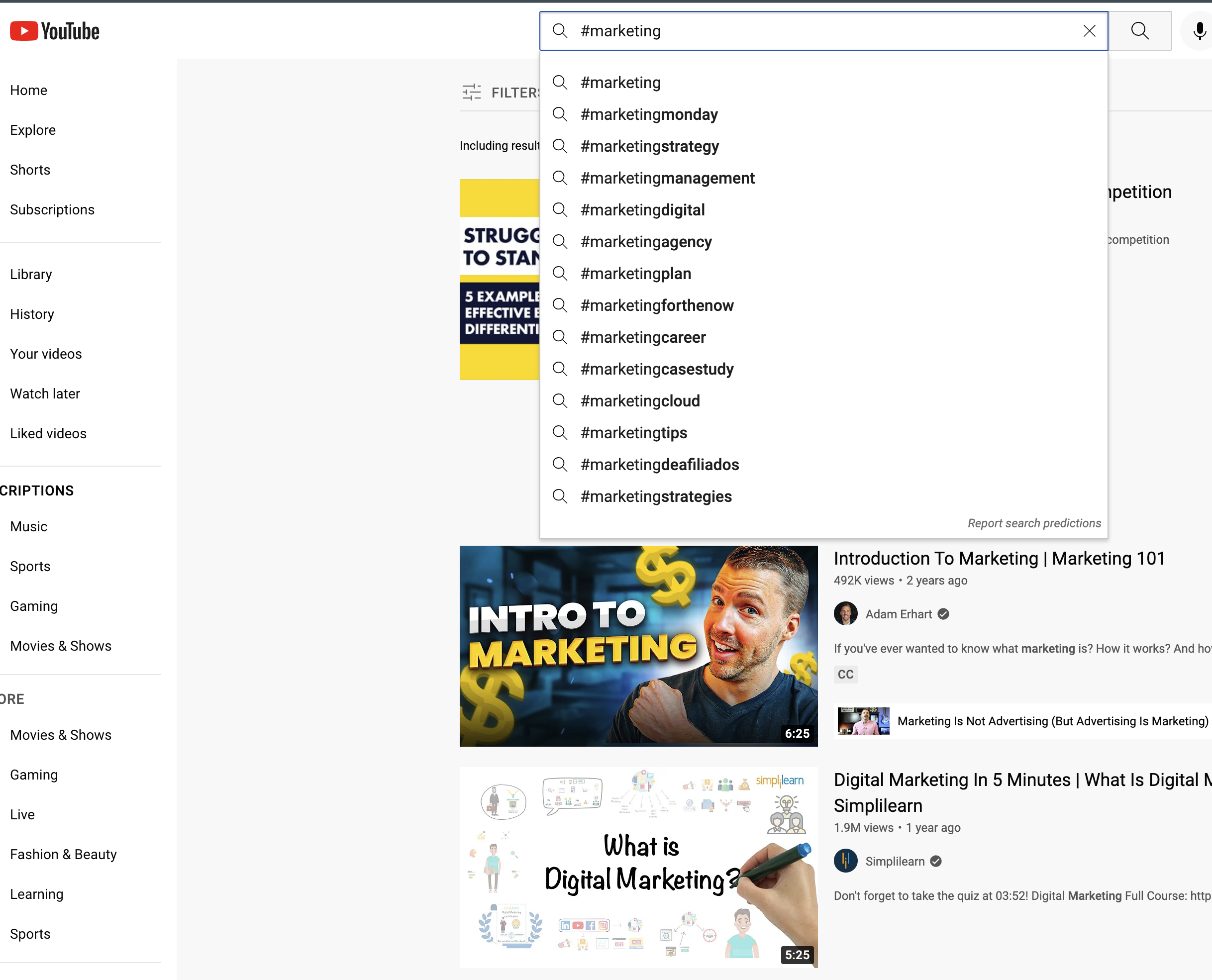
Similar to how the Google search bar predicts your search inquiries, YouTube will display hashtag suggestions once you begin typing the hashtag symbol. Even broad searches for topics without hashtags can spark ideas for future subjects or relevant hashtags to include in your YouTube descriptions.
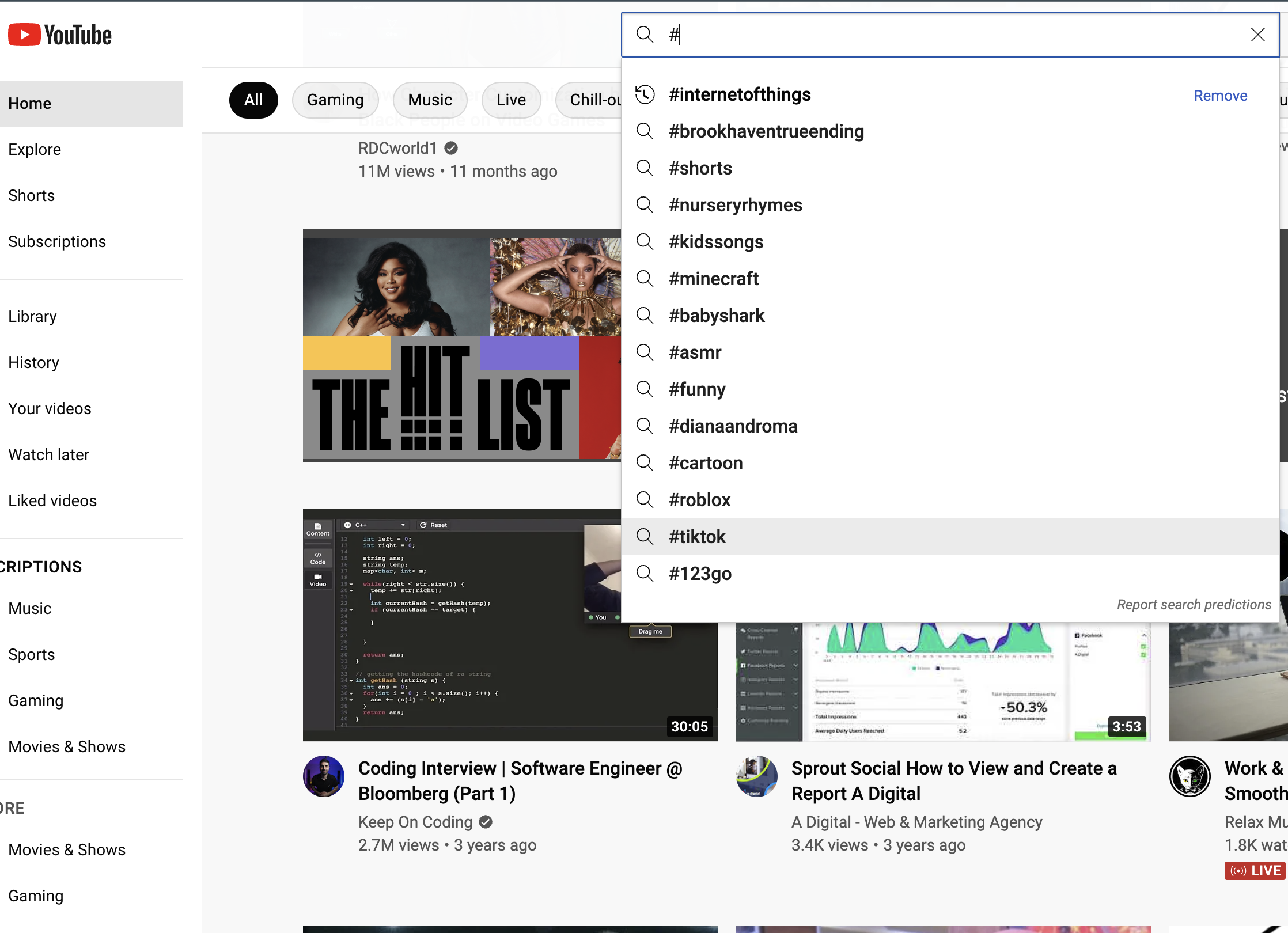
If the most popular hashtags don’t align with your video, introduce an additional word or phrase to yield more relevant outcomes.
4. Consider a YouTube hashtag generator
Need to quickly find hashtags? YouTube hashtag generators can be handy tools for uncovering relevant and effective hashtags to elevate video visibility. Consider using Ahrefs, Aux Mode, or Kparser—each of these platforms can generate a variety of hashtags immediately based on the term you provide. Some generators also offer insights into hashtag performance, such as search volume and competition, allowing creators to select hashtags that can optimize their reach.
However, if you have access to an all-in-one social media management tool with a social listening feature, you can discover pertinent YouTube hashtags beyond mere tracking or generator use. Sprout monitors conversations across social media, enabling marketers to identify which hashtags are trending and resonating with your audience. Beyond just pinpointing hashtags, Sprout evaluates the sentiment surrounding those conversations, which assists you in refining your hashtag strategy for increased positive engagement.
How to incorporate hashtags into YouTube videos
There are two key areas where you can insert hashtags into your YouTube videos: one is in the title of your video, and the other is at the end of the description.
How to include hashtags in your YouTube video title
Before adding hashtags to your video title, conduct some keyword research. A relevant title, ideally featuring keywords, can be as crucial as hashtags in assisting users in discovering your content.
Observe this video from Sprout Social’s YouTube channel. Every video in the #SproutChat series begins with the same hashtag in the title, followed by a brief, relevant phrase or description.

Numerous #SproutChat videos are available on Sprout’s YouTube channel, all of which show up when users conduct a search query for #SproutChat.

Including the hashtag in your title ensures it is always clickable from your video page. In search results, clicking the hashtag directs users straight to your video.
How to insert hashtags into your YouTube video description
The second area for adding YouTube hashtags is at the conclusion of your video description. After optimizing your video and incorporating your YouTube keywords, summary, links, and sources, append a few hashtags to the bottom of your video description, as this brand demonstrated:

Video descriptions provide a space to include hashtags that may appear awkward in your video title. YouTube guarantees that your hashtags will always display above your video titles, allowing users to click them to find other videos utilizing those hashtags.
Take a look at how a video appears when you include hashtags in your description—YouTube showcases the first three hashtags right above your video title:

YouTube hashtags: 6 best practices
Now that you’re informed about how and where to include YouTube hashtags in your videos, it’s time to discuss how to implement this practice effectively.
Follow these best practices to assist you in promoting your YouTube channel through hashtags:
1. Utilize 3-5 hashtags per video
YouTube permits the inclusion of up to 15 hashtags in your description. YouTube has indicated that exceeding 15 hashtags will result in the platform disregarding all hashtags. Thus, ensure that you do not go overboard.
We suggest incorporating 1-2 hashtags in your video title (and note that only the first three hashtags from your description will be displayed above your video title).
2. Develop your own branded hashtags
While YouTube promotes hashtag exploration by placing them in prominent spots on your video, this can also lead to viewers clicking on those hashtags and leaving your YouTube channel.
This is where creating your own branded hashtags, as demonstrated with #SproutChat, becomes beneficial. If a user clicks to view more videos, they will only see additional content from your own channel.
3. Incorporate location-specific hashtags for local videos
If you’re attempting to broaden your reach in a specific geographical area, utilize location-specific hashtags. Be sure that your hashtags are precise. For instance, the hashtag “#Springfield” could pertain to multiple cities in the US; if you mean the capital of Illinois, consider using “#SpringfieldIL.”
4. Adhere to YouTube hashtag policy guidelines
YouTube oversees hashtags for adherence to its hashtag policies. YouTube may remove any videos with hashtags it considers misleading or inappropriate. Stay within the 15-hashtag guideline and ensure your hashtags are germane to avoid violations of YouTube’s hashtag regulations.
5. Track video views resulting from your hashtags
Once you begin utilizing hashtags, you can monitor your YouTube analytics to determine which hashtags are attracting users to your content.
6. Observe industry and competitor hashtags
Unsure which hashtags to apply? Analyze what your competitors are using. At Sprout, we refer to this as social listening, and it’s an excellent way to identify trending hashtags, discern what content captivates your target audience, and gather other valuable metrics.
Here’s an example of what social listening can reveal using Sprout’s dashboard:

Begin incorporating hashtags into your YouTube strategy
Ready to start implementing hashtags into your YouTube strategy? Ensure you’re using them thoughtfully by integrating relevant hashtags and employing branded hashtags that assist your audience in discovering more of your content.
Now that you’re prepared to enhance your YouTube hashtags, check out our YouTube marketing guide for additional tips to refine your strategy.
The article YouTube hashtags: The complete guide for marketers first appeared on Sprout Social.

Recent Comments