

Divi is one of the most powerful and customizable WordPress themes on the market. Known for its drag-and-drop page builder, users can easily create beautiful, professional websites. The release of the Divi 5 Public Alpha is a significant upgrade, introducing a completely new framework with performance enhancements and a modern interface.
For many users, upgrading to a new version of Divi can raise concerns about whether their existing Divi websites will continue to work as they should. This post will address your concerns by explaining the Divi 5 migration process and backward compatibility system.
What’s New In Divi 5?
Before we dive into the migration process, let’s explore what makes Divi 5 so important. This update is a game-changer from lightning-fast performance to a more developer-friendly codebase.
- Lightning-Fast Builder: We re-created the builder from the ground up, focusing on speed and efficiency. The new version of the builder is amazingly fast!
- Improved Performance: The Divi 5 framework is leaner and more efficient, reducing server response time and page size.
- Built For The Future: Divi 5’s framework has undergone a complete overhaul, making it easier to maintain, update, and scale. It removes shortcodes in favor of a block-based approach, ensuring compatibility with future versions of WordPress.
- A Lean and Modern Interface: The new version of the Visual Builder is brand new but still familiar enough that seasoned Divi users will get the hang of it immediately. It was built to be simple, efficient, and never get in your way.
- Simpler Responsive Editing: You no longer need to enable responsive, hover, and sticky editing for individual options. Switch view modes and edit intuitively.
- New Interaction Layers And Navigation Methods: New interaction layers, one-click editing, layers panel, and breadcrumbs make it easier than ever to navigate your design.
- Customizable Interface: The new builder interface lets you dock and combine panels to create the perfect workspace.
- Backward Compatibility with Earlier Versions of Divi: Thanks to backward technology features, existing Divi 4 websites will continue functioning normally.
- New Developer Tools: With better API support, developers can easily create new modules and new features that weren’t possible in Divi 4.
Migrating Divi 4 To Divi 5 Public Alpha
⚠️ Only test the migration system locally or on a staging site. At this stage, migration bugs are highly likely.
Transitioning to Divi 5 is straightforward. Switching from Divi 4 to Divi 5 won’t require redesigning your site or its content. That means all your layouts and design elements will work as they should after upgrading.
Divi 5 was built to be backward compatible with Divi 4 modules and comes with a one-click migration system that will quickly convert all your Divi 4 modules to the Divi 5 format.
Once you install Divi 5, you’ll notice a new tab in the Divi menu – Divi 5 Migrator.
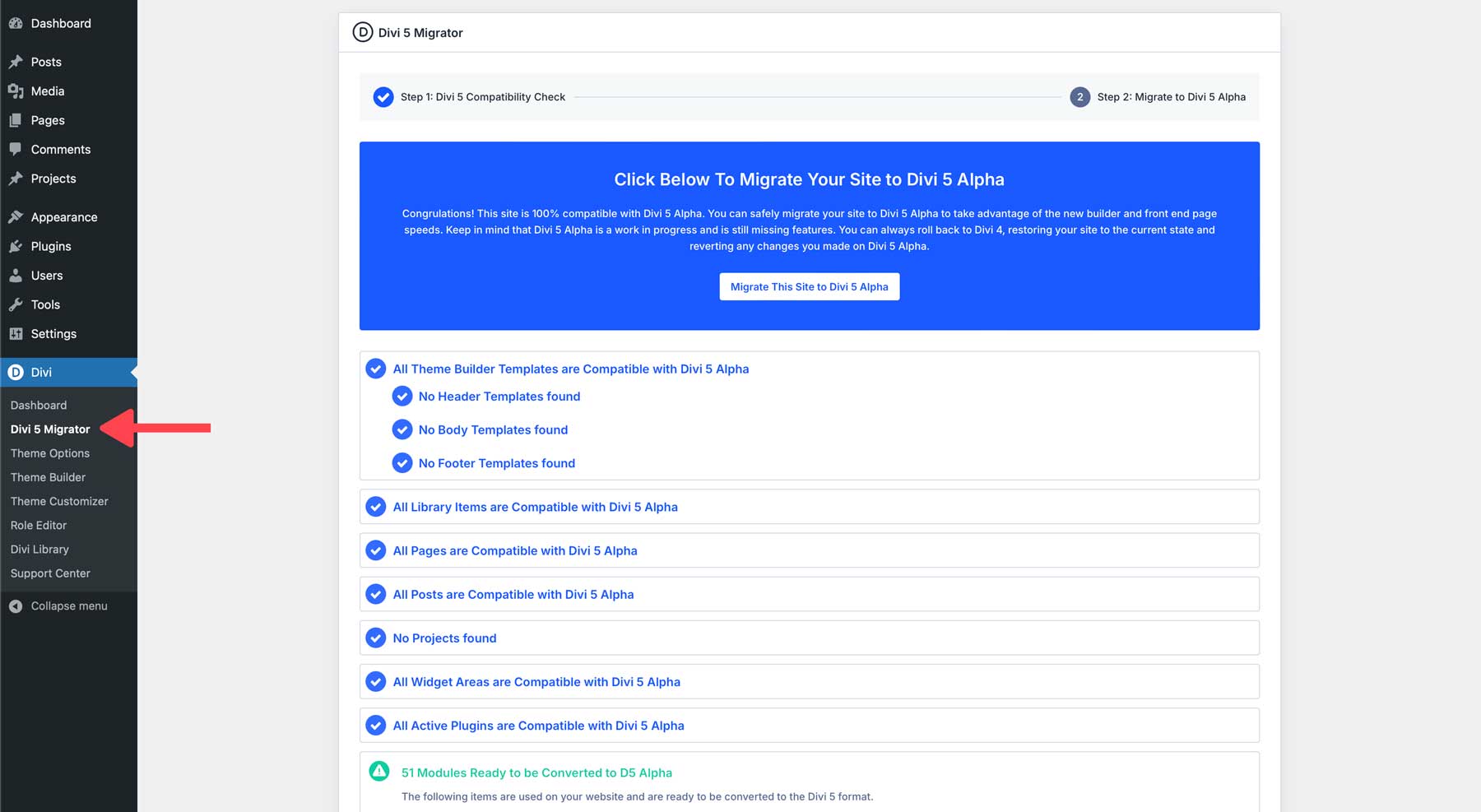
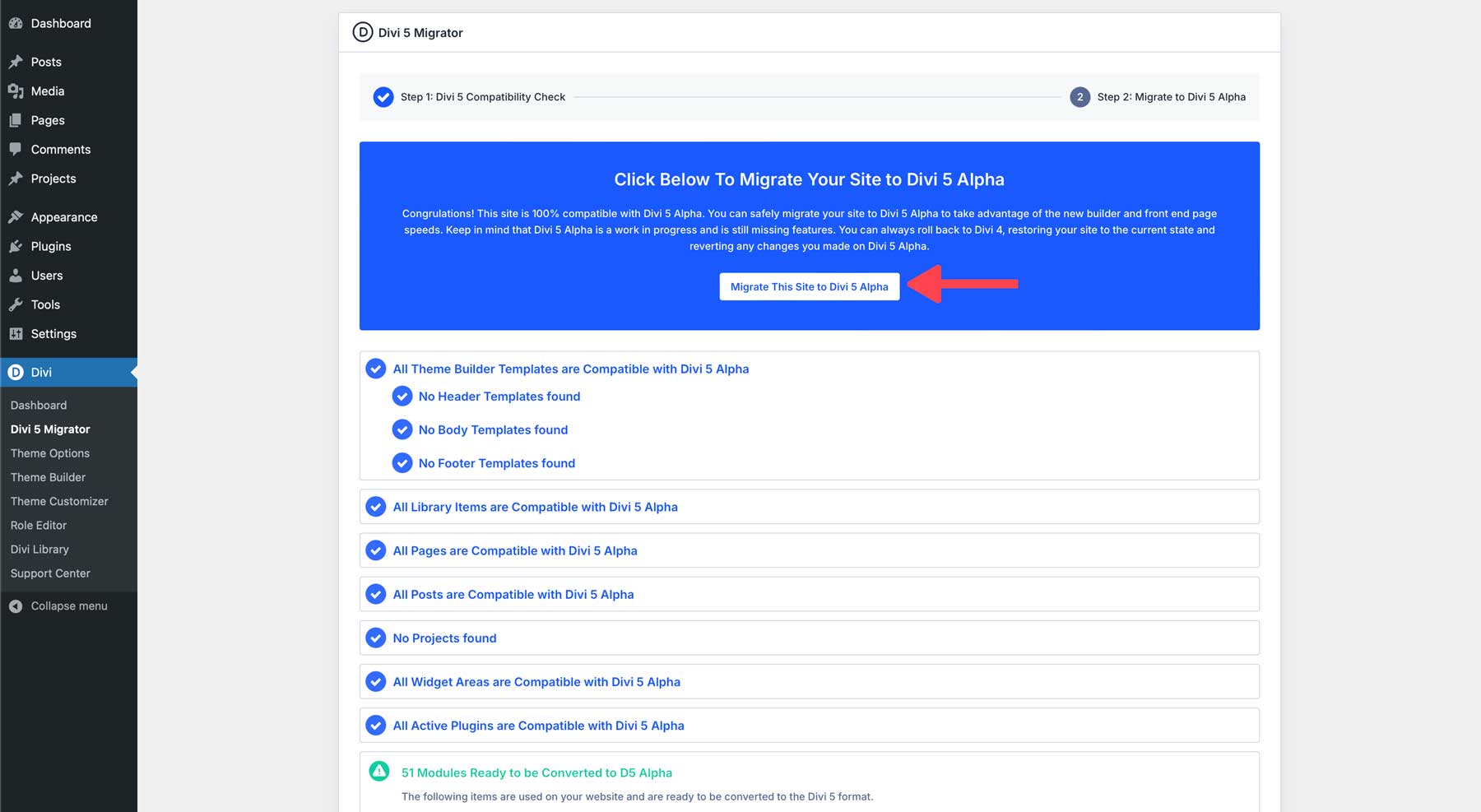
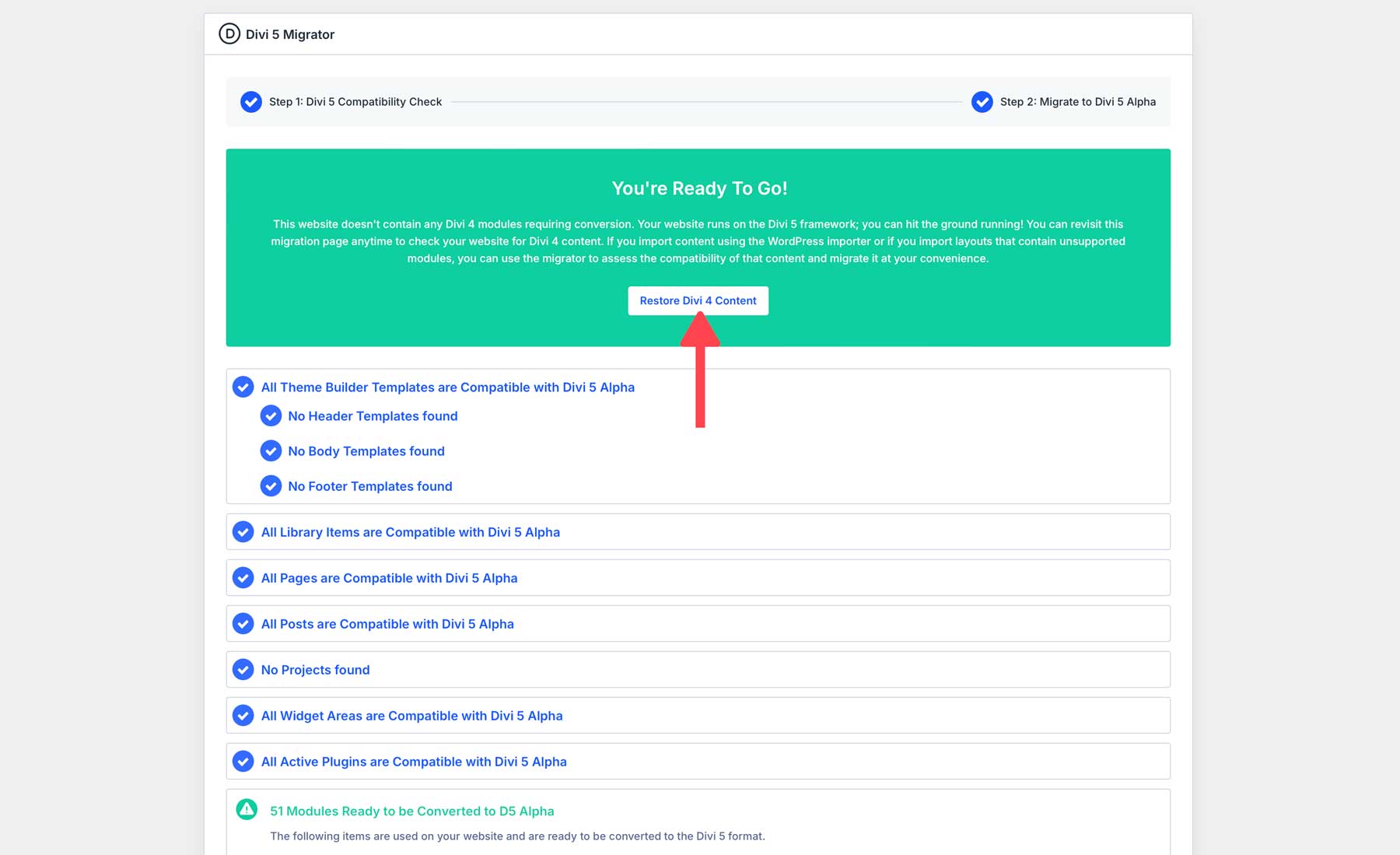
In the Divi 5 Migrator, there are a series of steps that the theme will take to ensure your existing Divi 4 website’s content is compatible. Click Migrate This Site to Divi 5 Alpha to start the process.
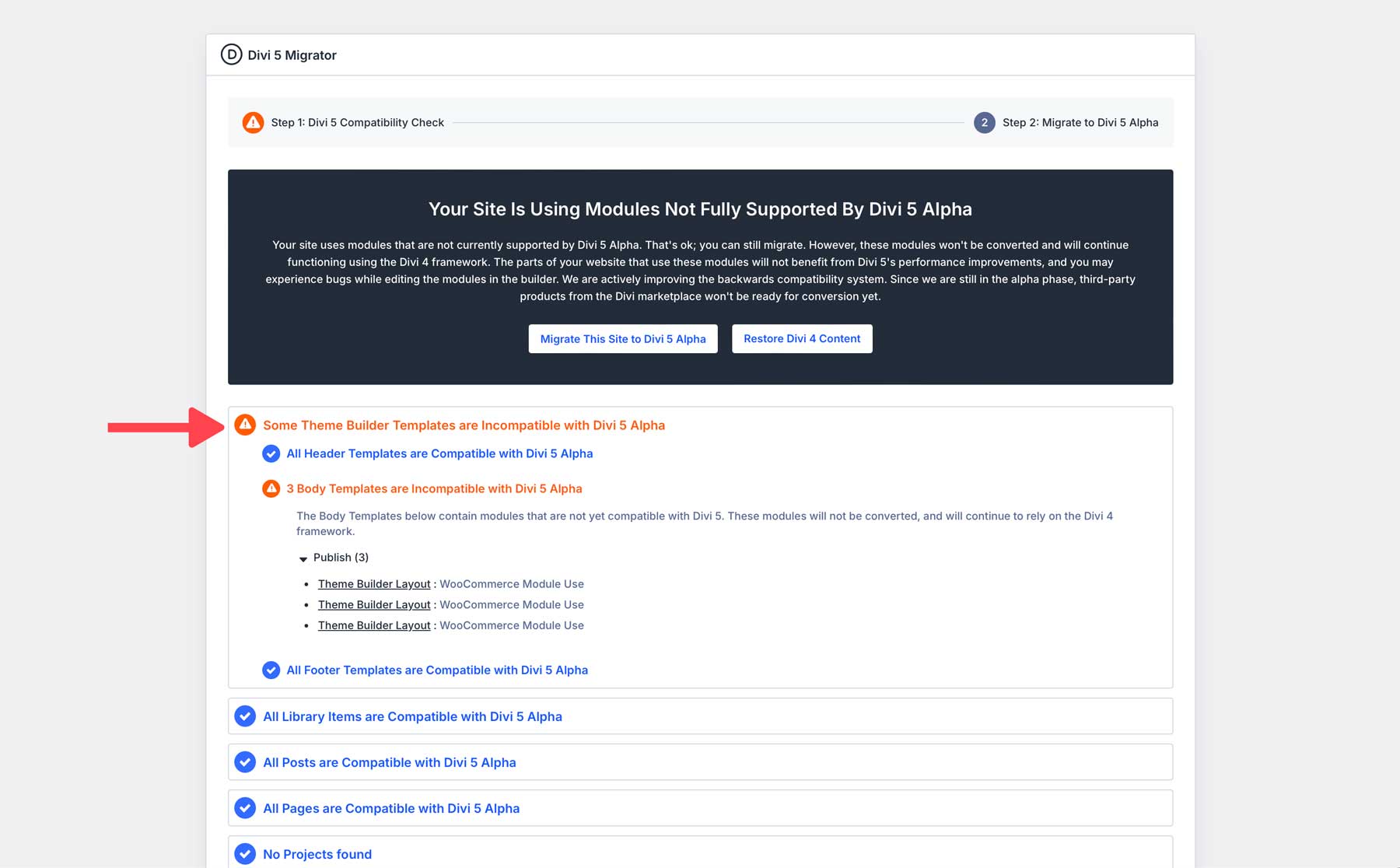
At this early stage, some of your modules, such as modules from the Divi Marketplace, might not be ready for Divi 5. That’s okay; those modules will continue functioning in backward compatibility mode.
The migrator lets you know which modules on your site can’t be converted now. If you proceed with the migration, those legacy modules will not be converted and will run in backward compatibility mode.
Pages running in backward compatibility mode won’t benefit from all of Divi 5’s performance improvements, and editing legacy modules has some limitations in the Visual Builder. But it helps bridge the gap while you wait for creators to build new versions of their modules.
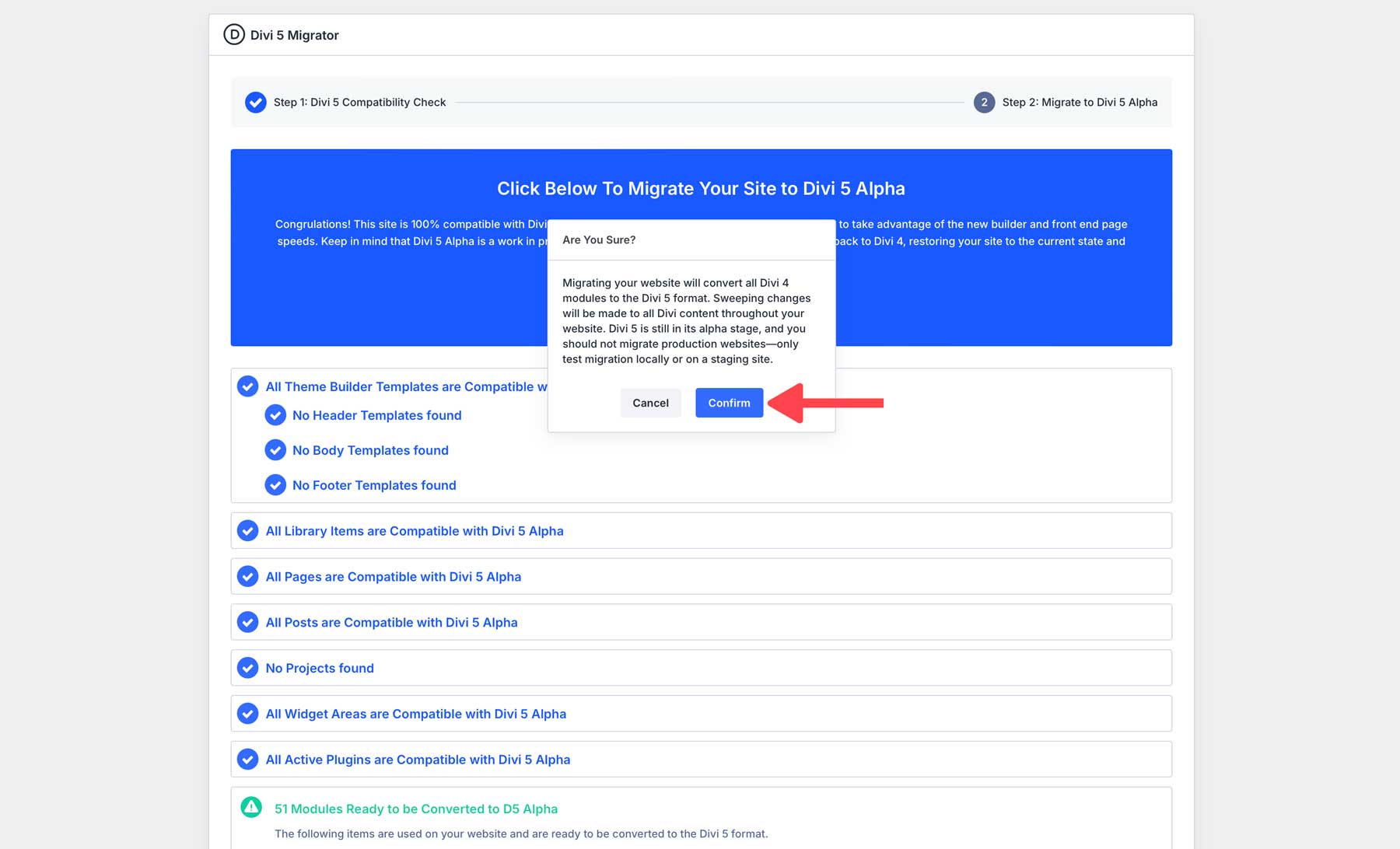
Once you click the migration button, a modal asks you to confirm the switch to Divi 5.
The entire process should only take a few seconds or a minute or two on large websites. Once complete, you can quickly restore your website to Divi 4 if you encounter any issues during migration.
Divi 5 Backwards Mode
Divi 5 was designed with backward compatibility to ensure existing Divi 4 websites can continue running without issues. The backward compatibility system allows Divi 5 to support legacy modules, preserving the core functionality that users rely on. Whether your site uses core Divi modules or third-party extensions, Divi 5 ensures these elements remain operational before and after the migration.
Divi 5 is currently in its Alpha Stage. You may experience bugs right now, but we’ll ensure everything works perfectly for the final release.
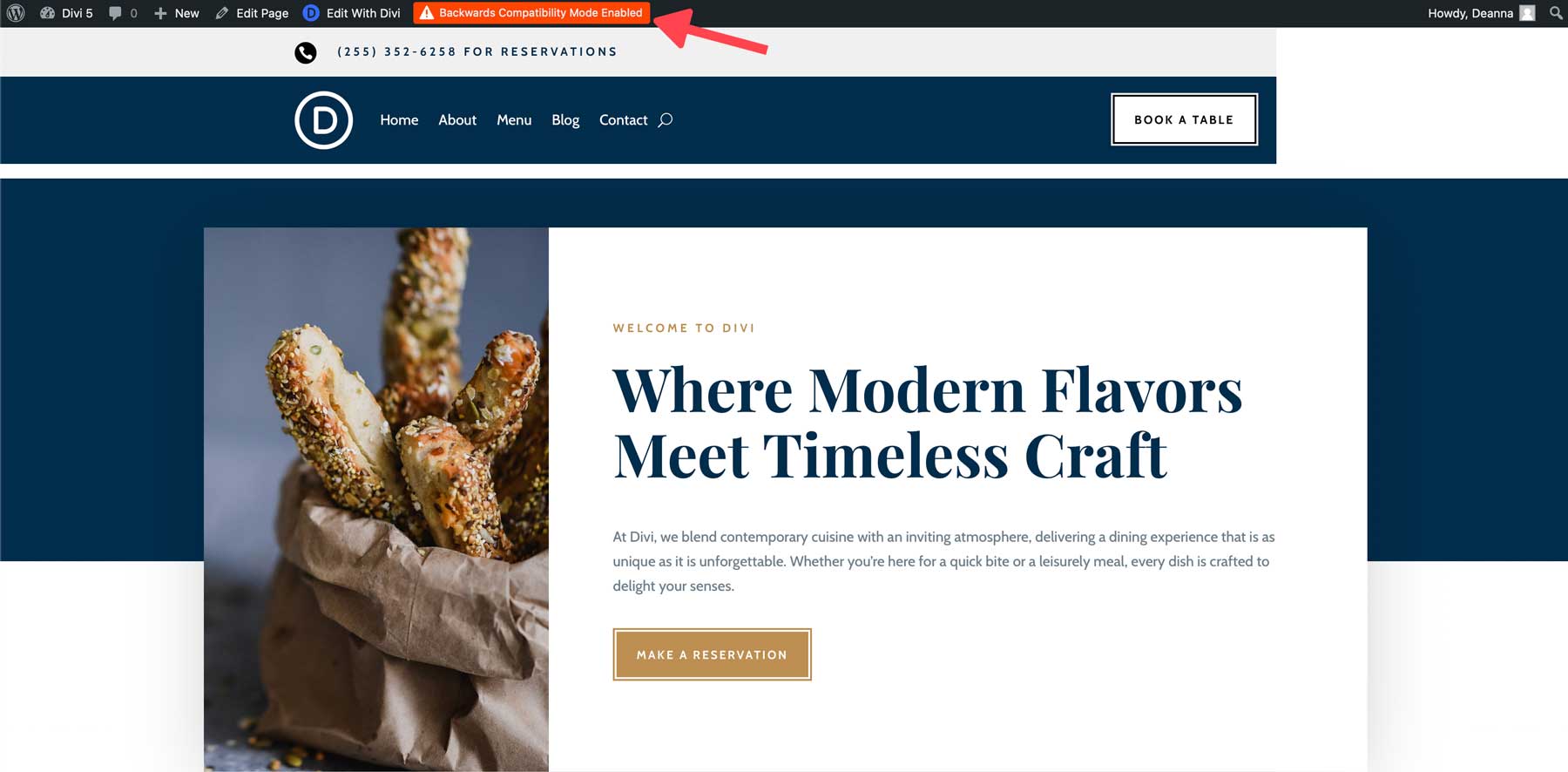
If a page on your website contains a legacy module, you’ll see a Backwards Compatibility Mode Enabled alert on the front end of your website. This isn’t an error, but it lets you know that this page isn’t benefiting from Divi 5’s performance improvements.
The page contains a module that hasn’t been converted. It could be that the module isn’t ready to be converted or that you haven’t run the migrator yet.
The alert will disappear once the page is migrated and the modules are converted.
Best Practices For A Smooth Transition
At this stage, you should not migrate production websites. Only test the Divi 5 Public Alpha locally or on a staging site.
Once we officially launch Divi 5, upgrading existing sites will be very easy. However, you can never be too careful. Following a few best practices is wise to ensure a smooth transition.
- Backup Your Website: Before major updates, create a whole website backup, including your database. This ensures that you can quickly revert to the previous version if necessary.
- Test in a Staging Environment: Instead of upgrading your live site immediately, consider using a staging site first. This will allow you to look for problems without affecting your live website.
- Check Your Plugins: If your website uses plugins or custom modules, update to the latest version before installing Divi 5.
- Test Your Child Theme: If using a Child Theme with custom PHP, ensure everything works correctly and consider updating your functions to work with Divi 5’s new API.
Give It A Try Today
Migrating to Divi 5 will open the door to a new level of performance, scalability, and stability for your website. Thanks to the backward compatibility system, you will be able to upgrade to Divi 5 without disruption, knowing your existing content, modules, and customizations will continue functioning as expected.
Download the alpha today and give it a test drive. Take the new interface for a spin, enjoy the lightning-fast builder, and help us find bugs!
⚠️ Remember, the public alpha is not stable enough to use on production sites. But, enjoy testing it locally or on a staging site. Give the migrator a try, and let us know if you experience a bug so we can fix it before the final version of Divi 5 is released. We’ll make sure everything is in tip-top shape.
The post Exploring The Divi 5 Migration Process & Backwards Compatibility System appeared first on Elegant Themes Blog.
# An Overview of the Divi 5 Migration Process and Backward Compatibility Features
Divi, developed by Elegant Themes, is one of the most popular WordPress themes and page builders available today. Known for its versatility and user-friendly interface, Divi has undergone numerous updates since its inception. The release of Divi 5 marks a significant milestone in its evolution, introducing a host of new features and improvements. This article provides an overview of the migration process to Divi 5 and highlights its backward compatibility features, ensuring a smooth transition for existing users.
## Understanding Divi 5
Divi 5 is not just an update; it represents a complete overhaul of the Divi framework. With enhanced performance, a more intuitive user interface, and powerful new capabilities, Divi 5 aims to empower users to create stunning websites with ease. Key features include:
– **Improved Performance**: Faster loading times and optimized code for better overall site performance.
– **Enhanced Visual Builder**: A more intuitive and responsive visual editing experience.
– **New Design Options**: Advanced design settings and modules that offer greater customization.
– **Better Integration**: Seamless compatibility with third-party plugins and tools.
## Migration Process to Divi 5
Migrating to Divi 5 is designed to be straightforward, but it is essential to follow specific steps to ensure a smooth transition. Here’s a step-by-step guide:
### 1. **Backup Your Site**
Before making any significant changes, it’s crucial to back up your website. Use a reliable backup plugin or your hosting provider’s backup solution to create a complete backup of your site, including the database and files.
### 2. **Check Compatibility**
Before migrating, check for compatibility issues with your current plugins, themes, and custom code. While Divi 5 is designed to work with most existing setups, some older plugins may not be fully compatible.
### 3. **Update to the Latest Version of Divi**
Ensure that you are running the latest version of Divi 4.x before migrating to Divi 5. This step helps to minimize potential issues during the migration process.
### 4. **Install Divi 5**
Once you have completed the above steps, you can install Divi 5. This can be done directly from the WordPress dashboard by navigating to the Themes section and uploading the new Divi 5 theme file.
### 5. **Review Your Site**
After installation, thoroughly review your website to ensure that all elements are functioning correctly. Check for any design discrepancies, broken links, or functionality issues.
### 6. **Utilize the Migration Tool**
Divi 5 includes a migration tool that helps transfer settings, layouts, and customizations from previous versions. This tool streamlines the process, ensuring that your existing designs are preserved.
### 7. **Test and Optimize**
Once the migration is complete, conduct extensive testing to ensure everything works as expected. Optimize your site for performance and make any necessary adjustments to take full advantage of Divi 5’s new features.
## Backward Compatibility Features
One of the standout aspects of Divi 5 is its commitment to backward compatibility. This feature is crucial for users who have invested time and resources into building their websites with earlier versions of Divi. Here are some key backward compatibility features:
### 1. **Preservation of Existing Designs**
Divi 5 is designed to maintain the integrity of existing layouts and designs. Users can rest assured that their previous work will not be lost or altered during the migration process.
### 2. **Support for Legacy Modules**
Divi 5 continues to support legacy modules from earlier versions, allowing users to retain functionality without needing to rebuild their pages from scratch.
### 3. **Custom CSS and Code**
Any custom CSS or code added to previous versions of Divi will remain intact after the migration. This feature is particularly beneficial for developers and designers who rely on customizations.
### 4. **Gradual Transition**
For users who may not be ready to fully transition to Divi 5, Elegant Themes has implemented a gradual transition approach. Users can continue using Divi 4.x while exploring the new features of Divi 5, allowing for a more comfortable migration experience.
## Conclusion
The migration to Divi 5 is an exciting opportunity for users to leverage enhanced performance, improved design capabilities, and a more intuitive editing experience. With a well-structured migration process and robust backward compatibility features, existing users can confidently upgrade without fear of losing their hard work. As Divi continues to evolve, it remains committed to providing a powerful and flexible platform for building beautiful websites. Whether you are a seasoned developer or a beginner, Divi 5 offers tools that cater to all skill levels, making it a top choice in the WordPress ecosystem.

Recent Comments