

Organizations want a digital asset management (DAM) system that is adaptable and can be used for years to come. When set up in an adaptable way, the DAM can also work well with other marketing tools in the stack related to content and campaigns.
First, it’s important to have a strong and flexible foundation built on data.
Dig deeper: Making data the foundation of your digital asset management system
Once this data foundation is in place, it’s time to think about how your organization’s DAM works with other tools in the stack.
Assessing your current stack
Take stock of your current stack and the tools that use the assets in your organization’s DAM. The digital assets move to other platforms like the content management system (CMS), a system that prints assets, or a project management system.
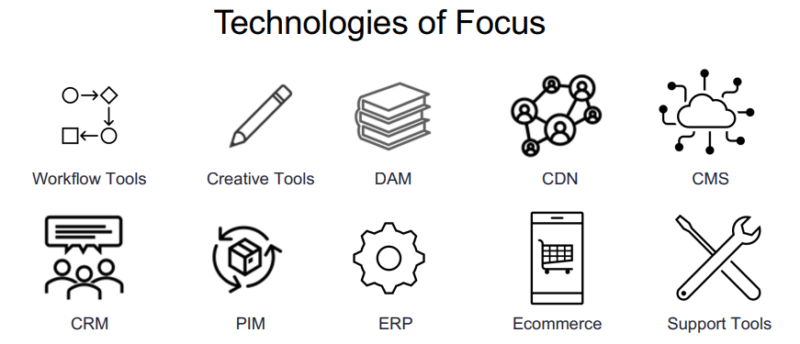
Make sure to include systems in your assessment where assets are created and generate metadata, such as the CMS. Also, consider tools like content delivery networks (CDNs) where the assets are pushed out to customers.
“Understanding all the different tech that your DAM will interact with will help you start to build out how your assets need to flow throughout your tech system,” said Ryan Murphy, managing director, insights and analytics, for digital consultancy Salt Flats in a session at The MarTech Conference.
Understanding future goals and needs
Have open lines of communication with other team members and departments to determine how they intend to use the DAM. In many cases, there are multiple projects going on that use the DAM. These projects might not involve all of the same team members, so that’s why communication is so important.
“Reach out to others in your organization and start building towards a total tech stack that will incorporate your DAM, and make sure it touches on these other projects that are going on,” said Murphy.
Establish your DAM’s scope
Once you have a complete list of the current tools your DAM interacts with, and how other team members intend to use it in the future, establish a scope for your DAM. This will ensure that the DAM is used throughout the organization for years to come.
In establishing the scope, include specific use cases and tools that match your organization’s needs. Define what the technology will do.
It’s also just as important to define what the DAM will not be used for.
“Too often we see DAMs being used as workarounds for what other systems should be doing, whether that’s rights management or CMS work or whatever it might be,” Murphy said.
If the DAM scope is clearly defined, this will avoid the danger of the DAM being used for tasks that should be done with other tools in the stack.
It’s also important to note that it’s impossible to predict all of the future use cases for the DAM. Even though the end goal is to have an adaptable DAM in service for many years, the future cases and needs that you use to establish your DAM’s scope cover only a six-to-12-month window.
The post Getting your digital asset management system to work with other tools appeared first on MarTech.
Digital asset management (DAM) systems are essential for organizations that need to store, organize, and access large volumes of digital assets such as images, videos, and documents. However, to truly maximize the benefits of a DAM system, it is important to integrate it with other tools and systems within your organization. By doing so, you can improve workflow efficiency, reduce manual processes, and ensure that your digital assets are easily accessible to those who need them.
One of the key benefits of integrating your DAM system with other tools is the ability to automate repetitive tasks. For example, if you use a project management tool, you can set up an integration that automatically adds new assets to your DAM system when a project is completed. This eliminates the need for manual uploads and ensures that your assets are always up-to-date and easily accessible.
Another advantage of integration is the ability to streamline collaboration. By connecting your DAM system with communication tools such as Slack or Microsoft Teams, you can easily share assets with team members and collaborate on projects in real-time. This not only saves time but also reduces the risk of miscommunication and errors.
Integrating your DAM system with other tools can also help improve the accuracy and consistency of your digital assets. For example, if you use a content management system (CMS) for your website, you can set up an integration that automatically pulls images and videos from your DAM system. This ensures that your website always has the most up-to-date and high-quality assets, which can improve the user experience and increase engagement.
To successfully integrate your DAM system with other tools, it is important to choose a system that offers open APIs and supports a wide range of integrations. You should also work with your IT team to ensure that the integration is set up correctly and that any potential security risks are addressed.
In conclusion, integrating your DAM system with other tools can greatly improve workflow efficiency, collaboration, and asset accuracy. By automating repetitive tasks, streamlining communication, and ensuring that your digital assets are easily accessible, you can save time and resources while delivering high-quality content to your audience.

Recent Comments