

Running a WordPress agency isn’t a walk in the park. It’s a juggling act of keeping clients happy, staying on top of changes, managing your team, building killer websites, and maintaining them — all while trying to stand out in a crowded market.
But what if you had a tool to help manage all your sites in one place? Good news: there is one that comes for free with your Divi membership: Divi Dash. In this post, we’ll show you how Divi Dash can streamline your work and boost efficiency. Ready to see how it works?
What Is Divi Dash?
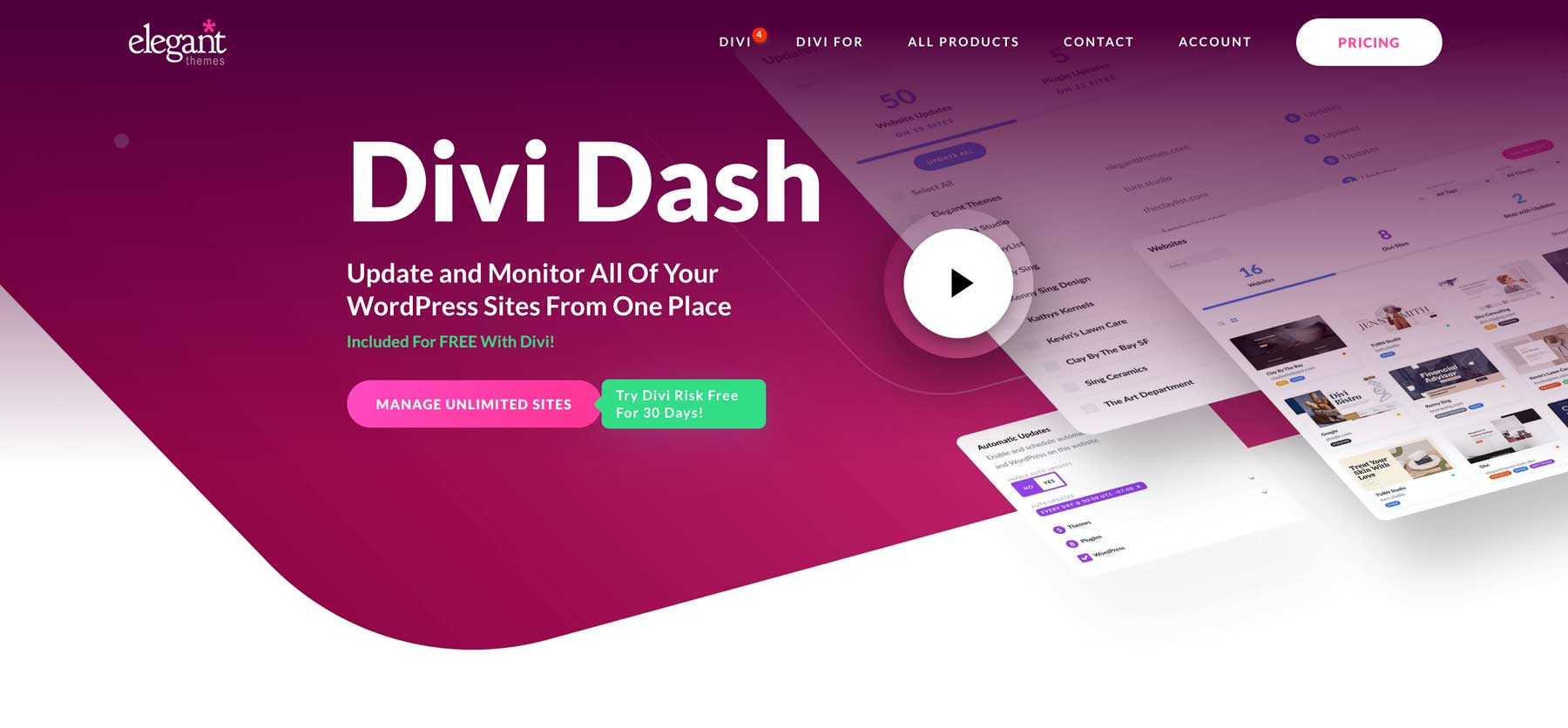
Managing multiple WordPress websites just got easier with Divi Dash, a powerful site management solution included in your Divi membership at no additional cost. This innovative tool streamlines overseeing various WordPress sites, whether they use Divi or not.
Divi Dash presents a comprehensive view of all your sites on a single screen, highlighting areas that need attention. The interface also allows you to tag sites by client, enhancing your web design business workflow.
Adding new sites to Divi Dash is a breeze. The tool provides detailed insights into each site’s status, users, and optimization requirements, allowing for efficient management.
For those working with a team, Divi Dash integrates seamlessly with Divi Teams. This integration enables you to set custom permissions for colleagues and clients, ensuring smooth collaboration. You can also directly manage themes and plugins through the Divi Dash interface, eliminating the need to switch between multiple dashboards. In this post, we’ll explore all of Divi Dash’s features.
Why Use Divi Dash?
Divi Dash is a game-changer for WordPress site managers and agencies. It’s like having a Swiss Army knife for your websites – all in one place. You can see all your sites at a glance, which is handy when juggling multiple projects. The best part? You can update everything with just one click. No more logging into each site separately.
It’s not just about updates, though. You can manage users, clean up databases, and keep notes on each site. The client management feature is excellent for keeping track of who owns what.
It’s free with your Divi membership. If you’re already paying for a similar tool, you can ditch that subscription and save some cash. It’s a no-brainer for anyone managing multiple WordPress sites.
Divi Dash: Top Features To Streamline Your Workflow
Now, let’s dive into the details of using some of Divi Dash’s features:
Bulk Updates
The Divi Dash interface’s update tab provides a convenient overview of sites ready for updates and helps you update them with a single click. These updates include theme, site, and WordPress core updates.
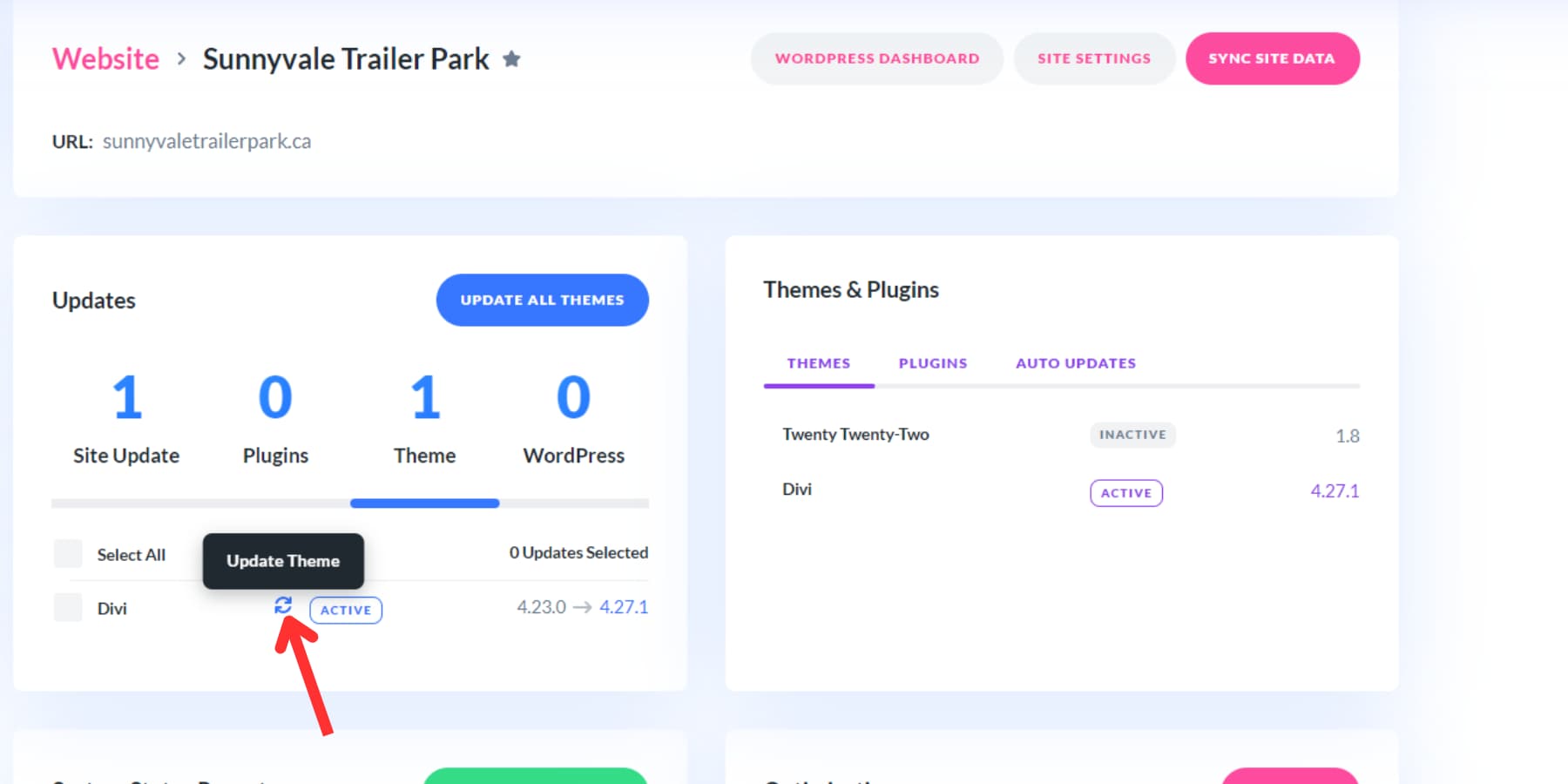
For those who prefer a hands-on approach, individual website updates can be managed by selecting the site’s name in the dashboard, accessing the updates section, and clicking the update icon for specific themes and plugins.
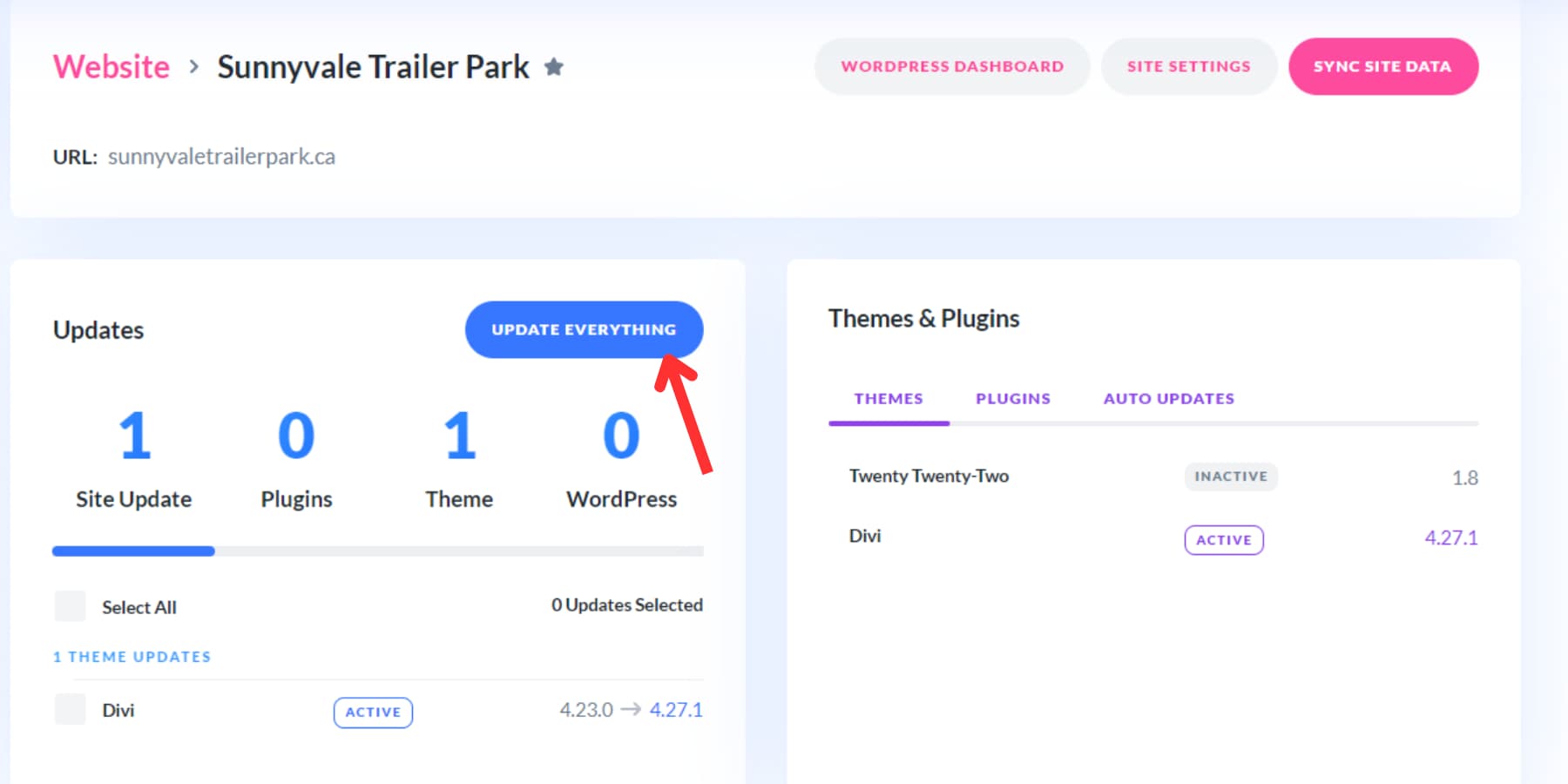
If multiple updates are pending, the Update Everything option can be used to make all updates at once for the selected website.
Divi Dash also offers flexibility in managing the same updates across multiple sites. When updating a particular theme or plugin on various websites, navigate to the themes or plugins tab, select the desired item, and use the “Update All” button.
Likewise, the automation feature enables you to create tailored update schedules for each site. This allows you to define what gets updated and when, giving you precise control over the update process to align with your specific requirements.
Whether you prefer manual control or automated efficiency, Divi Dash’s update management system offers a range of options to suit different workflows and preferences.
Plugin & Theme Management
With Divi Dash, you have complete control over the themes and plugins that are installed and active on all of your websites. You can see at a glance which ones are installed on each website, making it easy to manage them. Do you need to switch to a different theme or plugin? You can activate or deactivate them with just a few clicks. Plus, if you have any inactive ones you no longer need, you can delete them and keep your site organized.
You can also manage individual plugins or themes on a per-site basis.
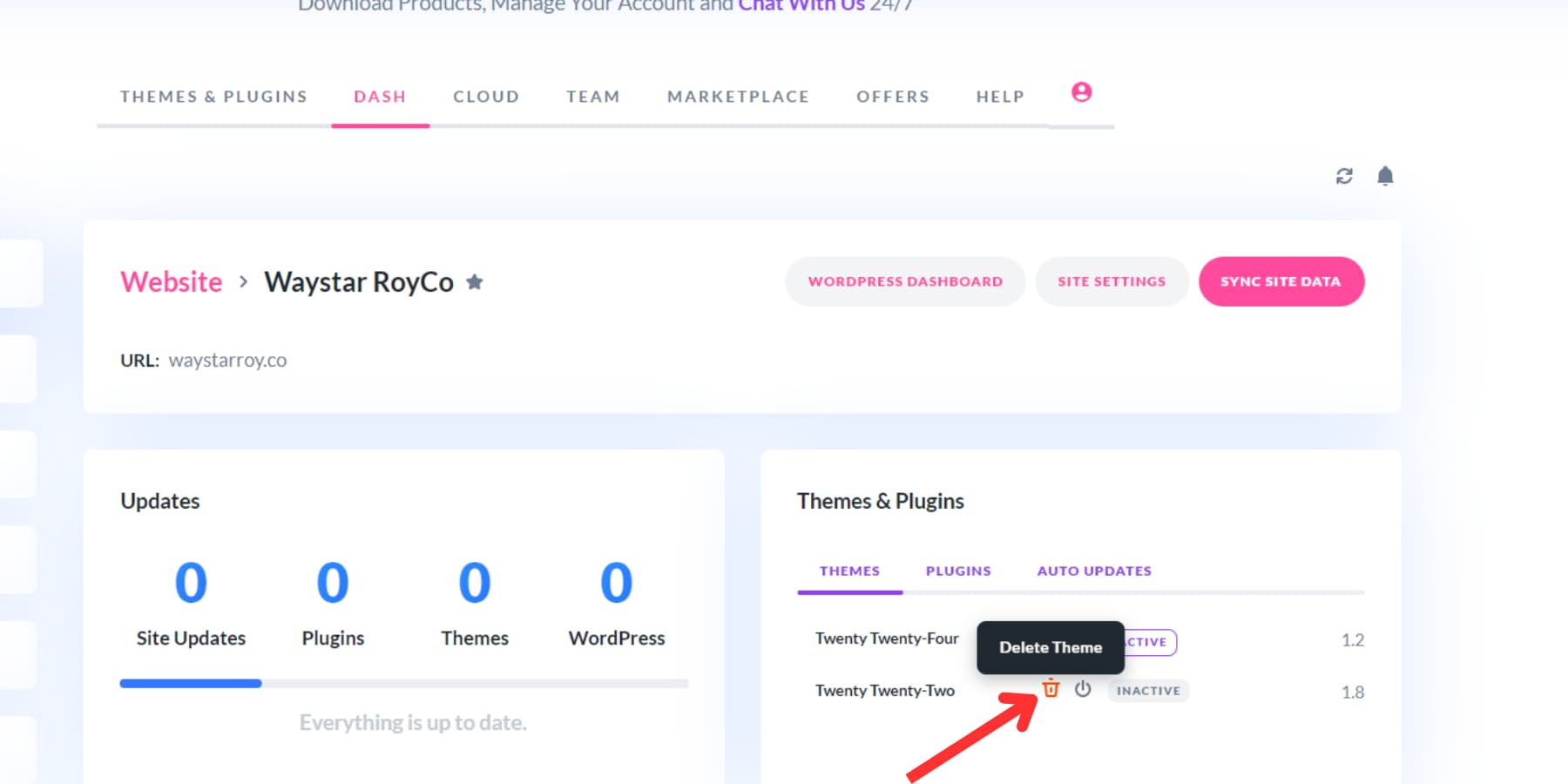
This streamlined approach saves you time and hassle, allowing you to focus on what’s essential for your website.
Client & Team Management
Managing your clients’ access to their websites is crucial. It ensures they can interact with their sites seamlessly while you maintain security and control over critical features.
Divi Dash allows you to easily assign websites to clients for better tracking and organization. This is especially useful for agencies handling multiple clients, as it provides a centralized location to monitor and manage all client websites.
The client tab in Divi Dash offers a client-focused overview of your websites. This tab provides quick access to essential client information. By clicking on a client, you can view their contact details, saved notes, and the websites you manage for them. This helps you keep an organized client database and facilitates better communication and service delivery.
Divi Dash integrates with Divi Teams, enabling your team to collaborate efficiently on client websites. You can assign specific permissions to each user, allowing them to manage updates while restricting critical tasks like user management or plugin deletion. This ensures team members can perform their duties without risking the site’s integrity.
Additionally, you can add your clients to your team, granting them access to Divi’s support and more whenever needed. This empowers your clients and enhances their overall experience by providing direct support and resources while you maintain reasonable control over the site.
User Management
Managing users in Divi Dash is straightforward. To add new members, you just need to go to your website’s control panel, locate the user section, pick the right options, and enter the required details. It’s that simple.
When you hover over usernames, you’ll see extra options pop up. One lets you instantly sign in as that user with a single click.
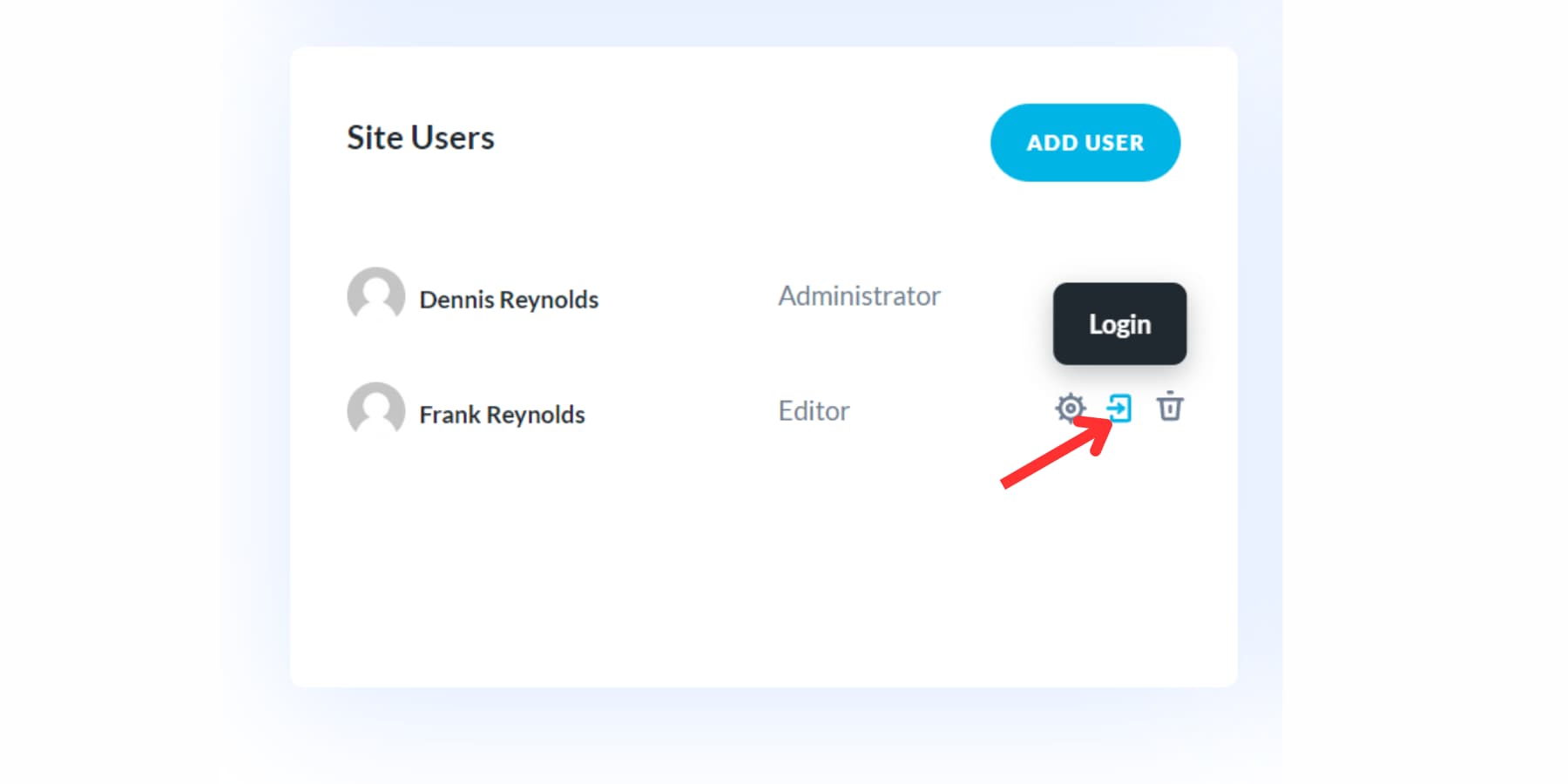
Need to update existing user info? No problem. You can easily change names, roles, and passwords. If necessary, you can also remove users from the system. This all-in-one approach to user management helps you organize your team members and client accounts neatly.
Database Management & Performance Tweaking
You’ll find a comprehensive System Status Report on your website’s control panel. This report showcases crucial configurations your hosting service should have activated for your site, providing additional opportunities to boost performance. By reviewing this section, you can swiftly spot any environmental inconsistencies that might impact your website.
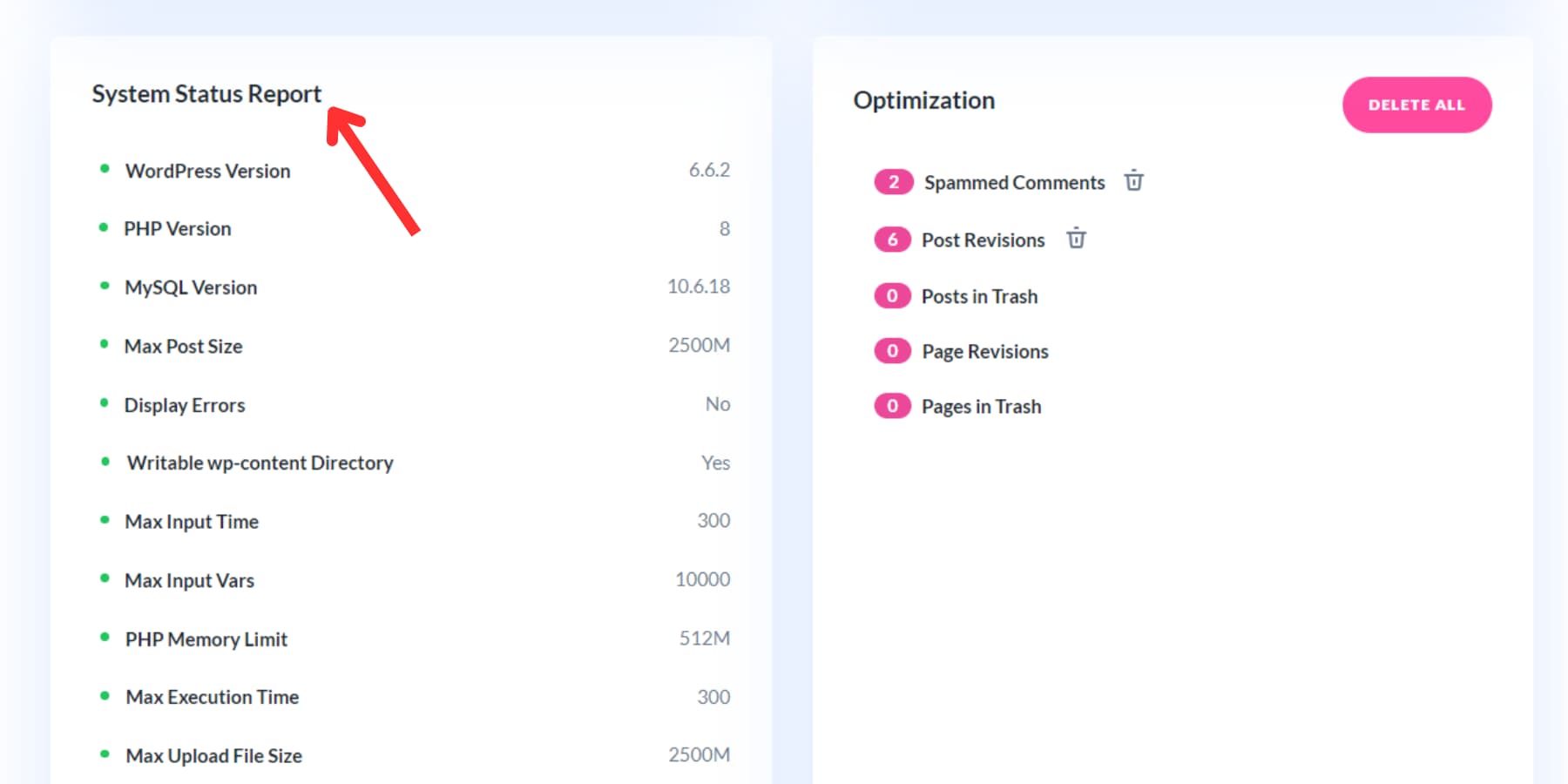
A green indicator signifies that a component has successfully passed all tests and functions optimally. If any element needs attention, you can adjust it yourself or contact your hosting provider for support.
Next to this section, you’ll discover a dedicated optimization zone designed to simplify website and database maintenance. With just a few clicks, you can efficiently remove unnecessary items such as spam comments, outdated post and page versions, and items in the trash bin. This straightforward process helps keep your website’s database clean and efficient.
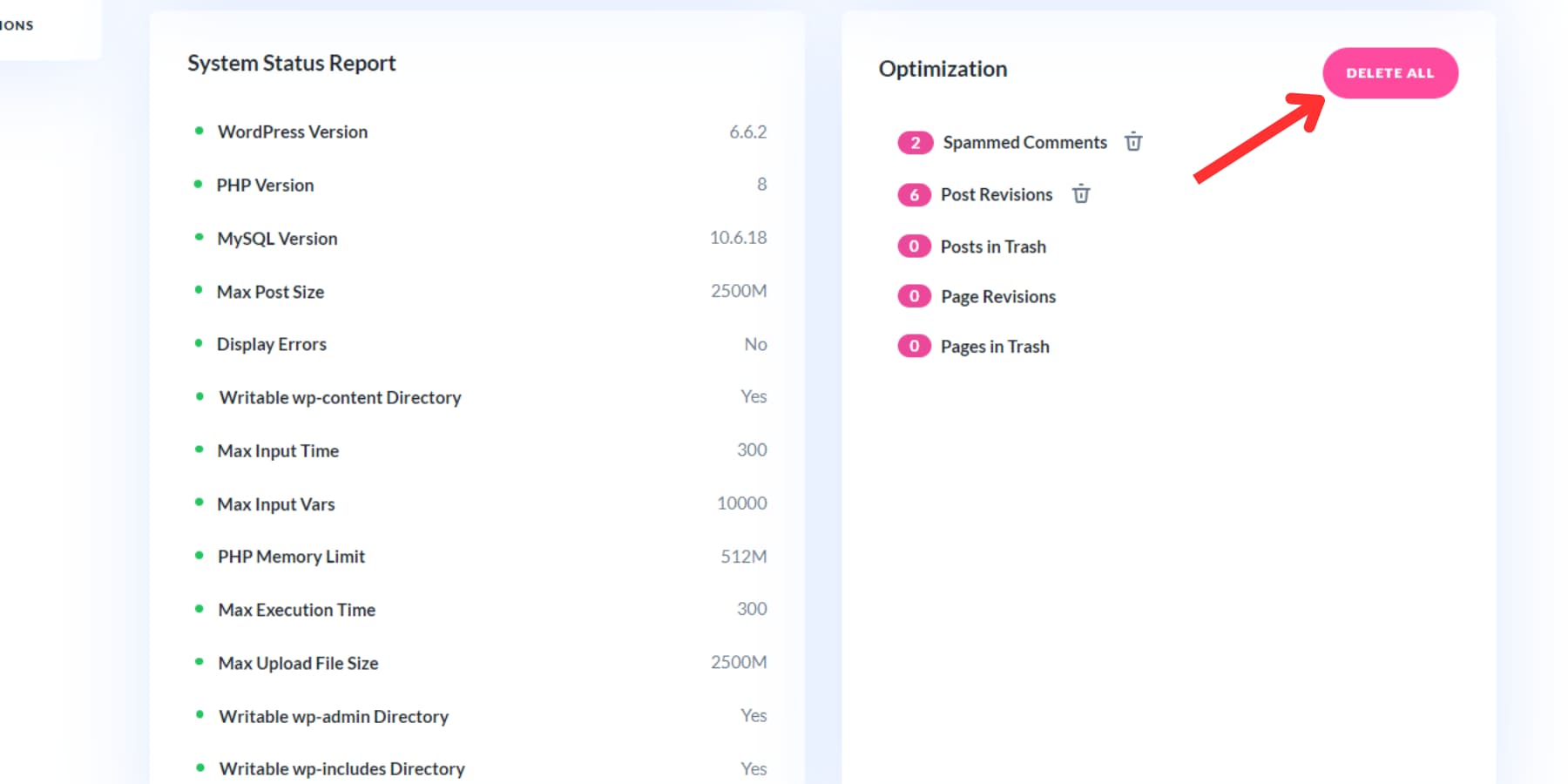
Combined with regular updates, this practice can substantially improve your website’s overall performance.
Upgrade Your Agency With Divi Dash
Running a WordPress agency is no easy feat, but tools like Divi Dash make it easier. Divi Dash offers features like bulk updates, plugin management, and user handling to streamline your workflow. It is a centralized hub for overseeing multiple websites, making it an essential tool for busy agencies.
Divi Dash integrates seamlessly with Divi Teams, enhancing collaboration while maintaining control over critical site functions. Plus, it’s free with a Divi membership, making it a cost-effective option, especially with a lifetime membership.
The post Top Features Of Divi Dash For Busy WordPress Agencies appeared first on Elegant Themes Blog.
# Key Features of Divi Dash for Efficient Management in WordPress Agencies
In the fast-paced world of web development, particularly for WordPress agencies, effective management tools are essential for streamlining workflows, enhancing productivity, and delivering high-quality services to clients. One such tool that has gained significant traction is Divi Dash. This powerful dashboard plugin is designed to simplify the management of multiple WordPress sites, making it an invaluable asset for agencies that handle numerous client projects. In this article, we will explore the key features of Divi Dash that contribute to efficient management in WordPress agencies.
## 1. Centralized Dashboard
One of the standout features of Divi Dash is its centralized dashboard, which allows users to manage multiple WordPress sites from a single interface. This eliminates the need to log in and out of different sites, saving time and reducing the potential for errors. The dashboard provides an overview of all connected sites, displaying essential information such as site health, updates, and performance metrics at a glance.
## 2. Site Health Monitoring
Divi Dash includes robust site health monitoring tools that keep agencies informed about the status of their client websites. Users can easily check for issues such as broken links, slow loading times, and security vulnerabilities. This proactive approach enables agencies to address potential problems before they escalate, ensuring that client sites remain functional and optimized.
## 3. Bulk Updates and Management
Managing multiple WordPress sites often involves performing updates for themes, plugins, and WordPress core. Divi Dash simplifies this process with its bulk update feature, allowing users to update multiple sites simultaneously. This not only saves time but also ensures that all sites are running the latest versions, reducing the risk of security vulnerabilities and compatibility issues.
## 4. Performance Insights
Performance is a critical factor for any website, and Divi Dash provides valuable insights into site performance metrics. Agencies can monitor page load times, server response times, and other key performance indicators (KPIs) to identify areas for improvement. By analyzing this data, agencies can make informed decisions about optimizations and enhancements, ultimately leading to better user experiences for their clients.
## 5. Client Management Tools
Divi Dash also includes features specifically designed for client management. Agencies can easily add and manage client accounts, assign roles, and control access to specific sites. This level of organization ensures that team members can collaborate effectively while maintaining security and privacy for client information.
## 6. Customizable Reports
Reporting is an essential aspect of agency operations, and Divi Dash offers customizable reporting features that allow agencies to generate detailed reports on site performance, updates, and other metrics. These reports can be tailored to meet the specific needs of clients, providing them with valuable insights into their website’s performance and the effectiveness of the agency’s efforts.
## 7. Integration with Divi Builder
For agencies that utilize the Divi Builder, the integration with Divi Dash is seamless. Users can access Divi Builder directly from the dashboard, making it easy to create and edit pages without navigating away from the management interface. This integration enhances workflow efficiency and allows for quicker updates and modifications to client sites.
## 8. User-Friendly Interface
Divi Dash is designed with user experience in mind. Its intuitive interface makes it easy for both technical and non-technical users to navigate and utilize its features. The straightforward layout reduces the learning curve, allowing agencies to adopt the tool quickly and start reaping the benefits without extensive training.
## 9. Security Features
Security is a top priority for any WordPress agency, and Divi Dash includes several security features to help protect client sites. Users can monitor security updates, manage user permissions, and receive alerts for potential security issues. This proactive approach to security helps agencies maintain the integrity of their clients’ websites and build trust with their clients.
## Conclusion
In the competitive landscape of WordPress agencies, having the right management tools can make a significant difference in efficiency and productivity. Divi Dash offers a comprehensive suite of features designed to streamline the management of multiple WordPress sites, from centralized dashboards and health monitoring to performance insights and client management tools. By leveraging these capabilities, agencies can enhance their workflows, improve client satisfaction, and ultimately drive better results for their clients. As the demand for efficient website management continues to grow, Divi Dash stands out as a valuable asset for any WordPress agency looking to optimize its operations.

Recent Comments