

The use of social media worldwide is on the rise; according to The 2025 Sprout Social Index™, 30% of individuals expect to engage with social media more this year. As more people join social platforms, the variety of channels available for brands also increases. It’s becoming more uncommon for businesses to limit themselves to just one social media site, as utilizing more platforms allows for greater outreach and additional chances to connect with customers where they are.
As the number of social media accounts you oversee grows, so does the time required to use them effectively. One of the most effective methods to ease social media management for your business is to post across all channels simultaneously.
However, cross-posting on social media isn’t merely about dumping the same content across all of your accounts and walking away. This article will outline the advantages of cross-posting and guide you on how to do it effectively, along with tips on how to tailor your strategy for different networks.
Understanding Cross-Posting on Social Media
Cross-posting is a technique that allows you to share content across all your social media channels at the same time. By utilizing cross-posting, social media managers can quickly disseminate content to all their brand accounts, allowing them more time to enhance and adjust their content approaches.
Is it advisable to share the same content on all social networks?
While cross-posting can be a valuable time-saving technique, it isn’t as straightforward as just sharing identical content on every network.
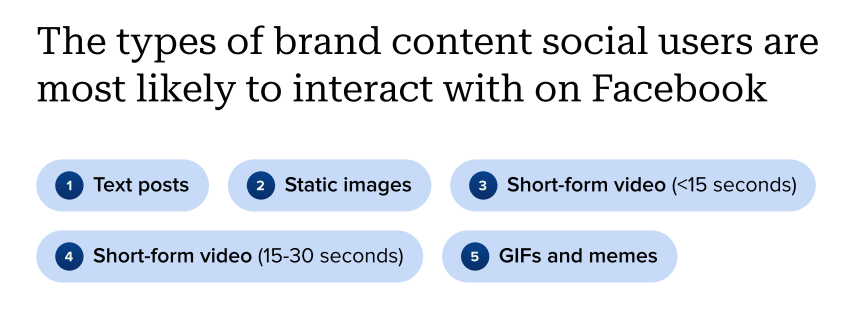
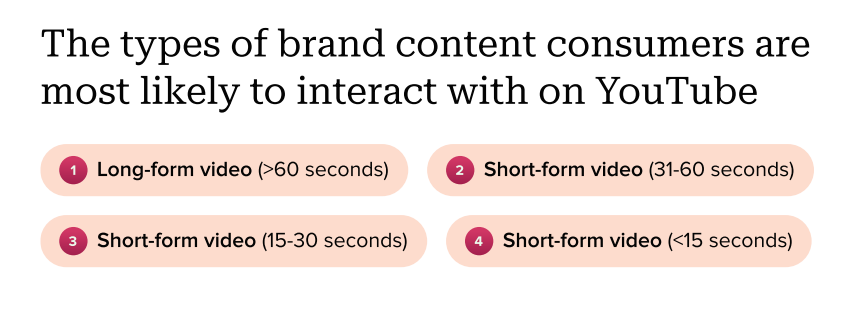
Each platform caters to a distinct audience, has different content types, performance metrics, and varying native features to keep in mind. For instance, the written posts and static images created for Facebook won’t resonate on YouTube, where audiences expect video content.
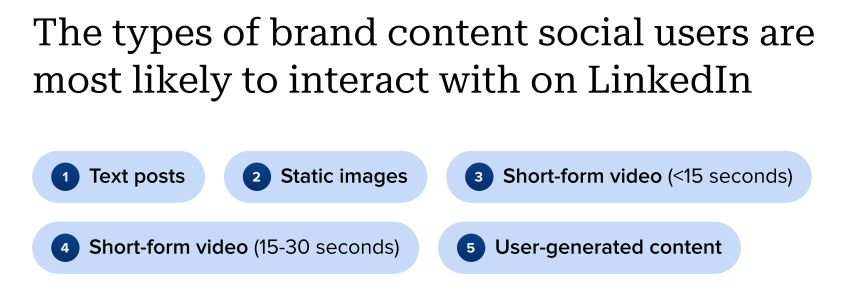
Your written posts might align well with your LinkedIn followers, but you will likely need to modify them to suit their specific expectations.
Refining your cross-posting strategy requires a solid understanding of what to share on each platform, as well as when to share it.
Advantages of Posting to Various Social Media Channels
Cross-posting on social media can yield numerous advantages for social media teams. Below are several key benefits you can unlock by starting to post across all channels at once.
1. Target Diverse Demographics
Even if your brand has a main target demographic, you will have varied target groups across different social media platforms.
This is due to the fact that different networks are popular among distinct demographics. First, you should identify your unique social media target audience within each profile. You can then utilize cross-posting to efficiently deliver the right content to these groups.
By simplifying the posting process, cross-posting allows your social media team to focus more on content creation. They will be able to craft content that speaks directly to these varied audiences, enabling your brand to engage more effectively with multiple demographics.
2. Manage Various Direct Communication Channels
Social media isn’t just for content consumption; users desire interaction. Customers expect social media accounts to be vibrant and responsive to direct messages.
According to Sprout’s 2025 Index, 73% of social users would consider switching to a competitor if they did not receive a response on social media. Effectively managing these direct communication channels is crucial for a successful social media strategy.
By cross-posting, you can ensure that more of your social media accounts are actively sharing content. This creates additional direct channels for customers to connect with your brand, giving you more chances to leverage this engagement.
3. Experiment with New Platforms
New social media networks regularly emerge, and it’s uncertain which could become the next significant platform with millions of users. Recent launches like Bluesky, Lemon8, and Threads provide increasingly popular options.
Using cross-posting allows you to establish a presence on these new platforms without dedicating extensive time to custom content. For example, you can cross-post on Bluesky and X as both focus on text.
Although it’s still beneficial to adjust your content for demographic variances on these new platforms, effectively implementing a cross-posting strategy can help you grow and maintain a following across various channels more promptly.
4. Broaden Your Overall Reach
Cross-posting to keep all your accounts active helps continue to broaden your company’s reach. This is advantageous since utilizing more social media channels expands your potential audience of engaged users.
You can enhance your reach across different demographics, as well as geographical areas. For example, be mindful of how social media usage varies in Asia Pacific compared to the U.S. when formulating your strategy. Use cross-posting to amplify your presence on apps favored in specific locations. Pair this with geotargeting, found on both LinkedIn and Facebook, to refine your regional approach even more.
Also, remember to modify your content before cross-posting if you are utilizing this regional strategy for international marketing, as different regions have unique content expectations.
5. Engage Users at Different Times with Scheduling
Successful brand profiles must grasp the various subtleties of each social media channel. This includes knowing the optimal posting times across these networks for maximum reach.
The best times to post on Instagram differ from those ideal for Facebook, or TikTok posting times. Timing can also vary by the region being targeted. For instance, users in the UK will be online at different times than those in the U.S.
Cross-posting provides a seamless way to reach your diverse clientele at convenient times. You can schedule cross-posting to ensure regional accounts are publishing at local hours, or share all long-form video content when your audience prefers to engage. When posting on Facebook or LinkedIn, utilize Sprout’s audience targeting features to segment content further based on location.
How to Manually Post Across All Social Media Platforms Simultaneously
It’s feasible to create a cross-posting tactic manually across the social media accounts you manage. Follow these steps:
- Design your content. Begin by creating the content you intend to cross-post, encompassing all elements such as text and visuals.
- Adapt it for each platform. Next, modify this content to fit the requirements of each platform you’re posting to. This could mean shortening a video for TikTok, or condensing text to adhere to X’s 280-character limit.
- Manually open each social media platform. Once your content is edited and prepared for each option, log into every network separately in different tabs.
- Draft on each platform but don’t publish yet. Go into each account to draft your forthcoming post, including all necessary elements such as links and hashtags.
- Simultaneously publish them. Go through and click publish on each account for simultaneous posting. You’ll need to take into account variables like upload durations, as longer videos on platforms like YouTube will require priority.
- Engage across each platform afterwards. After posting, monitor responses on each profile and engage with relevant comments on an individual basis.
- Be consistent with this process. Follow this method each time you need to post simultaneously across all media.
How to Cross-Post Using Sprout Social: A Step-by-Step Guide
While the previous method works, it won’t provide the time-saving benefits of cross-posting with a social media tool.
To enhance your cross-posting strategy, you’ll require a tool like Sprout. Follow these steps to learn how to simultaneously post across all social platforms using Sprout.
Step 1: Access Your Sprout Social Account
Log in to your Sprout Social dashboard. Once you’re within the system, head to the Publishing tab. This section contains all of Sprout’s support features for social media posting, including cross-posting.
If you don’t have a Sprout account yet, register for a free 30-day trial.
Step 2: Connect Your Social Media Accounts
Link all your accounts to Sprout. Follow these straightforward steps to connect each of your social profiles:
- Go to Account and Settings > Connect a Profile (Or connect a profile by clicking + Connect a profile from Groups & Social Profiles in Settings).
- Select the group to which the profile belongs from the In Group dropdown.
- Click Connect. This may lead you to extra configuration steps.
- Hit the Go To button in the lower right corner of the Connect a Profile screen. You’ll be redirected to the respective social profile’s site.
- Follow the prompts to authorize the profile for use on Sprout.
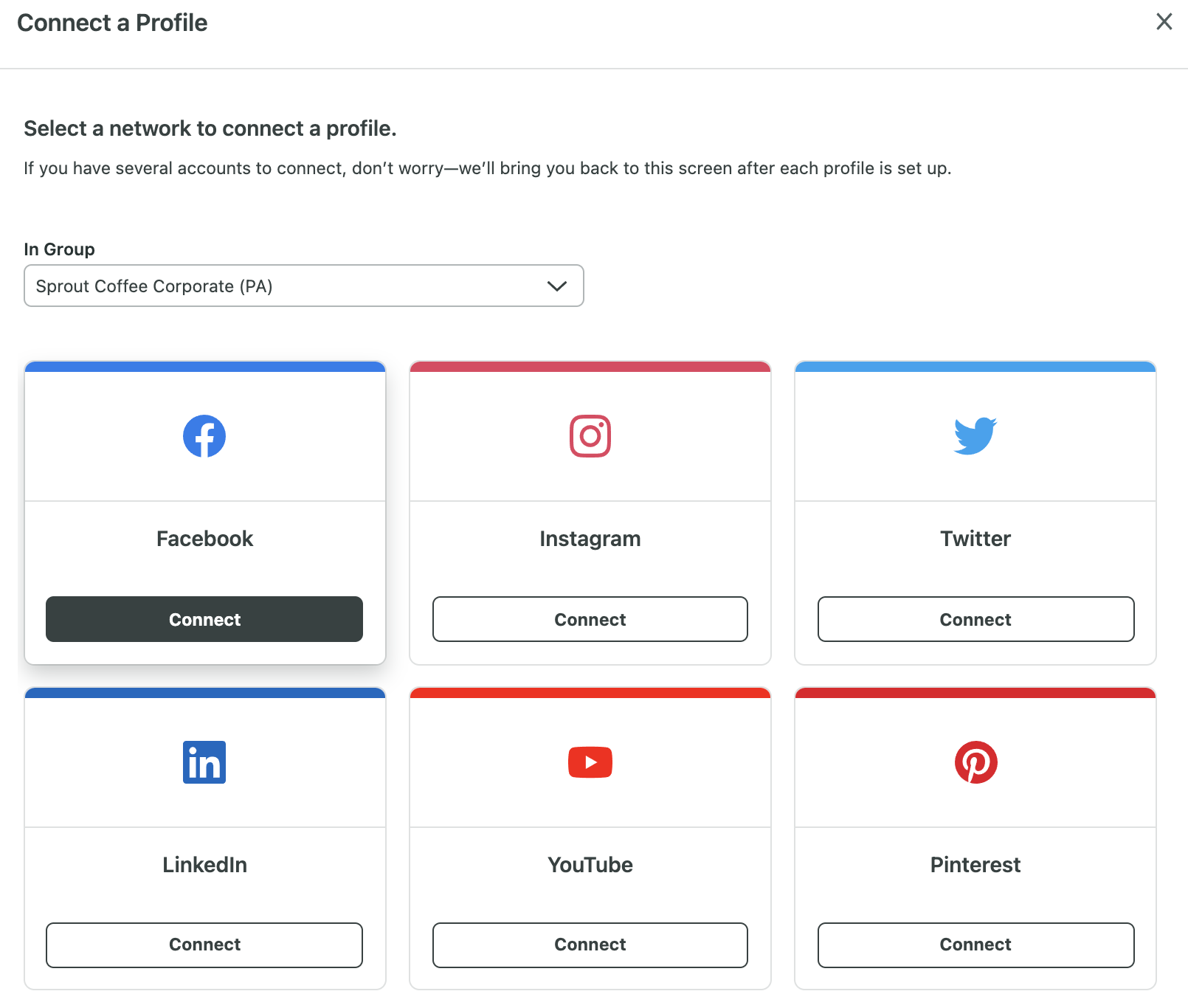
Sprout engages with numerous leading social networks. Find a list of supported accounts that can be linked to Sprout.
Step 3: Create Your Post
Once all your social accounts are connected, begin drafting your content. Utilize the Compose tool to tailor your post, adding platform-specific elements such as LinkedIn link previews or Instagram hashtags. The Compose tool also includes an AI assist feature that helps conserve time and enhance your content. Watch this video for better understanding.

Utilize these features to adjust content for each network. Keep in mind your target audience for each channel, along with the unique features and formats of the networks.
Sprout accommodates the majority of current content formats, including TikTok videos, YouTube Shorts, Instagram Reels, and others. Check our support page for a comprehensive list.
If you’re frequently creating the same type of content, utilize Sprout’s Saved Replies and Templates features. Saved Replies enables rapid responses to common engagement messages, while Templates let you save a content template for quick future publishing.
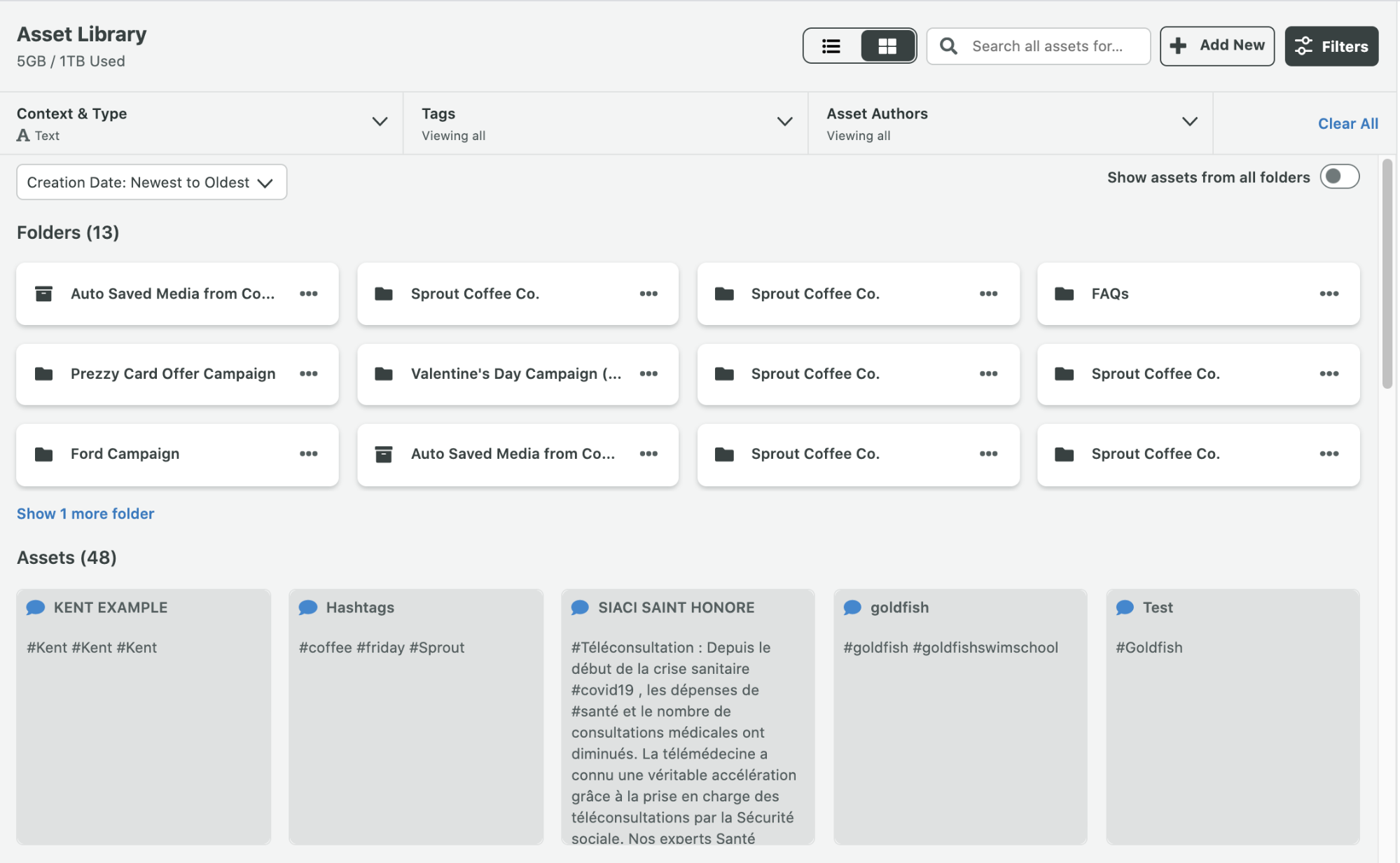
Step 4: Choose Social Profiles in the Profile Picker
Employ Sprout’s Profile Picker to select which accounts you wish to cross-post on. Highlight each one, then proceed further.
Step 5: Preview Your Post
You should always take a moment to preview posts before publishing to ensure proper formatting and spot any potential errors. Sprout’s Preview feature reveals how each post will look on each network.
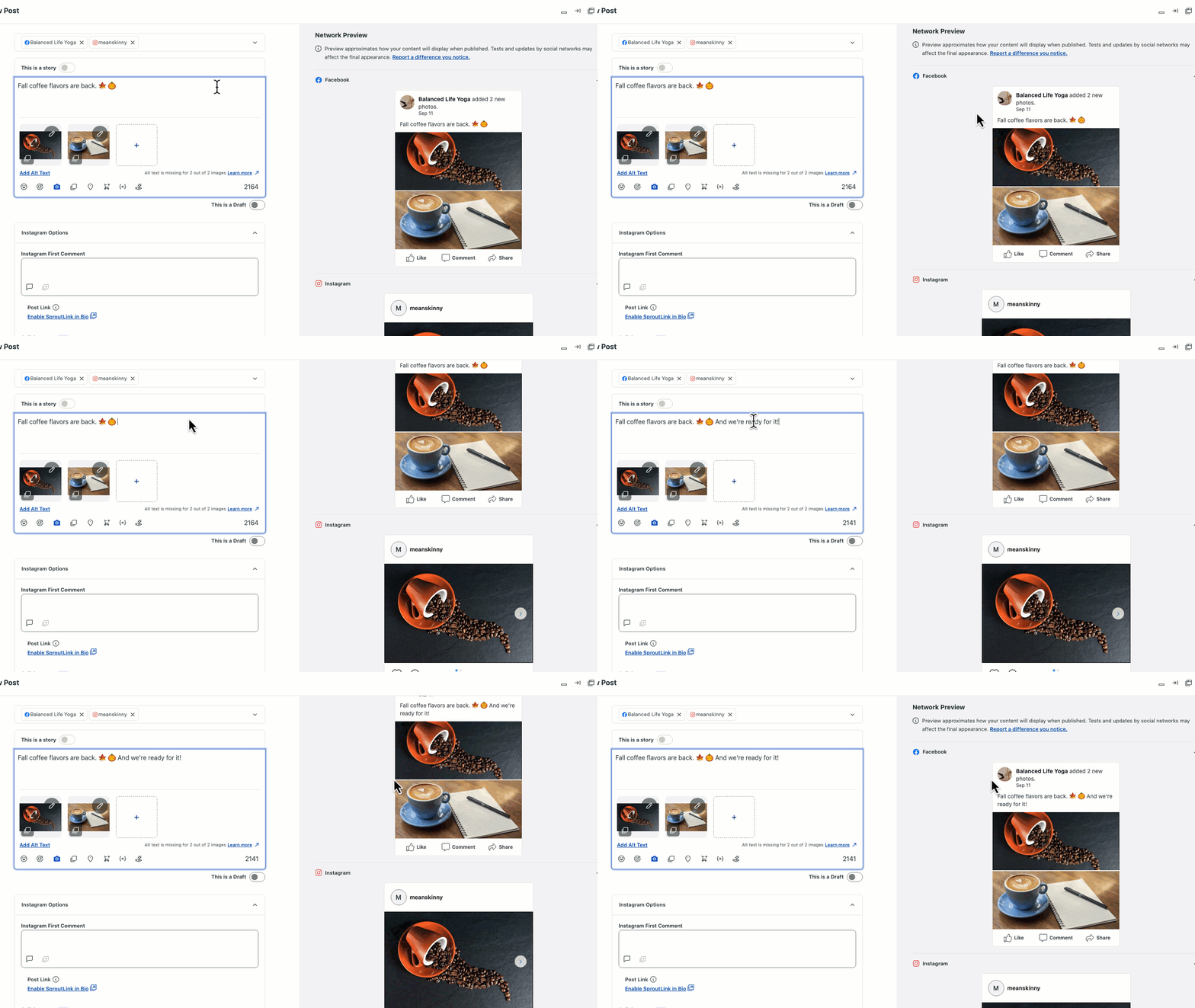
Examine the post on each selected network, and make any adjustments if necessary. Then proceed to publish.
Step 6: Publish or Utilize Sprout Queue
If you’re ready to cross-post immediately, select Publish. If scheduling, first use Tagging to monitor content performance across specific campaigns.
Use Sprout Queue to schedule cross-posts alongside any other posts in your content calendar. While queuing, take advantage of Viral Posts to align each scheduled post with optimal publishing times.
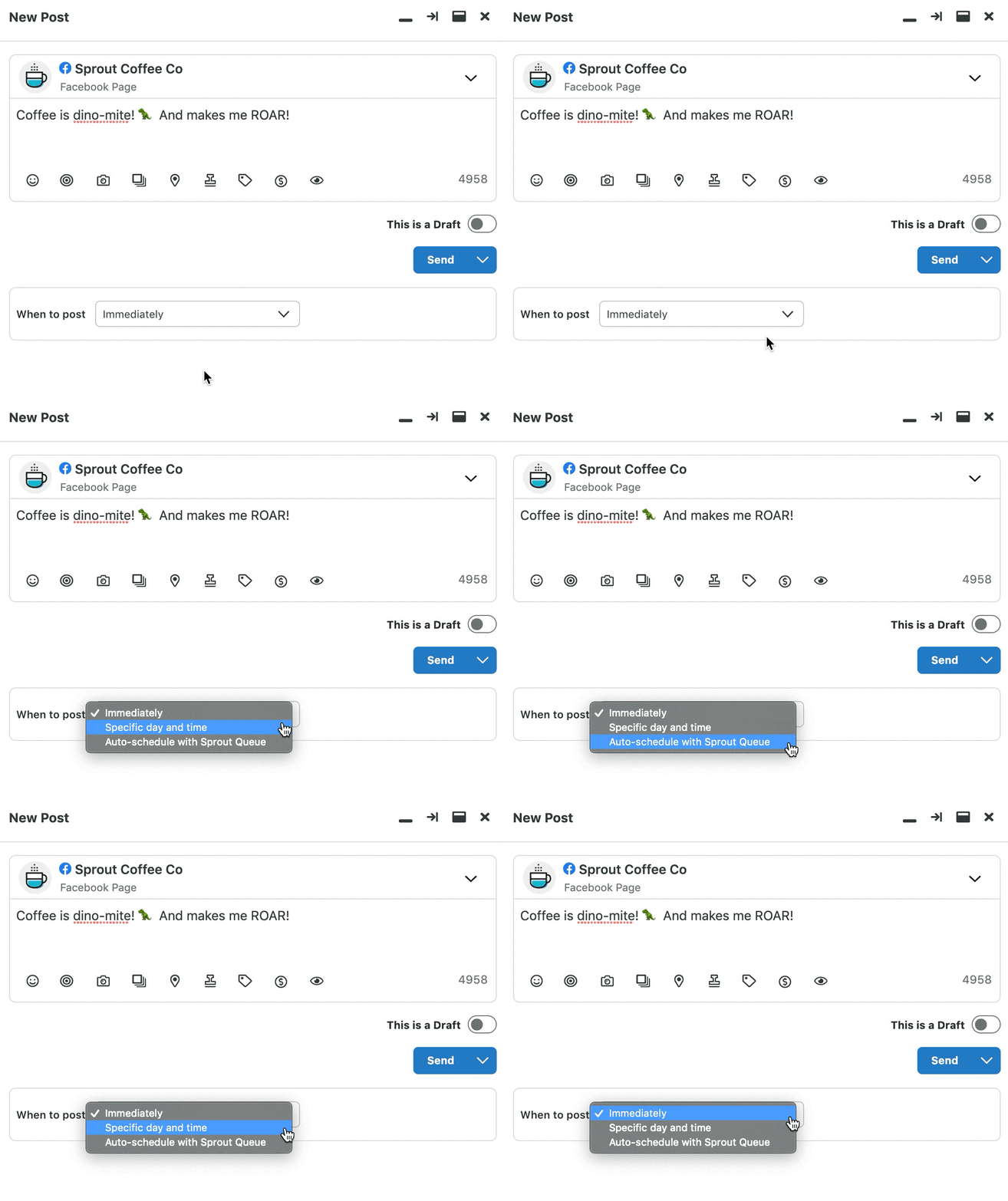
If you’re organizing a significant content update, use Bulk Scheduling to quickly add multiple content updates to your calendar.
Your posts will be published at your designated times, allowing you to move on to performance evaluation.
Step 7: Track Performance
As long as you’ve tagged your cross-posted material, you can monitor performance via Sprout using its Tag Performance Report.
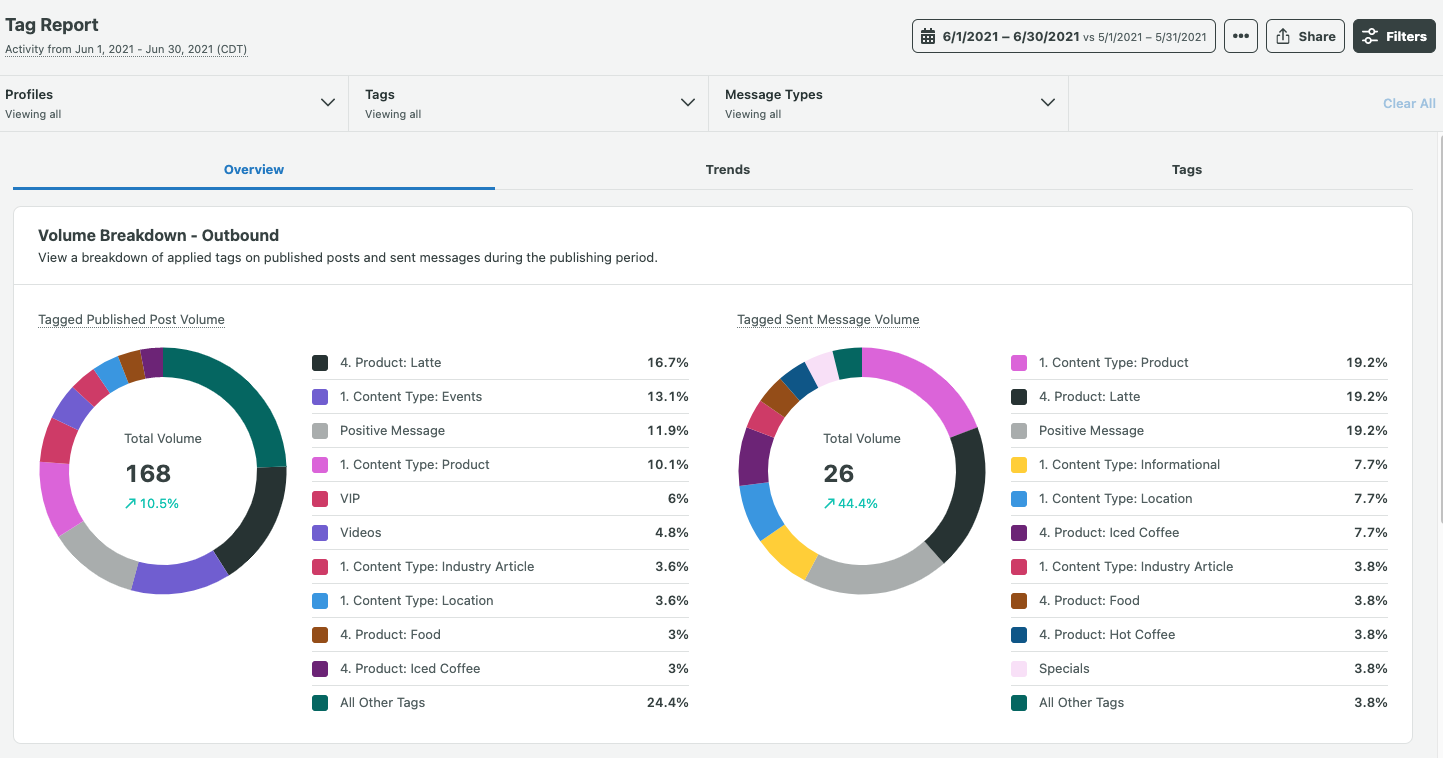
Observe the performance of individual posts, as well as their contributions to overall campaigns. Track essential data like impressions and engagement rates across each platform, using this information to enhance your output over time.
Simplify Cross-Posting on Social Media with Sprout
Handling multiple social media accounts can be labor-intensive, but cross-posting serves as an effective method to streamline and elevate the process. By posting to all social media platforms simultaneously, you gain access to deeper insights on how your content performs through analytics, which your social teams can use to optimize efforts across all channels.
The most effective way to grasp the advantages of cross-posting is to try it yourself. Experience Sprout’s 30-day free trial and discover how to manage your social media platforms more efficiently.
The article Post to all social media at once using Sprout Social first appeared on Sprout Social.

Recent Comments