

Small businesses rely on high-functioning websites to connect with their customers and grow. As a Divi user, you have ample toolage to make that happen. But …
This year, the Cyber Monday Marketing Bundle (available for 70% off) gives you access to dozens of additional Divi marketing gems💎. Instead of telling you how these tools could benefit your site, I am showing you how to use my favorite tools from the Marketing Bundle. I have a lot to show in a short amount of time, so let’s get to it.
What’s Included in the Cyber Monday Marketing Bundle
Snatching these bundles is like Christmas morning—you keep unwrapping presents that you’ll keep on using all year. The Cyber Monday Marketing Bundle, in particular, is a must-have collection of 17 premium Divi products.
Here’s what’s under wraps:
| Product | What You Get | Regular Price | Bundle Price (70% OFF) | |
|---|---|---|---|---|
| 1 | Before After Slider And Image Accordion | 2 Divi Modules and 20+ section layouts for creating image accordions | ✔️ | |
| 2 | Divi Pricing Table Pack With Toggle Option | Adds a toggle to pricing tables. Comes with 20+ layouts | ✔️ | |
| 3 | SEO Marketing Agency Divi Layout | A landing page, header, and footer layout for SEO marketing agencies | ✔️ | |
| 4 | Divi Contact Form Helper | Adds 115+ new features to the Divi Contact Module | ✔️ | |
| 5 | Divi Hotspot | Add tooltips and call-outs to Divi images | ✔️ | |
| 6 | Divi Multi Step Forms Plugin For Contact Form 7 | Allows you to create multi-step forms for Contact Form 7 in Divi | ✔️ | |
| 7 | Divi Social Plus | Adds 5 premium modules for social sharing, an Instagram feed, and more | ✔️ | |
| 8 | Vision | A WooCommerce child theme for Divi with 20+ pages | ✔️ | |
| 9 | Divi Timer Pro | Adds a countdown timer module with 20X more features | ✔️ | |
| 10 | Divi Social Sharing Buttons Maker | 5 layout options for creating social sharing buttons | ✔️ | |
| 11 | Landing Pages for Divi | 55+ landing pages for Divi | ✔️ | |
| 12 | Divi ConKit Pro | 35+ Divi Modules and extensions | ✔️ | |
| 13 | Hide & Show PRO | Control the visibility of sections, rows, columns, and modules | ✔️ | |
| 14 | Divi Gravity Forms | Add and style Gravity Forms directly in the Divi Builder | ✔️ | |
| 15 | Divi Under Construction | Allows you to create an under construction page and display it on your website | ✔️ | |
| 16 | Divi Content Toggle | Allows you to add a content toggle with text or Divi library layouts | ✔️ | |
| 17 | Divi Overlays Popups | Creates full-featured pops for Divi | ✔️ | |
| 🎁 | Cyber Monday Marketing Booster Bundle | A collection of extensions, layouts, and child themes to help market your website | $167.40 |
These tools make it easy to build functional websites for clients that go above and beyond. With features like multi-step forms, interactive elements, and dynamic popups, you’ll be able to deliver incredible value to small businesses of all kinds.
Psst … this is 17 items for the price of 3 …
The Products We’ll Use To Improve a Coffee Shop Website
I’ve selected four products to demonstrate the value you get with the Cyber Monday Marketing Bundle. And they are:
Divi ConKit Pro
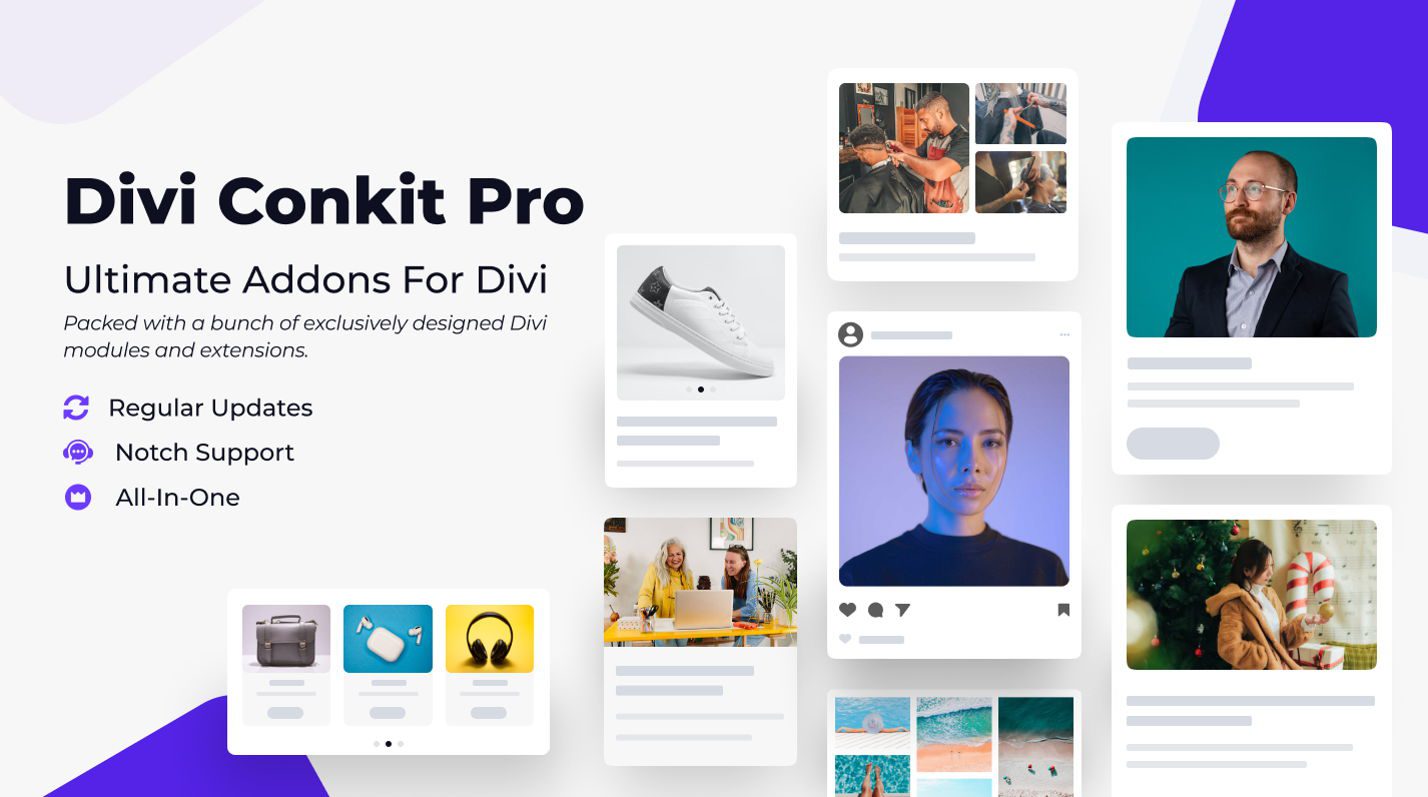
The Divi ConKit Pro plugin unlocks dozens of creative modules to add more interactivity and flair to your websites.
I’ll use its Flip Box module for our coffee shop example. It’ll be perfect for showcasing featured beverages with engaging hover effects, and the vibes will be real. I also want to right by Google and add my store hours, so I’ll use their business hours module to make that easy. They have other modules that are great, but these two should help show you what’s possible.
Divi Overlays Popups
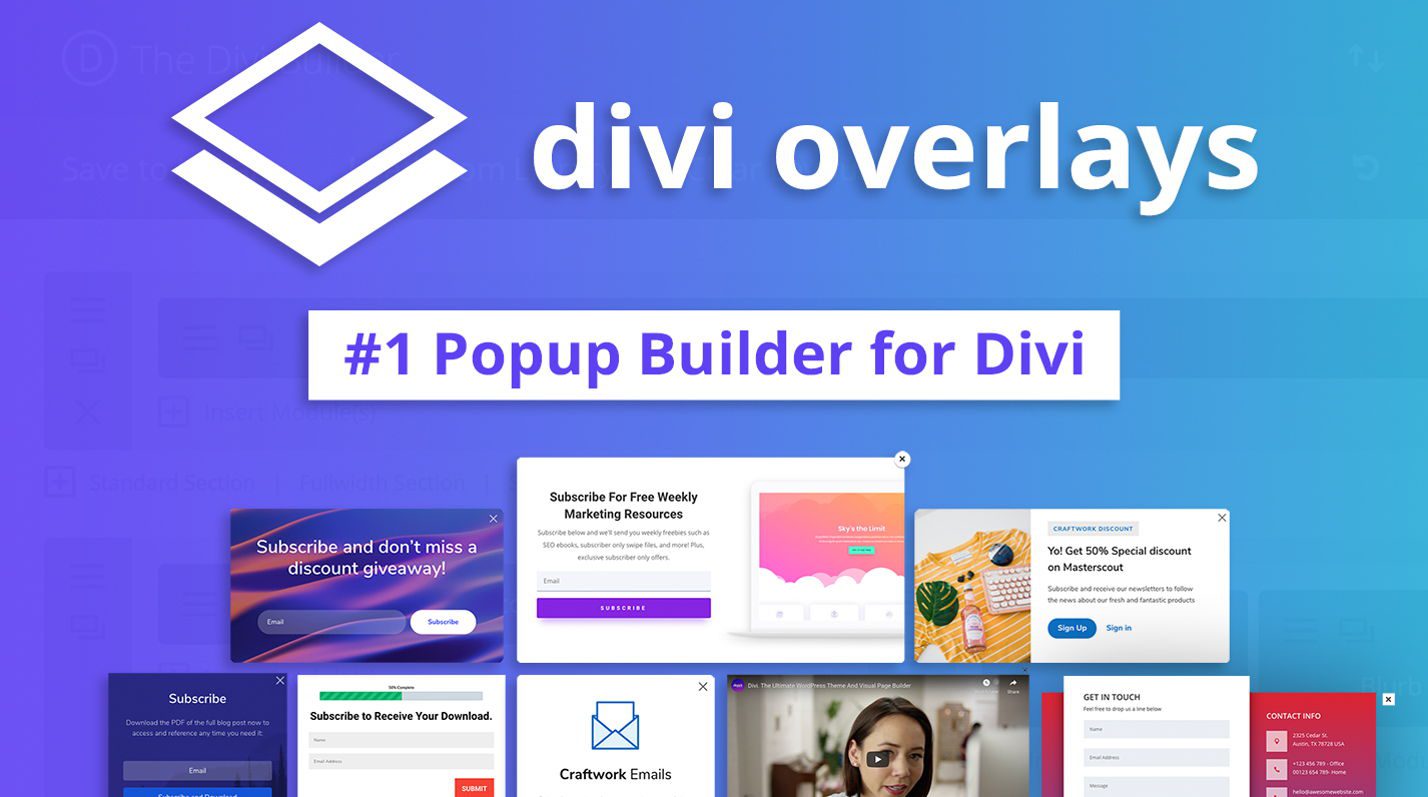
Divi Overlays Popups helps you create engaging, non-intrusive popups to draw attention to key promotions.
On our coffee shop website, I’ll use it to get people to sign up for our rewards program.
Divi Timer Pro
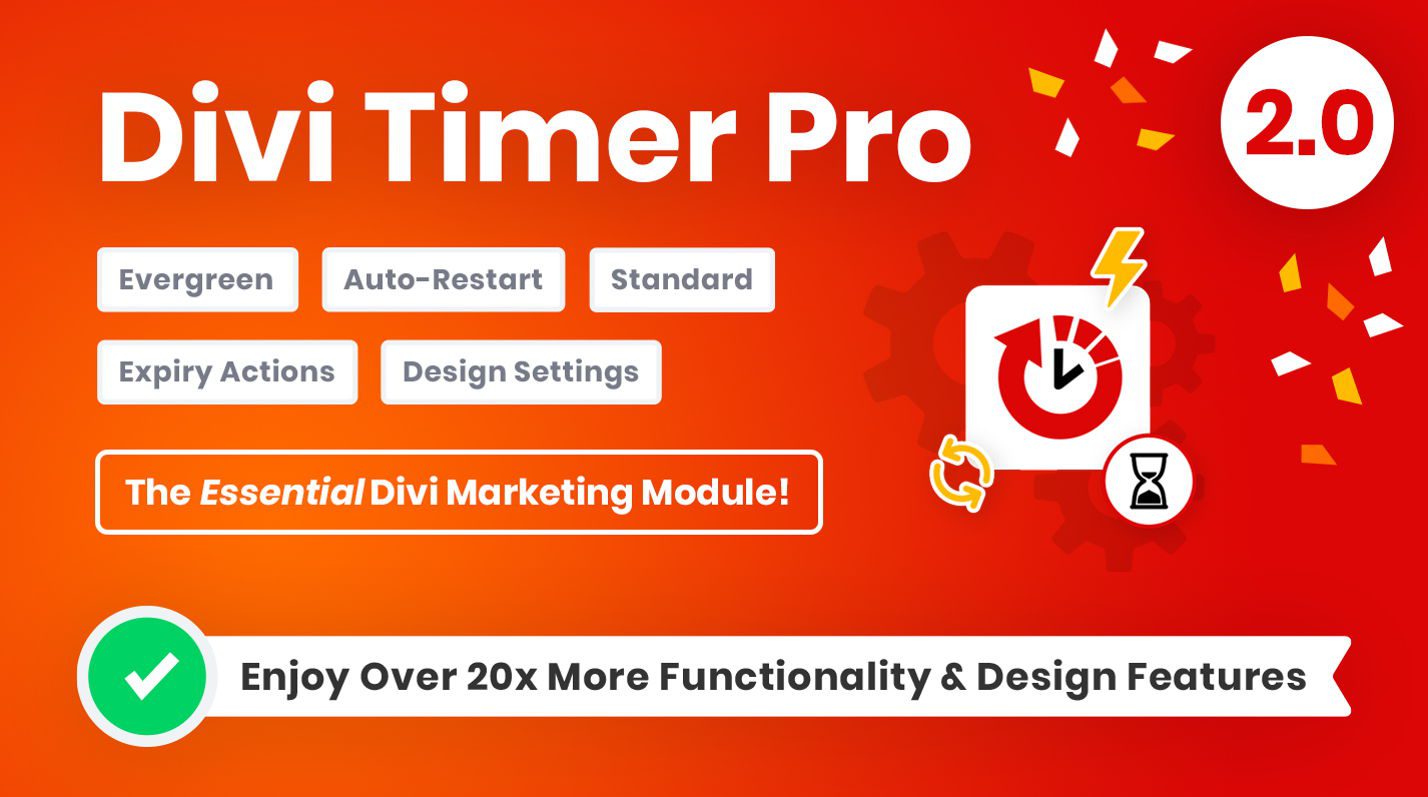
The Divi Timer Pro is the ultimate tool for creating urgency on your website. Adding advanced countdown timers can drive user engagement and encourage immediate action.
For our coffee shop example, I’ll use this plugin to display a timer in a popup to highlight a “Flash Sale” on gift cards and holiday blends.
Divi Social Sharing Buttons Maker
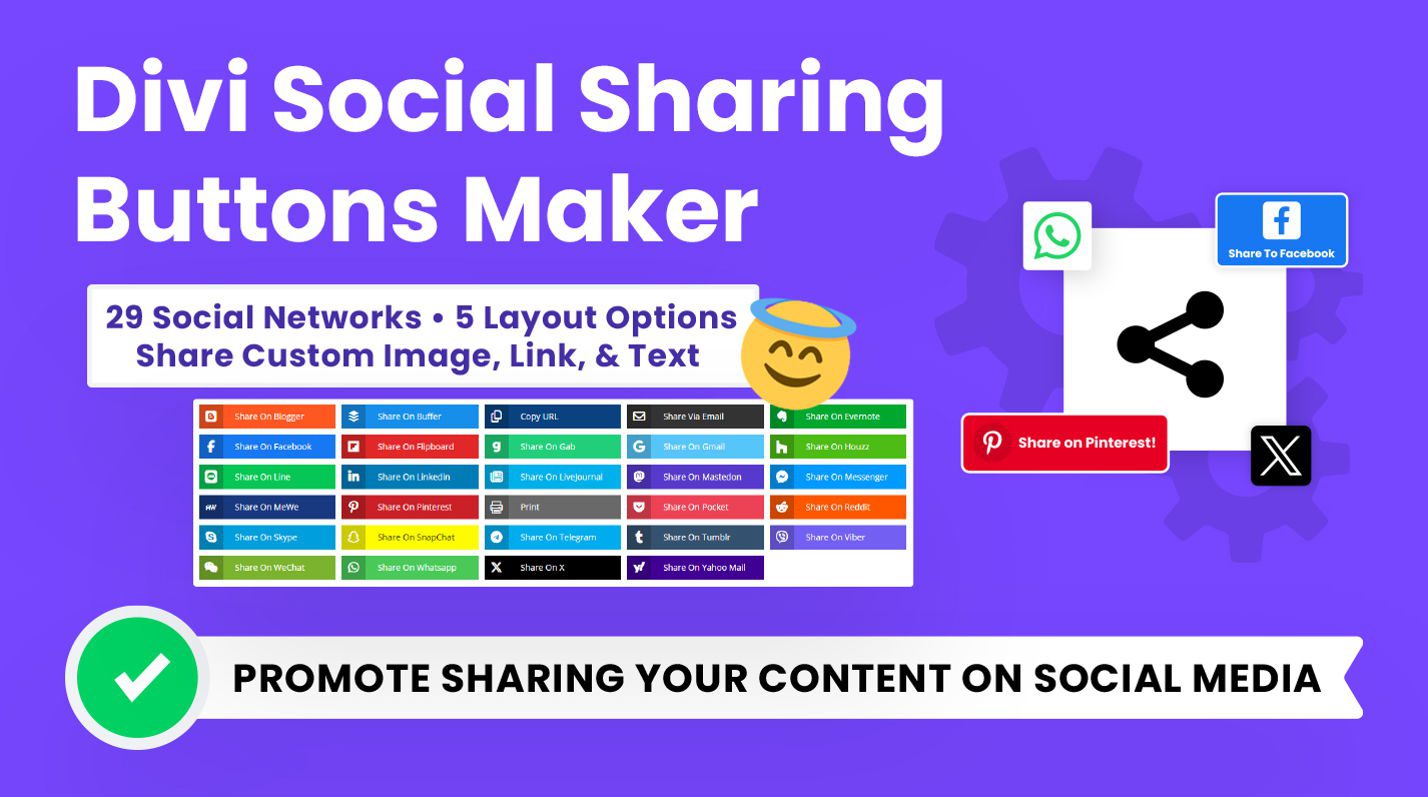
The Divi Social Sharing Buttons Maker is a lightweight tool for adding customizable social sharing buttons to your website. For the coffee shop website, we’ll use this plugin to:
- Encourage customers to share featured menu items, seasonal offers, and promotions directly to their social media accounts.
- Seamlessly integrate beautifully designed sharing buttons on the homepage, blog posts, and promotion pages.
This plugin simplifies boosting engagement and expanding your reach by turning satisfied customers into brand ambassadors.
Step-by-Step: Bringing the Coffee Shop Website to Life
Now that we’ve highlighted the powerful tools in the Cyber Monday Marketing Bundle, let’s dive into how to implement them on the coffee shop website. We’ll use the Coffee Shop Starter Site to get a header start and then use the bundle to spruce things up.
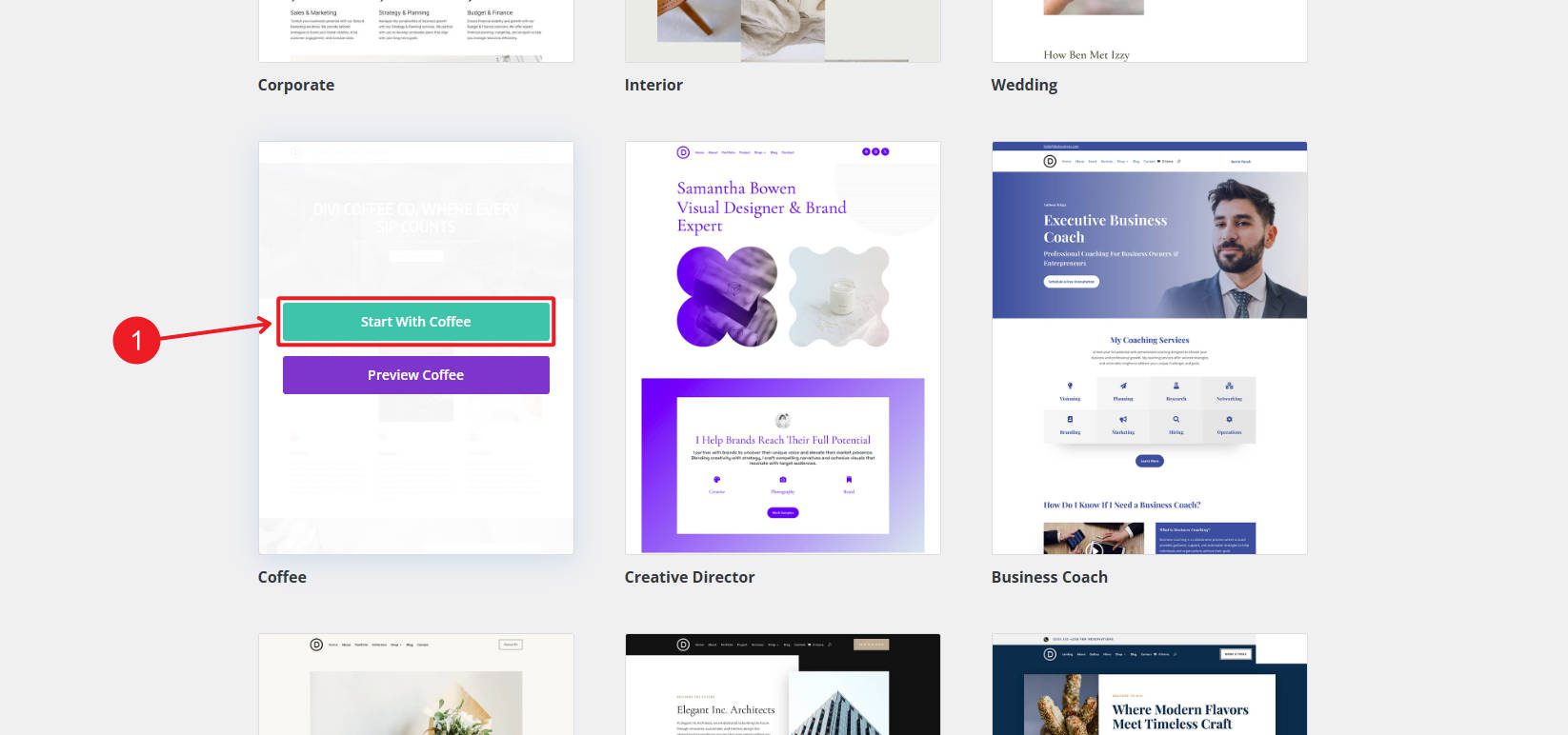
Step 1: Create Interactive Features with Divi ConKit Pro
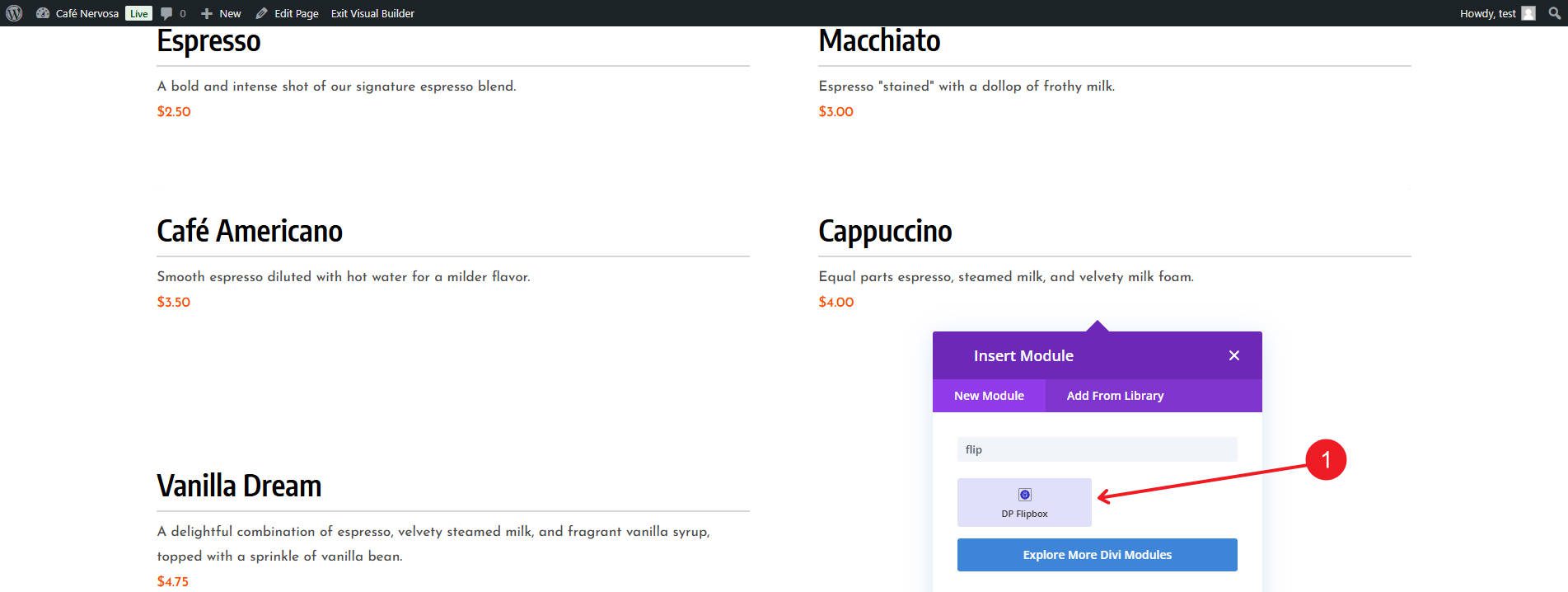
To start, we’ll use Divi ConKit Pro to add Flip Boxes to our menu page so we can show off our products.
The first step is adding a Flip Box module for each menu item. This allows us to show more imagery related to each product.
There is a front and back that allows for images/icons and a couple of text values. Let’s customize it with images and descriptions of these featured drinks.
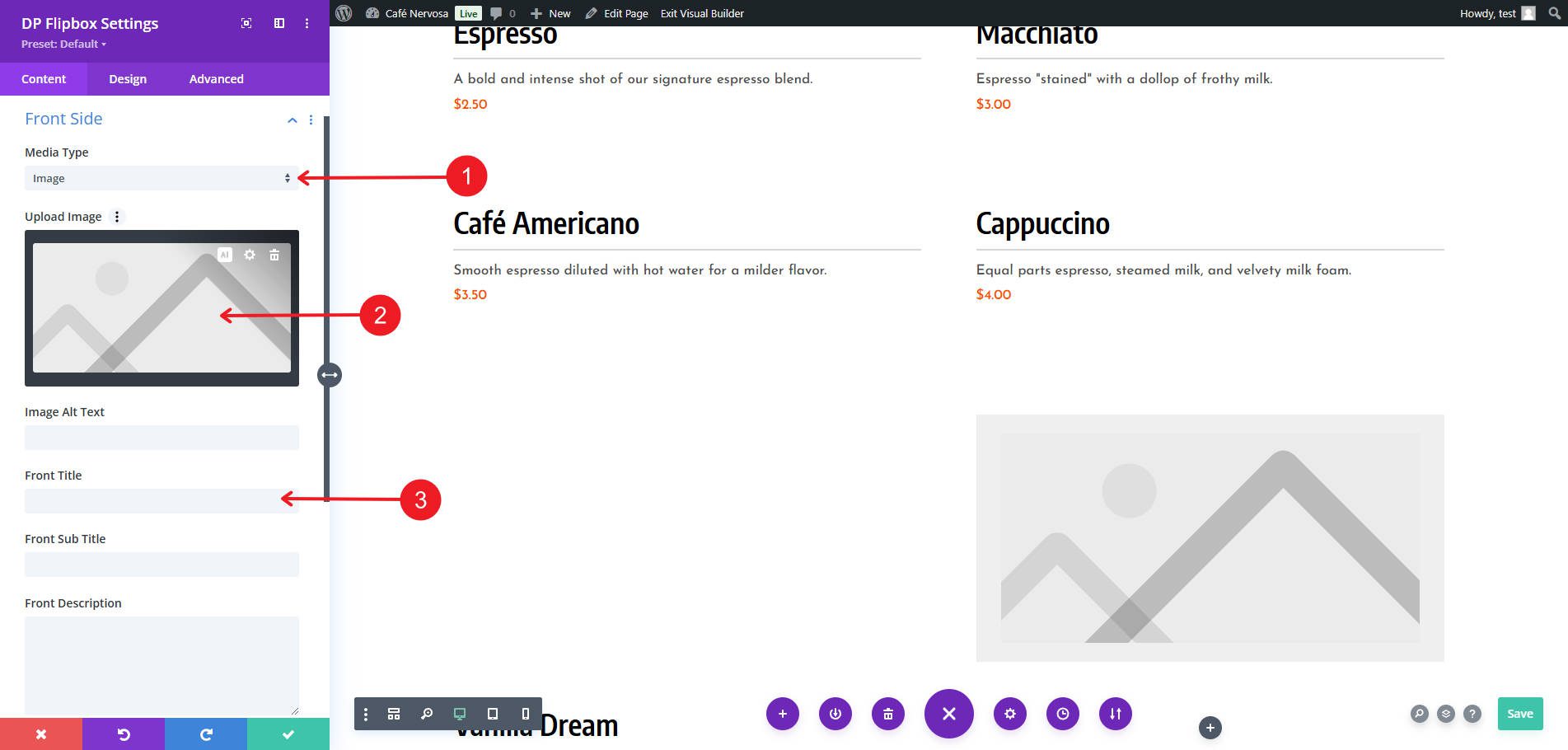
There are style settings for every part of the module. I especially like that you can get creative with different image sizes between the front and back images.
Step 2: Add Eye-Catching Promotions with Divi Overlays Popups
Next, use Divi Overlays Popups to promote deals. We can start by uploading a pre-designed popup or build from scratch. Either way, you’d use the Divi Visual Builder as you are used to.
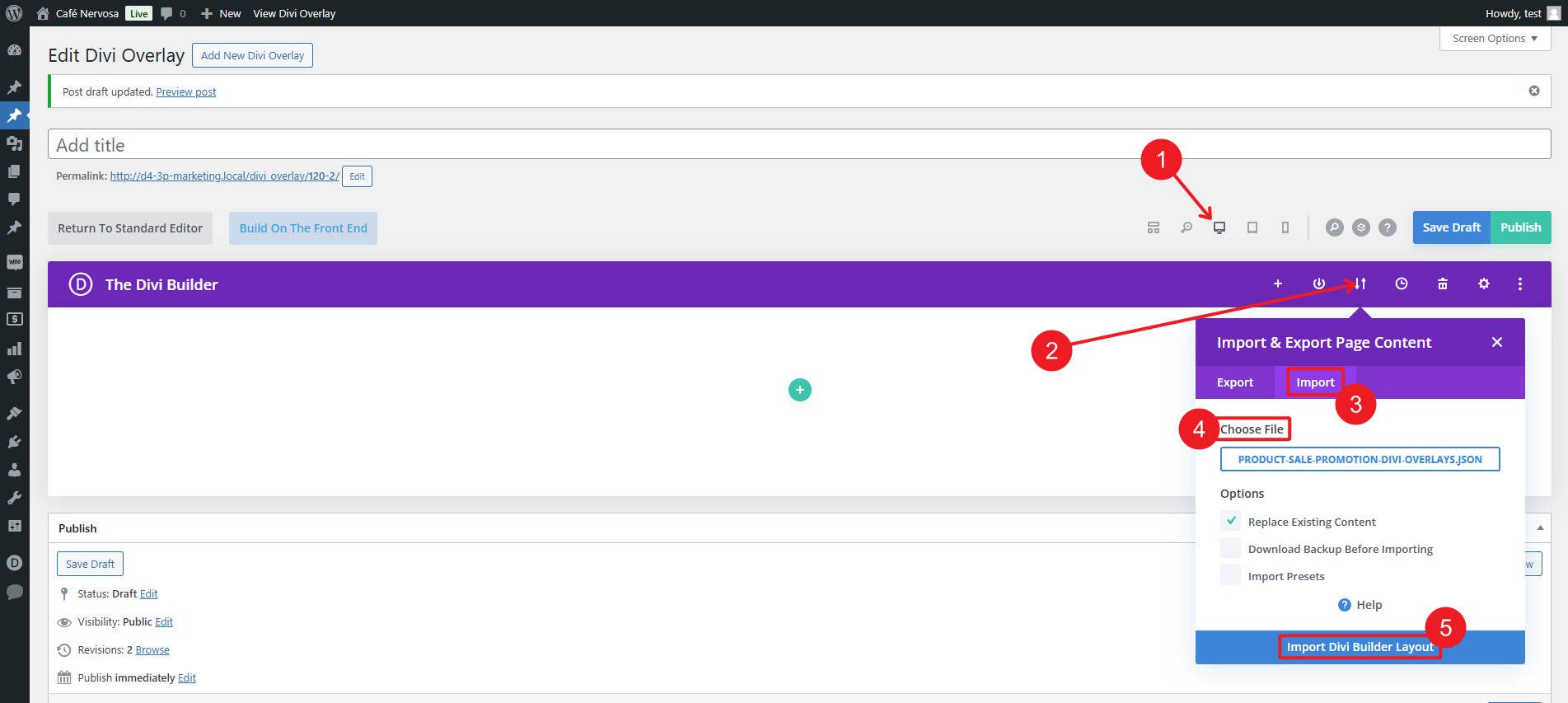
If you used a premade popup layout, you’ll see it loaded into the builder.
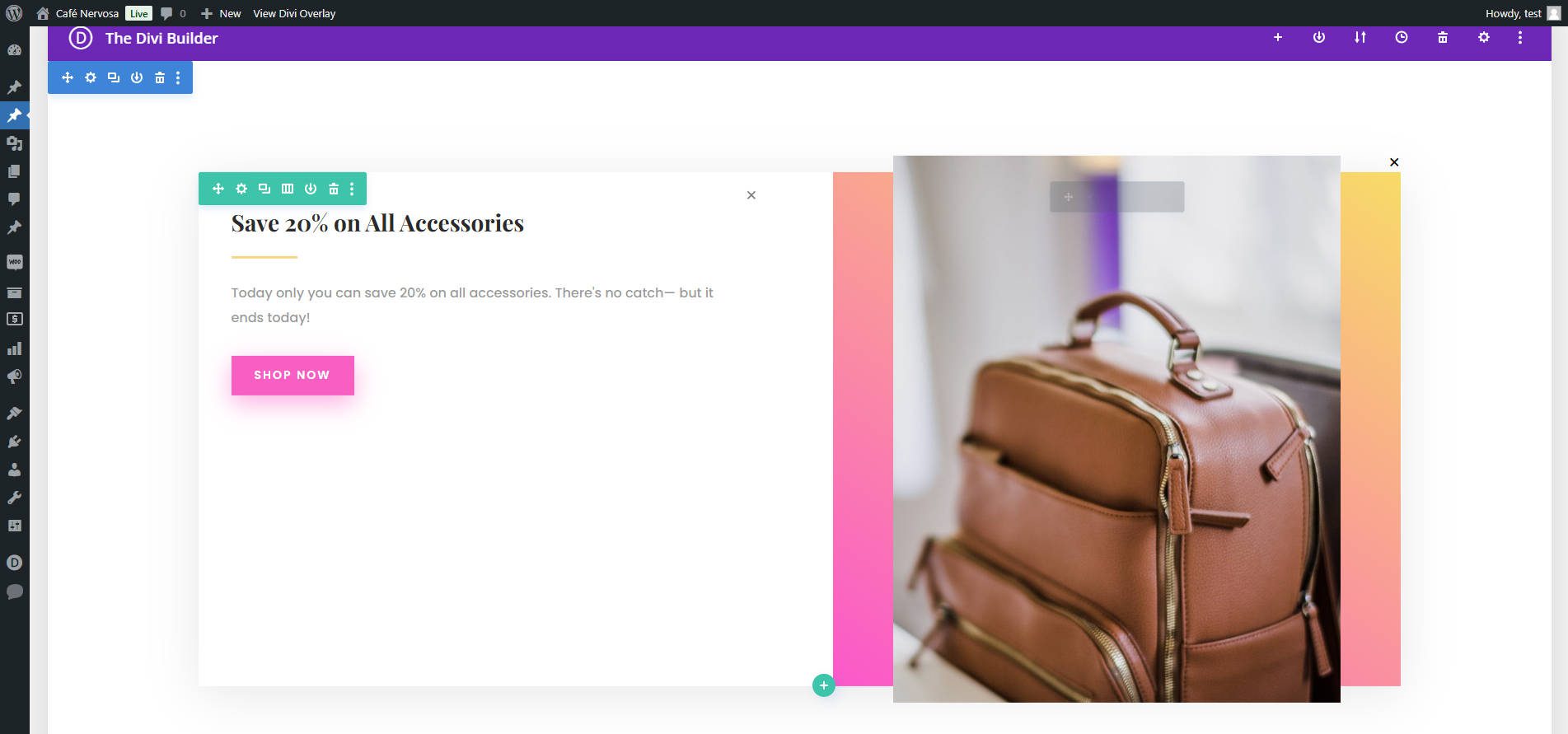
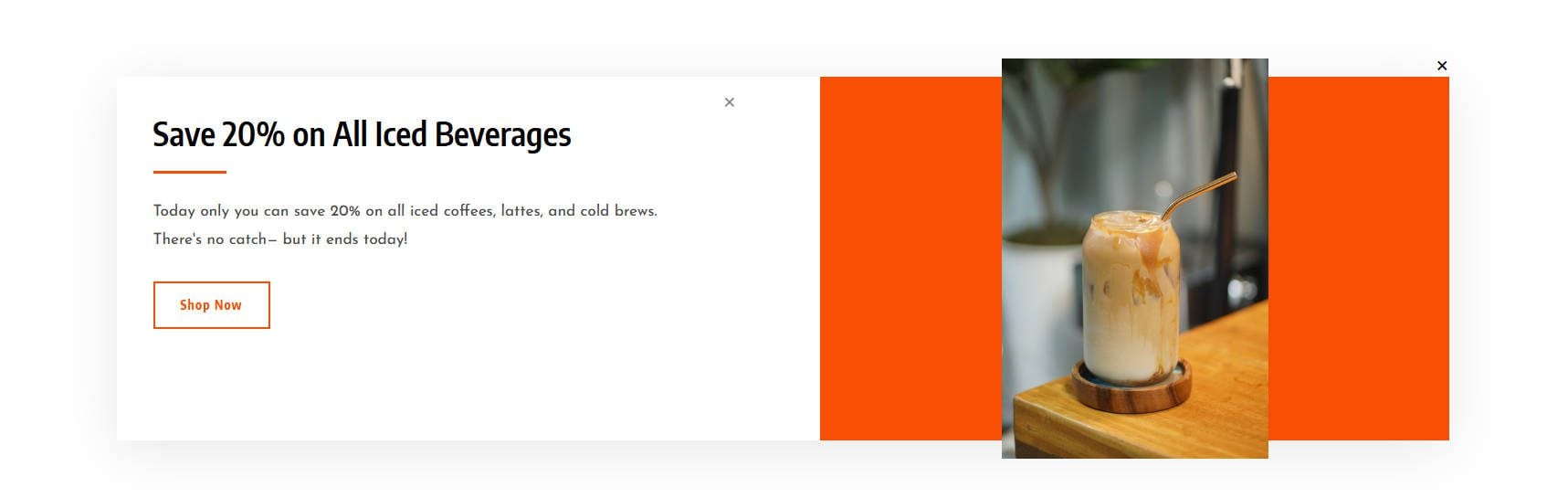
Make your customizations as necessary. I’ll highlight a promo for 20% off iced coffee. To make this process even quicker, I’ll use Presets and Global Colors that came with the Starter Theme.
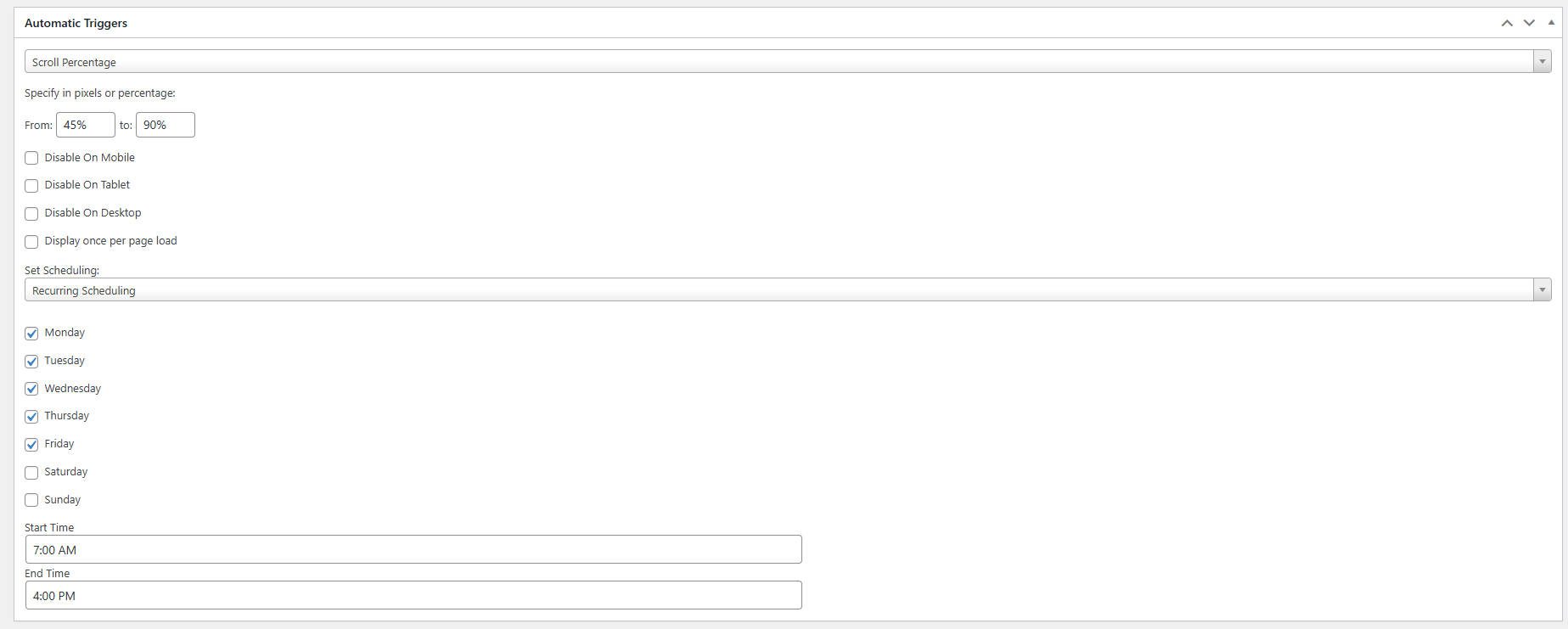
From here, setting up triggers for displaying the popup is very easy. I want this popup to appear only on the homepage and after 45% page depth. We can also add entrance/exit animations to suit our liking. I will also set a schedule for this to run on so that it only pops up when my store opens in the morning until an hour before closing time.
And here’s the final result from just a few minutes worth of work.
Step 3: Drive Urgency with Divi Timer Pro
The Divi Timer Pro can create urgency and encourage quick customer actions. It is one of the easiest and most feature-rich ways to create timers on Divi websites. Start by choosing where/how you will display your timer. For my site, I want to now include a timer in the popup we just created. I can do this by adding the Timer Pro module which is available once the plugin is installed.
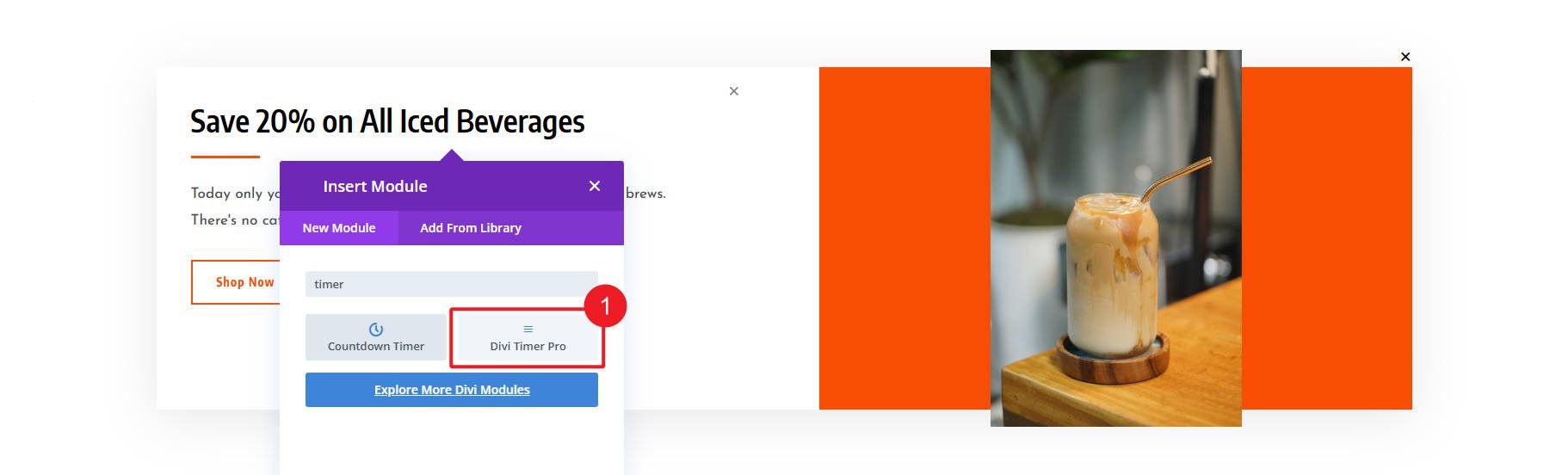
I’m going to create an evergreen countdown for our Iced Beverage special. The timer will have an artificial end time of just over an hour. Remember to mind your pop-up’s schedule (I wouldn’t want people coming in at quitting time wanting discounted coffee).
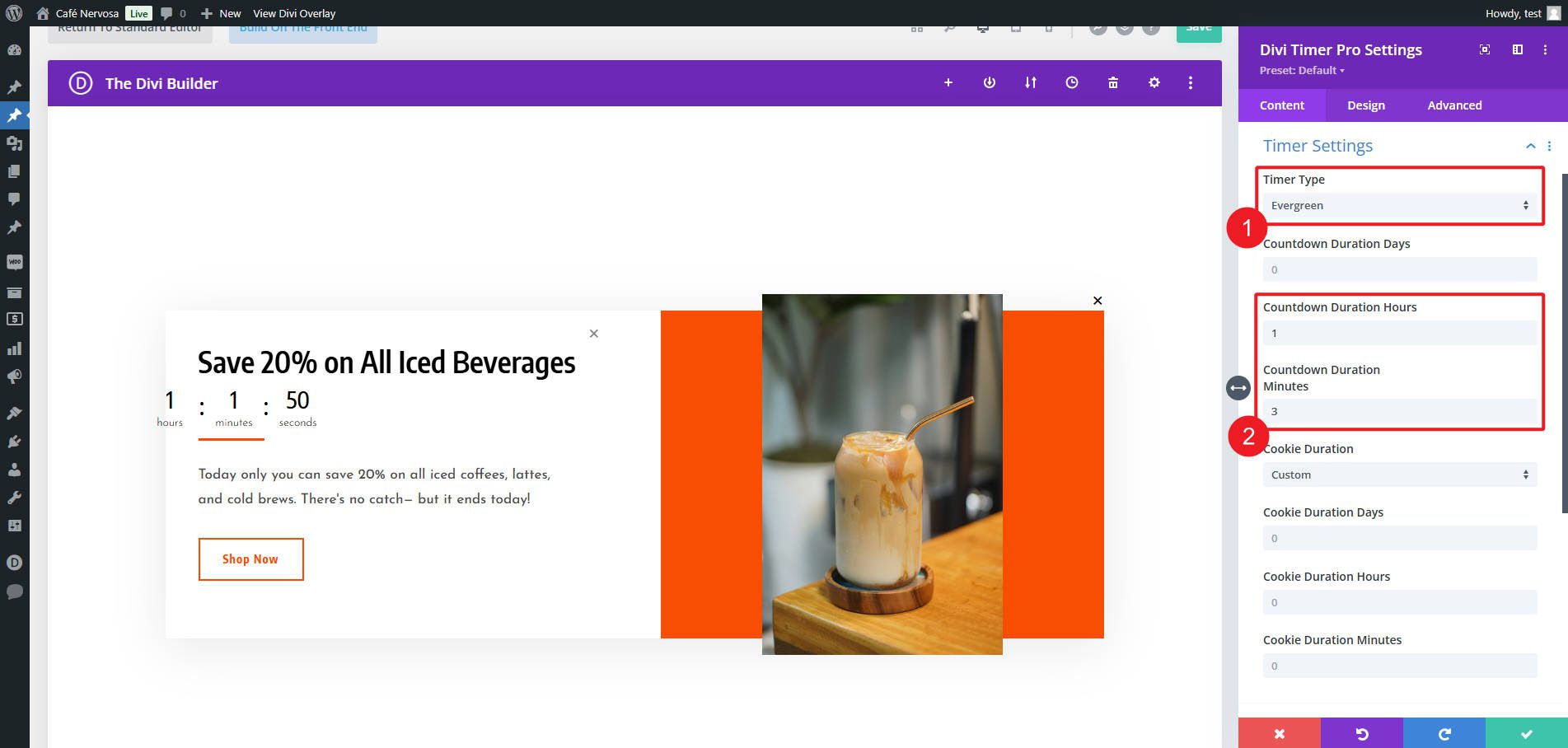
When the timer expires, I have it set to disappear, with an expiry test of “Special Ended.” It’s not likely someone will be on this popup for that long, but I want them to remember the urgency of a countdown as they decide to submit a mobile order.
Timers are a highly effective way to drive conversions by making offers feel time-sensitive, and with Divi Timer Pro’s advanced options, you can easily tailor them to fit your coffee shop website.
Step 4: Boost Engagement with Divi Social Sharing Buttons Maker
Next, we will use the Divi Social Sharing Buttons Maker to make it easy for our raving fans to share our coffee blog content on social media. Our goal is to add a customizable sharing button to our single-post blog template so the buttons appear on every post. This can also be done on product pages and other high-interest content.
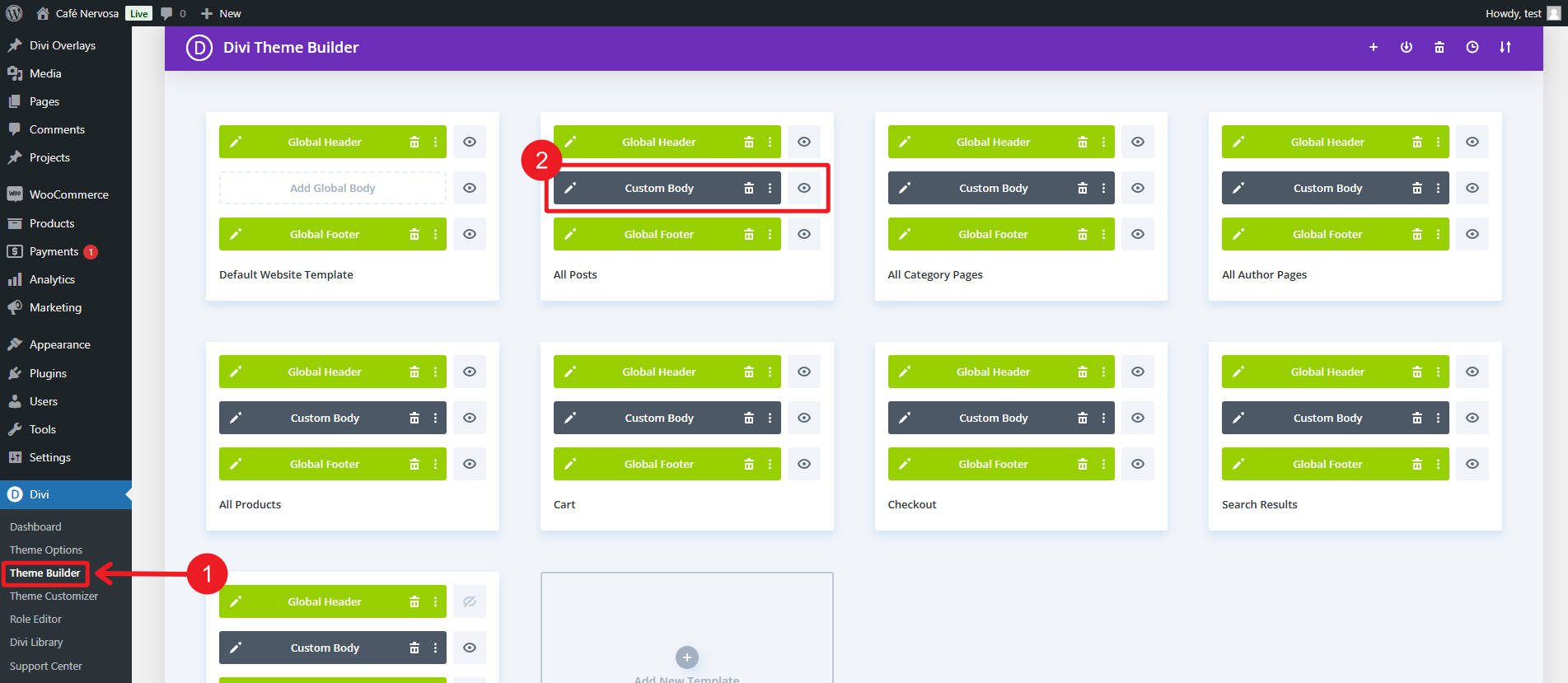
Add the new Social Sharing Buttons Maker module on your template where you’d like it. This new module gives you everything you need to make social sharing buttons with plenty of extra features you probably didn’t think about.
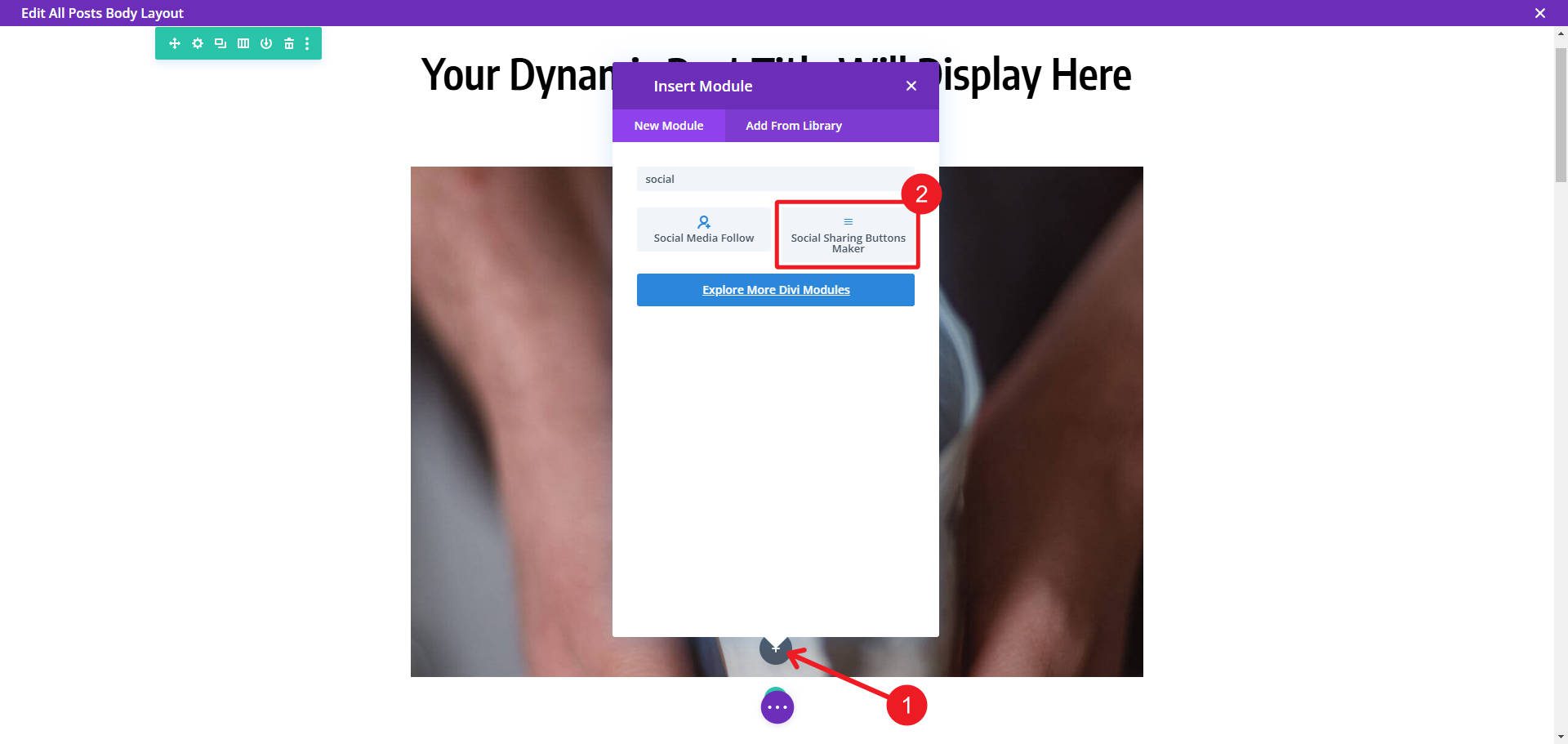
Once the module is added to your page, you will need to add items. Each item has a different social sharing button. You also have the ability to give your social share buttons a title right inside the module. Once you’ve added the number of buttons you want to the module, it is time to click on item settings to start styling each button.
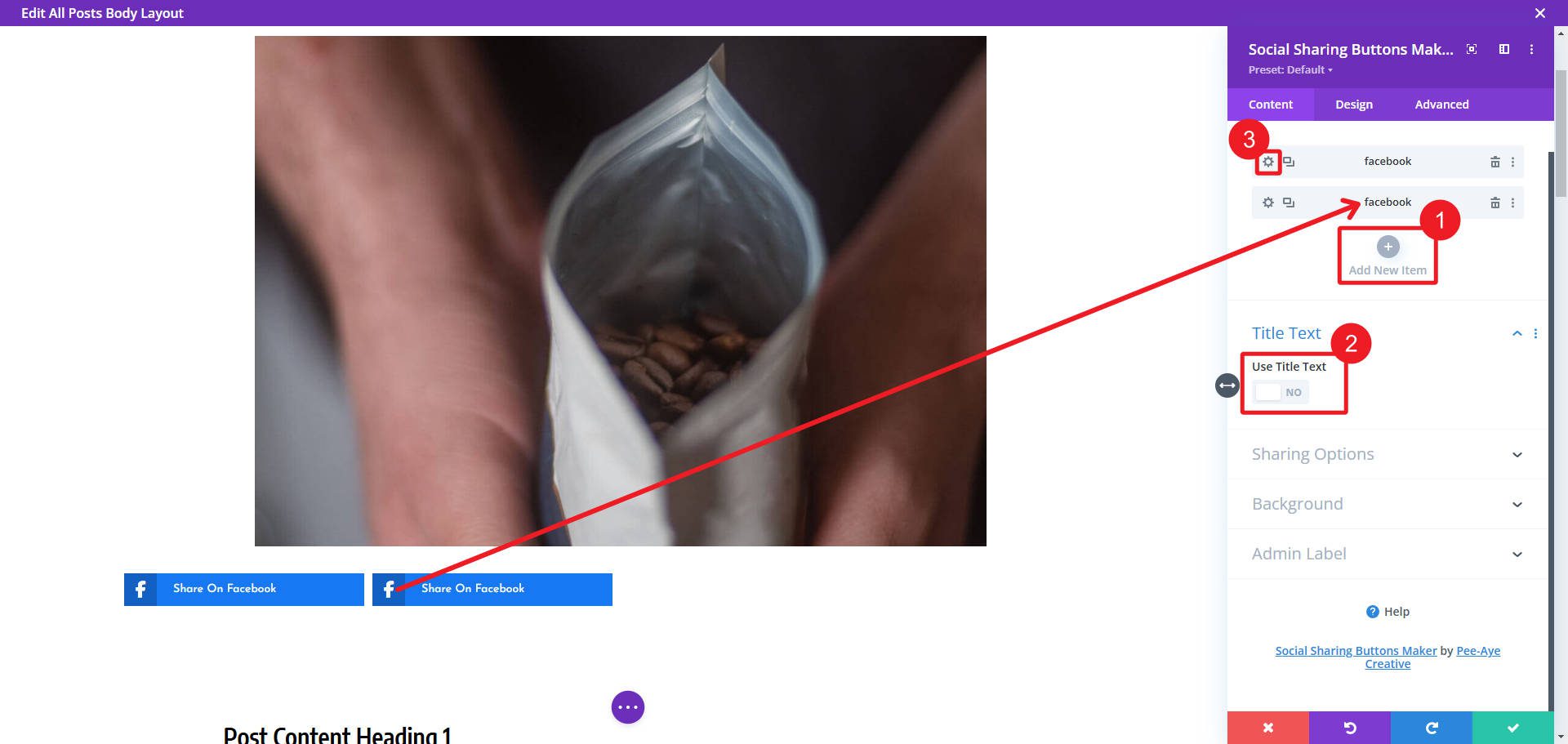
As you’d expect from a Divi module, you can customize button designs. Divi Social Sharing Button’s module comes with built-in layout options and column counts.
You can dial in a design to match your blog using background colors, fonts, and style settings. It’s very easy to use and does it’s job very well.
The Divi Social Sharing Buttons module lets you customize the title, message, link, and image for social media sharing instead of relying on defaults like featured images or post titles. This flexibility allows you to craft more engaging and tailored shares for better social media impact.
Get the Marketing Bundle Today
The Cyber Monday Marketing Bundle is the perfect way to upgrade your Divi projects. With 70% off, you get 17 tools designed to drive engagement, streamline workflows, and enhance your website marketing.
| Product | What You Get | Regular Price | Bundle Price (70% OFF) | |
|---|---|---|---|---|
| 1 | Before After Slider And Image Accordion | 2 Divi Modules and 20+ section layouts for creating image accordions | ✔️ | |
| 2 | Divi Pricing Table Pack With Toggle Option | Adds a toggle to pricing tables. Comes with 20+ layouts | ✔️ | |
| 3 | SEO Marketing Agency Divi Layout | A landing page, header, and footer layout for SEO marketing agencies | ✔️ | |
| 4 | Divi Contact Form Helper | Adds 115+ new features to the Divi Contact Module | ✔️ | |
| 5 | Divi Hotspot | Add tooltips and call-outs to Divi images | ✔️ | |
| 6 | Divi Multi Step Forms Plugin For Contact Form 7 | Allows you to create multi-step forms for Contact Form 7 in Divi | ✔️ | |
| 7 | Divi Social Plus | Adds 5 premium modules for social sharing, an Instagram feed, and more | ✔️ | |
| 8 | Vision | A WooCommerce child theme for Divi with 20+ pages | ✔️ | |
| 9 | Divi Timer Pro | Adds a countdown timer module with 20X more features | ✔️ | |
| 10 | Divi Social Sharing Buttons Maker | 5 layout options for creating social sharing buttons | ✔️ | |
| 11 | Landing Pages for Divi | 55+ landing pages for Divi | ✔️ | |
| 12 | Divi ConKit Pro | 35+ Divi Modules and extensions | ✔️ | |
| 13 | Hide & Show PRO | Control the visibility of sections, rows, columns, and modules | ✔️ | |
| 14 | Divi Gravity Forms | Add and style Gravity Forms directly in the Divi Builder | ✔️ | |
| 15 | Divi Under Construction | Allows you to create an under construction page and display it on your website | ✔️ | |
| 16 | Divi Content Toggle | Allows you to add a content toggle with text or Divi library layouts | ✔️ | |
| 17 | Divi Overlays Popups | Creates full-featured pops for Divi | ✔️ | |
| 🎁 | Cyber Monday Marketing Booster Bundle | A collection of extensions, layouts, and child themes to help market your website | $167.40 |
This bundle rewards you for your hard work by giving you more power to work with. Don’t wait—this offer is only available for a limited time. Grab the bundle and elevate your website-building today! Head over to the Cyber Monday Sale and grab the Cyber Monday Marketing Bundle while it is still available!
Don’t Miss Out on Cyber Monday Deals
If you aren’t aware, you can grab other incredible deals during this year’s Cyber Monday Sale. Here are the highlights:
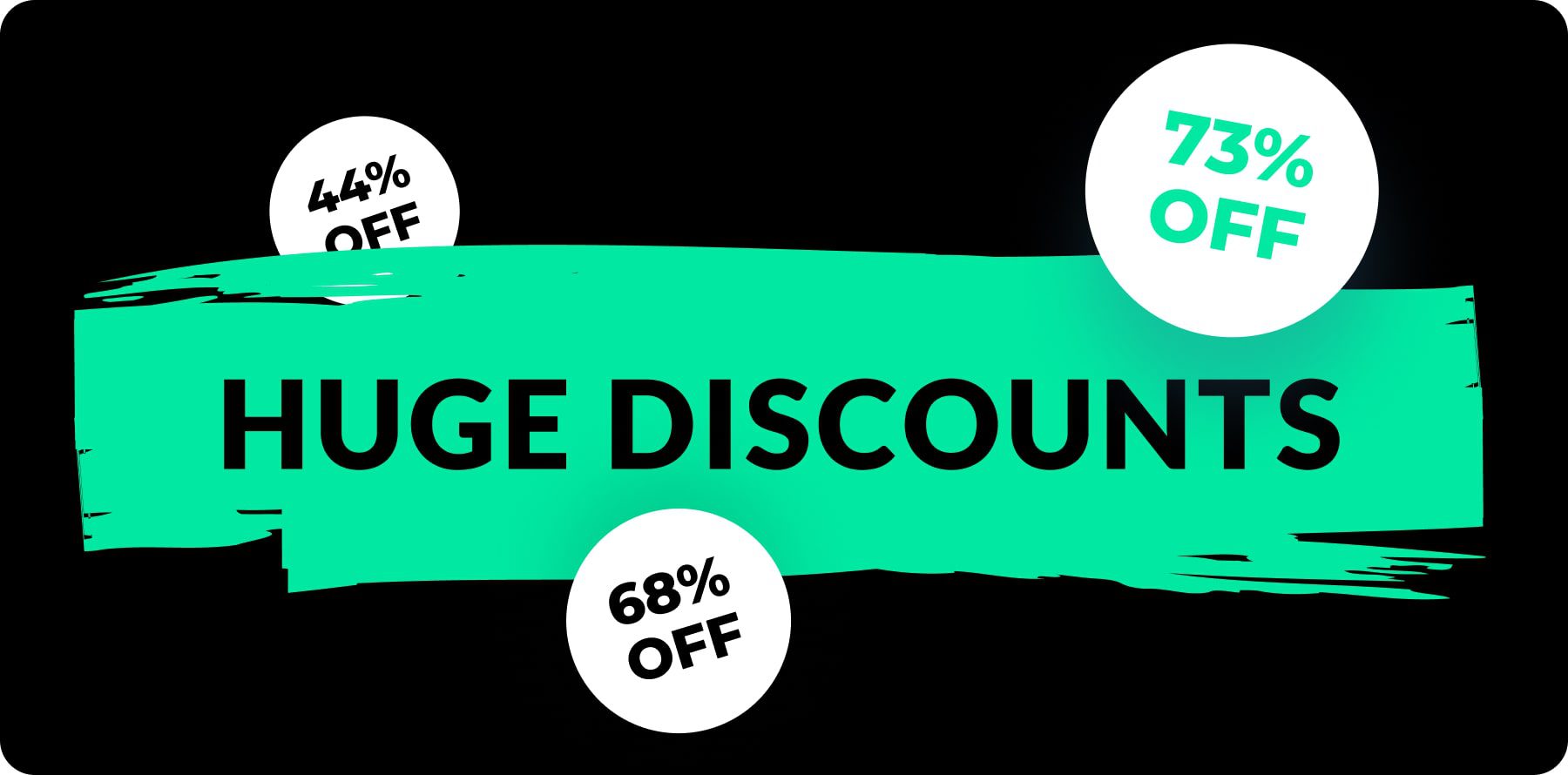
- 🎉 Get Divi Pro for 73% Off — Our best Cyber Monday offer! Divi Pro includes the full Divi suite: Divi, Divi Dash, Divi AI, Divi Cloud, Divi VIP, Divi Teams, and a $50 Divi Marketplace credit. With a lifetime subscription, you’ll enjoy ongoing website-building access, including future updates like Divi 5.
- 🎉 Repackage Your Subscriptions for Up to 73% Off — Existing members can save big by repurchasing subscriptions in the new Divi Pro bundle. Enjoy more features at a lower cost, all while upgrading your toolkit.
- 🎉 Get Divi AI for 68% Off — Divi AI is your personal assistant for website creation, capable of generating content, custom code, imagery, and more, directly integrated into Divi for effortless building.
- 🎉 Get Divi Cloud for 44% Off — Divi Cloud functions like Dropbox for Divi, allowing you to save items from your Divi Library and access them across all your projects.
- 🎉 Get Divi Teams for 44% Off — Divi Teams simplifies collaboration by enabling shared access to Divi with managed roles and permissions.
- 🎉 Get Divi VIP for 44% Off — Divi VIP offers premium 24/7 support with a 30-minute response time and 10% off in the Marketplace, even on sale prices.
- 🎉 Save 70% on Exclusive Divi Marketplace Bundles — Get incredible value on Divi Marketplace bundles to boost your projects with premium tools at unbeatable prices.
No matter your needs, the Cyber Monday deals have something for everyone. Whether you’re locking in Divi Pro for just $179 per year or repackaging your existing subscription for even greater savings, now is the perfect time to upgrade your toolkit and take advantage of these exclusive offers.
You Get A Free Prize and Bonus Perks with Your Purchase
When you purchase a bundle during the Cyber Monday Sale, you’re not just saving money—you’re unlocking incredible perks and rewards. Every bundle purchase qualifies you for a free prize from our prize pool worth over $800,000. These prizes include premium Divi products that can enhance your website-building capabilities.
Cyber Monday customers also gain exclusive access to hidden discounts in the Divi Marketplace, giving you up to 50% off select products and bundles. Every participant will unlock free Divi Website Packs, designed to help you create beautiful, high-performing websites effortlessly.
There’s no better time to upgrade your toolkit and take your web design to the next level.
The post 👉 How To Optimize Your Small Business Websites With The Cyber Monday Marketing Bundle (70% OFF!) appeared first on Elegant Themes Blog.
# Maximize Your Small Business Website’s Potential with the Cyber Monday Marketing Bundle: Save 70%!
As the holiday season approaches, small businesses are gearing up for one of the most lucrative shopping days of the year: Cyber Monday. With consumers increasingly turning to online shopping, having a robust digital presence is essential for small businesses looking to capitalize on this trend. One of the best ways to enhance your online visibility and drive sales is through a well-crafted marketing strategy. This year, you can take advantage of the Cyber Monday Marketing Bundle, offering an incredible 70% discount to help you maximize your small business website’s potential.
## Why Cyber Monday Matters for Small Businesses
Cyber Monday, the Monday following Thanksgiving, has become a significant event in the retail calendar. Originally created to encourage people to shop online, it has evolved into a day where consumers expect deep discounts and exclusive offers. For small businesses, this presents a unique opportunity to attract new customers, increase sales, and build brand loyalty.
### Benefits of a Strong Online Presence
1. **Increased Visibility**: A well-optimized website can help your business rank higher in search engine results, making it easier for potential customers to find you.
2. **Enhanced User Experience**: A professional website design improves user experience, encouraging visitors to stay longer and explore your offerings.
3. **Conversion Optimization**: Effective marketing strategies can lead to higher conversion rates, turning visitors into paying customers.
4. **Customer Engagement**: An engaging online presence allows you to interact with customers, gather feedback, and foster a community around your brand.
## What’s Included in the Cyber Monday Marketing Bundle?
The Cyber Monday Marketing Bundle is designed specifically for small businesses looking to enhance their online marketing efforts without breaking the bank. Here’s what you can expect to find in this comprehensive package:
### 1. **Website Optimization Tools**
– **SEO Tools**: Improve your website’s search engine ranking with tools that help you identify keywords, analyze competitors, and optimize your content.
– **Performance Monitoring**: Track your website’s performance with analytics tools that provide insights into user behavior, traffic sources, and conversion rates.
### 2. **Social Media Marketing Resources**
– **Content Calendars**: Plan and schedule your social media posts to ensure consistent engagement with your audience.
– **Ad Templates**: Create eye-catching ads for platforms like Facebook, Instagram, and Twitter to promote your Cyber Monday deals.
### 3. **Email Marketing Solutions**
– **Email Campaign Templates**: Use professionally designed templates to create compelling email campaigns that drive traffic to your website.
– **List Building Tools**: Grow your email list with tools that help you capture leads and nurture customer relationships.
### 4. **Graphic Design Assets**
– **Promotional Banners**: Access a library of customizable banners and graphics to enhance your website and social media profiles.
– **Infographics**: Create visually appealing infographics to share valuable information about your products or services.
### 5. **Training and Support**
– **Webinars and Tutorials**: Learn best practices for digital marketing through informative webinars and step-by-step tutorials.
– **Customer Support**: Get assistance from marketing professionals who can help you navigate the tools and strategies included in the bundle.
## How to Make the Most of the Cyber Monday Marketing Bundle
To truly maximize the potential of the Cyber Monday Marketing Bundle, consider the following strategies:
### 1. **Plan Ahead**
Start planning your Cyber Monday campaign well in advance. Use the content calendars and training resources in the bundle to create a timeline for your marketing activities.
### 2. **Leverage Social Media**
Utilize the social media marketing resources to create buzz around your Cyber Monday deals. Engage with your audience through polls, contests, and sneak peeks of your offers.
### 3. **Optimize Your Website**
Make sure your website is ready for increased traffic. Use the website optimization tools to enhance loading speed, improve navigation, and ensure mobile compatibility.
### 4. **Engage Your Email List**
Send out targeted email campaigns to your subscribers, highlighting your Cyber Monday deals and encouraging them to visit your website.
### 5. **Analyze and Adjust**
After Cyber Monday, use the performance monitoring tools to analyze the results of your campaign. Identify what worked well and what could be improved for future promotions.
## Conclusion
This Cyber Monday, don’t miss the chance to elevate your small business website with the Cyber Monday Marketing Bundle, available at an unbeatable 70% discount. By investing in the right tools and strategies, you can enhance your online presence, attract more customers, and ultimately drive sales during one of the busiest shopping days of the year. Take action now, and set your business up for success this holiday season!

Recent Comments