

Divi is one of the most customizable and powerful WordPress themes on the market. You can design any website you want using its built-in front-end page builder. However, if you build a website with custom animations or eye-catching text and image effects, you either need a plugin or to be a coding whiz. Thankfully, a plugin in the Divi Marketplace will take the guesswork out of adding those functionalities without the need for coding.
In this post, we’ll introduce you to Divi Essential, the game-changing plugin that brings your Divi website to life. With Divi Essential, you can create truly unique, unforgettable websites that stand out.
What Is Divi Essential?
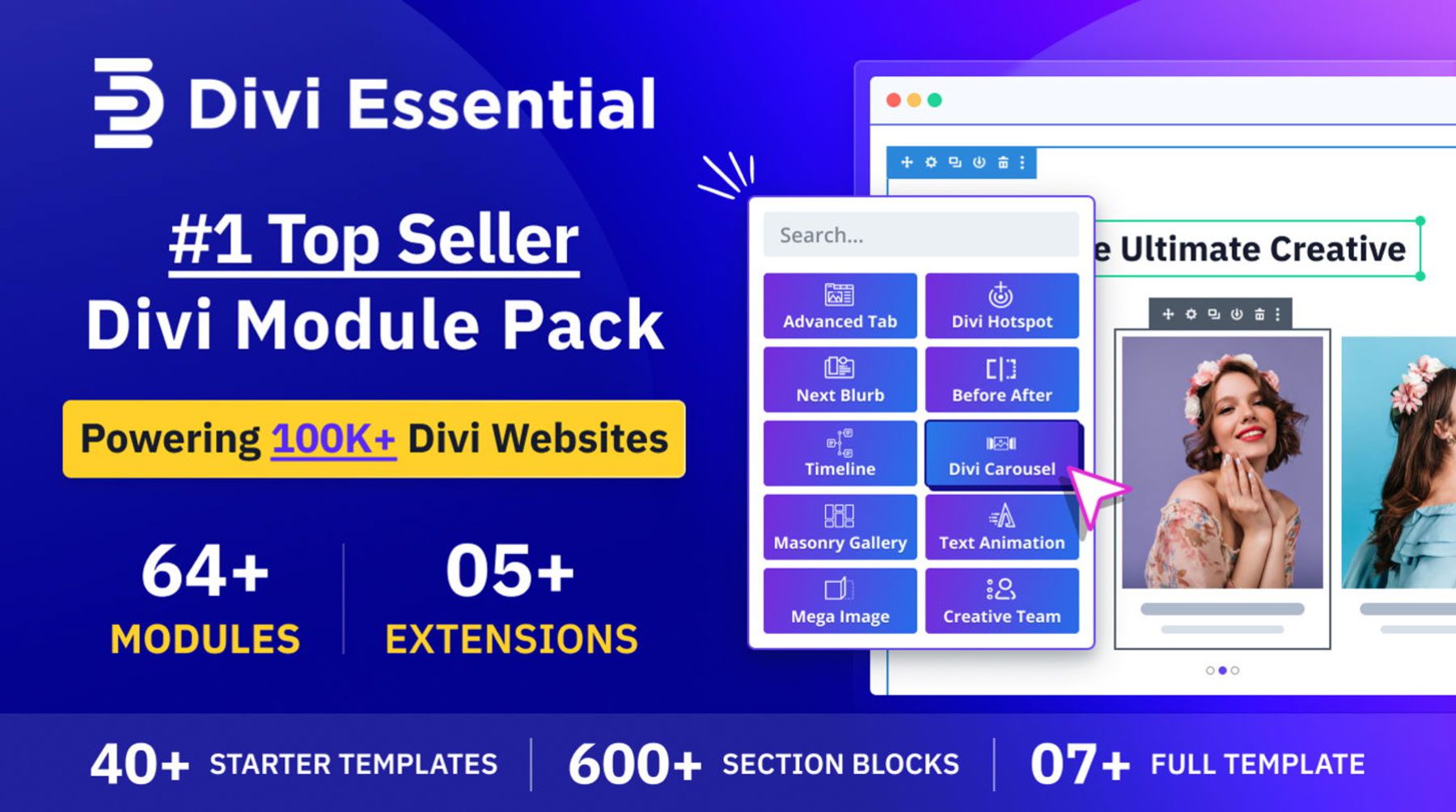
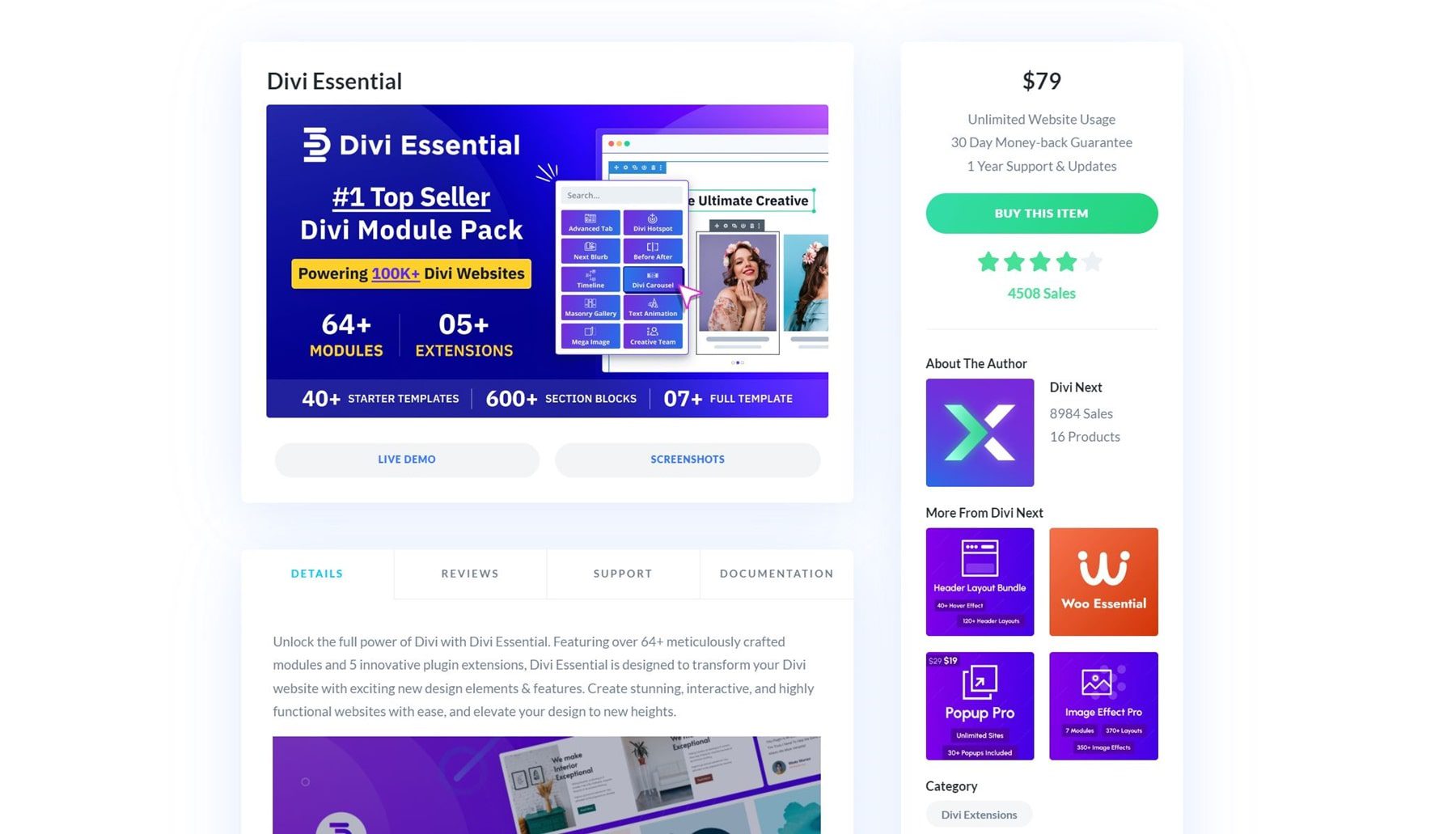
Divi Essential is a powerful module pack that offers many features to make building websites with Divi even better. The pack has over 60 Divi Modules to use alongside the over 200 Divi already offers. In addition to modules, there are 5 extensions, including a popup builder, a widget library, a library shortcode, and more. Divi Essential also provides plenty of layouts to build the Divi website of your dreams, thanks to 40+ starter templates, 600+ section blogs, and a few full website templates to help you create a site in minutes.
What Are The Features of Divi Essential?
Divi Essential is the perfect companion to Divi. It offers a wealth of modules, layouts, and extensions to build a beautiful website. Let’s dive into what comes with Divi Essential so you’ll see its incredible value.
Popup Pro Extension
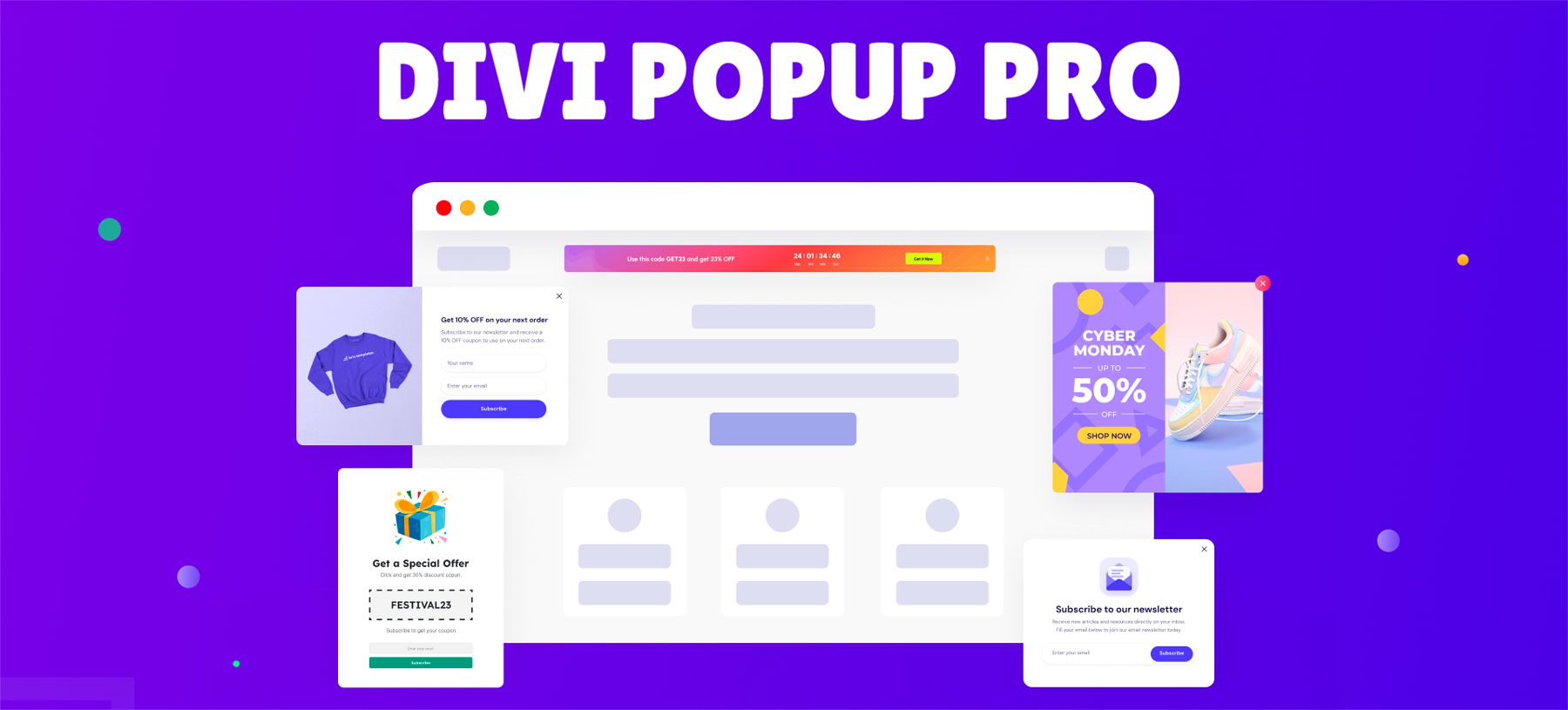
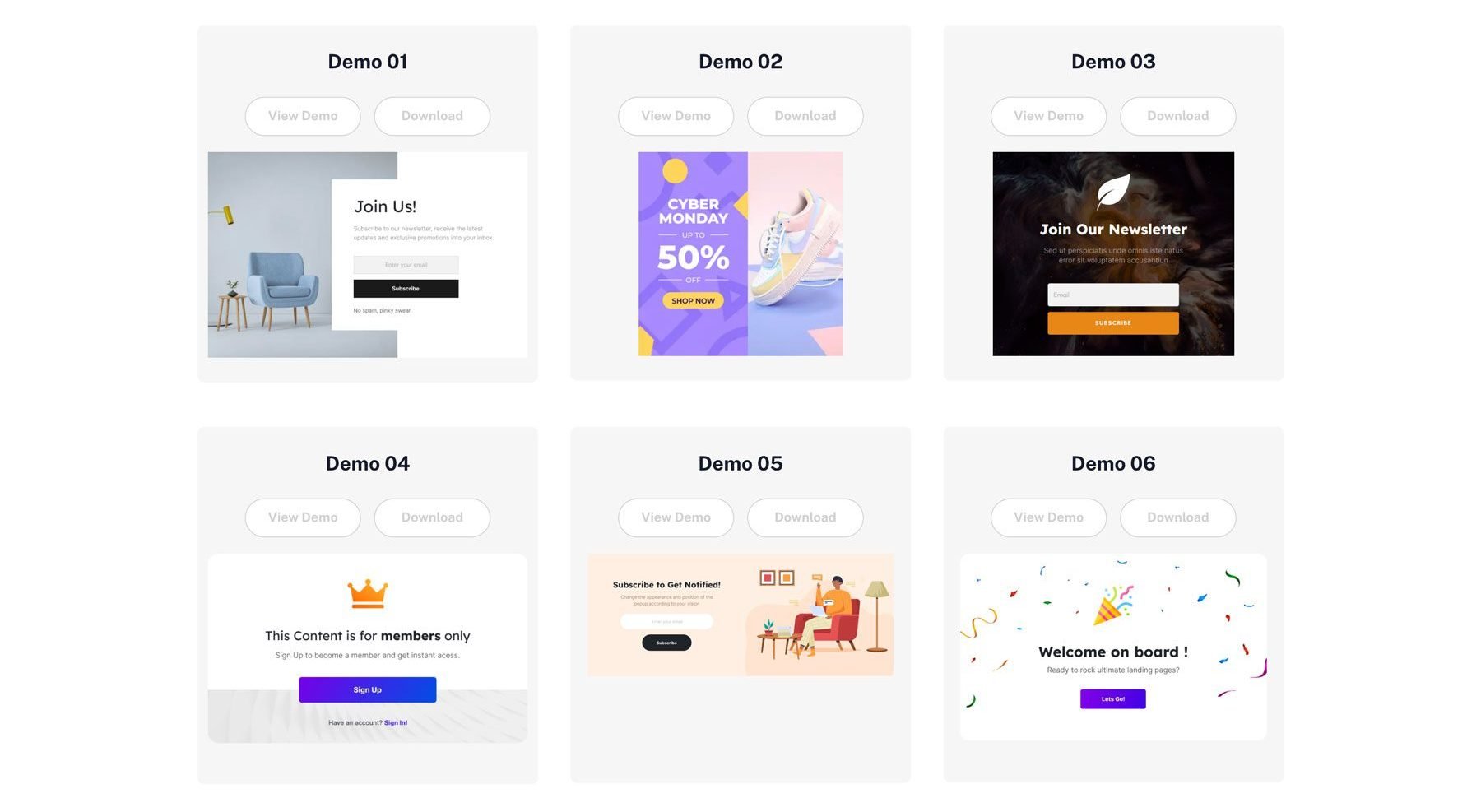
The Popup Pro extension for Divi allows you to create beautiful popups with the Divi Builder. This powerful plugin allows you to create high-converting popups that grab your visitors’ attention and turn them into subscribers or customers. With Popup Pro, you can design beautiful, on-brand popups in minutes using Divi’s no-code page builder. There are a couple of ways to create a popup, including designing one from scratch or starting from one of dozens of premade templates available in Divi Essential’s library.
Widget Library Extension
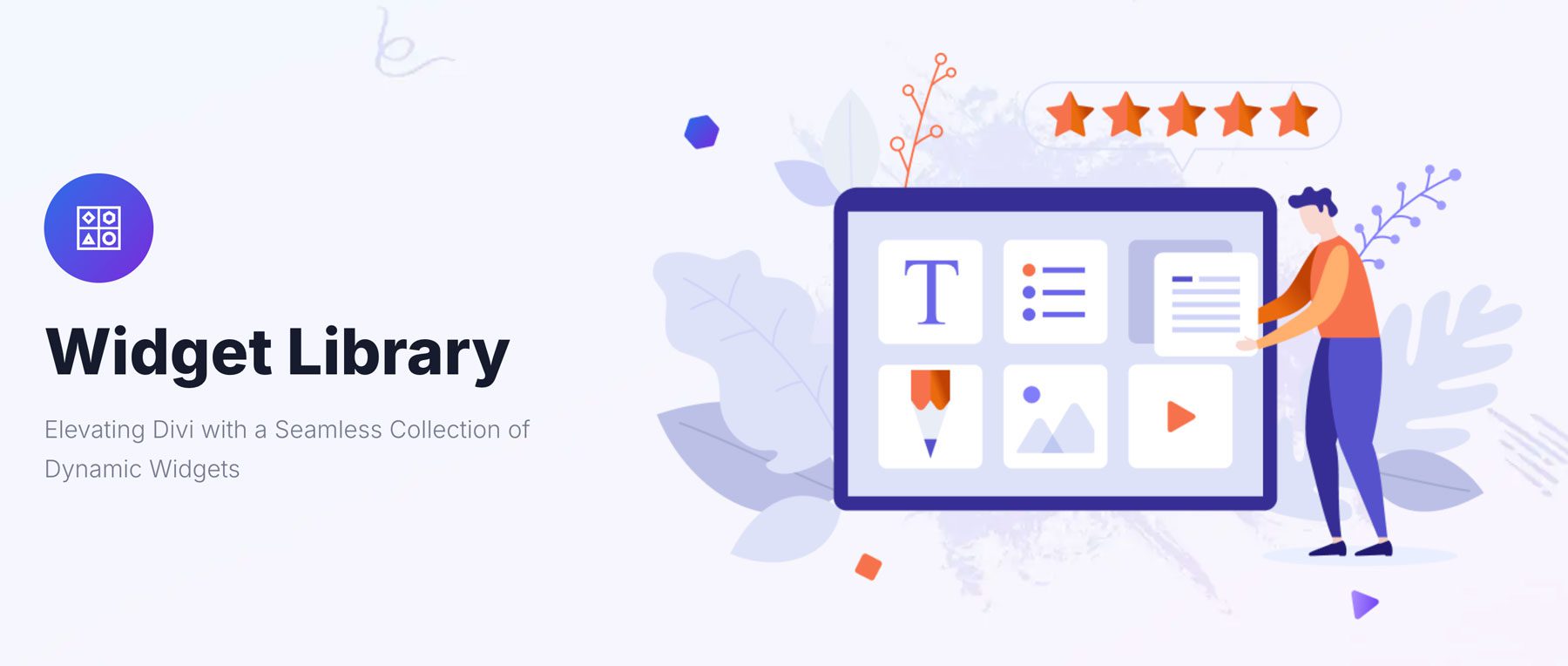
With Divi Essential’s Widget Library extension, you can embed your favorite Divi Library layouts as widgets on your website, such as the footer or sidebar. For example, you could create a promotional offer using the Divi Builder, save it as a layout, and add it to the sidebar as a widget to display in multiple places on your site without adding it manually everywhere you want to use it.
Library Shortcode Extension
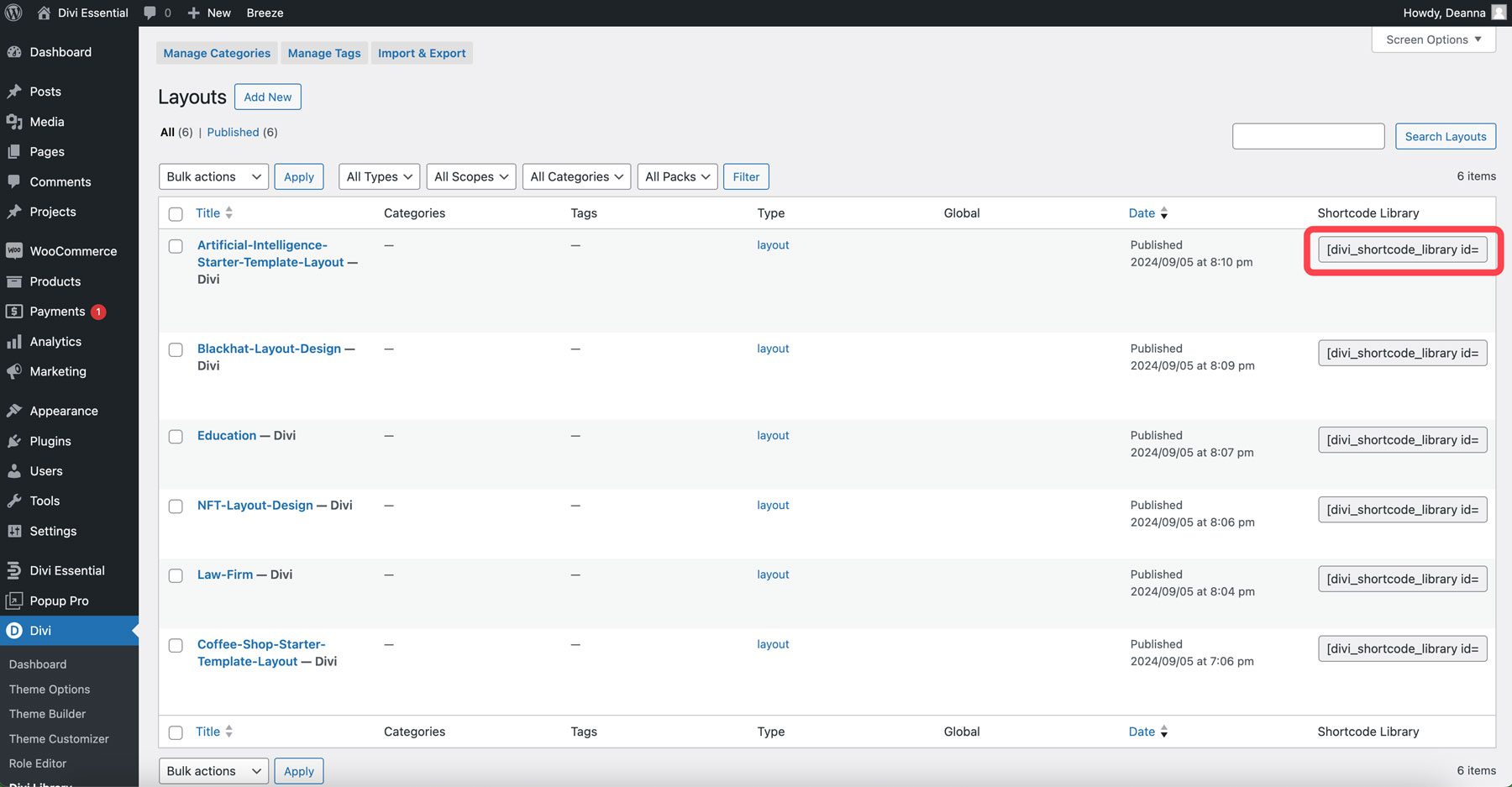
The Divi Essential Library Shortcode extension works similarly to the Widget Library extension, except it allows you to display your favorite Divi Layouts anywhere on your website with a shortcode. Simply create the layout you want, save it to the Divi Library, and copy the shortcode to use that layout anywhere on your website.
Read More Extension
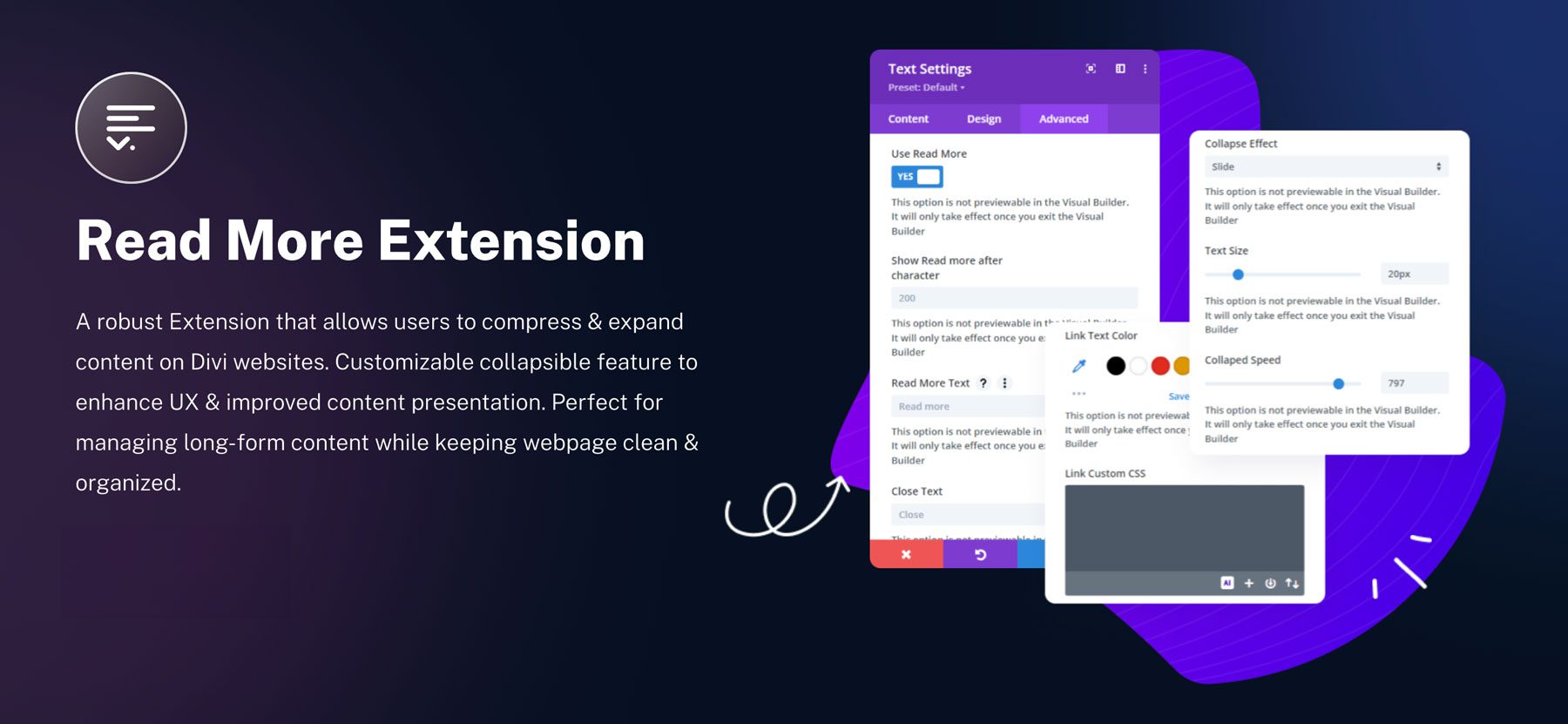
Divi Essential allows you to add a read more link to a handful of Divi Modules, including text, blog, code, CTA, and blurb. This is a great way to reduce the size of long-form content on your pages by allowing your site’s visitors to expand the content as they see fit. This allows your web pages to have a more polished look while giving your readers more options on how they view your content.
Custom Attribute Extension
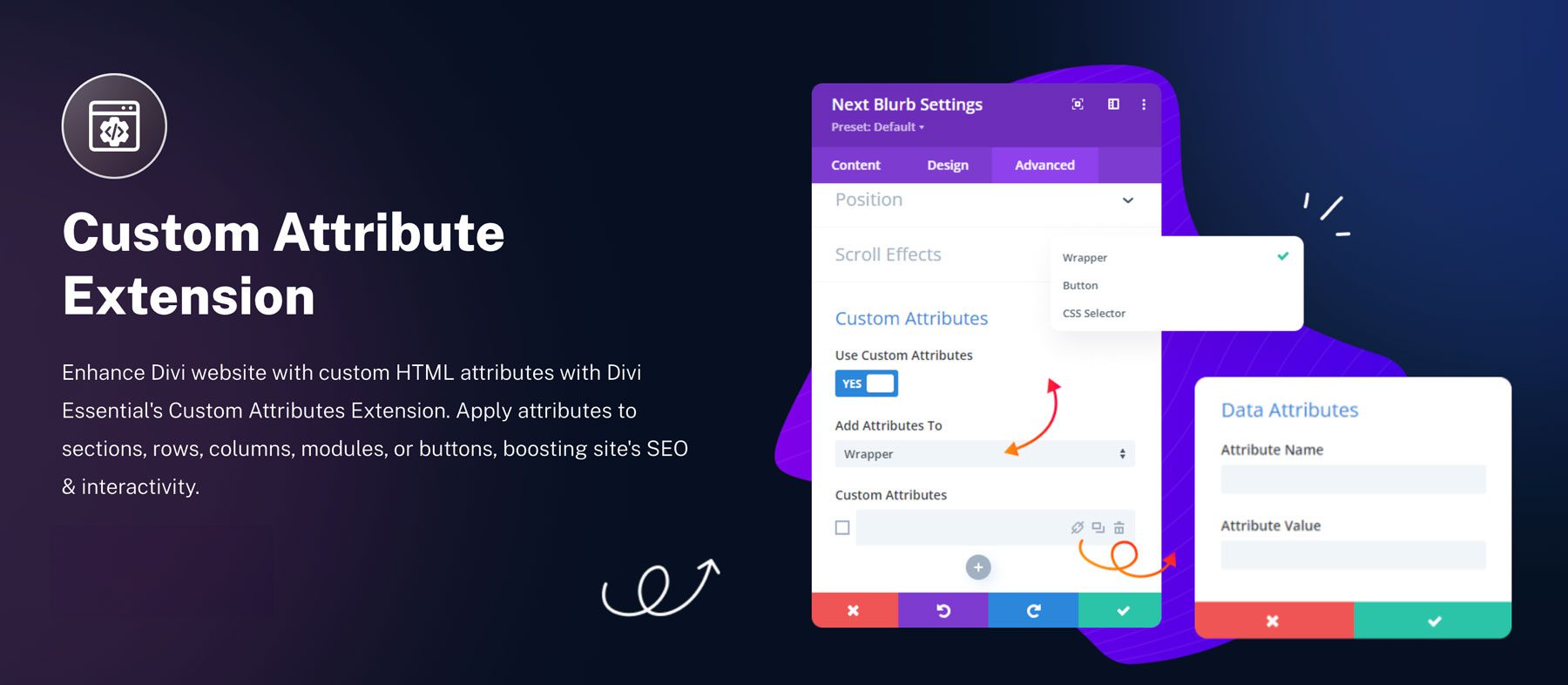
Divi Essential’s Custom Attribute extension allows you to unlock the full potential of your Divi websites. With it, you can add custom tags (HTML attributes) to sections, rows, columns, modules, or even buttons. This gives you better control over how your website looks and behaves. Not only that, but attributes can actually improve your SEO. By customizing meta tags and other SEO-relevant attributes, you can give your site a better shot at ranking well in search results. You can add custom attributes to trigger specific actions, apply unique CSS classes, and more.
Divi Essential Modules
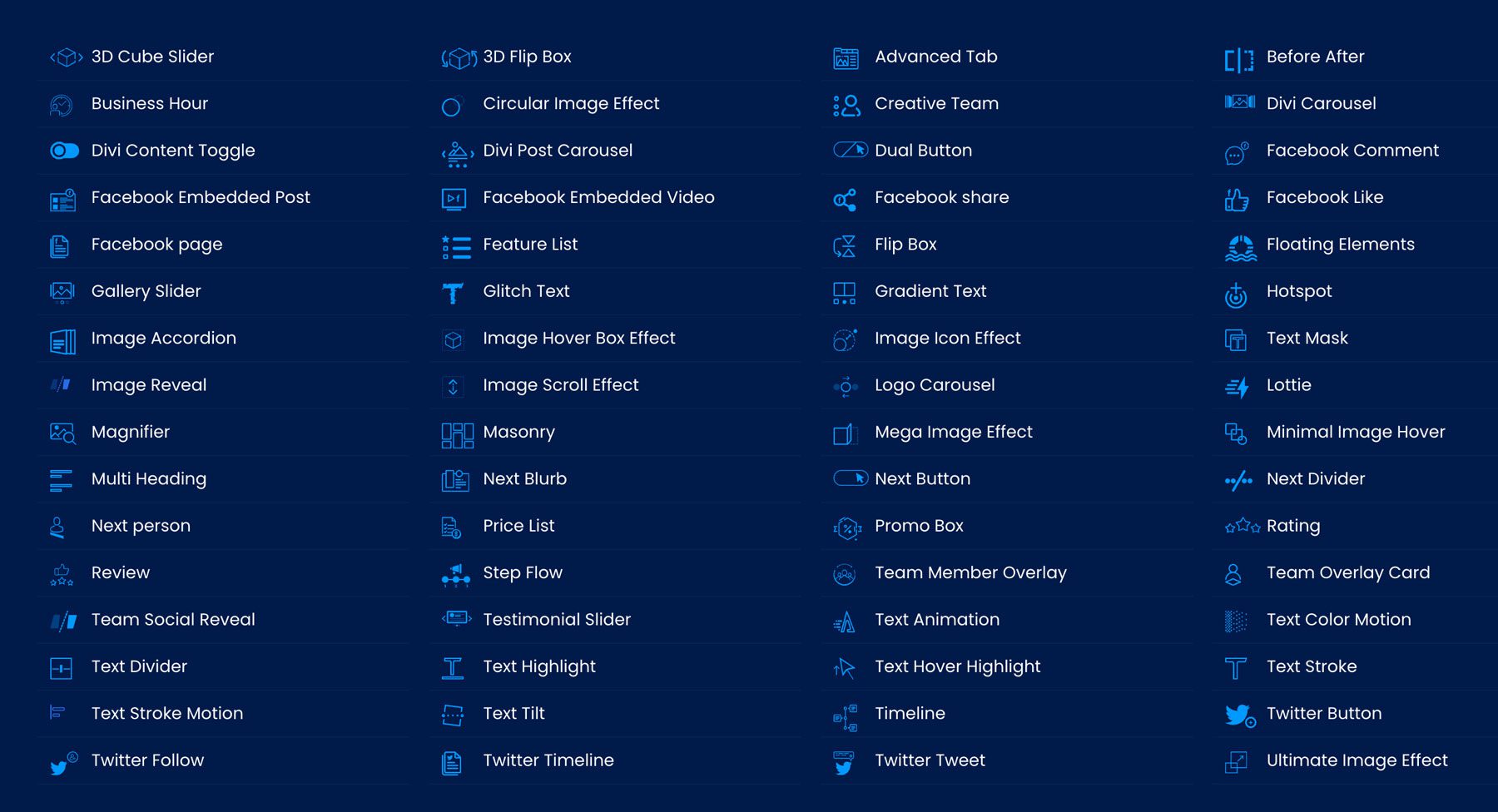
Out of the box, the Divi theme comes with over 200 design modules to build your website. With Divi Essential, you’ll add another 65 to the mix. There are modules for almost anything you can imagine, from horizontal and vertical timelines to custom Lottie animations, all designed to give your Divi website a little extra flair. Divi Essential has you covered whether you want to add custom text animations or highlight important content in beautiful flip boxes.
Let’s examine some of the more notable Divi Essential modules.
3D Flip Box
With the 3D Flip Box module, you can customize your content endlessly. Add buttons, icons, titles, and descriptions, and watch your text and images come to life in stunning 3D animation.
Ultimate Image Effect
Transform static images into interactive masterpieces with Divi Essential’s Ultimate Image Effect module. Choose from 24 stunning effects to instantly captivate your site’s visitors and add a dynamic touch to static web pages.
Divi Content Toggle
Need to highlight crucial details like pricing on your website? The Divi Content Toggle is your go-to solution. Not only can you embed any Divi layout for a custom look, but you can also create content within the module itself for endless design possibilities. With Divi’s powerful design settings, you can customize the toggle switch to match your branding.
Next Blurb
The Next Blurb modules give the Divi Blurb Module an interactivity boost. It provides endless creative possibilities to build interactive content in just a few clicks. With over 12 positions for images and icons, three options for titles, a 3D view, and tilt effects, you can create dazzling blurbs.
Team Social Reveal
The Team Social Reveal module from Divi Essential brings a fresh and engaging twist to the built-in team module that comes standard with the Divi theme. With subtle animations, your team’s social media profiles will reveal themselves in a captivating way, encouraging visitors to connect.
Divi Advanced Tabs
Transform your Divi website with the Advanced Tab module. Create dynamic content tabs with various customization options, including 50+ animations, vertical or horizontal layouts, and seamless integration with the Divi Builder. Tabs can contain images, text, buttons, icons, and more, and they can transform boring, static text into interactive sections that encourage visitors to engage with your content.
Divi Essential Layouts
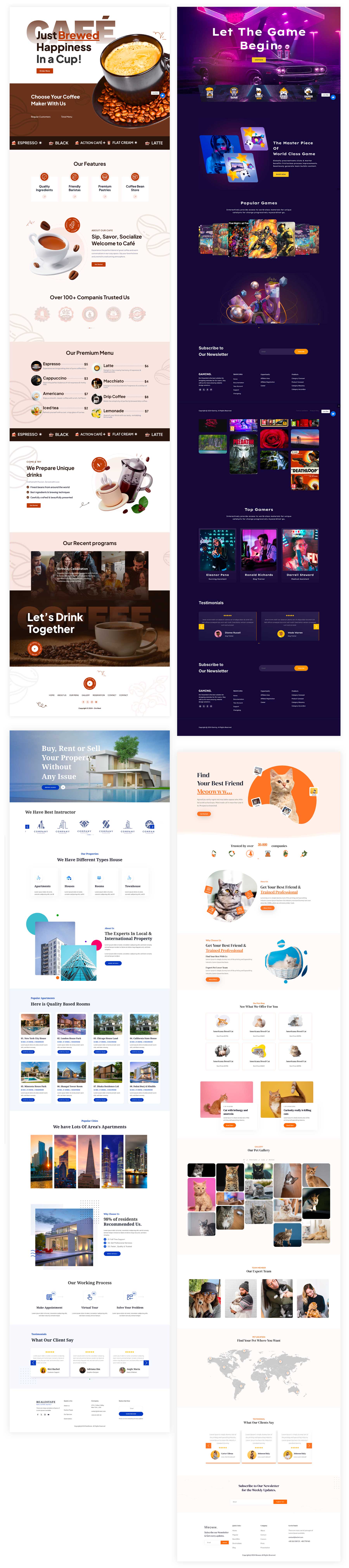
In addition to extensions and modules, Divi Essential comes with a large library of premade layouts and full websites. There are over 40 starter layouts covering a wide range of genres. The layouts included with the plugin are all fully responsive, easily customizable with the Divi Builder, and come with regular updates to keep your WordPress website running smoothly. There are layouts for web agencies, handyman services, gaming, pets, and more, all easily downloaded from their website. Simply import a JSON file to your Divi Library, assign it to a page on your website, and customize it to match your branding.
Here are a few examples of layouts available with the plugin:
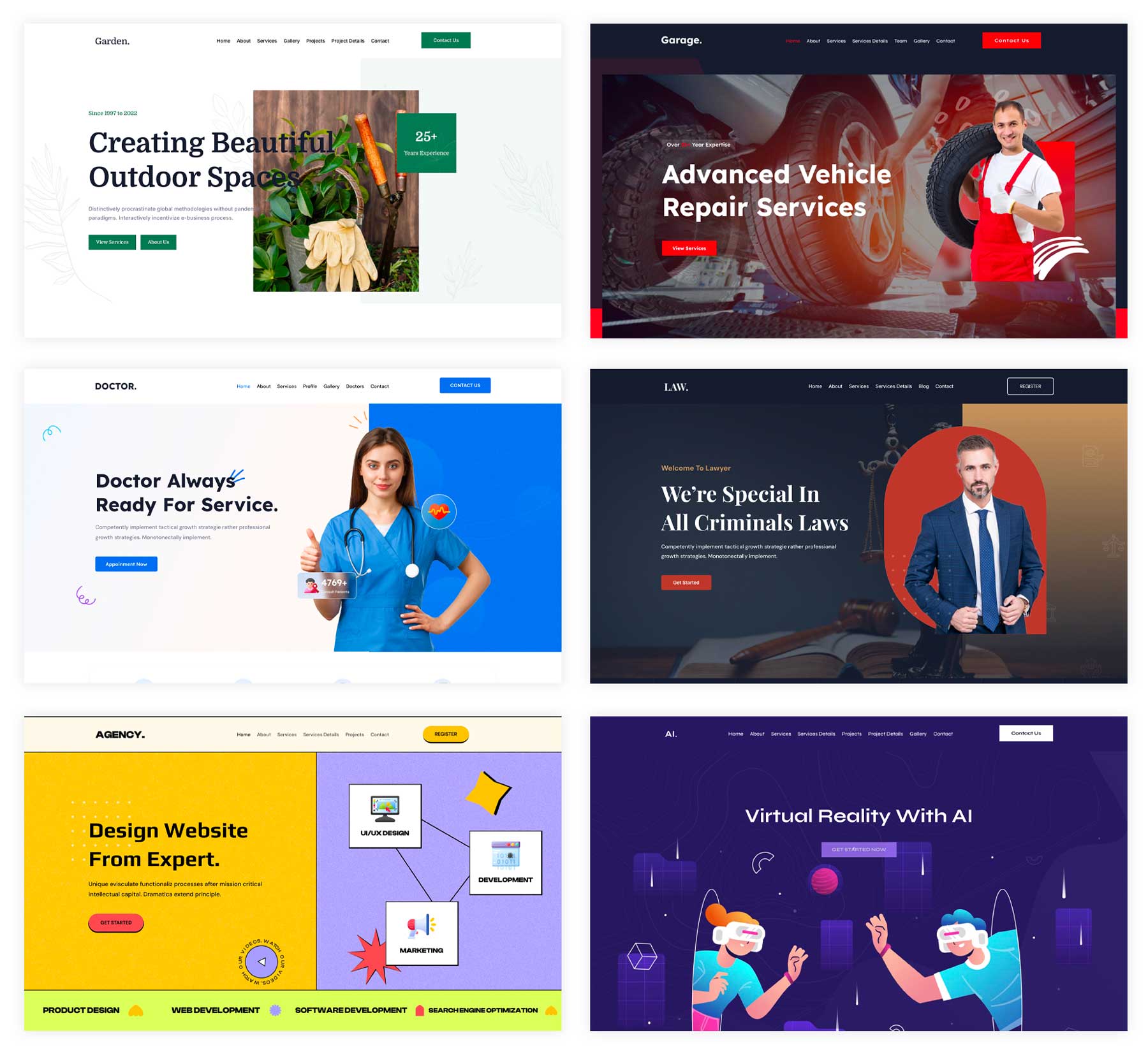
In addition to layouts, the plugin also offers a collection of prebuilt websites. Each website has a home page, all inner pages, and a unique color palette. Like the layouts included with the plugin, every page on these websites can be fully customized using the Divi Builder. There are six websites to choose from: Gardener, Garage, Medical, Law Consultant, Agency, and AI. The best part? Each website uses Divi and Divi Essential modules, which are full of cool animations, text effects, and other eye-catching elements to encourage your visitors to act.
How To Install Divi Essential
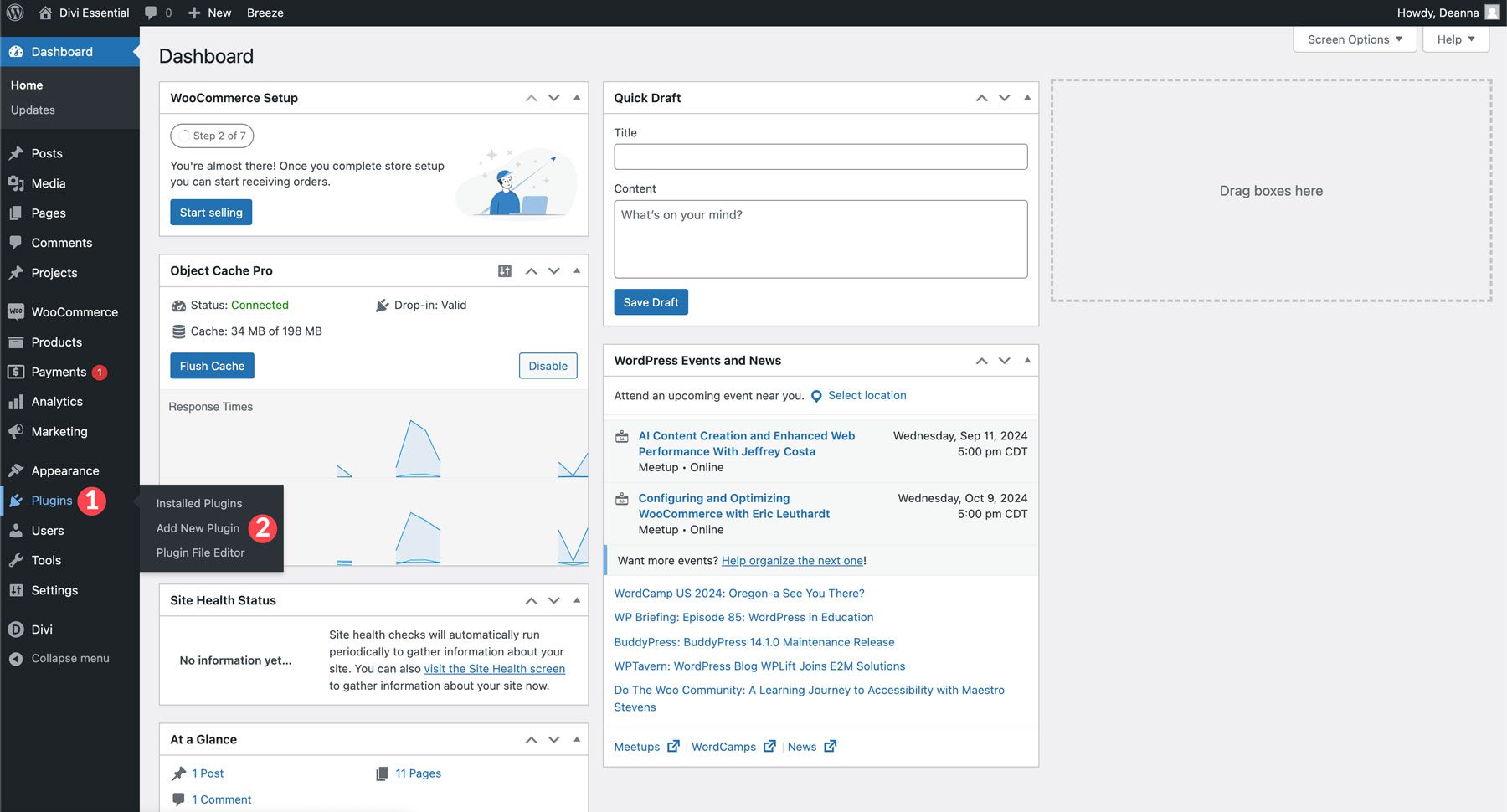
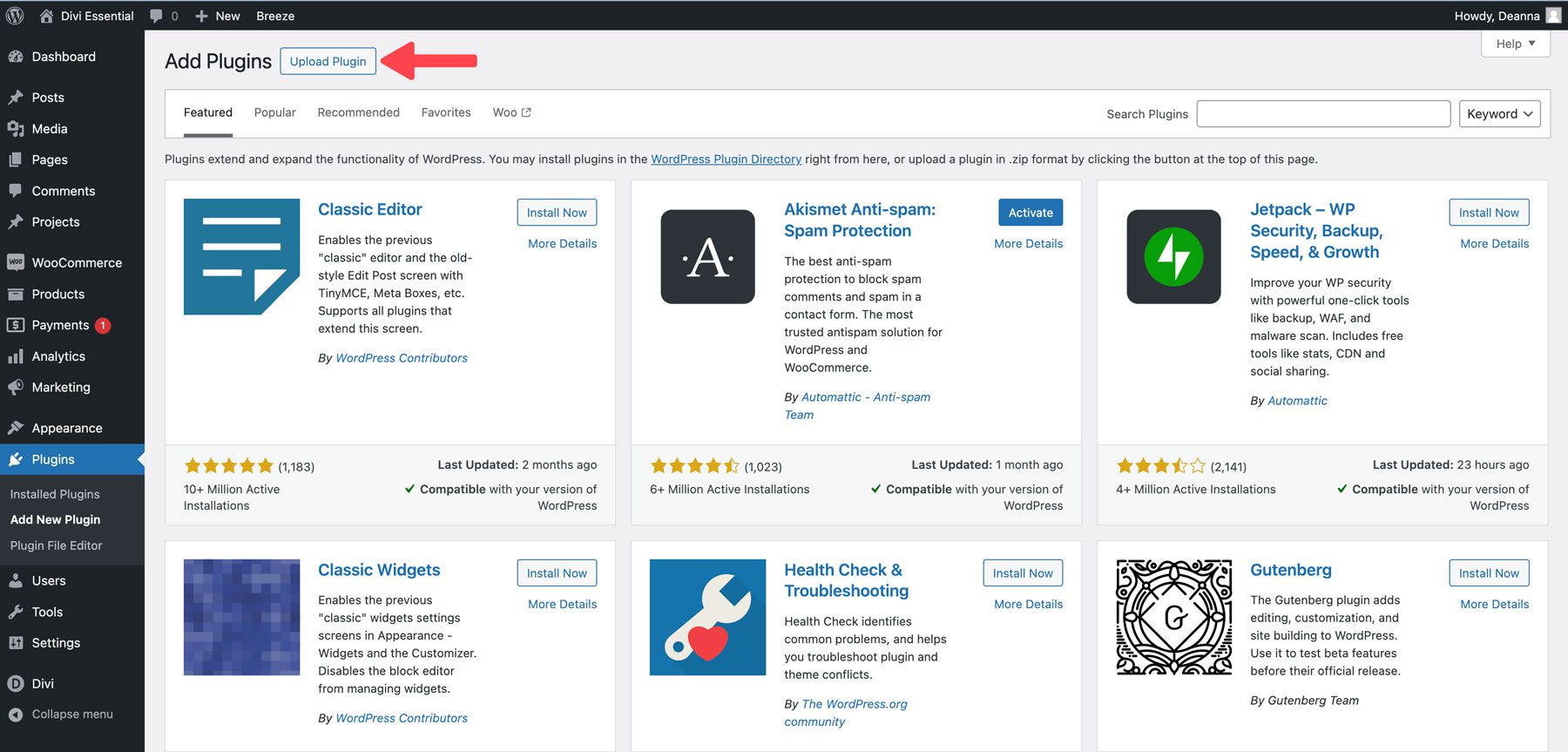
Installing the plugin is a straightforward process that only takes a few minutes. If you’re not familiar with installing plugins on WordPress, no worries. We have you covered. Start by navigating to Plugins > Add New Plugin.
Click the Upload Plugin button at the top left of the page.
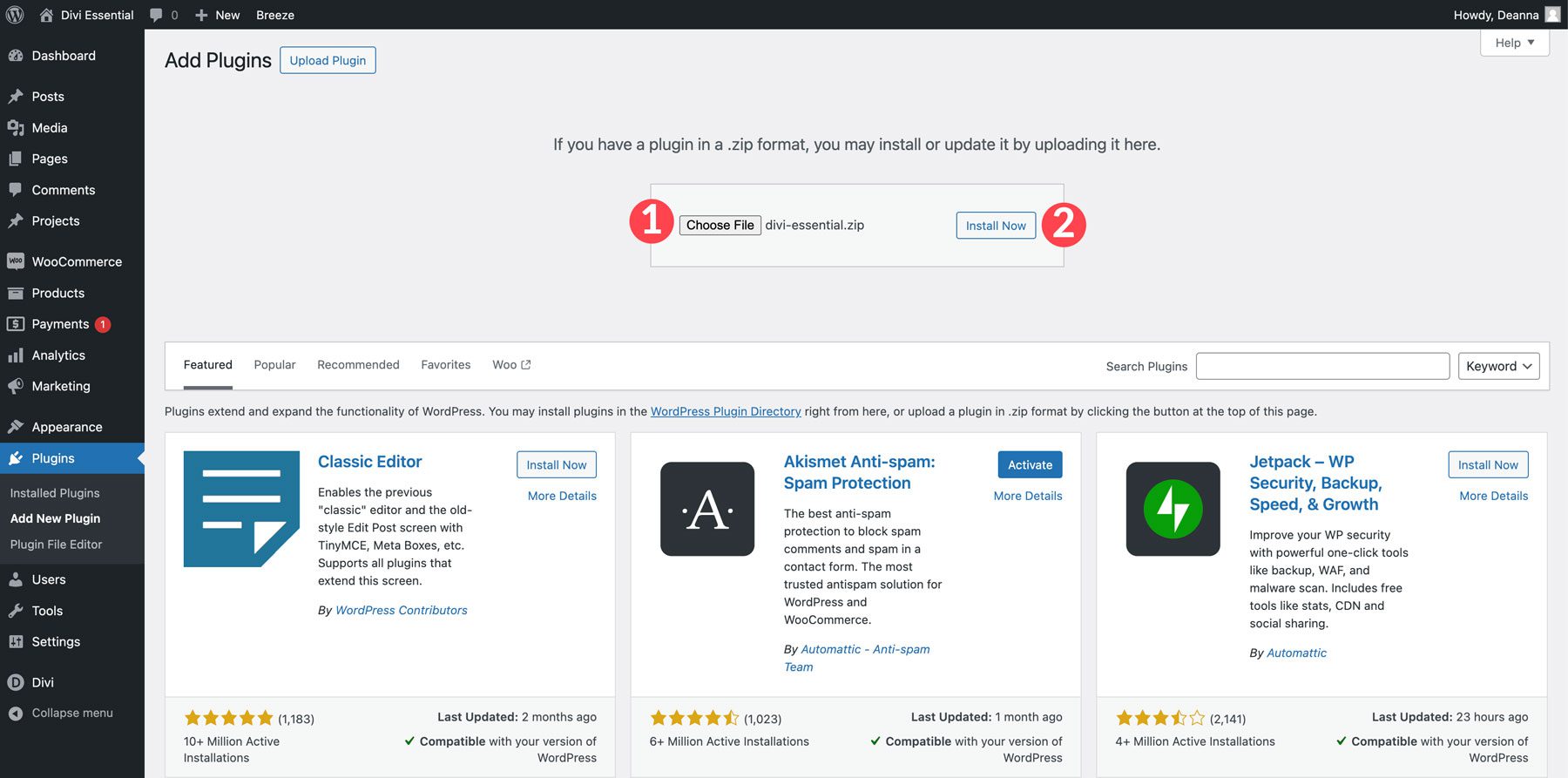
Next, click the Choose File button to locate the Divi Essential zipped file. Once loaded, click Install Now to install the plugin on your WordPress site.
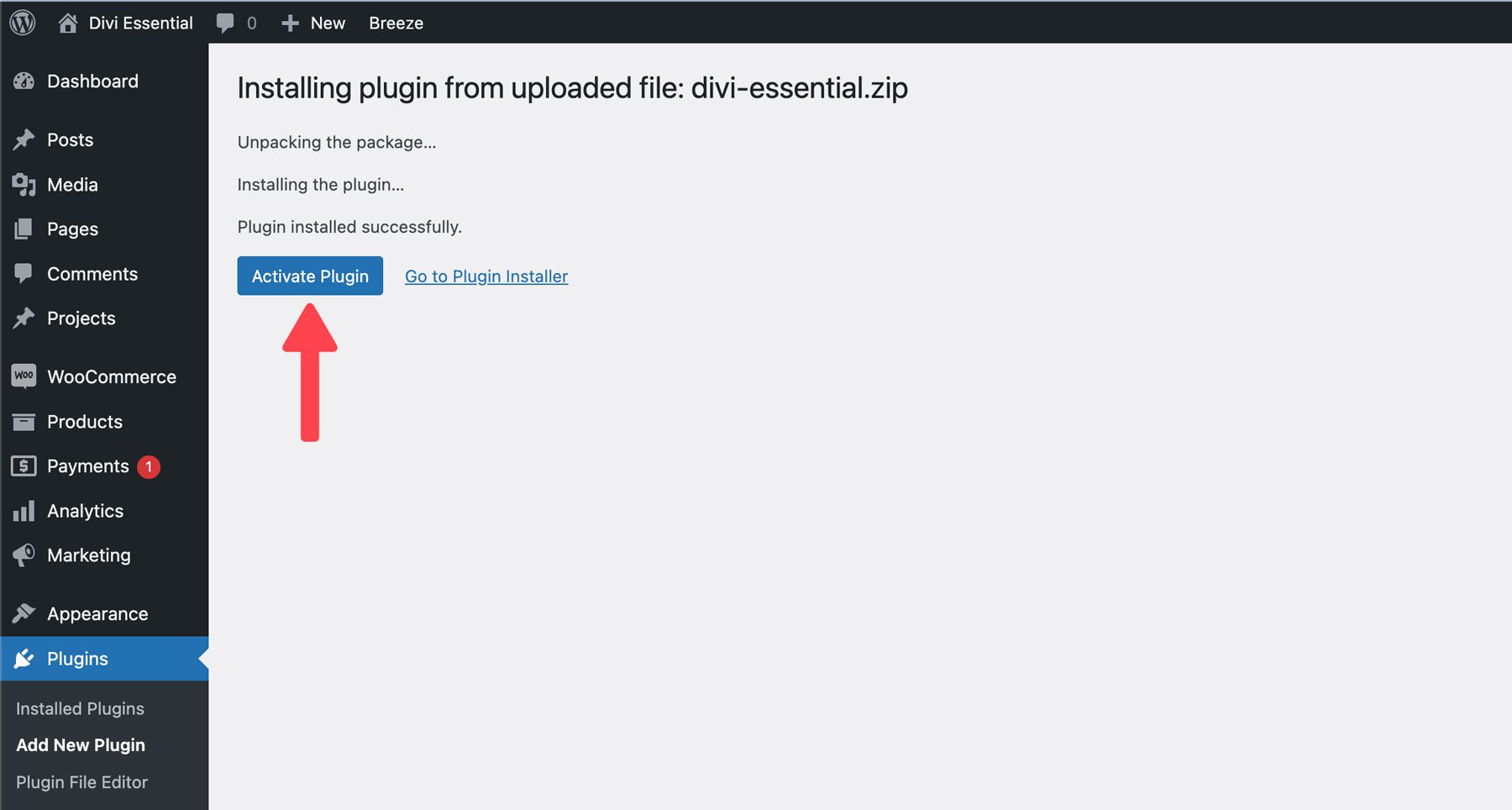
Once the plugin is installed, click the Activate Plugin button.
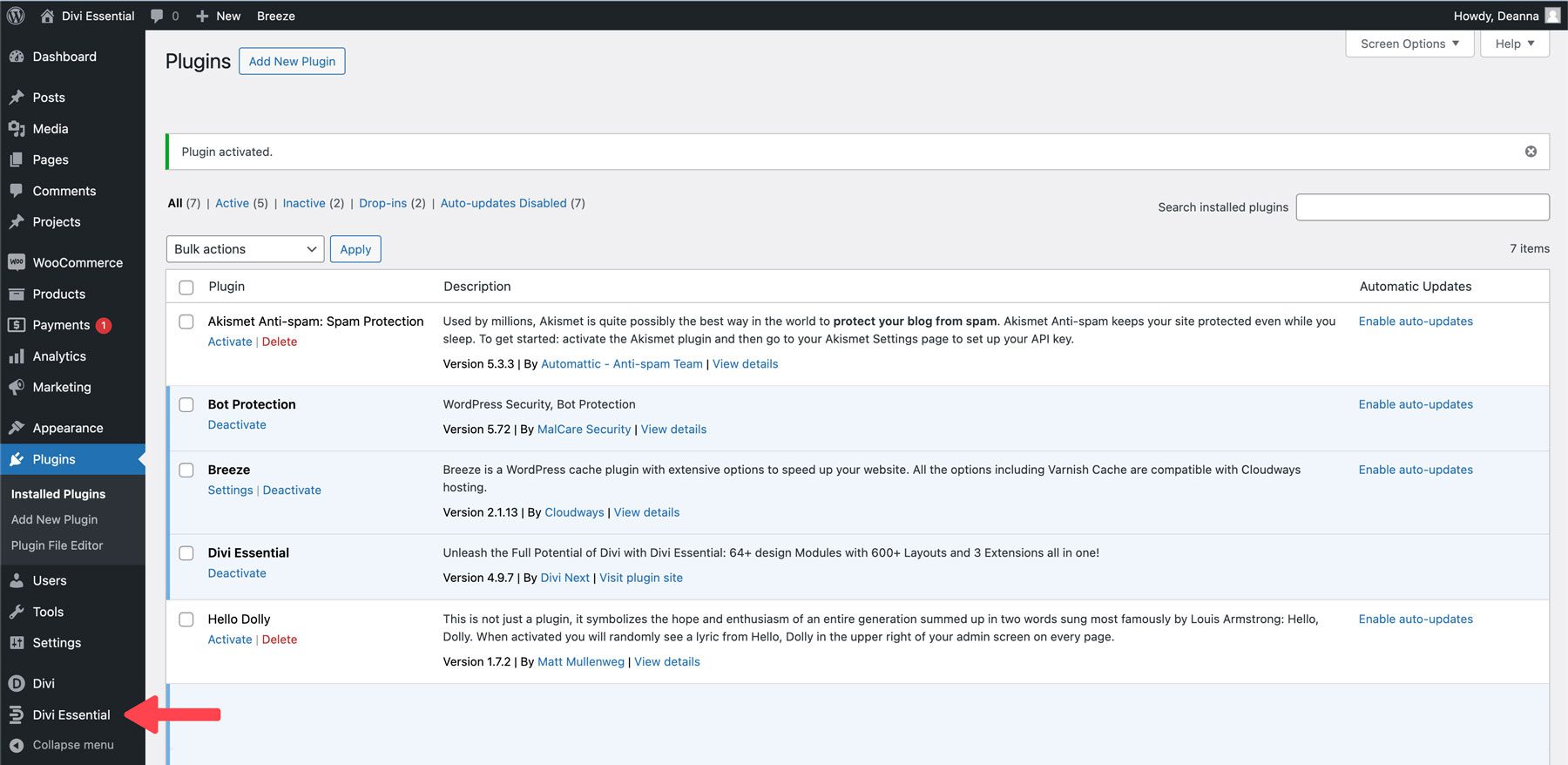
After the plugin is installed, a new Divi Essential menu tab will be visible.
Exploring the Divi Essential Interface
The Divi Essential dashboard provides three tabs to control which features you want to use, along with documentation, support, and feature request sections.
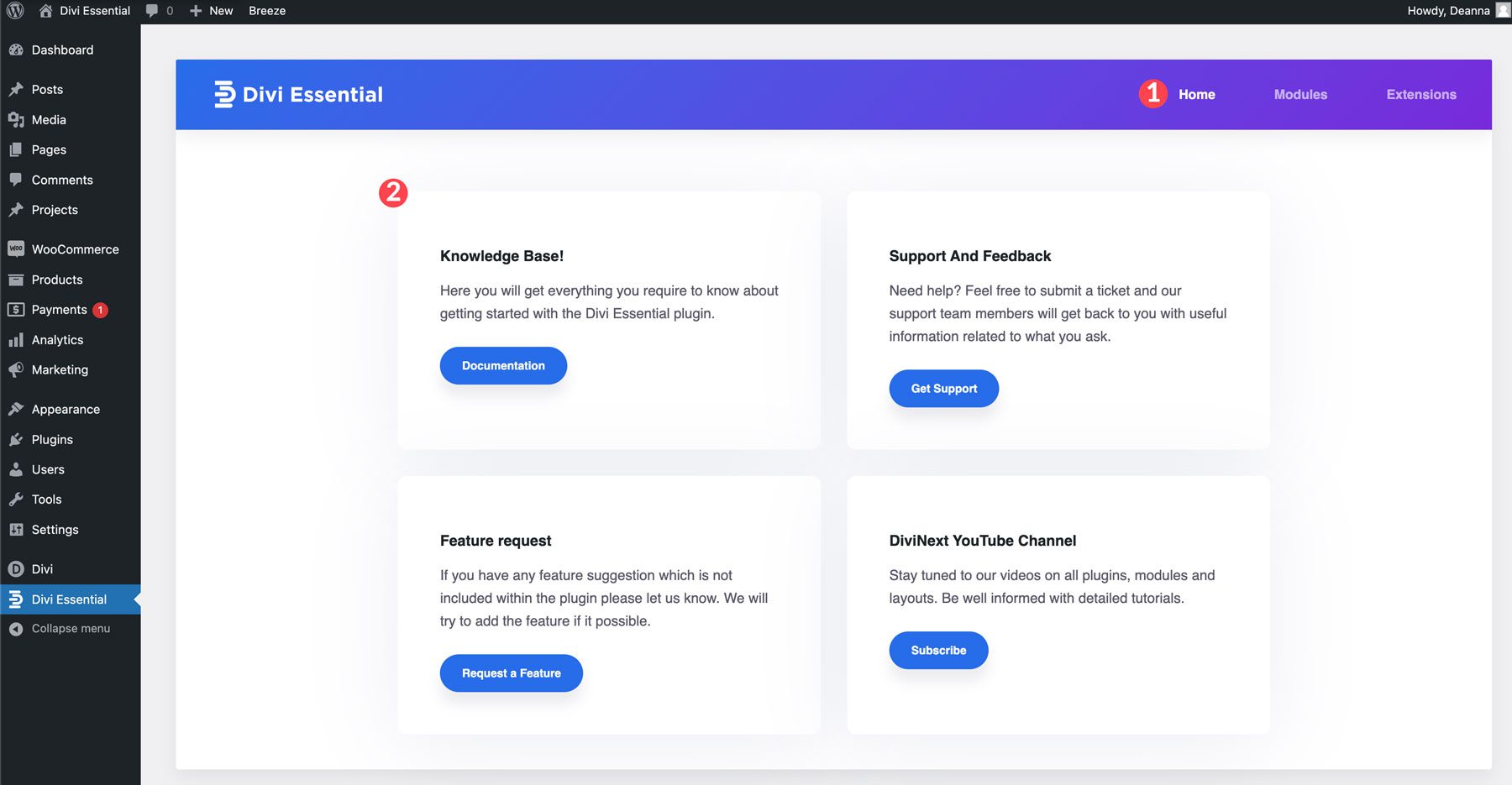
You can easily enable features you want to use or toggle them off to eliminate any modules or extensions you don’t plan to use.
How To Create a Popup With Divi Essential
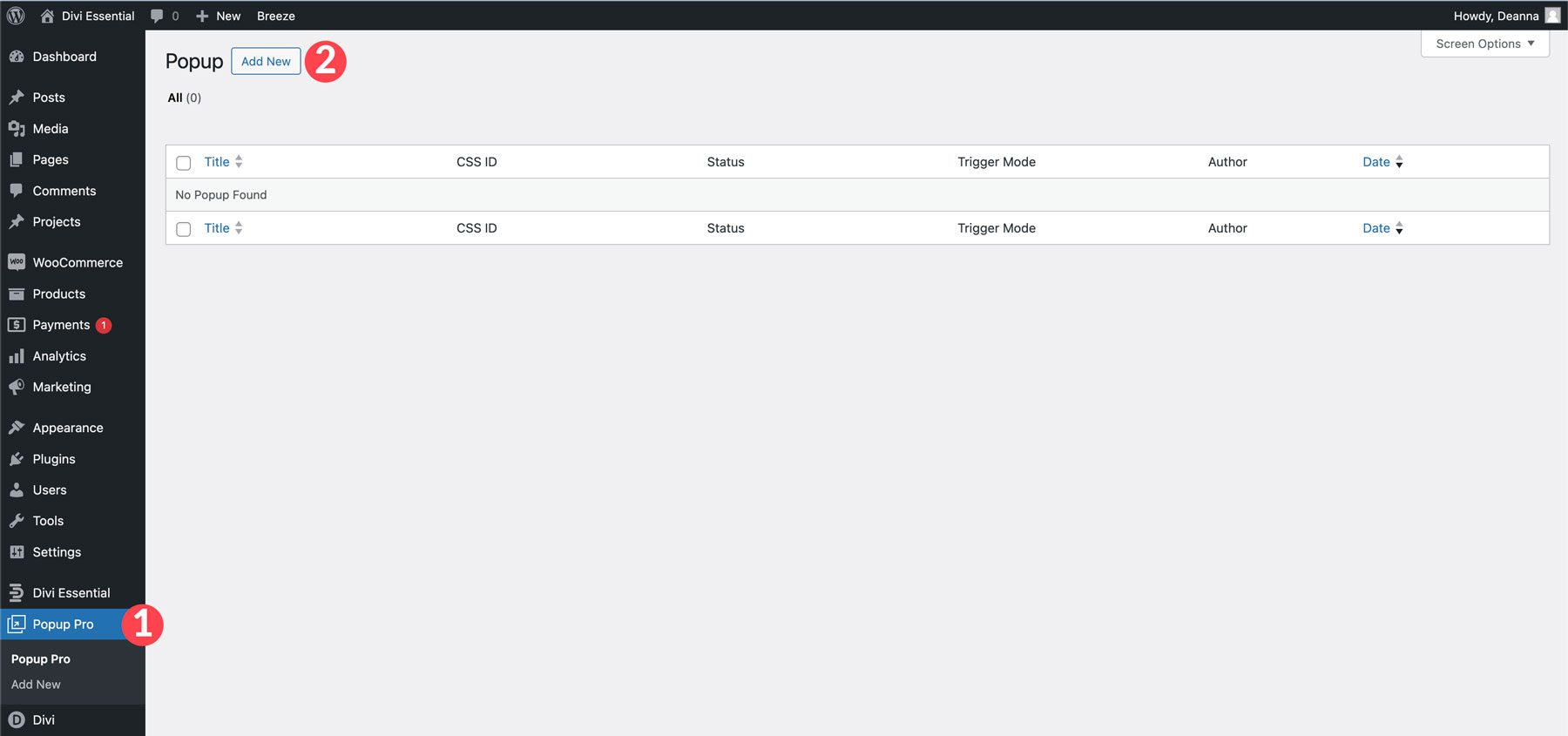
With the Divi Popup Pro extension enabled, you can create beautiful popups on your website. Locate the Popup Pro menu tab and click Add New.
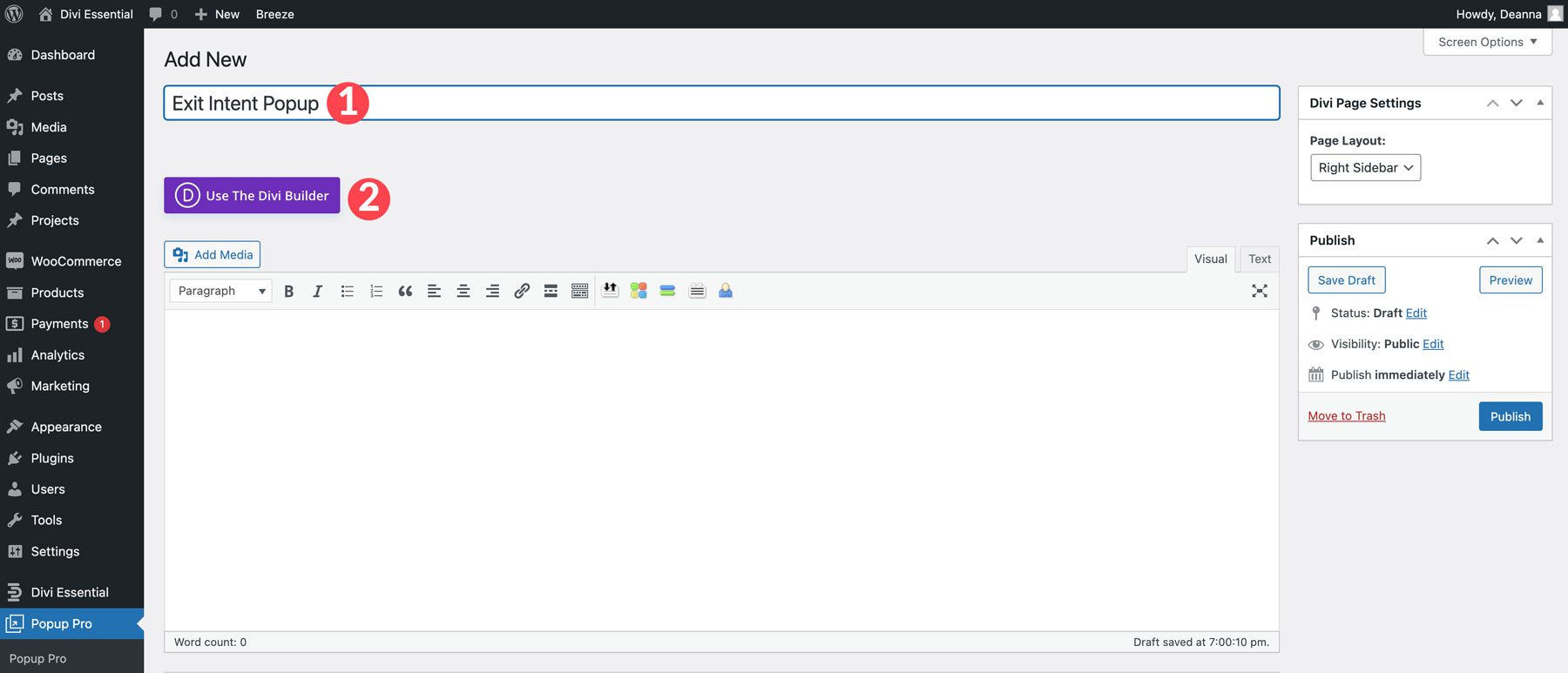
From there, you can use the Divi Builder to create any layout you like. Give your popup a title and click Use the Divi Builder.
For this example, we’ll use one of DE’s premade popup layouts and adjust the design to match the coffee layout. For this post, we’ll assume you know how to import layouts into the Divi Library. However, if you need guidance, check out our post on importing & exporting Divi Builder layouts in the Divi documentation.
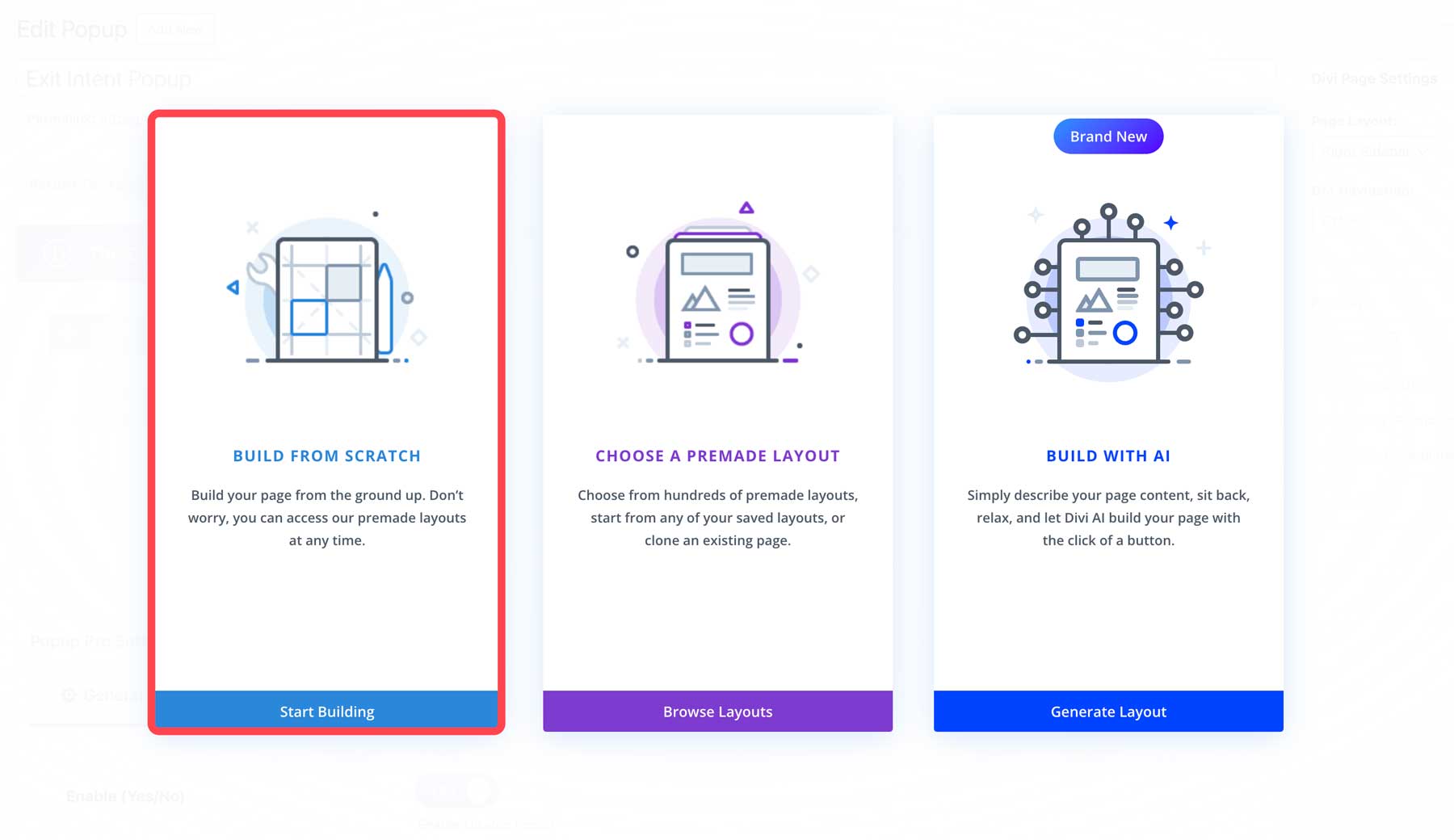
With the Divi Builder enabled, choose Build From Scratch.
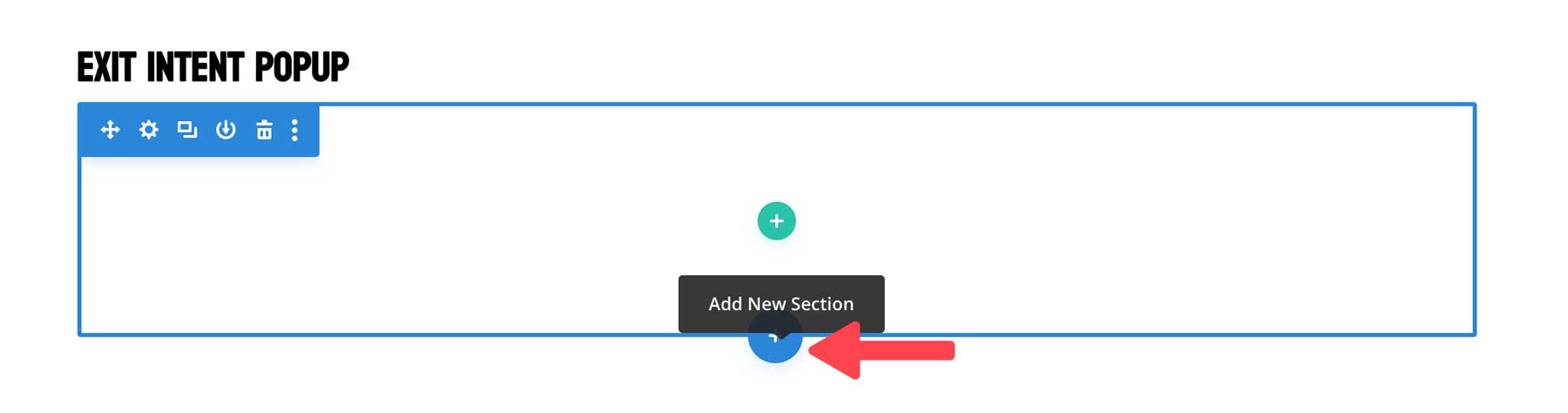
Next, add a new section by hovering over the page and clicking the blue + icon.
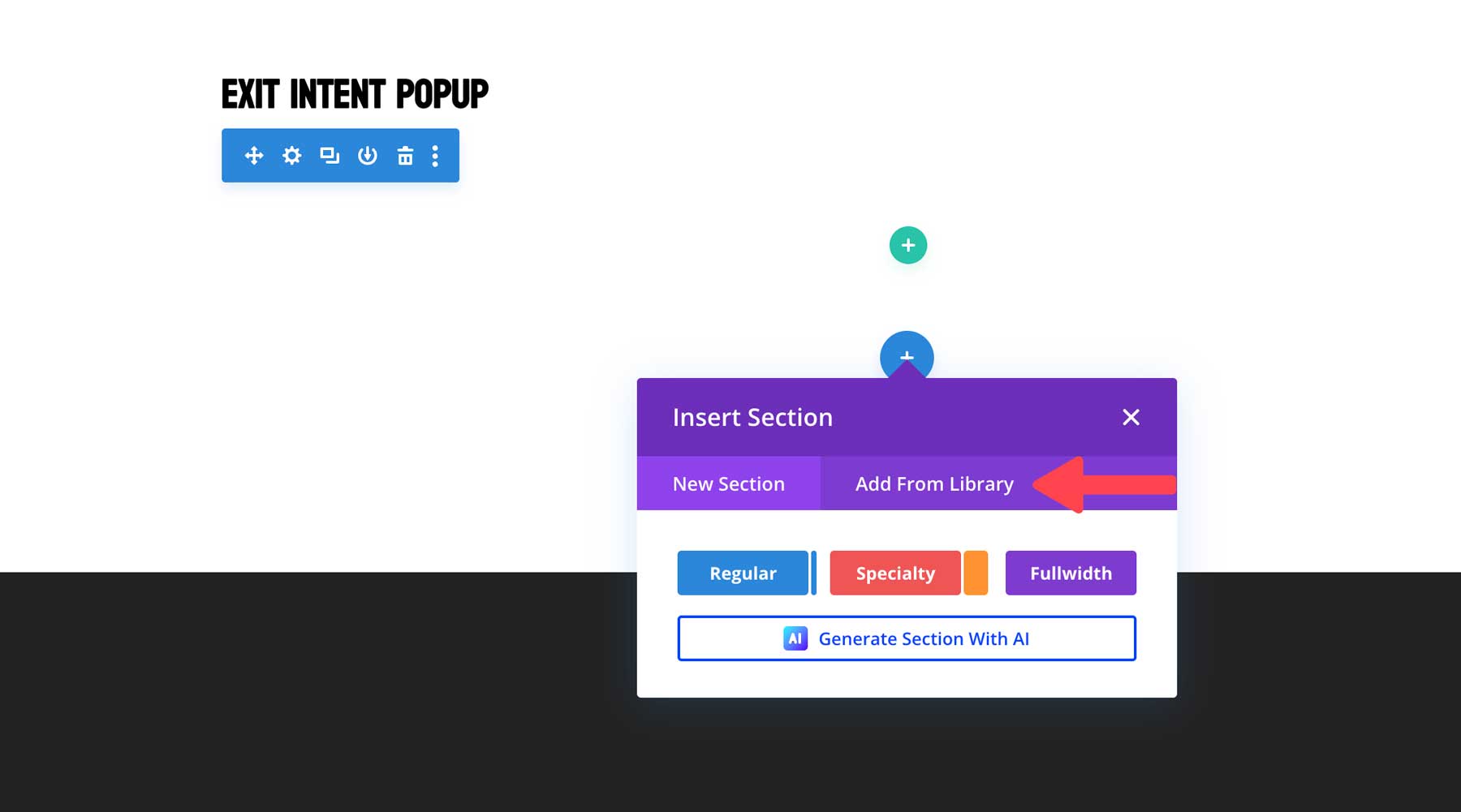
Select the Add From Library tab.
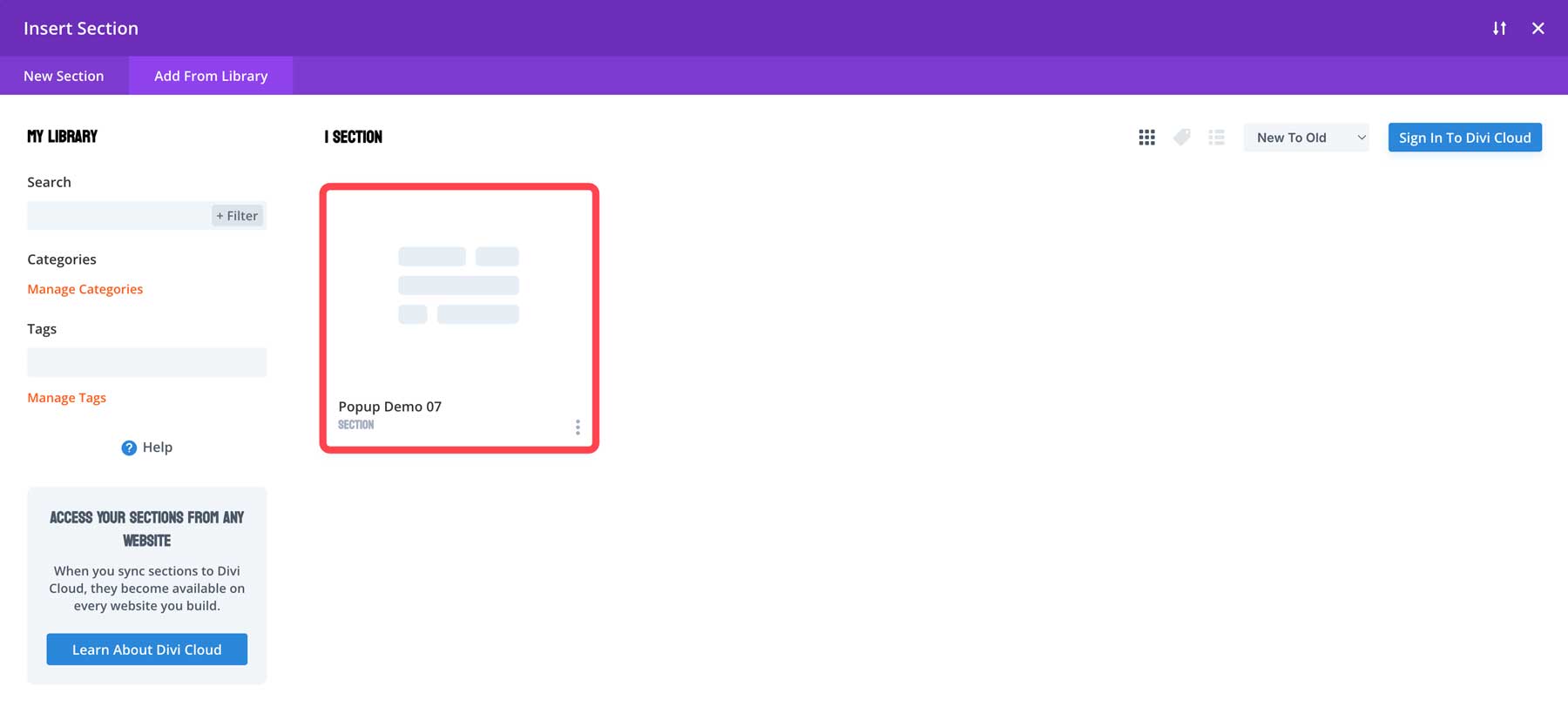
When the dialog box appears, click the Popup Demo Layout from your Divi library.
Finally, click the Use This Section button to install the layout.
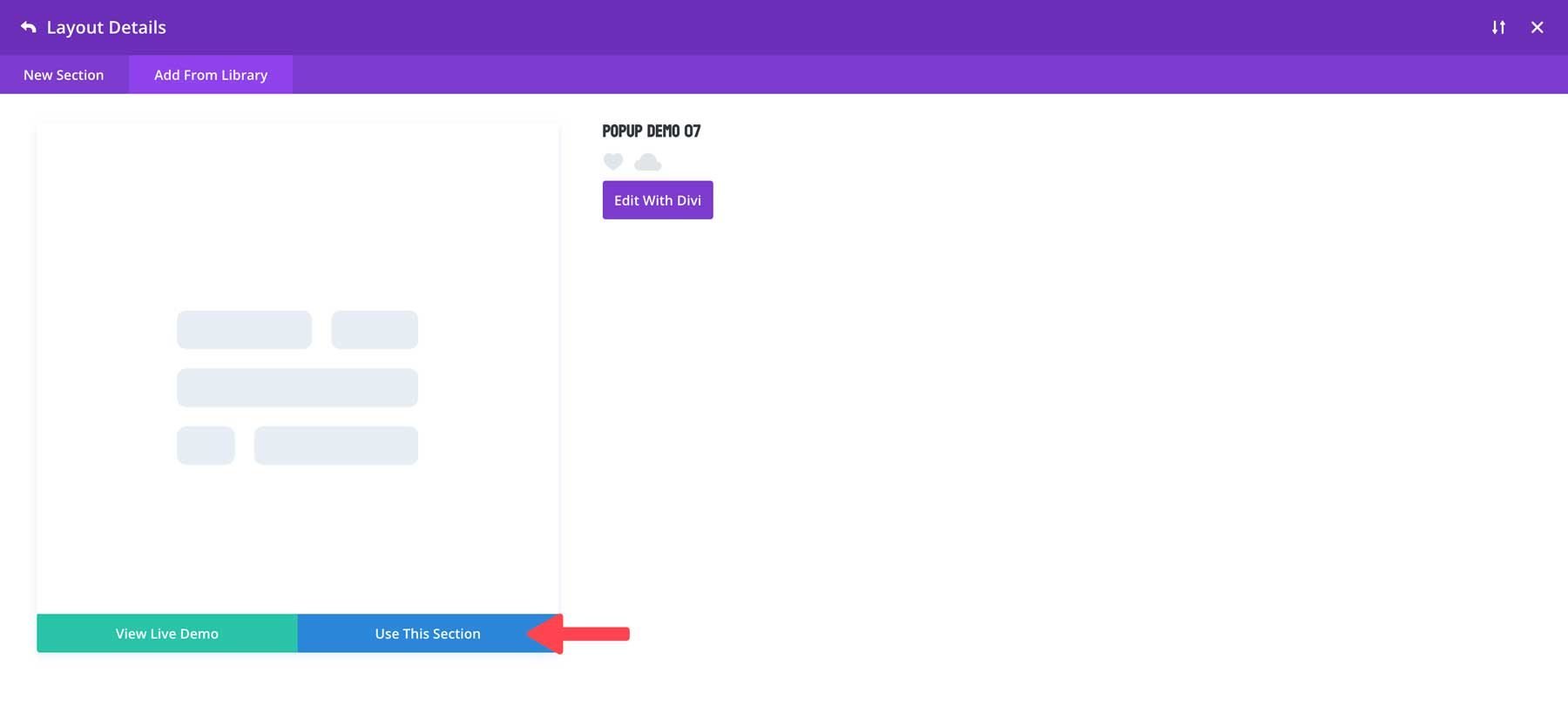
Divi will import the saved layout in seconds. From there, you can design the popup to match the rest of your website.
Customize The Popup
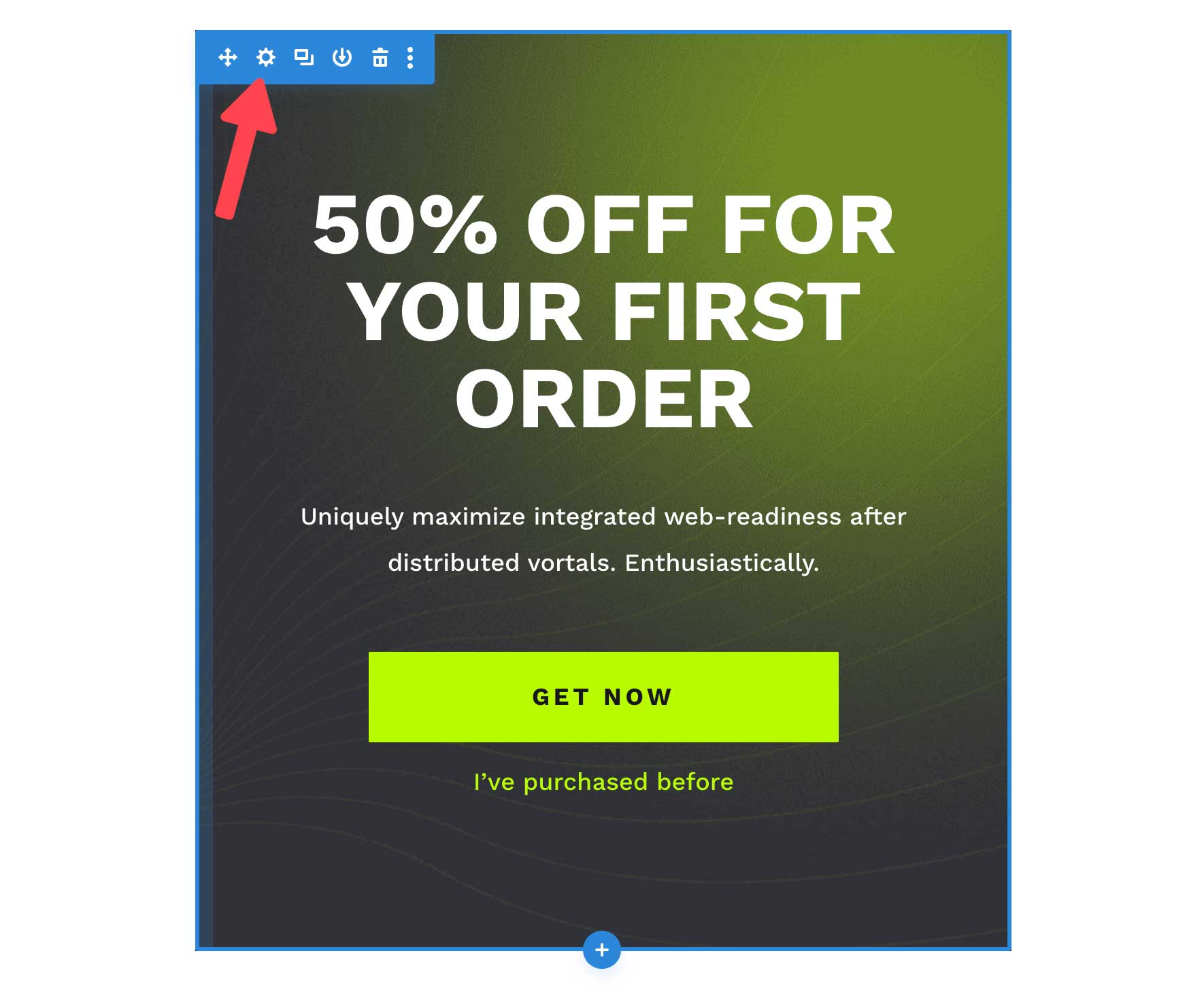
As previously mentioned, we’ll style the popup to match the coffee layout provided by Divi Essential. You can download any of these layouts here. The first thing we’ll do is change the gradient background and add an image. Edit the section by hovering over the page and clicking the settings icon.
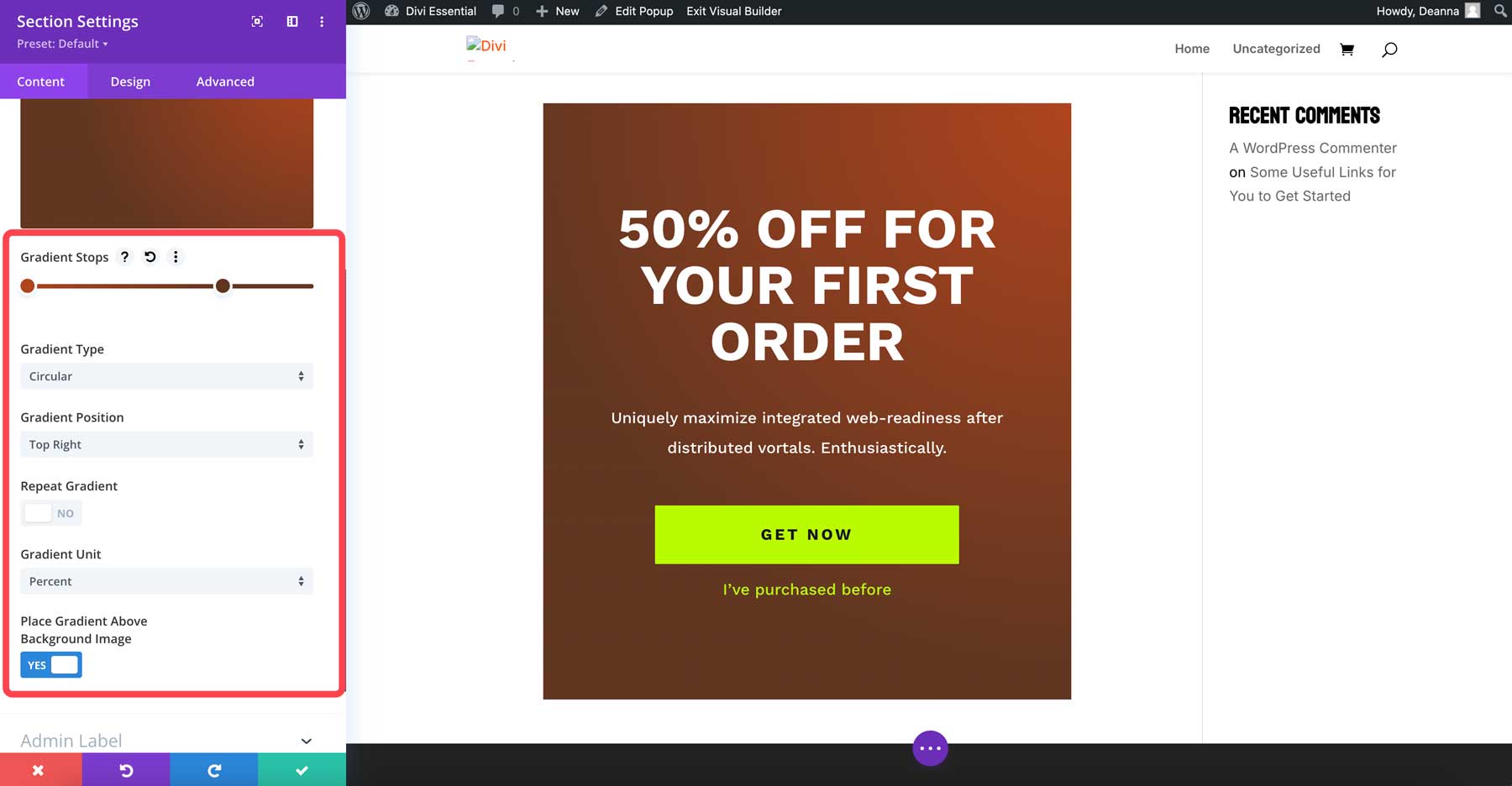
Use the following colors for the gradient: #b0441d & #623620. Set the first gradient color to 0 with the second at 70%. Select circular for the gradient type, top right for the gradient position, and set the place gradient above background image to yes.
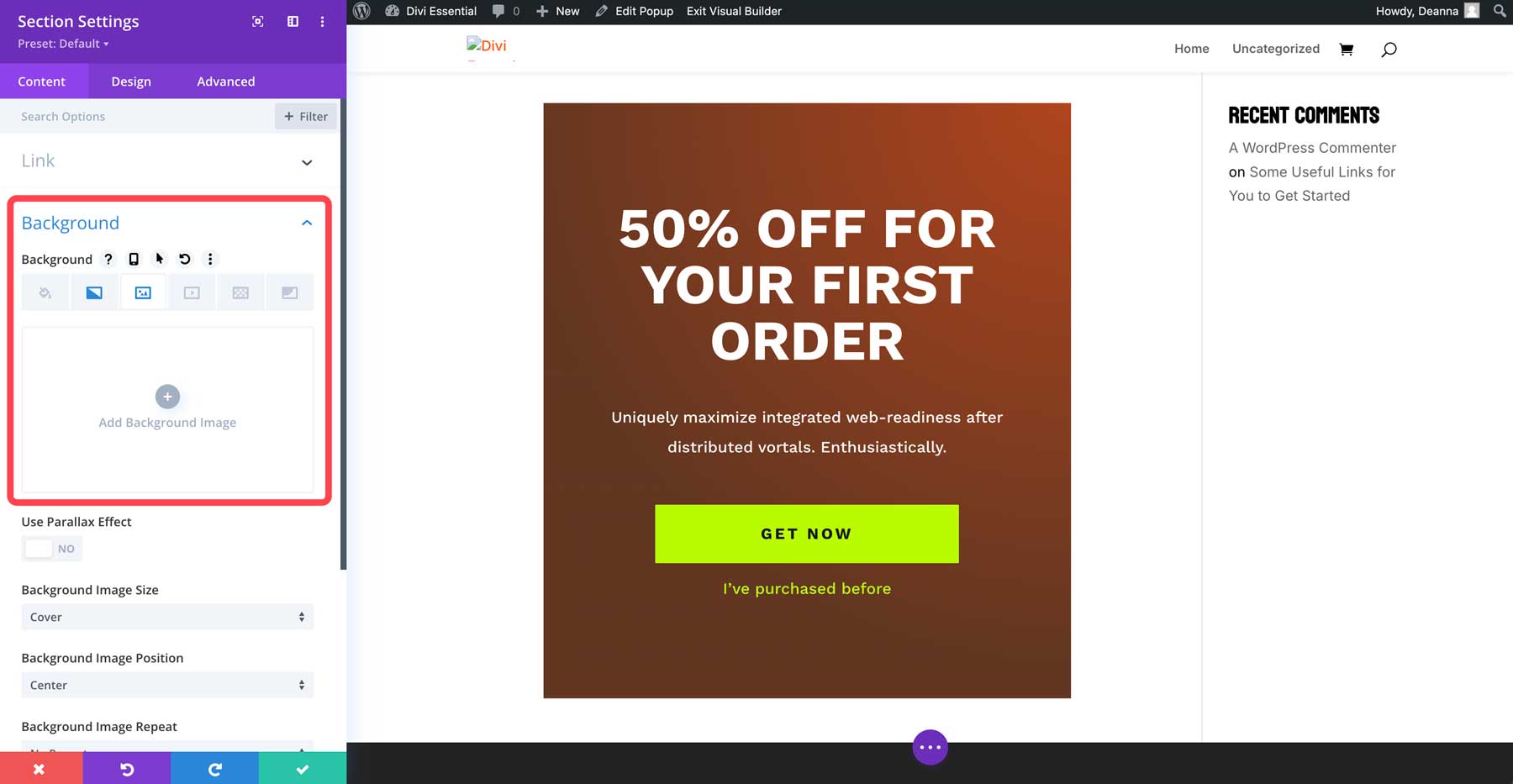
Next, we’ll add a background image. Click the background image tab to upload a photo or generate one with Divi AI.
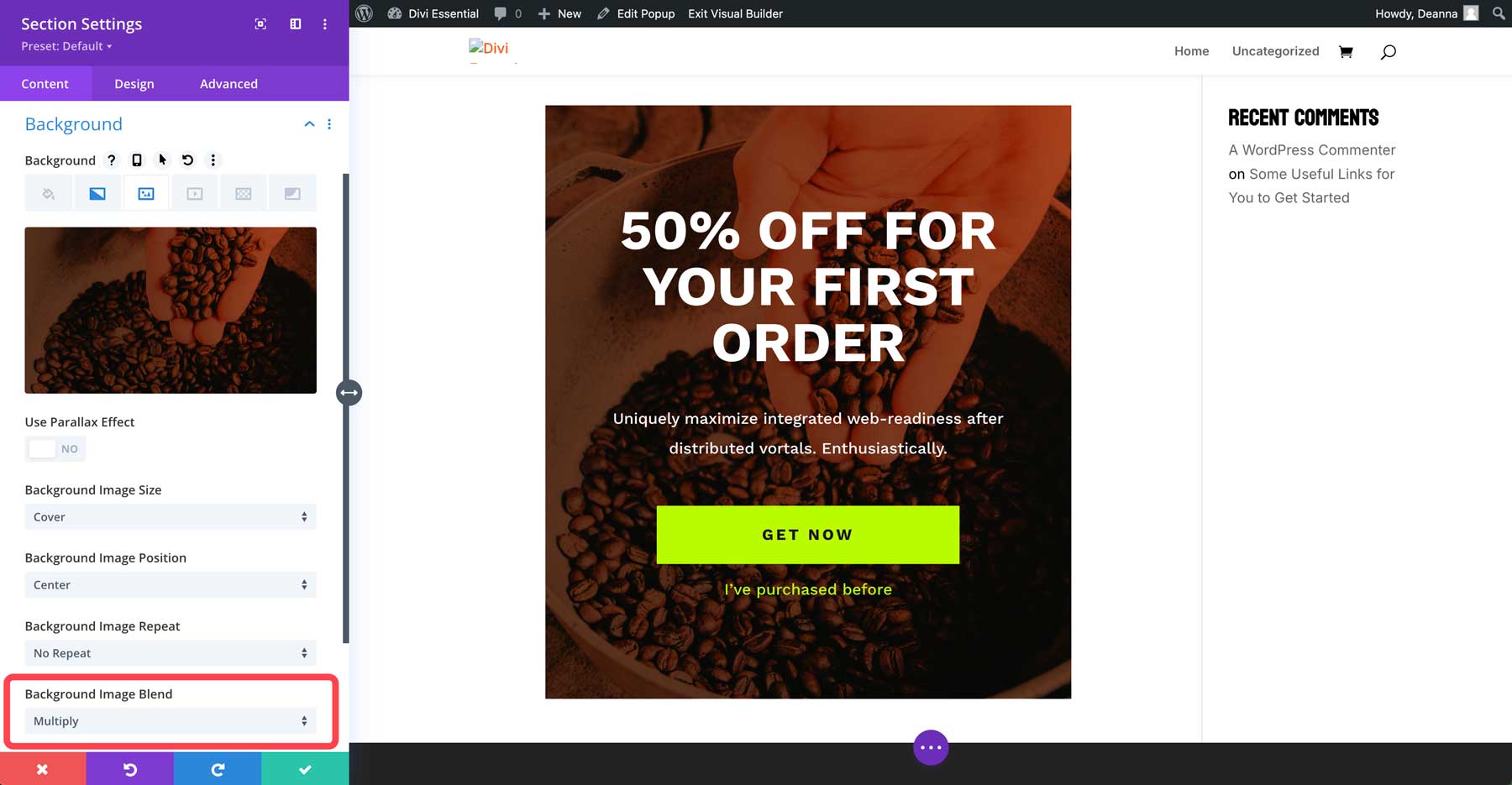
Set the background image blend to multiply.
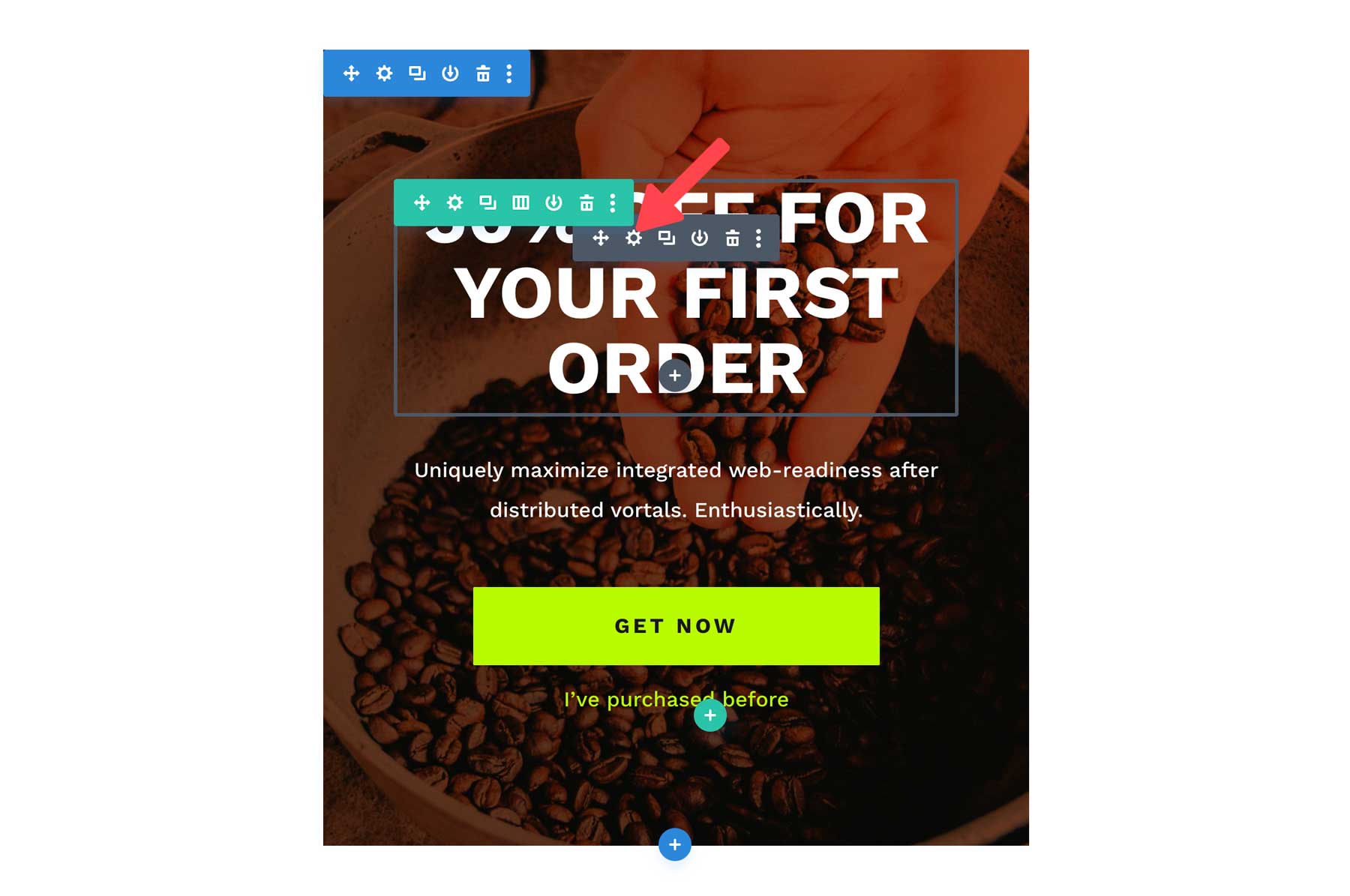
Save the change by clicking the green check button. Next, we must style the fonts and buttons to match the coffee layout. Hover over the page to reveal the settings for the heading text module. Click the settings icon to reveal the module’s options.
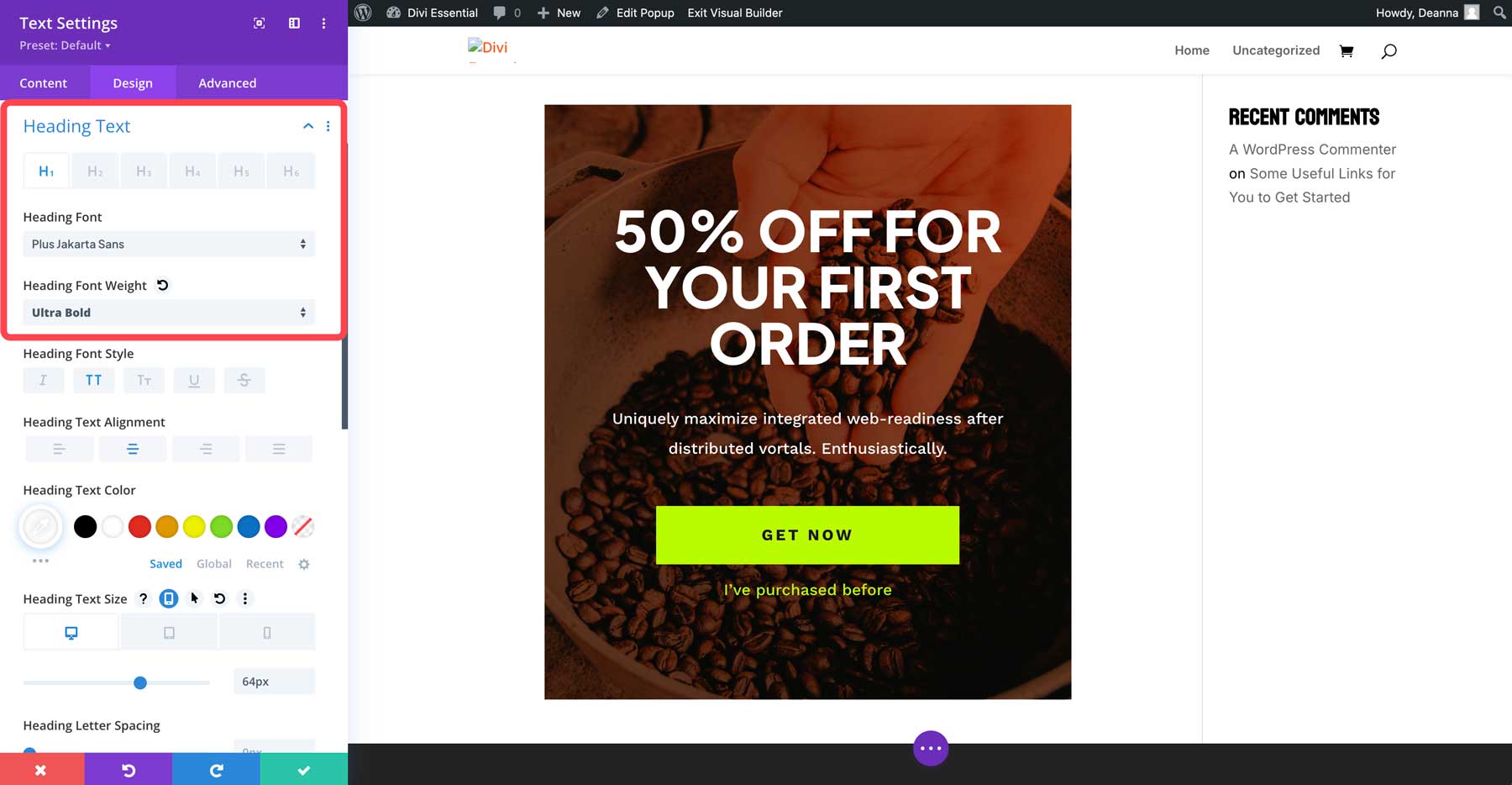
Select Plus Jakarta Sans as the heading font and choose ultra bold for the font weight.
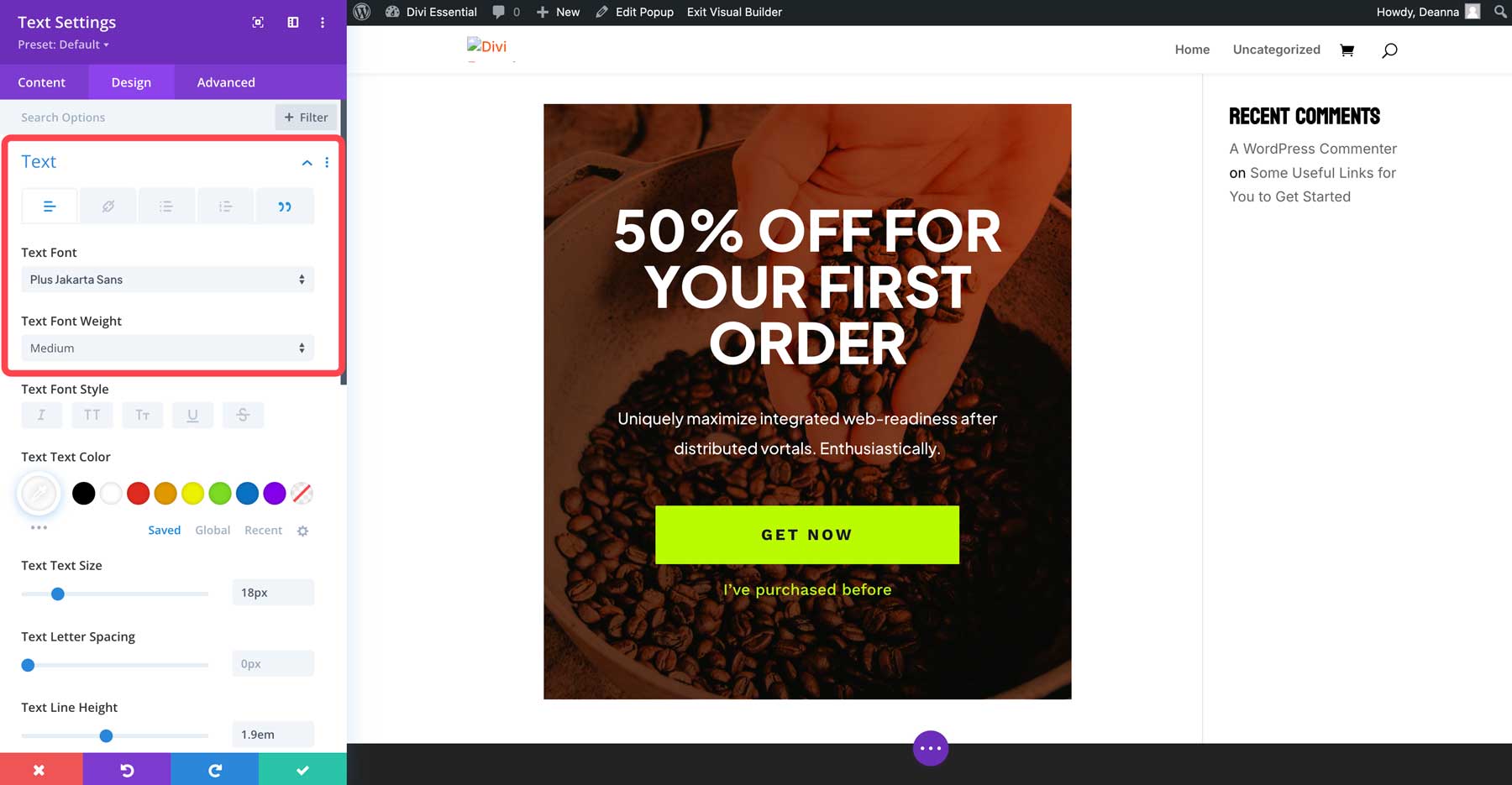
Click the green check button to save the module. Repeat the steps above to edit the other text module on the popup, but select medium as the font weight.
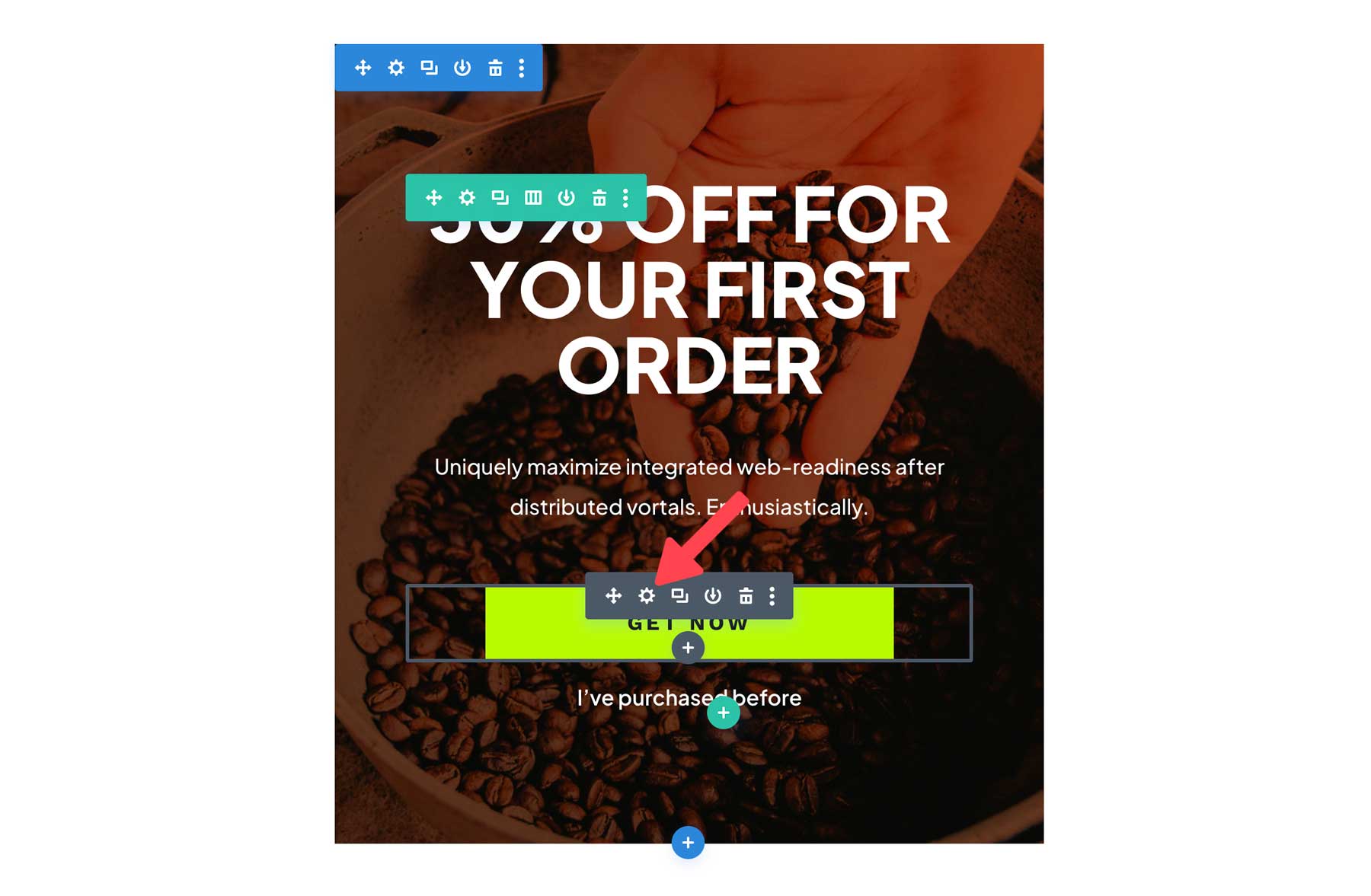
Finally, hover over the button module and click the grey settings icon to edit the button.
Under the button settings, select #ffffff as the button text color and #b0441d as the background color.
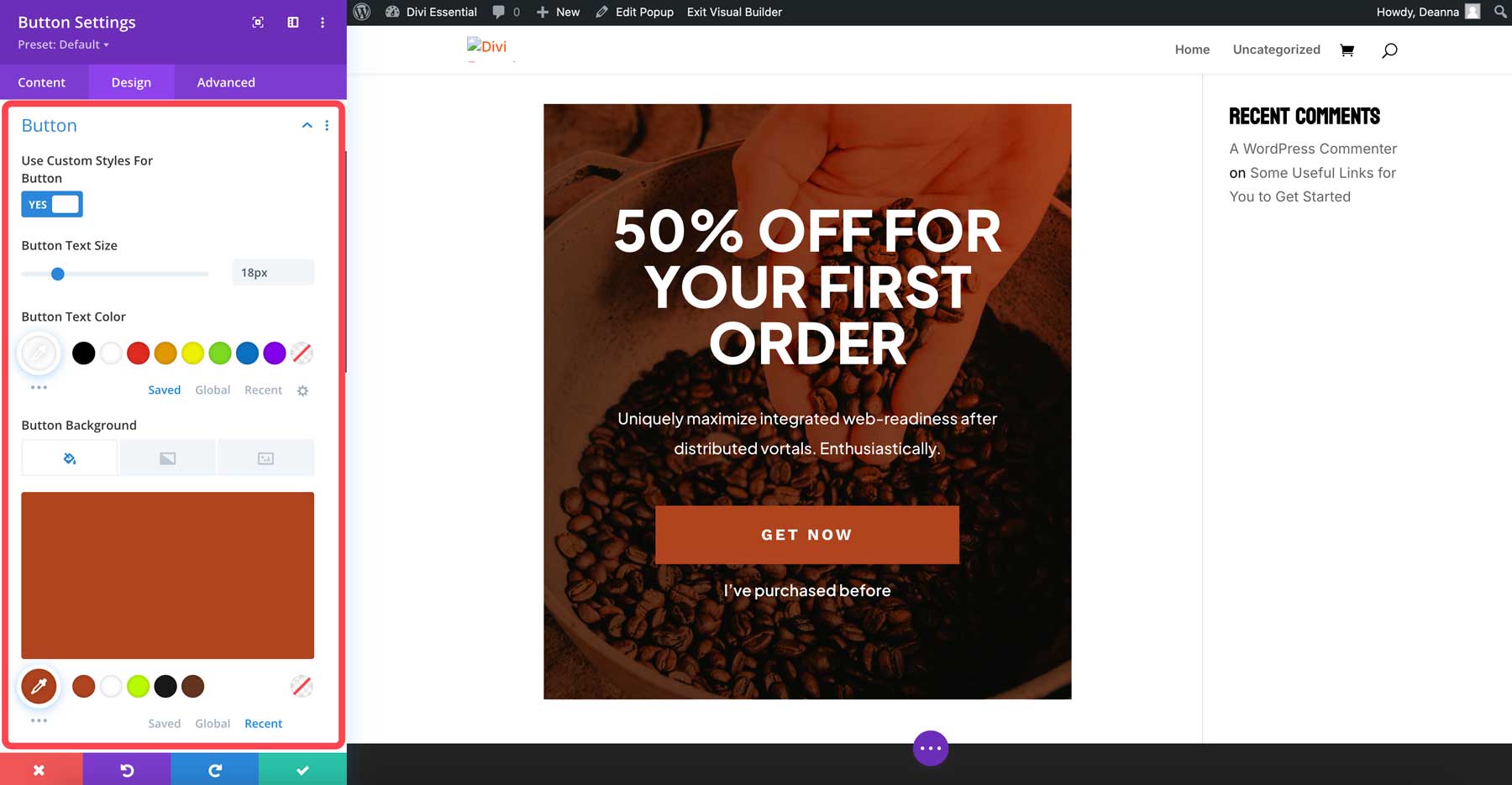
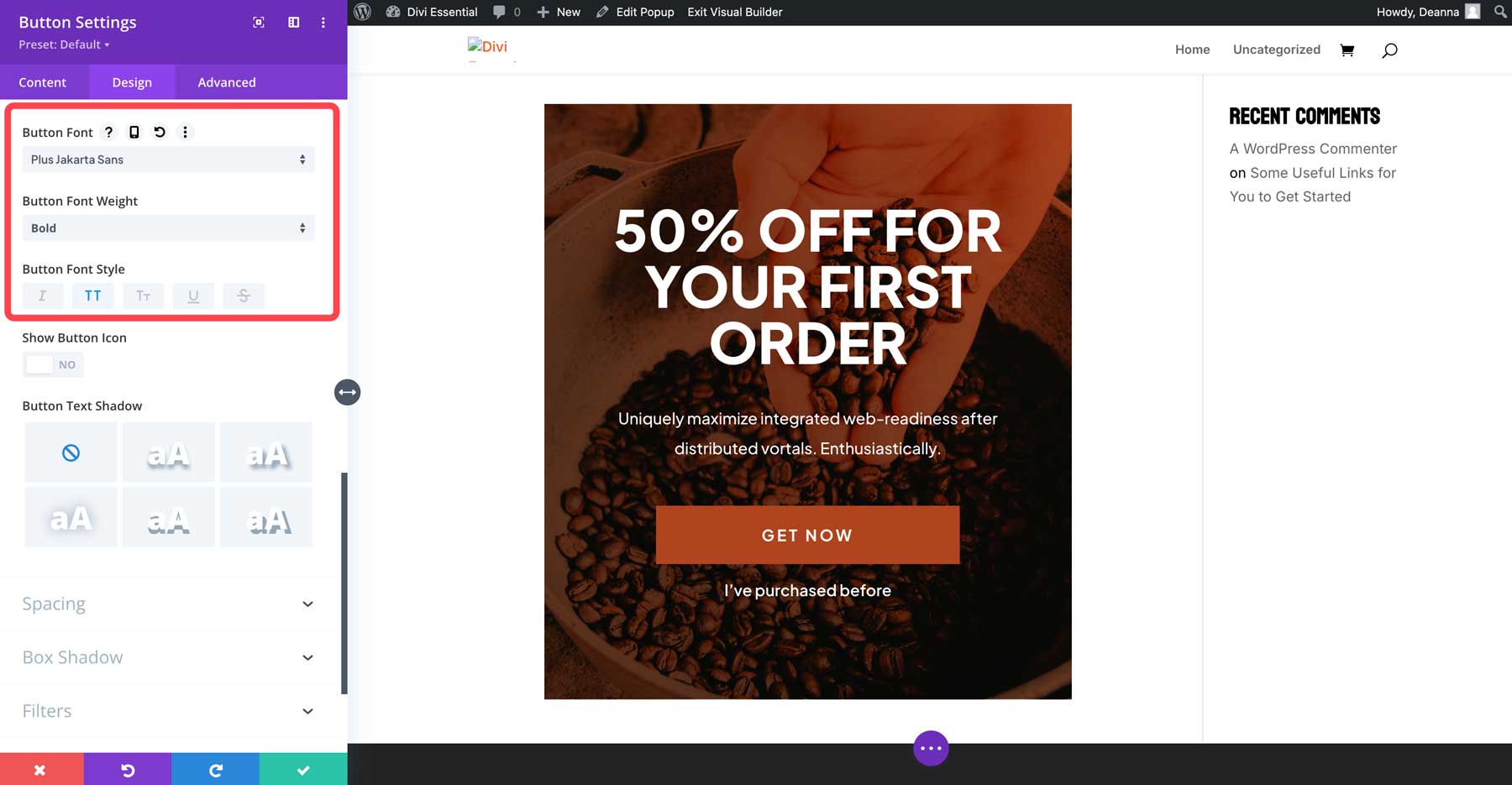
Finally, change the button font to Plus Jakarta Sans. Then, click the green check button to save the module.
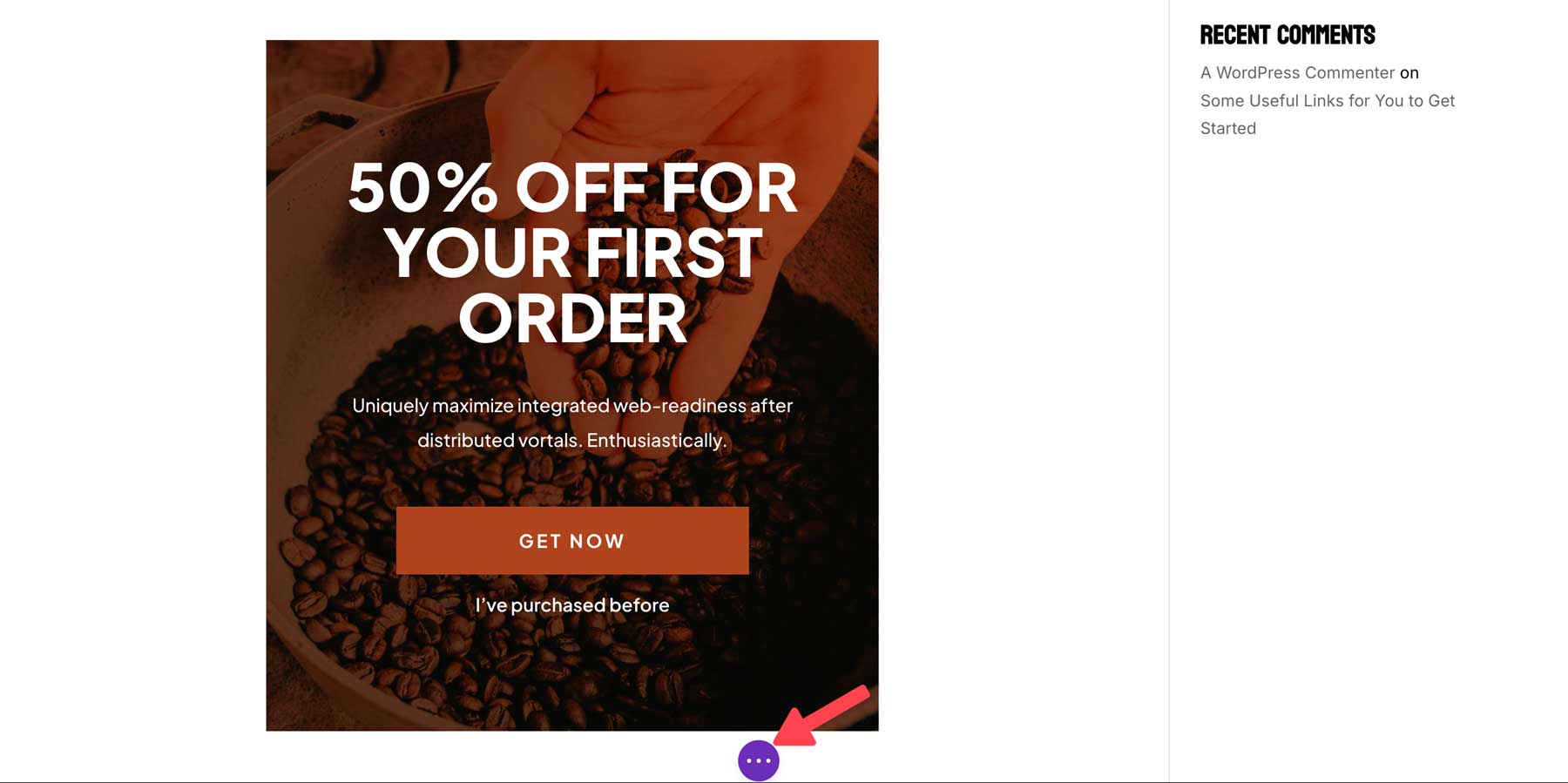
To save the popup, click the purple ellipsis menu at the bottom of the screen to bring up the settings.
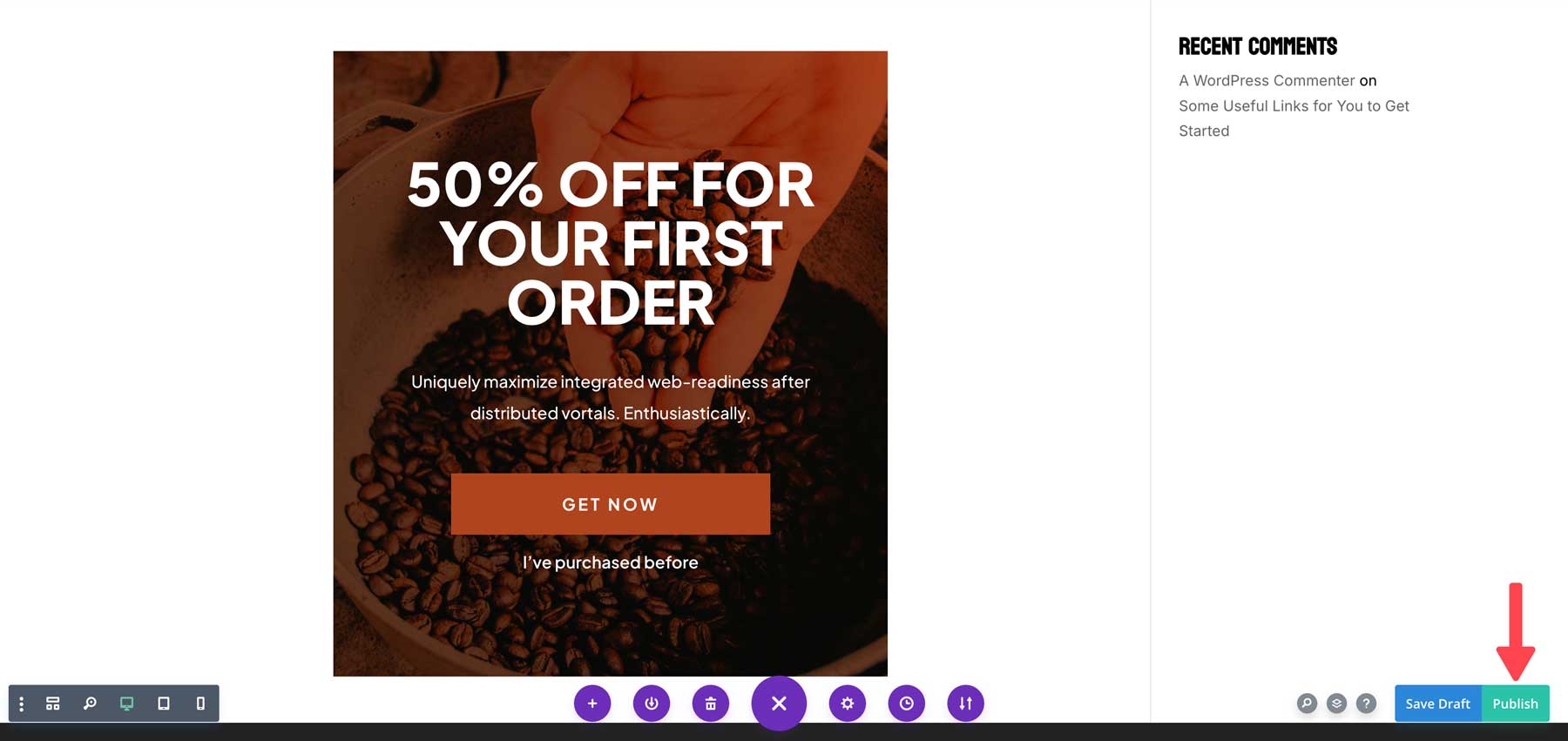
Click the green button to save the popup.
Configure The Popup Settings
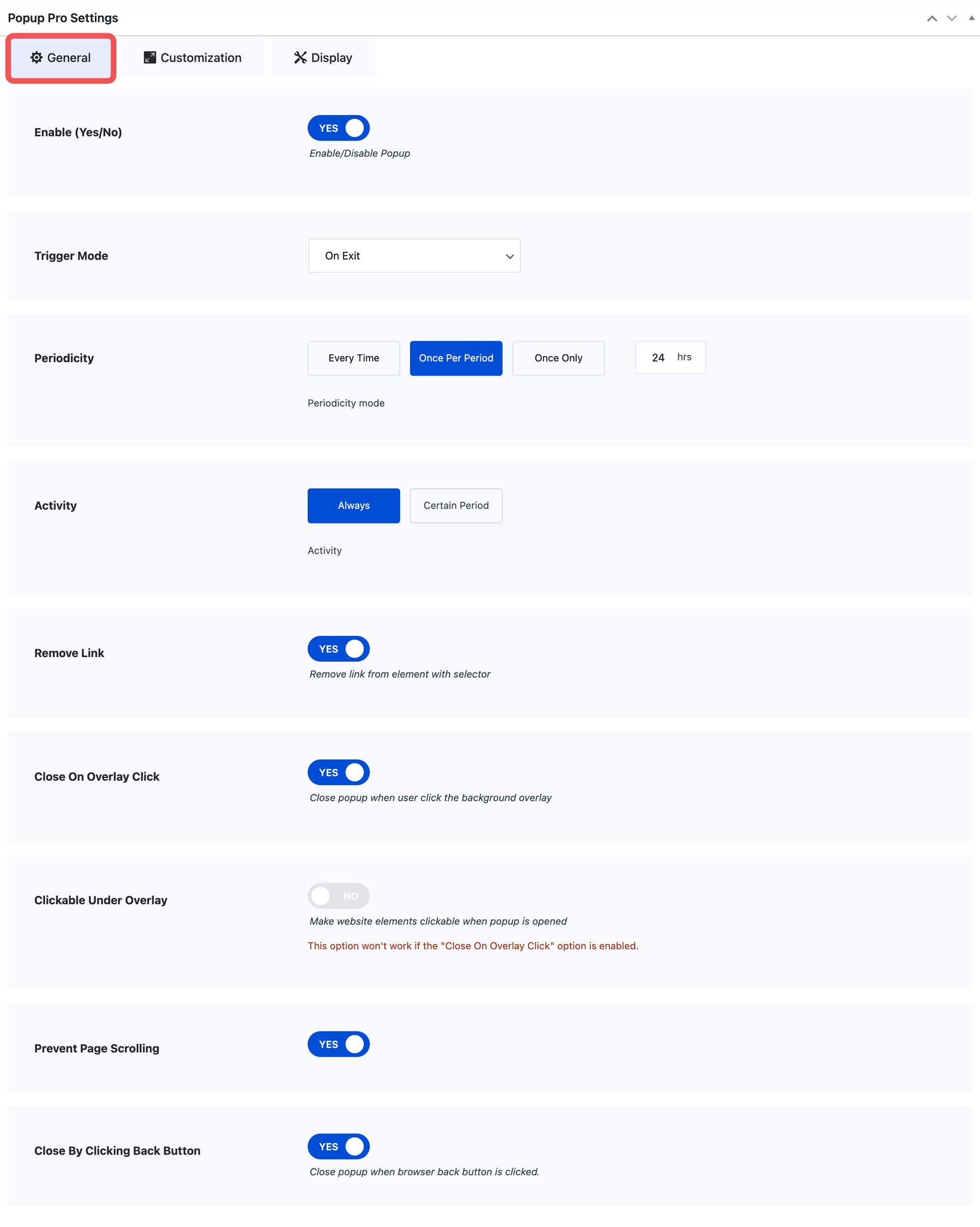
There are a few additional steps to get our popup to perform how we’d like. To do this, we must configure it to appear as the user attempts to exit the site. Return to the popup’s settings on the back. Under the general tab, enter the following settings:
- Enable: Yes
- Trigger Mode: On Exit
- Periodicity: Once Per Period
- Activity: Always
- Remove Link: Yes
- Close on Overlay Click: Yes
- Clickable Under Overlay: No
- Prevent Page Scrolling: Yes
- Close by Clicking Back Button: Yes
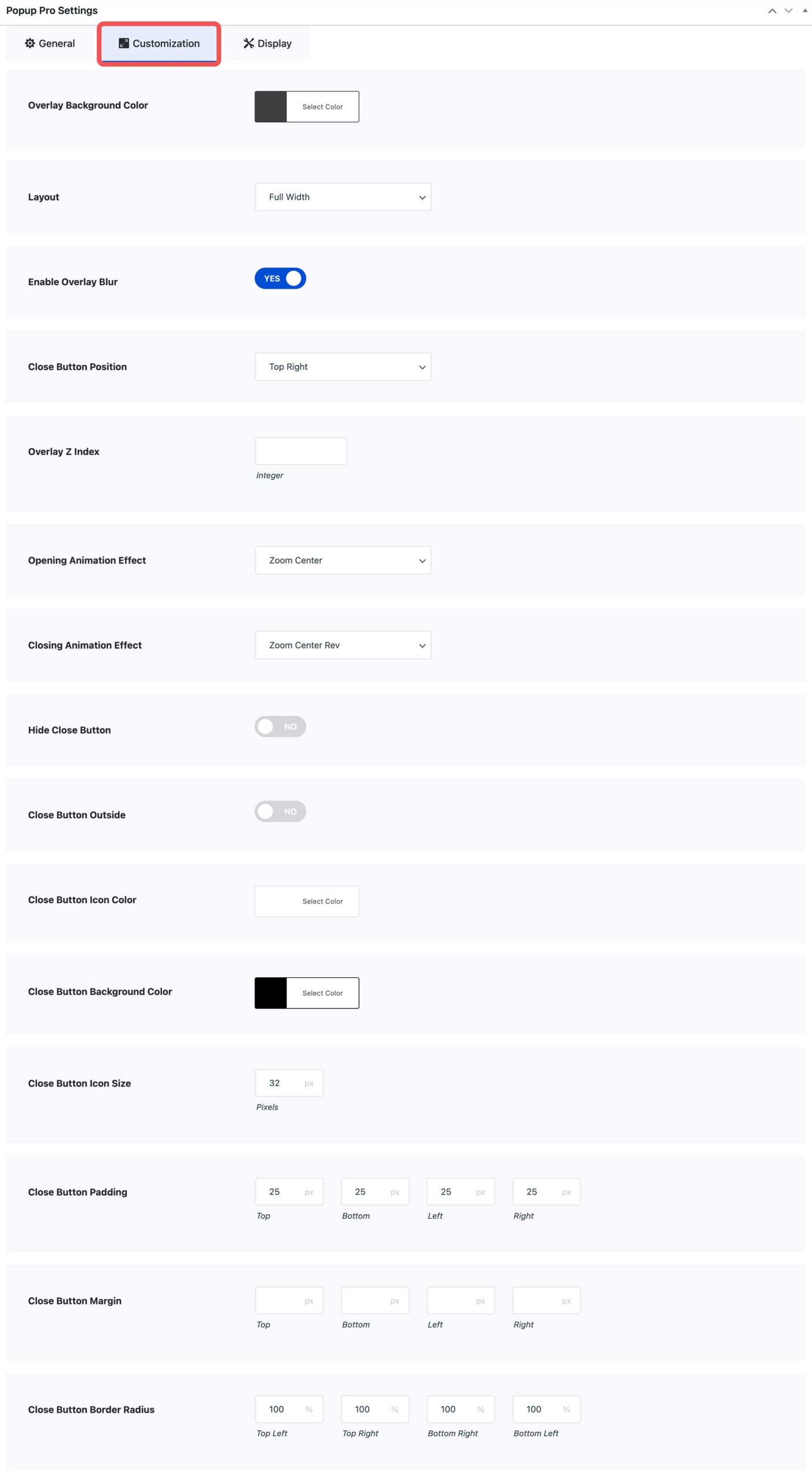
Under the Customization tab, you can customize how your popup looks over the page’s content. Enter the following settings:
- Overlay Background Color: rgba(0,0,0,0.75)
- Layout: Full Width
- Enable Overlay Blur: Yes
- Close Button Position: Top Right
- Opening Animation Effect: Zoom Center
- Closing Animation Effect: Zoom Center Rev
- Hide Close Button: No
- Close Button Outside: No
- Close Button Icon Color: #ffffff
- Close Button Background Color: #000000
- Close Button Icon Size: 32px
- Close Button Padding: 25px
- Close Button Border Radius: 100%
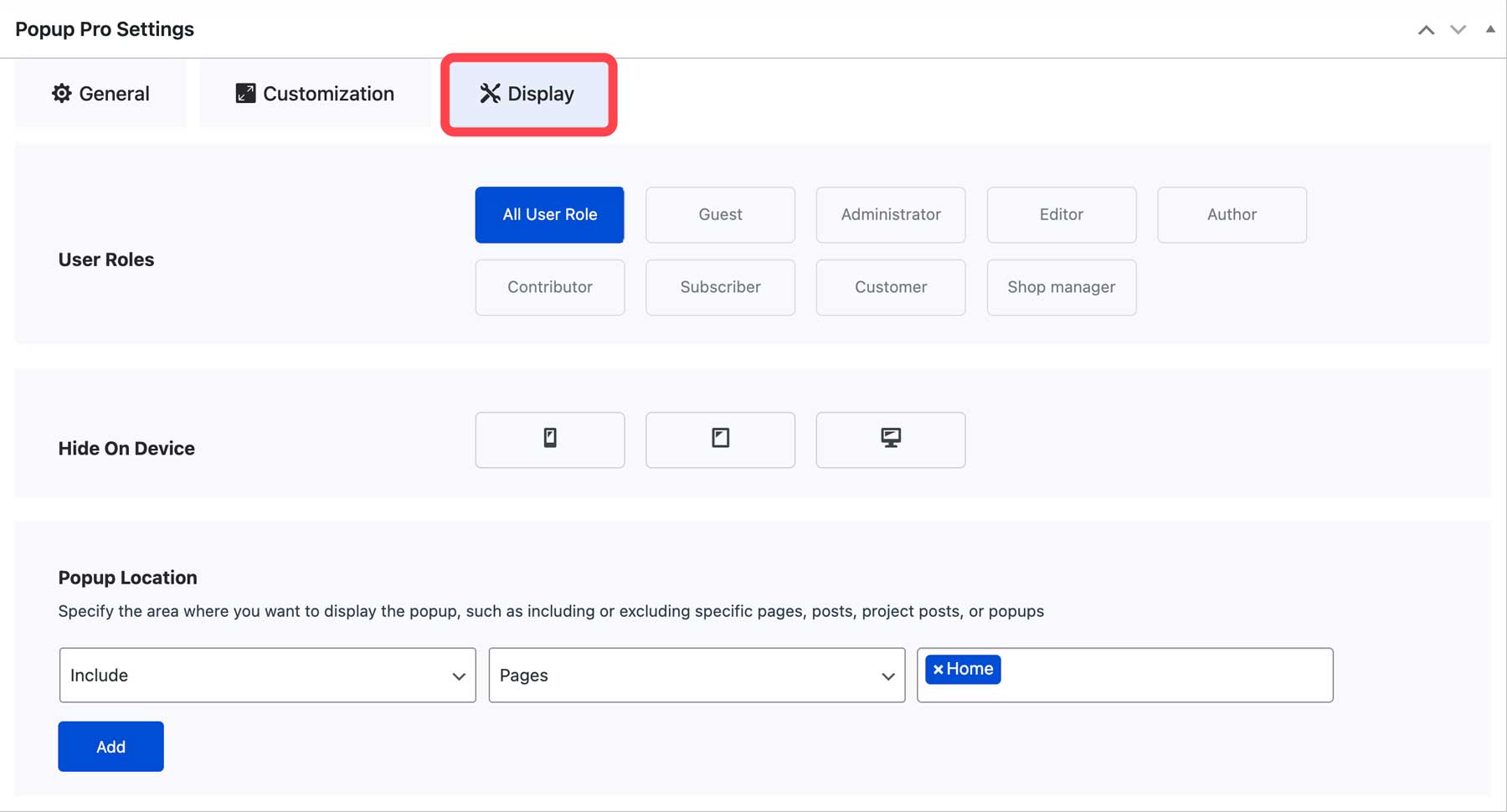
The last tab controls where the popup will appear on the site. You can choose specific user roles to display it, hide it on certain screen sizes, and choose the location for your popup to appear. Under Display, select the following settings:
- User Roles: All User Role
- Hide on Device: leave as is
- Popup Location: Include > Pages > Home
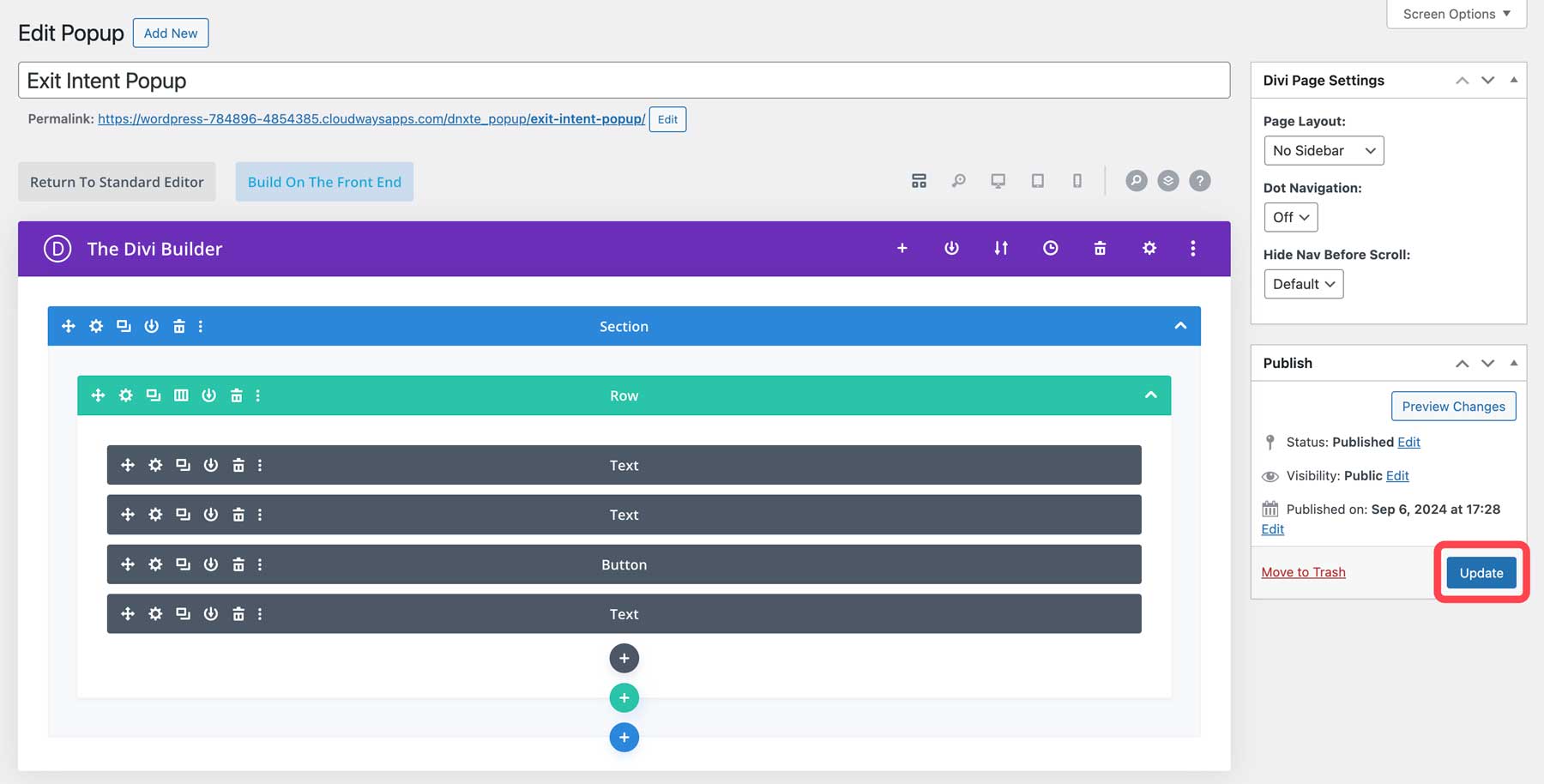
Once all settings are in place, remember to update the popup!
Here’s a look at the popup that appears on the home page.
Purchase Divi Essential
Divi Essential is priced at $79 on the Divi Marketplace. You can use the plugin on as many websites as you like and enjoy one year of support and updates. Plus, there’s a 30-day money-back guarantee if you’re unhappy with your purchase.
Divi Essential: Final Thoughts
Unlock the full potential of your Divi website with Divi Essential! With 60+ premium modules, 600+ versatile layouts, and 5 extensions, you can give your site the ultimate power-up. Not only that, the developers at Divi Next are committed to providing new features and updates regularly, so you can take advantage of Divi Essential for years to come. Go ahead and add this incredible product to your Divi toolkit.
Are you looking for additional Divi Marketplace items? Our blog offers a comprehensive showcase of our Divi Marketplace products.
The post Divi Product Highlight: Divi Essential appeared first on Elegant Themes Blog.
# Overview of Divi Essential: Key Features and Benefits
In the world of web design, the tools and platforms available can significantly impact the efficiency and quality of a website. One such powerful tool is Divi, a popular WordPress theme and page builder developed by Elegant Themes. Among the various extensions and enhancements available for Divi, Divi Essential stands out as a comprehensive solution designed to elevate the functionality and aesthetics of websites built with Divi. This article provides an overview of Divi Essential, highlighting its key features and benefits.
## What is Divi Essential?
Divi Essential is a premium plugin designed specifically for the Divi Builder. It enhances the capabilities of the Divi theme by adding a suite of additional modules, features, and customization options. This plugin is particularly useful for web designers and developers looking to create unique, visually appealing, and highly functional websites without extensive coding knowledge.
## Key Features of Divi Essential
### 1. **Enhanced Modules**
Divi Essential comes with a variety of new modules that expand the design possibilities within the Divi Builder. These include:
– **Advanced Tabs**: Create stylish tabbed content that is easy to navigate.
– **Image Hotspots**: Add interactive hotspots to images for a more engaging user experience.
– **Countdown Timer**: Perfect for promotions or events, this module creates urgency with countdowns.
– **Testimonials**: Showcase customer feedback in an attractive format with customizable layouts.
### 2. **Custom Layouts and Templates**
The plugin offers a range of pre-designed layouts and templates that can be easily imported and customized. This feature saves time and effort, allowing users to quickly set up pages that look professional and polished.
### 3. **Dynamic Content Support**
Divi Essential supports dynamic content, enabling users to pull in data from custom fields, post types, and other sources. This feature is particularly beneficial for creating dynamic websites, such as those for real estate listings, portfolios, or blogs.
### 4. **Global Styles and Customization Options**
With Divi Essential, users can define global styles that apply across the entire website. This ensures consistency in design and makes it easy to implement changes site-wide. The plugin also offers extensive customization options for each module, allowing for precise control over colors, typography, spacing, and more.
### 5. **Integration with Third-Party Tools**
Divi Essential seamlessly integrates with popular third-party tools and plugins, enhancing its functionality. Whether it’s for SEO optimization, email marketing, or e-commerce, Divi Essential can work alongside other tools to create a comprehensive web solution.
### 6. **Responsive Design Controls**
In today’s mobile-first world, responsive design is crucial. Divi Essential provides advanced responsive design controls, allowing users to customize how their content appears on different devices. This ensures that websites look great on desktops, tablets, and smartphones.
### 7. **User-Friendly Interface**
One of the standout features of Divi Essential is its intuitive interface. The plugin is designed to be user-friendly, making it accessible for both beginners and experienced developers. The drag-and-drop functionality simplifies the design process, allowing users to create complex layouts with ease.
## Benefits of Using Divi Essential
### 1. **Time Efficiency**
By providing a plethora of pre-built modules and templates, Divi Essential significantly reduces the time required to design and launch a website. Users can quickly implement features that would otherwise take hours or days to develop from scratch.
### 2. **Enhanced Creativity**
With its extensive range of modules and customization options, Divi Essential empowers users to unleash their creativity. Designers can experiment with different layouts and styles, resulting in unique websites that stand out in a crowded online space.
### 3. **Improved User Experience**
The interactive elements and dynamic content capabilities offered by Divi Essential contribute to a better user experience. Engaging features like image hotspots and countdown timers can keep visitors on the site longer and encourage them to take action.
### 4. **Cost-Effective Solution**
For businesses and freelancers, Divi Essential provides a cost-effective solution for building high-quality websites. Instead of hiring developers for custom features, users can leverage the plugin to achieve professional results on their own.
### 5. **Ongoing Support and Updates**
Elegant Themes is known for its commitment to customer support and regular updates. Users of Divi Essential can benefit from ongoing improvements, new features, and dedicated support, ensuring that their websites remain up-to-date and functional.
## Conclusion
Divi Essential is a powerful addition to the Divi ecosystem, offering a wealth of features and benefits that enhance the web design process. With its user-friendly interface, extensive customization options, and a variety of modules, it empowers users to create stunning, functional websites with ease. Whether you’re a seasoned web designer or a beginner, Divi Essential can help you unlock the full potential of the Divi Builder, making it an invaluable tool in your web development toolkit.

Recent Comments