
You have probably tried using ChatGPT already, but there are other compelling AI chatbots, like Google Gemini, that you can use in your daily life and at work. For a week, I’ve been splitting my time between my ChatGPT Plus and Gemini accounts so I could share all the things I’ve learned about Google’s flagship AI product.
What Is Google Gemini?
Google Gemini is a conversational AI chatbot by Google that responds to text and voice inputs from users. Gemini has multiple large language models which are available throughout their free and paid plans. Users can get Gemini through a $20/mo Google One subscription.
Gemini has helped me with personal efficiency by helping me get things done quicker with the knowledge I don’t necessarily have. For instance, you can ask Gemini for advice on achieving your goal of reading more books this year, simplifying the concept of quantum physics, writing or debugging code, or even stimulating your imagination by planning a blog post. ✨
The free version is pretty impressive. It is multi-model in that it creates images, can see images and codes, understands your voice, and is pretty fast. Recently, its best models (we’ll get to them in 7 seconds) were made available to free users. The paid plan features higher usage rates and Gems (like Custom GPTs). The free version is totally worth using; however, the paid version will depend on how well you think it stacks up to ChatGPT Plus.
You may have known Gemini by its previous name, Google Bard. Bard was the original name that Google launched with, but as it came out of Beta, they decided a different name was best. I tend to agree.
Exploring Gemini’s Advanced Language Models
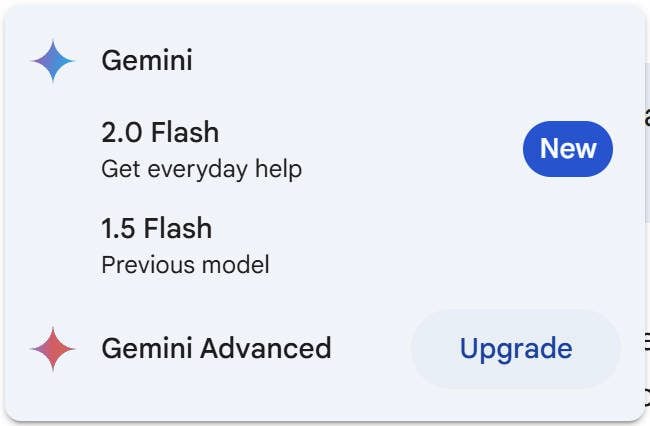
Google Gemini is powered by multiple large language models (LLMs) developed by Google. When it was first launched as Bard, it used LaMDA. After that, Gemini used Pathways Language Models (PaLM). However, the latest advancement of models is now with the family of LLMs named Gemini. With Gemini, there are Gemini 1.5 Flash (fast), Gemini 2.0 Flash (smart), and the Gemini Pro models (faster and smarter) for complex reasoning.
Reasoning Models: How They Improve Responses
But recently, Google dropped its most thoughtful models, what they are calling 2.0 Flash Thinking Experimental and a similar one that is Google Apps enabled.

I’ve found these multi-step “reasoning models” to be much better at following more detailed prompts. They “think” through the instructions, talk to themselves about how they’ll complete the task, and then provide their response. Though I wouldn’t categorize this as AI thinking, I do see the payoff from the extra compute and time it takes to use these reasoning models. Here’s an example of Gemini thinking through a task. I provided it with just enough description that it could reason its way through the situation.
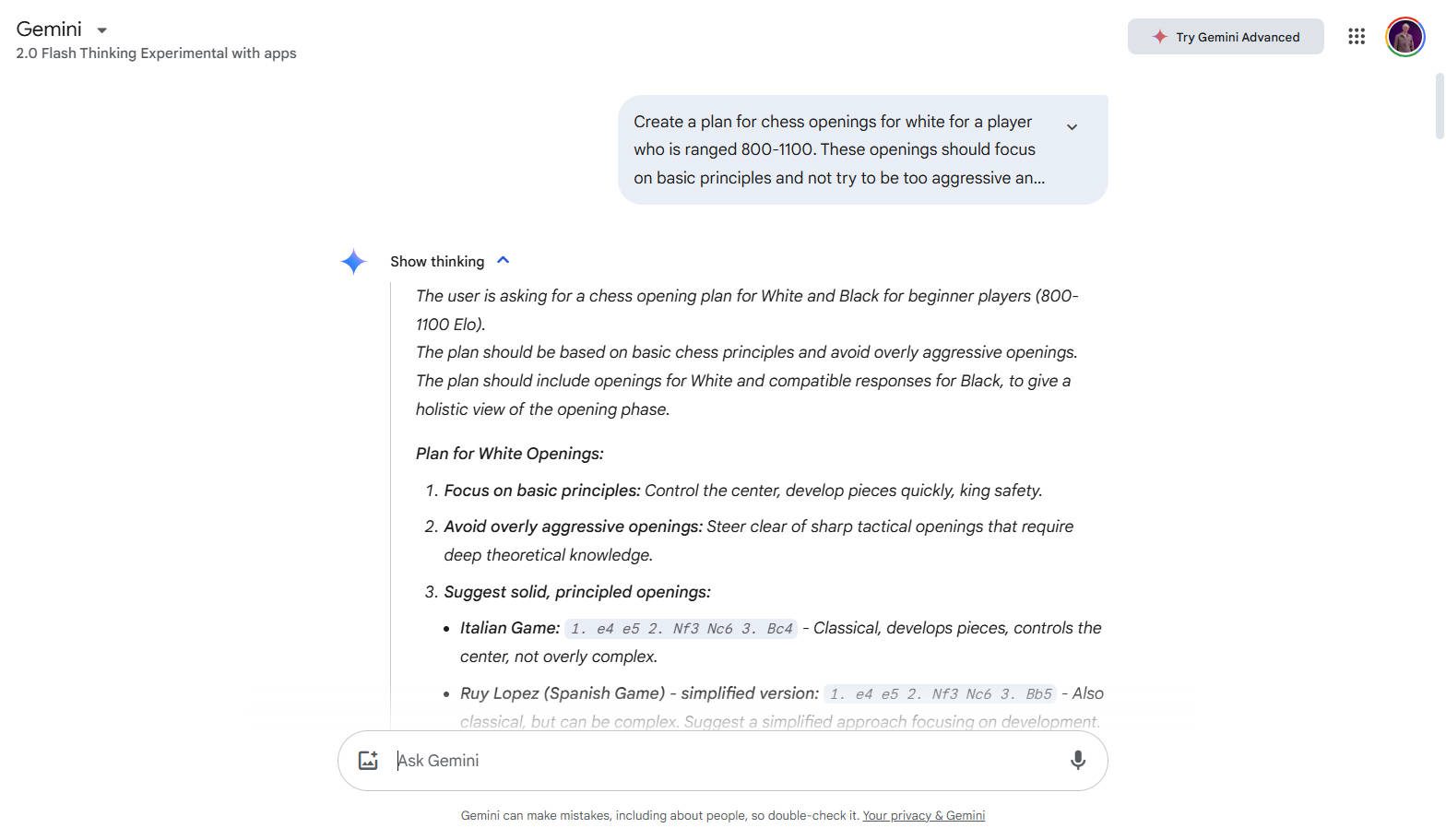
Gemini reasoned which opening principles are appropriate for this level of player
When using these reasoning models on Gemini, you’ll notice that they are very fast (expect to see OpenAI’s reasoning models speed up in response to Google’s amazing feat). They have also expanded token limits to accommodate extra thinking. I’ve provided the various benchmark scores of Gemini’s current models toward the end of the post if you are curious about how advanced they each are.
How Gemini Enhances Google Search
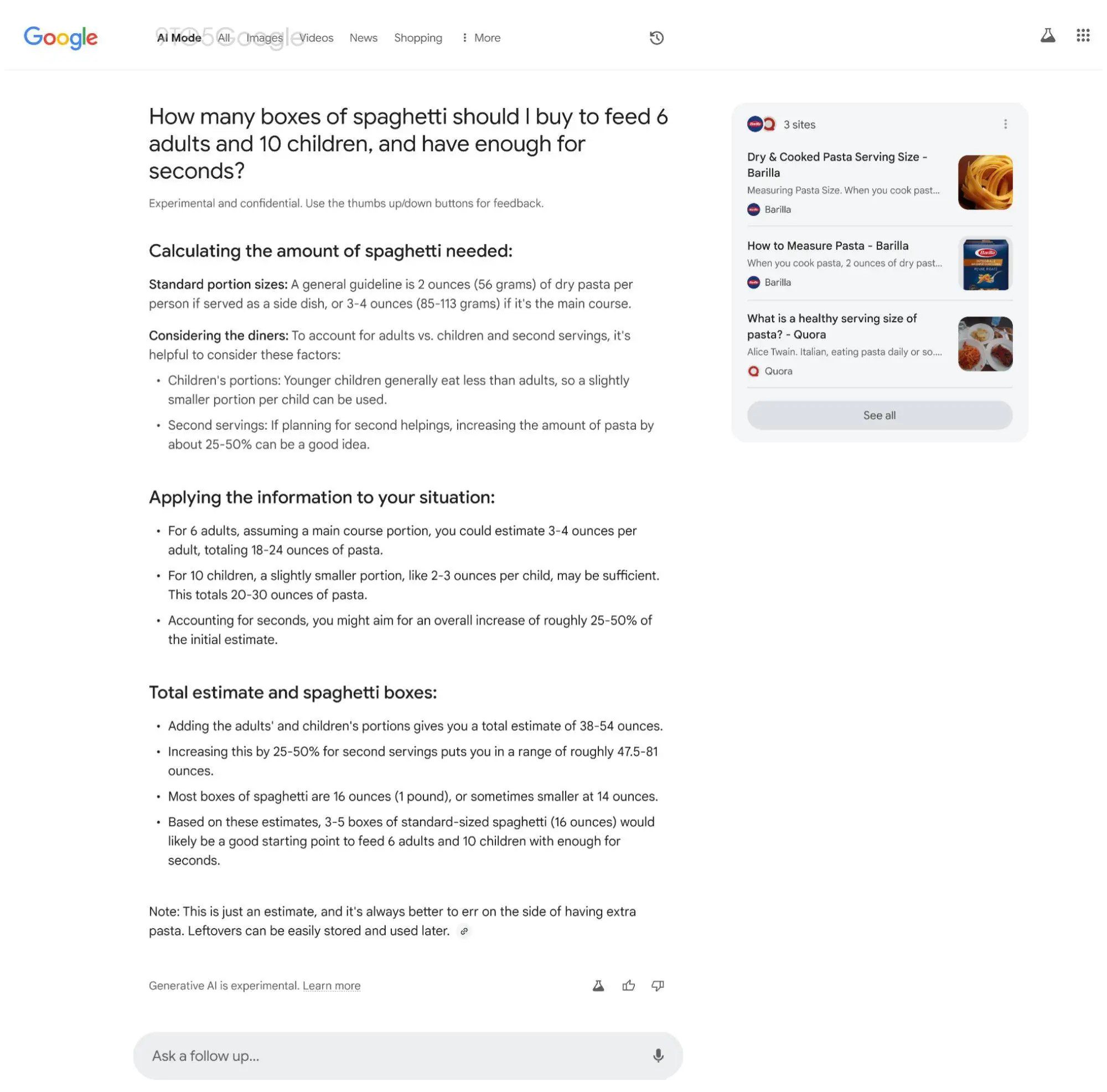
In 2024, Google released AI Overviews on some Search result pages. This uses the best of traditional Google Search with new advancements in answer presentation brought about by the Gemini family of LLMs. AI Overviews ingest many of the best articles featured in a SERP and create a high-level overview for the searcher. This has been likened to a more sophisticated featured snippet that can show answers from multiple websites.

As Google expands this, expect to see its most sophisticated models being used in search. In fact, Google is internally testing an expanded “AI Mode” for Google Search.
You may like this …
We did a full comparison of DeepSeek and ChatGPT. At this point, it’s a good but incomplete alternative to ChatGPT.
How To Use Google Gemini (Step-by-Step)
Google Gemini is great at assisting with various tasks, from generating code to answering questions. I’ll quickly guide you through the steps to maximize Gemini’s potential and get good results.
1. Log in to Google Gemini
Go to gemini.google.com and Sign in using your Google account to start using the Gemini AI interface. You may need to agree to terms and conditions specific to Gemini use and acknowledge that you know AI can provide wrong and unhelpful answers.
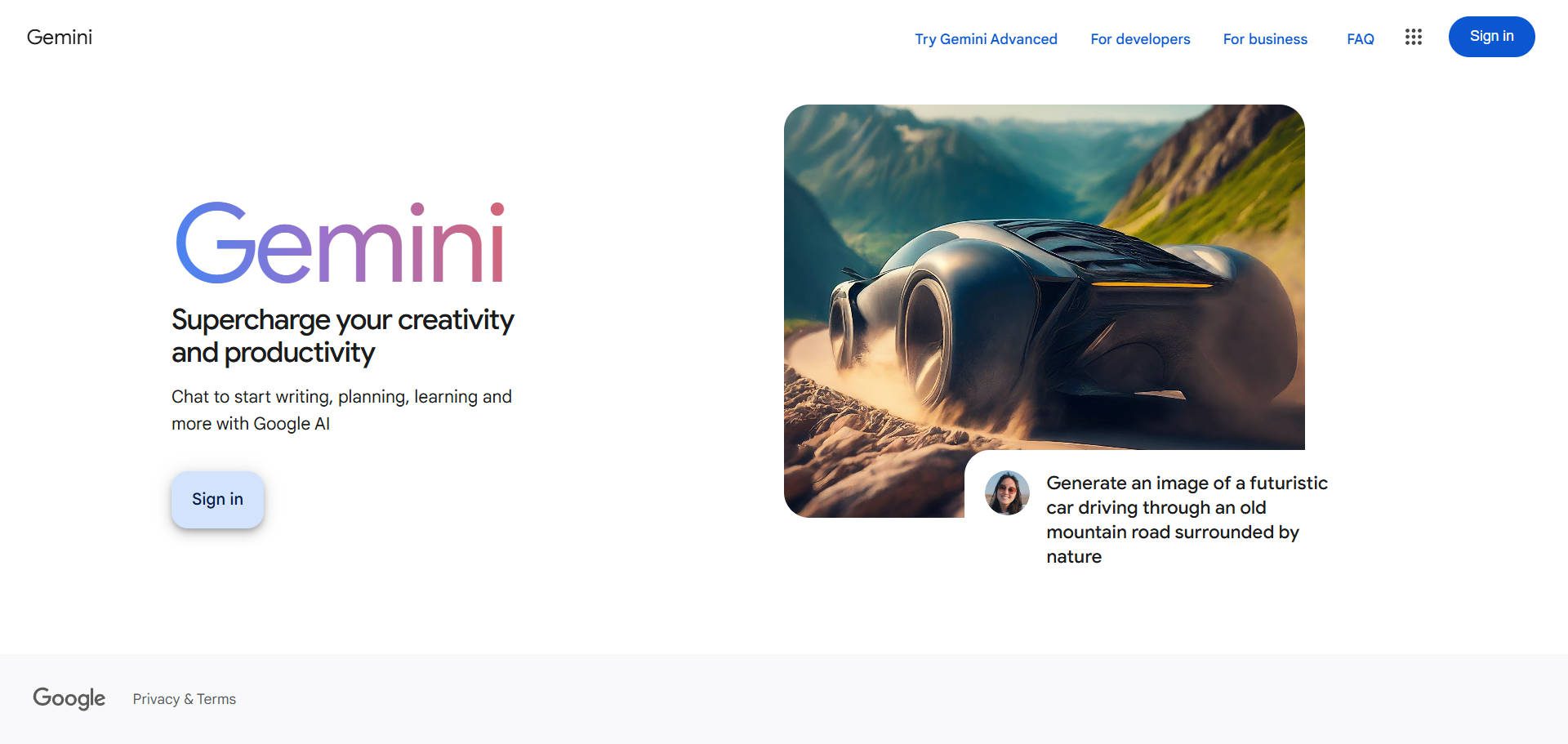
Get Acquainted with Gemini’s Interface
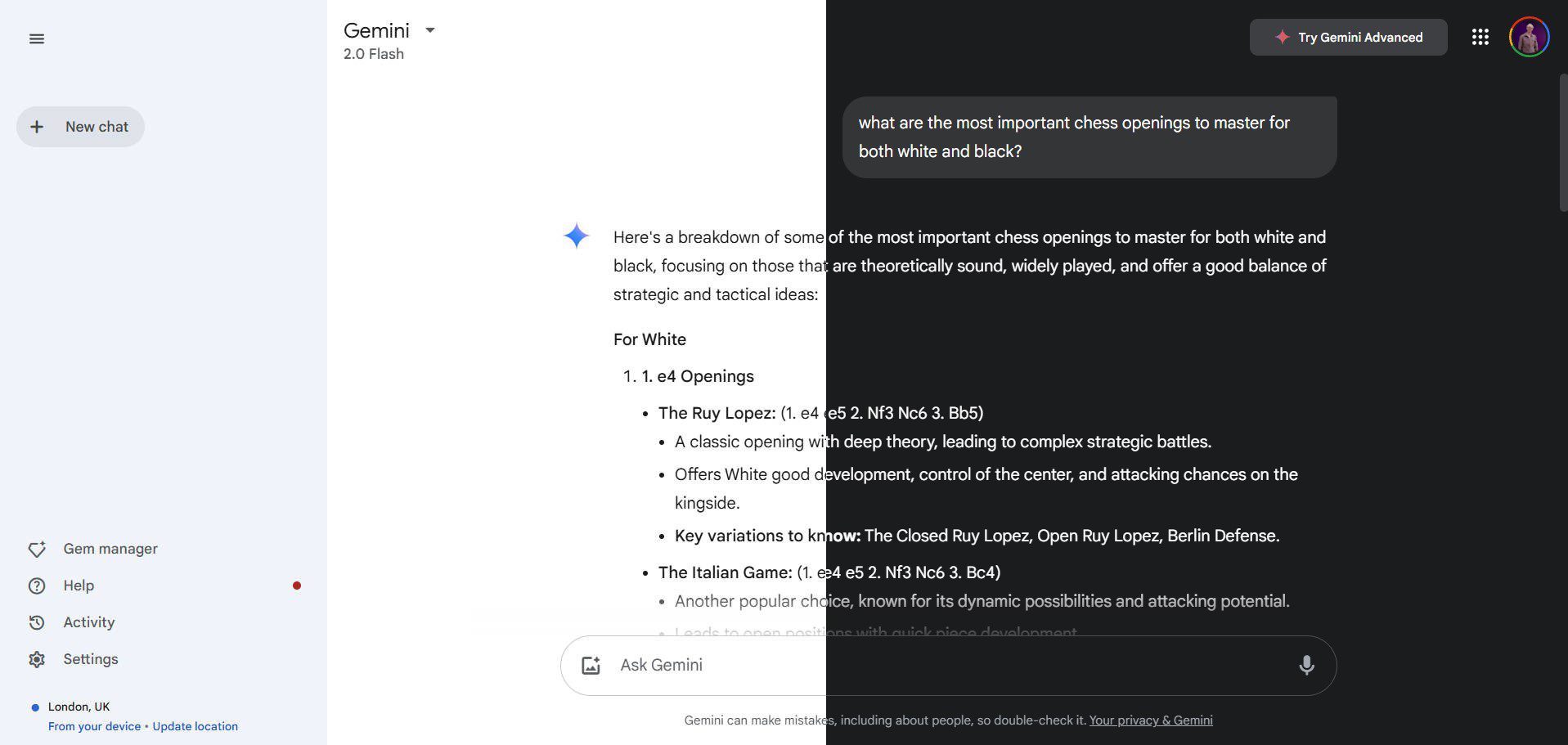
Google Gemini has an interface that is easy to navigate and visually clear. Its legibility makes reading and scanning results easy—they learned a lot from ChatGPT’s originally barebones UI. It even sports both light and dark mode (I know you have strong opinions on that).
2. Starting Your First Chat Session
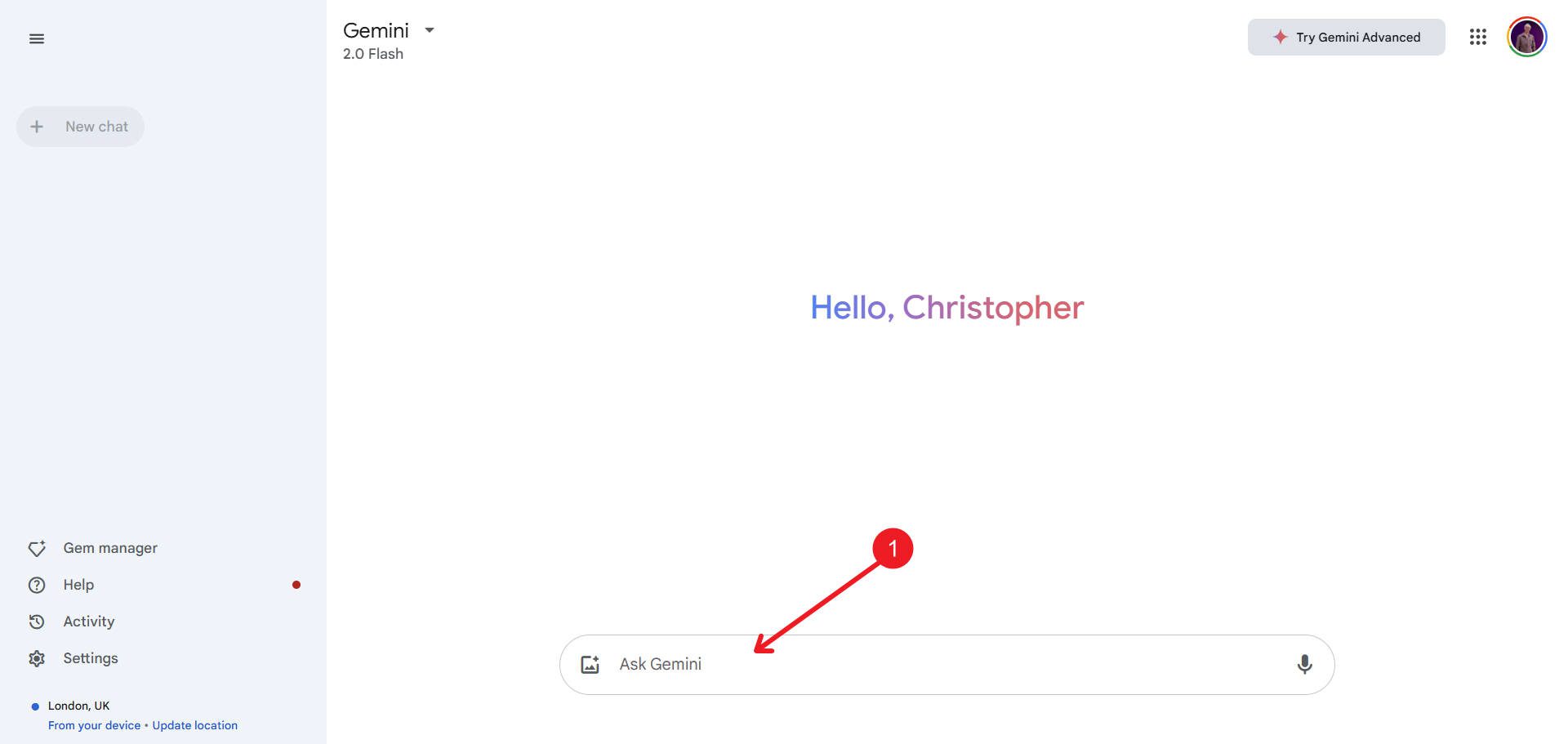
At the bottom of the screen, click “Enter a prompt here” and type your question to start a conversation with Google Gemini. Gemini offers suggestions to help guide your input. If you prefer voice input, click the microphone button to speak your query, and Gemini will transcribe it.
You can also edit your question by clicking the pencil icon near your original message bubble. Gemini will then generate a new response based on your revised query (great for keeping chat context relevant when it goofs).
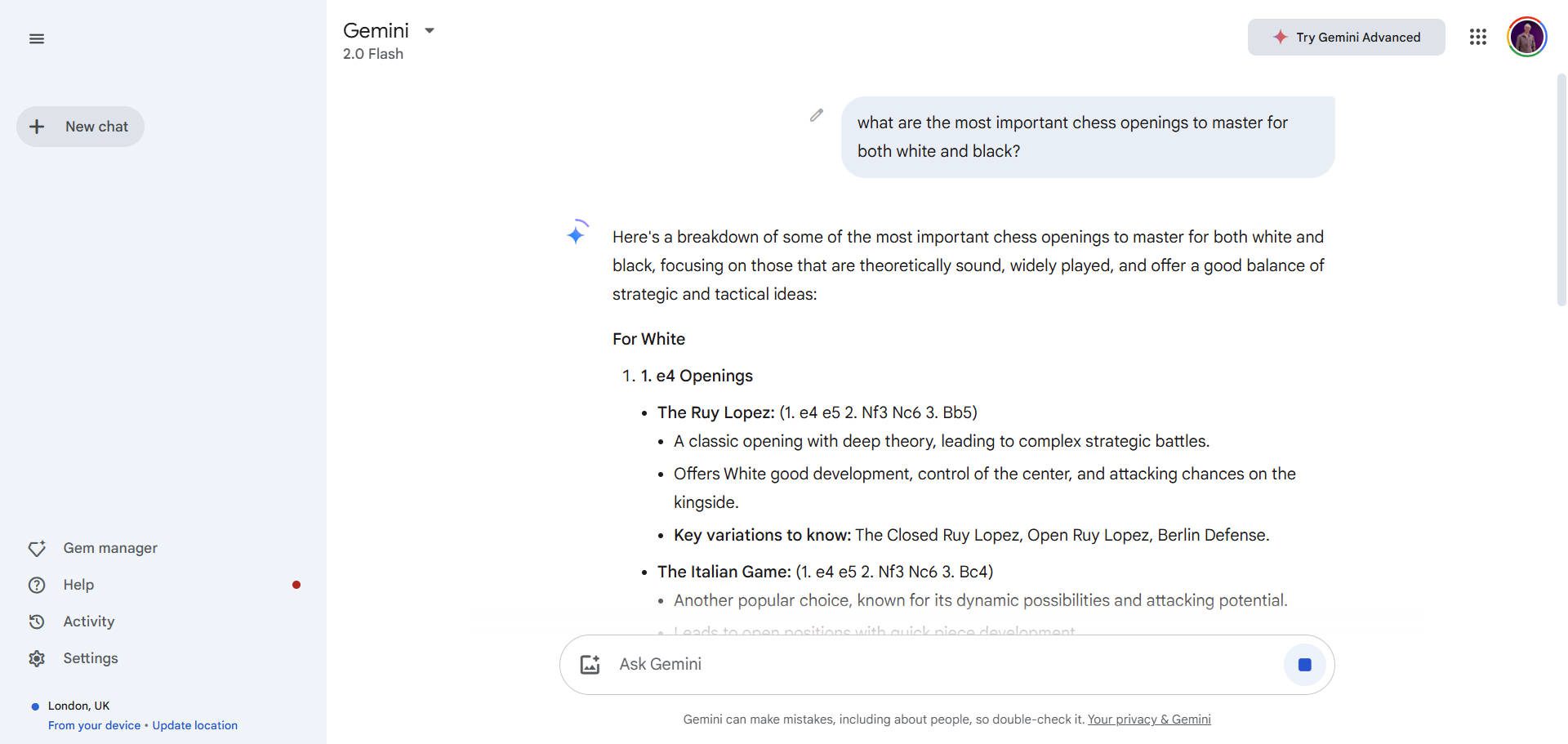
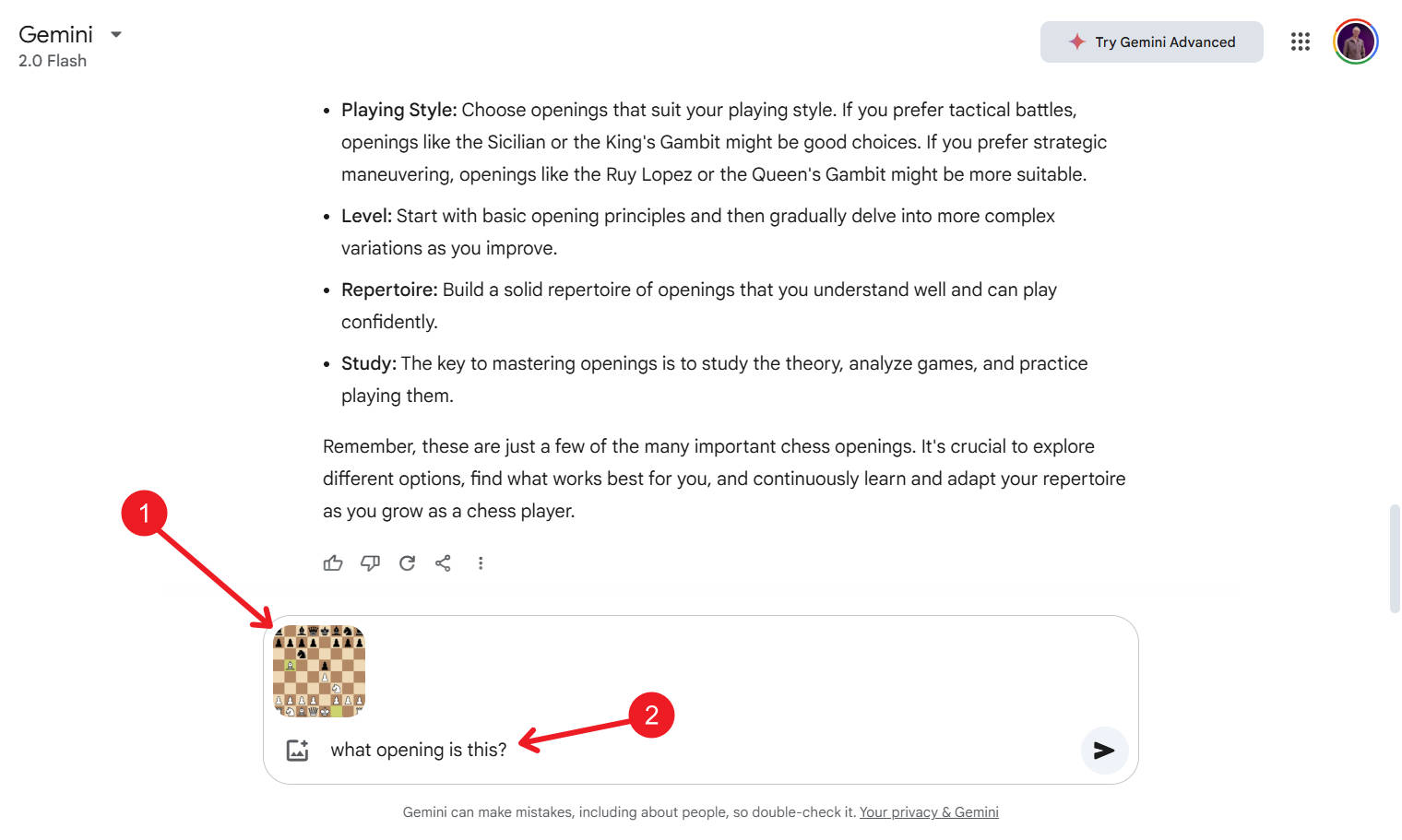
Click the Photo+ button to upload a photo and ask questions about it. Its vision capabilities are pretty great, so I often paste images into my chats to give the AI more context for my problem.
3. Using Follow-up Questions for Better Responses
After Gemini generates a response, you can ask follow-up questions to refine the answer. This is basic AI assistant territory, but part of what makes this kind of technology so helpful. It’s like I am sending a Slack message to a personal intern/assistant with a turnaround time of a few seconds.
But, alas, not every response is helpful. Gemini gives you the ability to click thumbs up if the response is good and thumbs down if it needs improvement. This feedback improves Gemini’s responses over time and keeps your conversation relevant.
Another user-friendly feature is the “Double Check” option, which compares the AI response against Google Search results. We’ve long gone to Google to “dig into things,” and now Google has turned it into a button—what will we do with our spare time?
4. Sharing and Exporting Your Results
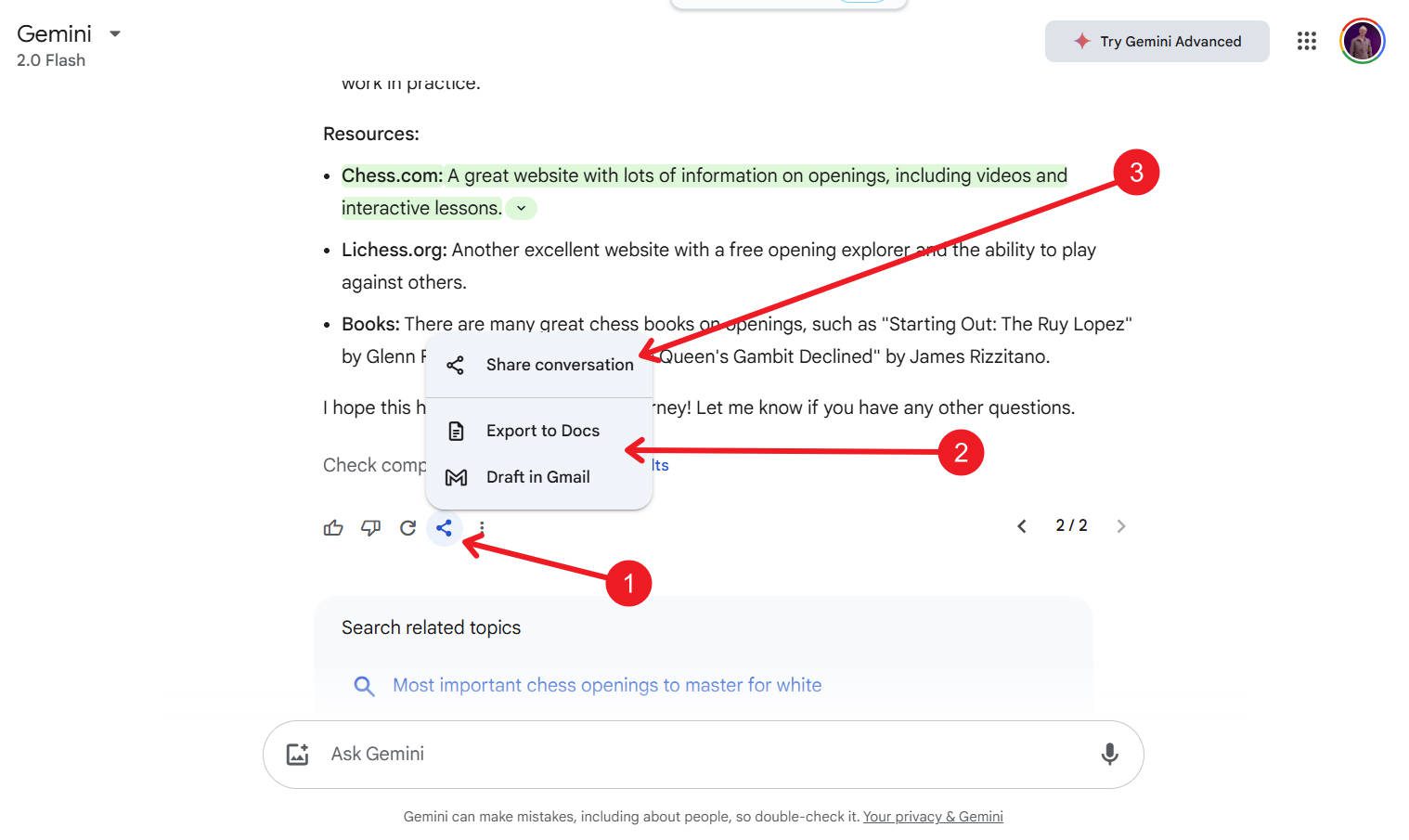
With recent updates, Gemini allows users to share responses with others, export content to Gmail/Google Docs, or even send structured data directly to Google Sheets.
Click the Share button and choose whether to share a specific response or the entire conversation.
As you continue to work with it, all your chat histories are available from the sidebar. This allows you to have as many conversations as you need with Gemini while keeping the context separate.
5. Using Custom Gems in Gemini
If you are familiar with ChatGPT, then you certainly know about Custom GPTs. Gems with Gemini have the same idea. Google starts off with some basic ones for every user, but you can create your own (with a paid account). They take custom prompts/instructions and file uploads to create a focused AI assistant based on your needs.
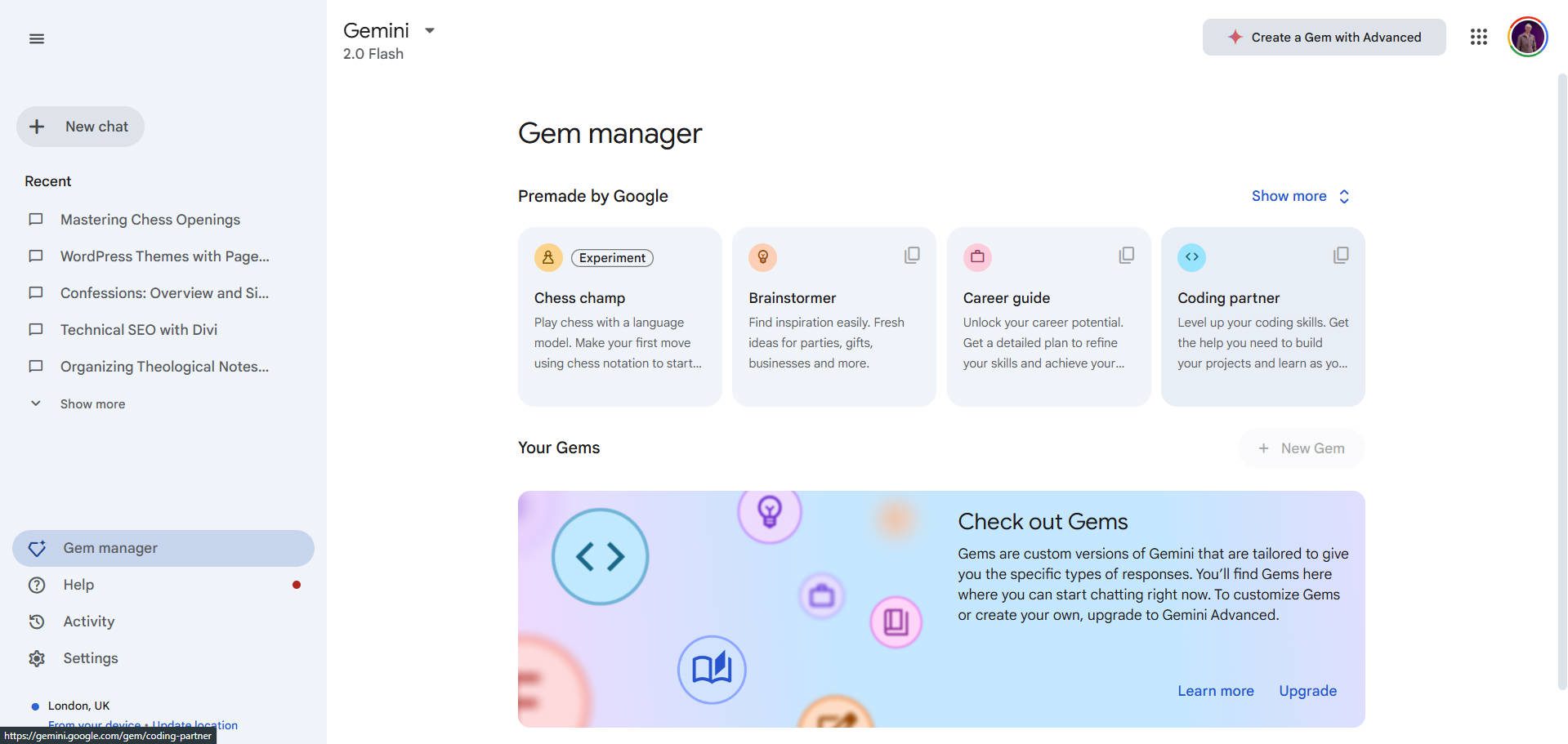
I recently switched from OpenAI’s CustomGPTs to their new Projects feature. It is like a file system that stores past chats and allows custom instructions and file uploads. It’s a bit nicer to work with because it has the context of my past messages (from that folder) to work from as well.
Is Gemini Reliable?
Google is working hard to make its flagship AI product reliable for users. Obviously, the better AI models (the paid ones) will have the best features and intelligence. However, people have relied on Google searches for reliable answers for years. Since they can “verify” its answers against search results, its AI is at least close to as reliable as you’d expect search results to be.
When it comes to up-to-date information, Google doesn’t rely solely on its Search Engine. Recently, Google and The Associated Press inked a deal that would provide Google with breaking news, making it much more reliable when dealing with facts on the ground as they emerge. AP would be considered a very large and very fresh data source for Gemini to use. Earlier in 2024, Google struck a similar deal with Reddit to get access to untold amounts of UGC data, making Google’s ability to train on even more data even more profound.
Why Google Gemini Is a Top ChatGPT Alternative
Google Gemini AI is continuously improving—there is no doubt about that. A year ago, everyone thought Google was well behind OpenAI, but now we can see they are leading in certain areas. I’ve been impressed seeing Gemini models working their way into Search, Gmail, and Google Docs. As Gemini progresses, we can expect even more refined and interactive experiences.
Google Gemini AI is one of the most capable ChatGPT alternatives available. It is versatile, helping with everything from coding and content creation to travel planning and real-time information retrieval. I often switch to Gemini when ChatGPT gets stuck in a rut. I find that switching AI models usually gets me past barriers (when coding and even writing). I’m not ready for Gemini to be my daily user, but it is in my top two for ChatGPT supplementation (behind Claude).
With its ongoing improvements, deeper Google integrations, and features like Gemini Pro models, its Thinking Models, and Gems, Gemini’s future looks very promising.
But I make a lot of websites, and I need AI where I’m at. Divi AI brings the power of these AI assistants into my workflow as a web designer. I still use ChatGPT and Gemini (and all the rest), but the way Divi AI is integrated into my website is unparalleled. This is especially true when creating new sites where I want AI to take control or add contextual code (especially CSS) that works with my builder of choice, Divi.
What are your thoughts on Gemini and how it has tried to catch up with ChatGPT?
The post Exploring Google Gemini: Personal Review & User Guide (2025) appeared first on Elegant Themes Blog.
# A Comprehensive Review and User Guide for Google Gemini (2025)
## Introduction
In the rapidly evolving landscape of artificial intelligence, Google has once again made headlines with the release of Google Gemini in 2025. This cutting-edge AI model is designed to enhance user experience across various applications, from natural language processing to image recognition. This article provides a comprehensive review of Google Gemini, exploring its features, capabilities, and practical applications, along with a user guide to help you get the most out of this innovative tool.
## Overview of Google Gemini
Google Gemini is a multi-modal AI model that integrates various forms of data, including text, images, and audio, to deliver a seamless user experience. Unlike its predecessors, Gemini leverages advanced machine learning techniques, enabling it to understand context better and generate more relevant responses. This model is part of Google’s broader strategy to create more intuitive and interactive AI systems that can assist users in their daily tasks.
### Key Features
1. **Multi-Modal Capabilities**: Gemini can process and analyze text, images, and audio simultaneously, allowing for richer interactions and more comprehensive outputs.
2. **Contextual Understanding**: The model employs advanced natural language processing (NLP) techniques to grasp context, tone, and intent, resulting in more accurate and relevant responses.
3. **Real-Time Learning**: Gemini is designed to learn from user interactions in real-time, continuously improving its performance and personalization.
4. **Integration with Google Services**: Gemini seamlessly integrates with various Google services, including Google Search, Google Assistant, and Google Workspace, enhancing productivity and user experience.
5. **Enhanced Privacy Features**: Google has prioritized user privacy in Gemini, implementing robust data protection measures and allowing users to control their data.
## Practical Applications
Google Gemini’s versatility makes it suitable for a wide range of applications:
### 1. Content Creation
Writers and marketers can leverage Gemini for generating high-quality content, brainstorming ideas, and even creating visual content based on textual prompts. Its ability to understand context allows it to produce tailored content that resonates with target audiences.
### 2. Customer Support
Businesses can utilize Gemini to enhance their customer support systems. The AI can handle inquiries, provide instant responses, and escalate issues to human agents when necessary, improving efficiency and customer satisfaction.
### 3. Education
Educators can use Gemini as a teaching assistant, providing personalized learning experiences for students. The AI can answer questions, generate quizzes, and even create interactive learning materials.
### 4. Creative Arts
Artists and designers can harness Gemini’s capabilities to generate visual art, music, and even video content. Its multi-modal nature allows for innovative collaborations between human creativity and AI-generated outputs.
## User Guide
To help you get started with Google Gemini, here’s a step-by-step guide:
### Step 1: Accessing Google Gemini
Google Gemini can be accessed through various platforms, including Google Search, Google Assistant, and dedicated applications. Ensure you have a Google account to utilize its full potential.
### Step 2: Setting Up
1. **Sign In**: Log in to your Google account.
2. **Permissions**: Grant necessary permissions for Gemini to access your data (if applicable) to enhance personalization.
3. **Explore Settings**: Familiarize yourself with the settings to customize your experience, including privacy options and interaction preferences.
### Step 3: Interacting with Gemini
1. **Text Input**: You can type queries or prompts directly into the interface. Be clear and specific to get the best results.
2. **Voice Commands**: Use voice commands via Google Assistant for hands-free interaction. Speak naturally, and Gemini will understand context and intent.
3. **Image Upload**: For tasks requiring visual analysis, upload images directly into the interface for Gemini to process and respond.
### Step 4: Utilizing Features
– **Content Generation**: Use Gemini for writing assistance by providing prompts and specifying the type of content you need.
– **Learning and Research**: Ask Gemini questions related to your studies or research topics, and it will provide detailed explanations and resources.
– **Creative Projects**: Experiment with generating art or music by providing Gemini with themes or styles you wish to explore.
### Step 5: Providing Feedback
To help Gemini improve, provide feedback on its responses. This can be done through the interface, allowing the model to learn from user interactions.
## Conclusion
Google Gemini represents a significant leap forward in AI technology, combining multi-modal capabilities with advanced contextual understanding. Its applications are vast, making it a valuable tool for individuals and businesses alike. By following this user guide, you can maximize your experience with Gemini, harnessing its potential to enhance productivity, creativity, and learning. As AI continues to evolve, Google Gemini stands at the forefront, shaping the future of human-computer interaction.

Recent Comments