
Carousels are a great way to interactivity to your website. With the Divi Carousel Module 2.0 plugin, you can create carousels for just about any type of content. Showcase client testimonials, images, logos, team members, and more with this intuitive tool. Read on to learn about its features, how to use it, and what it will cost you.
Let’s get started.
What Is Divi Carousel Module 2.0?
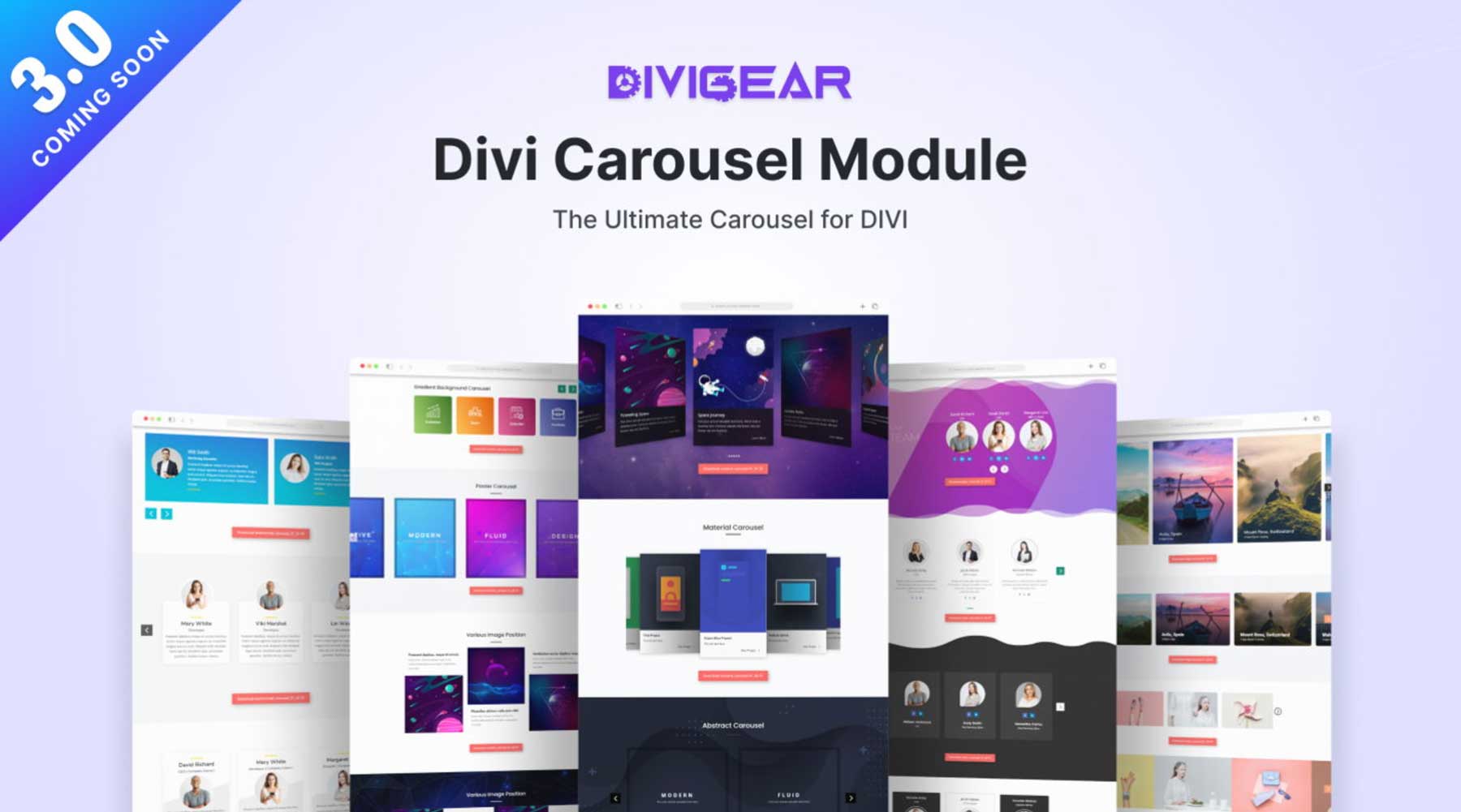
Divi Carousel 2.0 is a plugin that allows users to create stunning carousels for various content types. It’s easy to use and highly customizable, and you can add images, text, icons, and even buttons to your slides. This highly versatile plugin is great for showcasing testimonials, products, team members, or any other content you can imagine.
Divi Carousel 2.0 is fully responsive, so you can create carousels to entice your site’s visitors, no matter what type of device they’re viewing on. With extensive animations, effects, and a framework designed for speed, this plugin is a must-have for any Divi user looking to add sliders to their websites.
Divi Carousel Module 2.0 Features
The Divi Carousel Module offers various features for creating impressive and attractive carousels on your Divi websites. Whether you need a simple image slider or a more complex carousel with advanced customization, this plugin covers you. Let’s explore the Divi Carousel Module’s features to see why it’s worth your consideration.
It’s Highly Customizable
With direct integration with the Divi Builder, you can control nearly every aspect of the carousel, from transitions and animations to individual slide content and styling. With design options for text, icons, images, and buttons, you have nearly unlimited possibilities for making your content stand out.
Some of Divi Carousel Module 2.0’s design options include:
- Arrow & Dot Navigation: Tailor navigation and arrows by adjusting the size, color, and positioning to match your brand identity.
- Auto-Sliding Effect: Let your carousel module take center stage with a continuous, automatic loop.
- Adjust Center Sliding: You can start slides from the center or maintain the default (left) starting position.
- Slide Design Options: Choose between classic sliding or an eye-catching 3D coverflow effect.
- Lightbox Effect: Explore images in detail with a Lightbox popup feature.
- Spacing Options: Control the layout of the module by adjusting the space between slides.
- Individual Slide Design Control: Customize slides with various elements, including images, icons, text, CTAs, and more.
- Image Options: Fine-tune images by controlling positioning, width, alignment, borders, shadows, and color filters.
Choose From Multiple Content Types
One of the best features of the Divi Carousel Module is its versatility. Whether you want to create carousels to feature products, client testimonials, or logos, Divi Carousel Module 2.0 can handle it. Let’s look at a few examples of the beautiful carousels you can build.
Client Testimonials
Divi Carousel Module 2.0 has all the tools you need to create effective testimonial carousels. It makes it easier to add titles, subtitles, images, icons, and ratings. With all the features of the Visual Builder unlocked you can add visual elements like gradients, solid backgrounds, and more to create any look you want.
Content Carousels
With Divi Carousel Module 2.0, you can create captivating sliders with ease. You can effortlessly design blurbs, cards, or content carousels that enhance your website and present important information in a beautiful, interactive way. By tapping into the power of the Visual Builder, you can build classic or 3D coverflow sliders with various effects, responsive options, and lightning-fast page load times thanks to lazy loading.
Team Carousels
Are you looking for a better way to display team photos on your website? With the Divi Carousel Module 2.0, you can showcase your team with style. Build sleek and professional team carousels that match your brand, showcase team members’ social media presence, and easily incorporate short teaser bios.
Image Carousels
The Divi Carousel Module 2.0 also allows you to create beautiful image sliders. Showcase your most important photos and enhance them with features like lightbox effects, overlays, filters, and positioning options. You can even add titles and captions to your photos, display them effortlessly, and style them the way you want in minutes. Whether it’s a showcase of your photos, web design projects, logos, or anything else, this module gives even ordinary images new life.
How To Use Divi Carousel Module 2.0
Divi Carousel Module 2.0 is a user-friendly plugin that anyone can use. Although it only adds one Divi module to the Visual Builder, it’s very extensive. Installing the plugin and building effective carousels is incredibly easy. Let’s walk through how to install it, add a carousel to your web page, and style it.
Install Divi Carousel Module 2.0
Start by navigating to the plugins tab in the WordPress admin dashboard and click the Upload Plugin button.
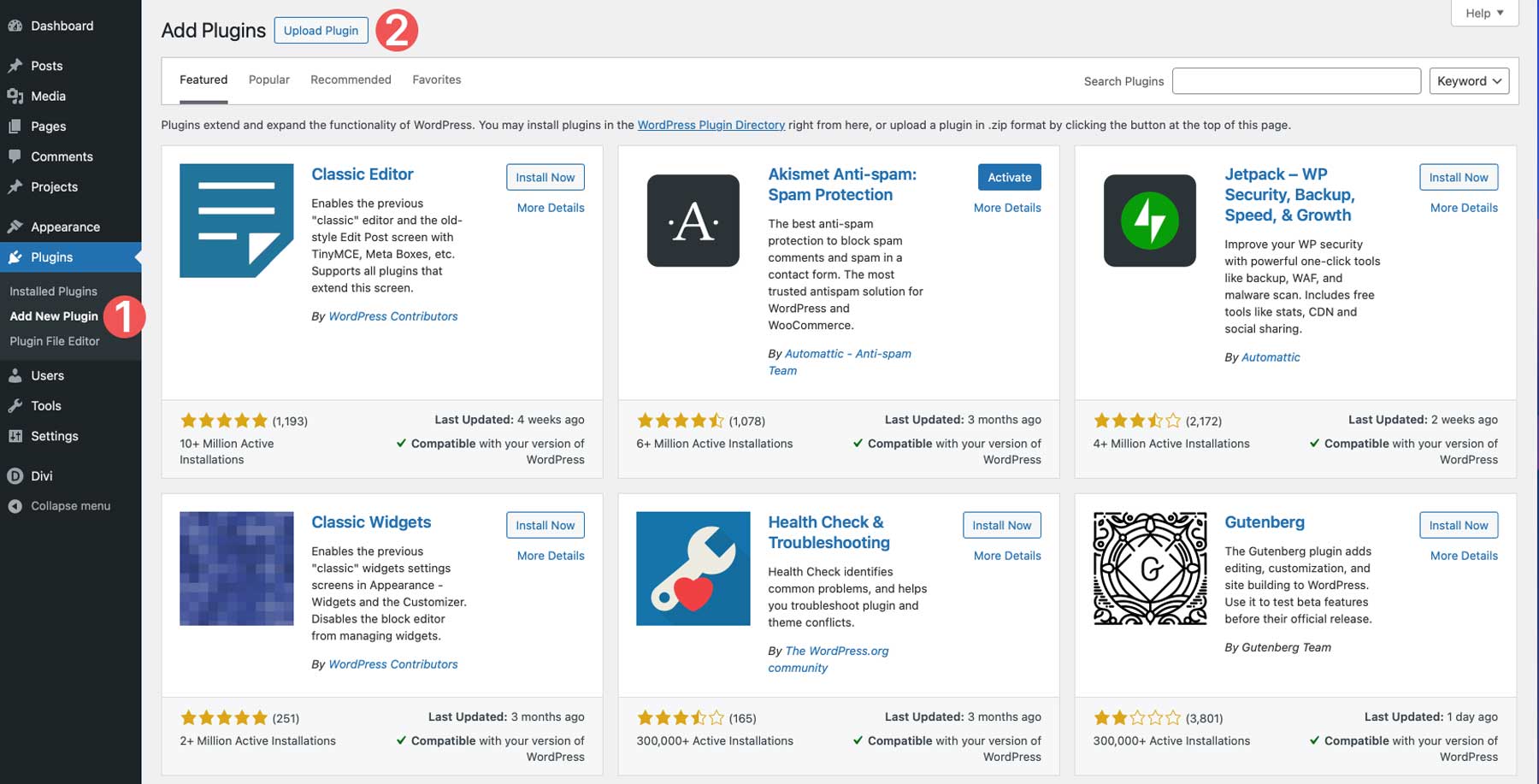
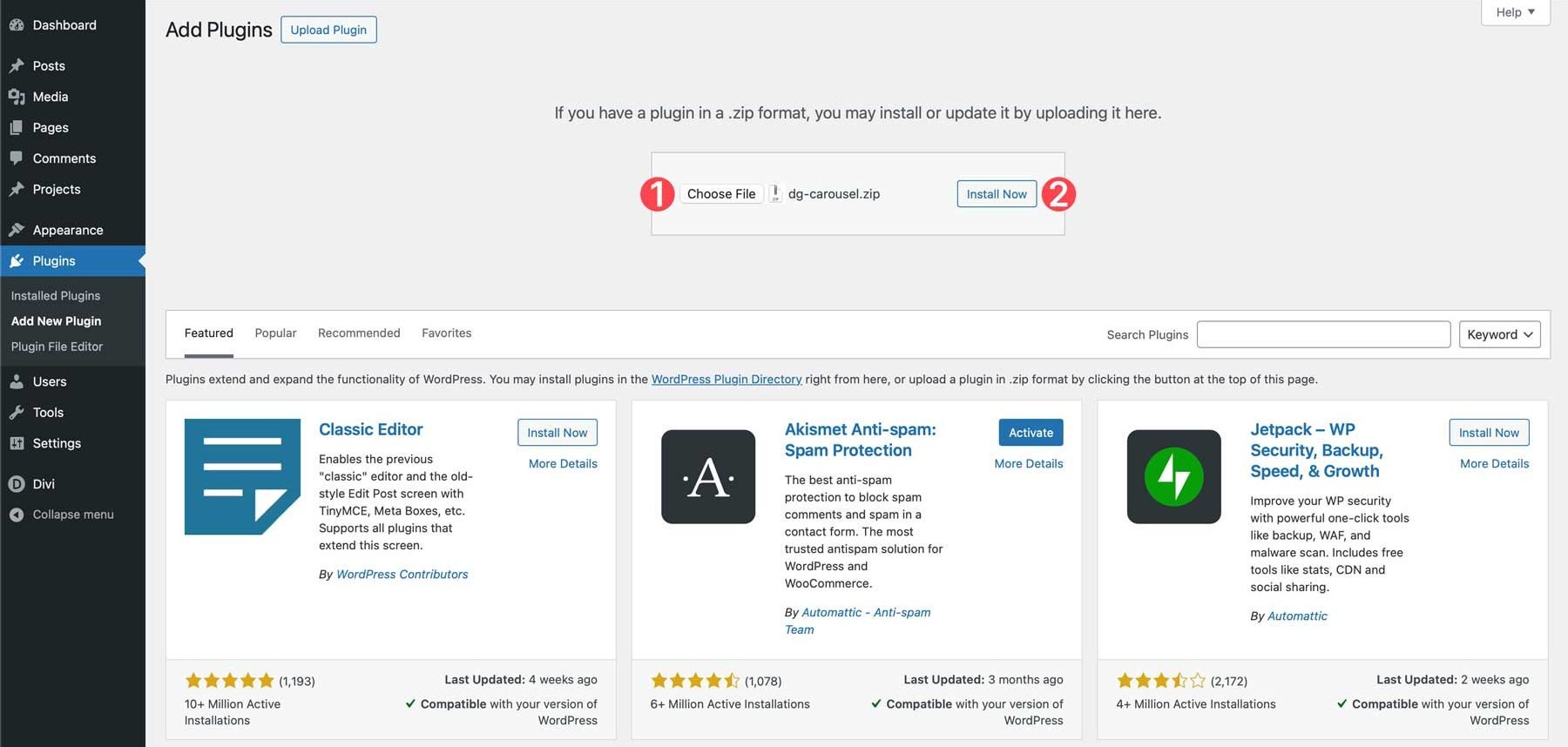
Next, click the Choose File button, locate the plugin file on your computer, and click Install Now.
Once installed, click the Activate Plugin button to complete installation.
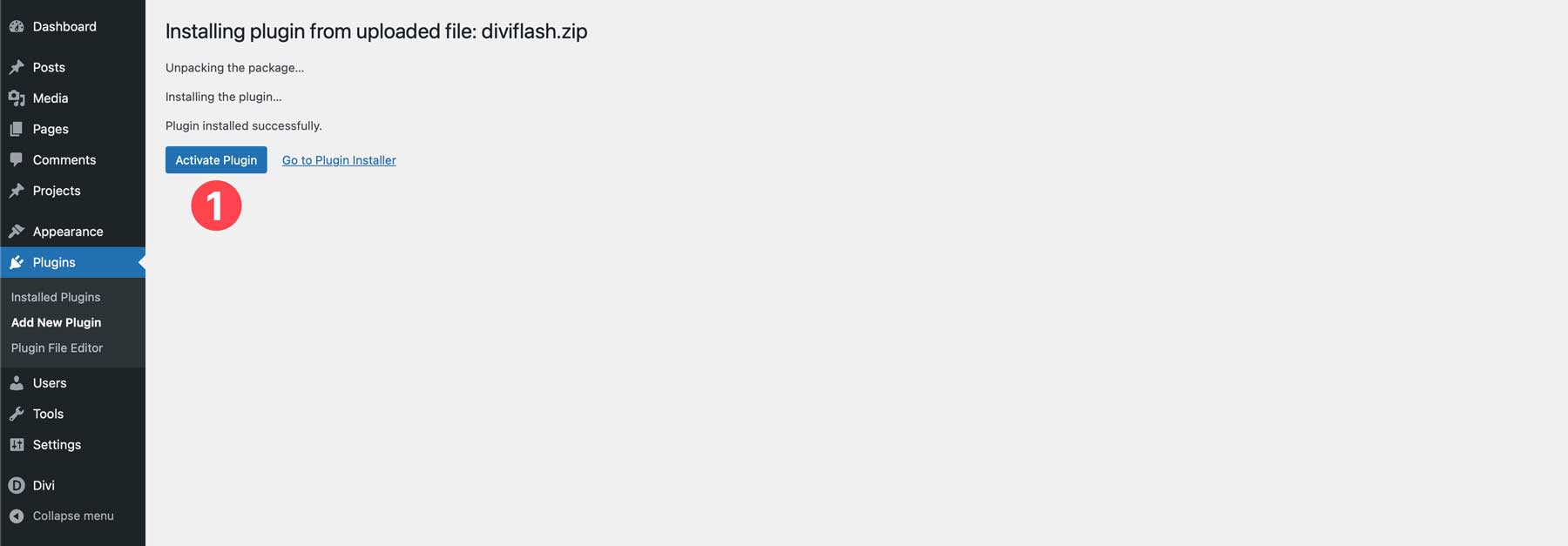
Adding the Divi Carousel Module To a Web Page
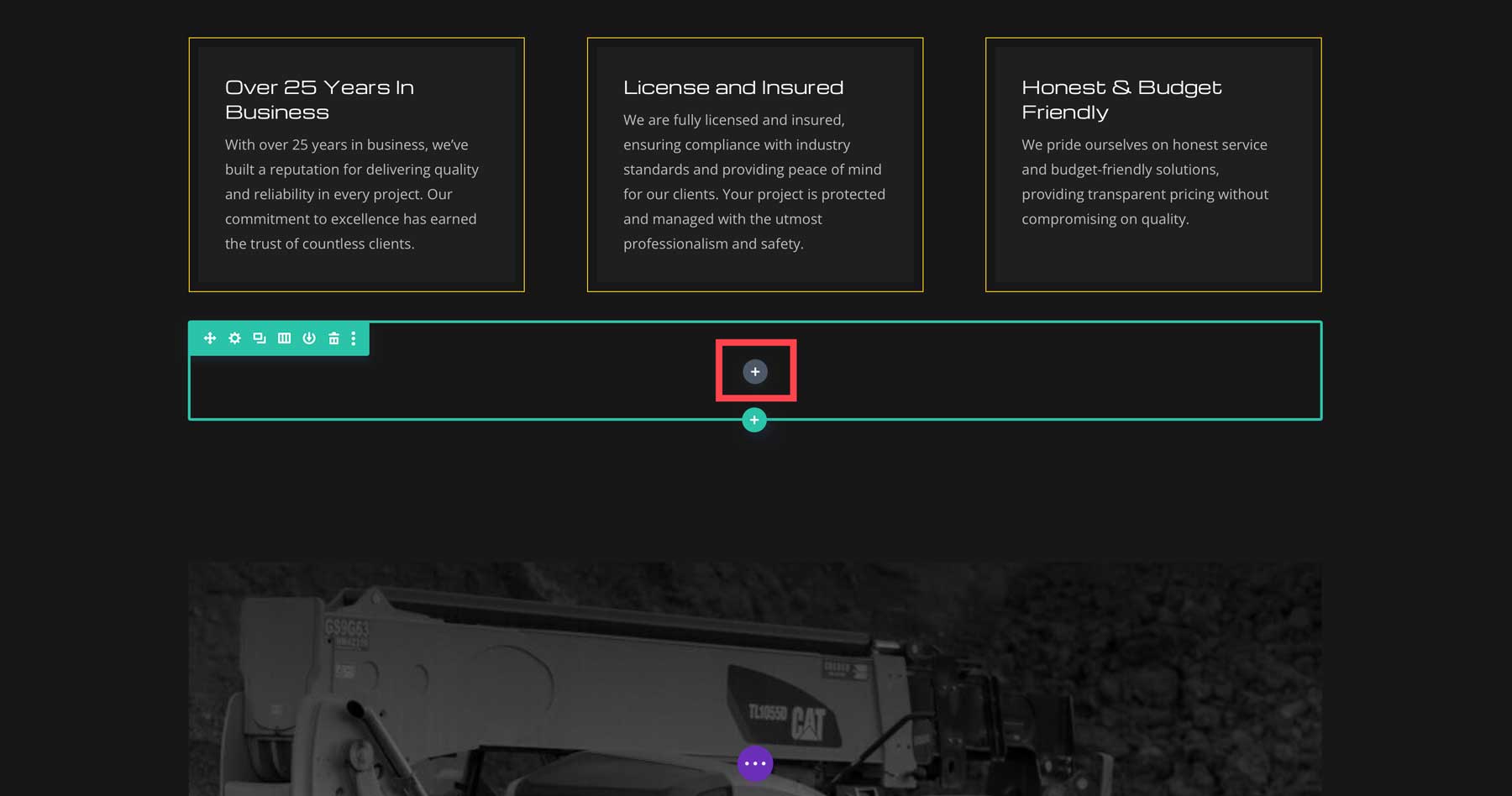
Add the module by clicking the gray + icon where you’d like to add the Divi Carousel Module.
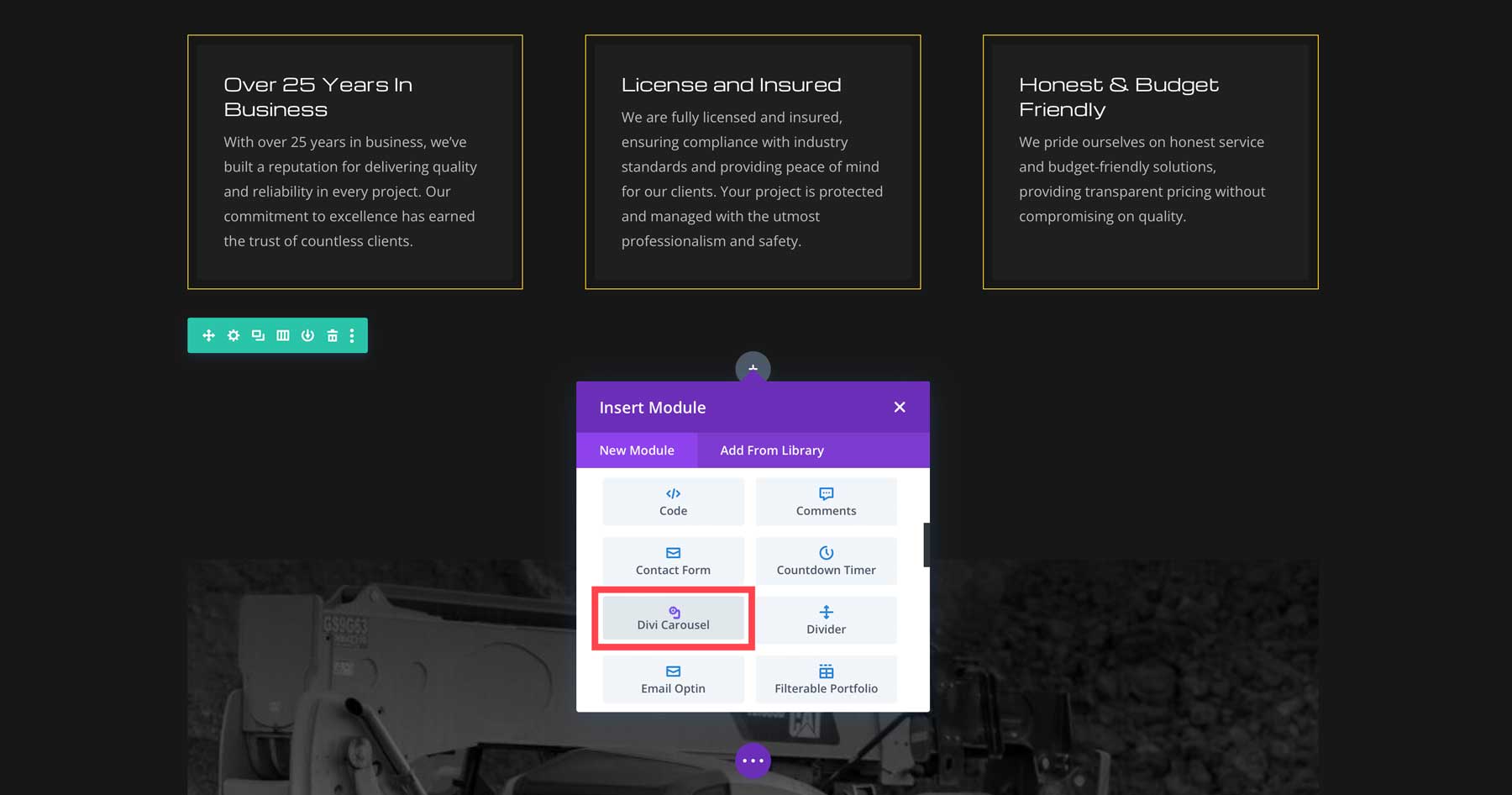
Locate the Divi Carousel module and click it to add it to the page.
Divi Carousel Module 2.0 Settings
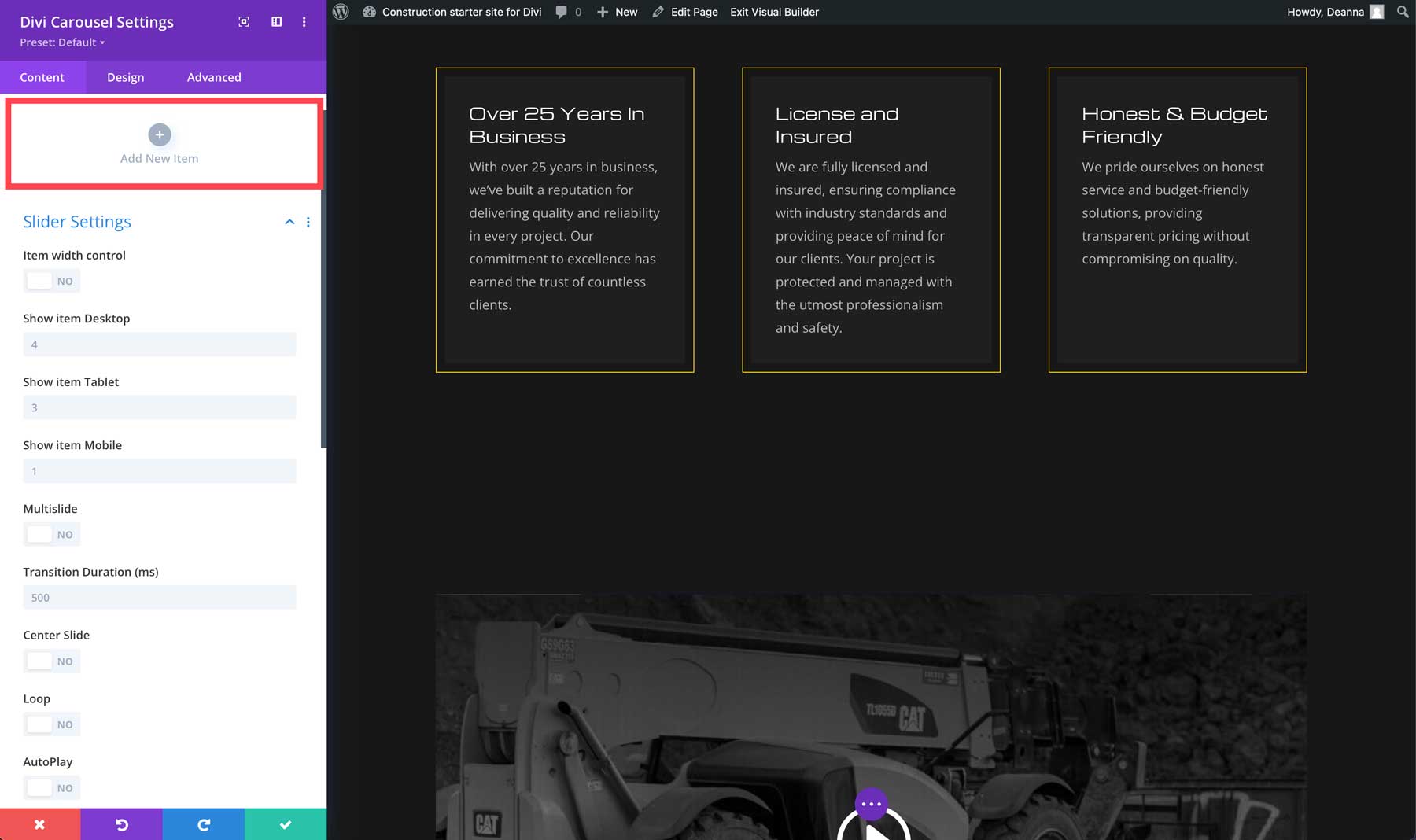
Like other Divi modules, The Divi Carousel has tabs for content, design, and advanced. The content tab is where you’ll add slides to your carousel. Responsive options allow you to control the number of slides that can be viewed on various devices, and you can choose whether or not to feature more than one slide at a time. You can also select the transition duration, whether to center the slide, loop it, or set it to autoplay.
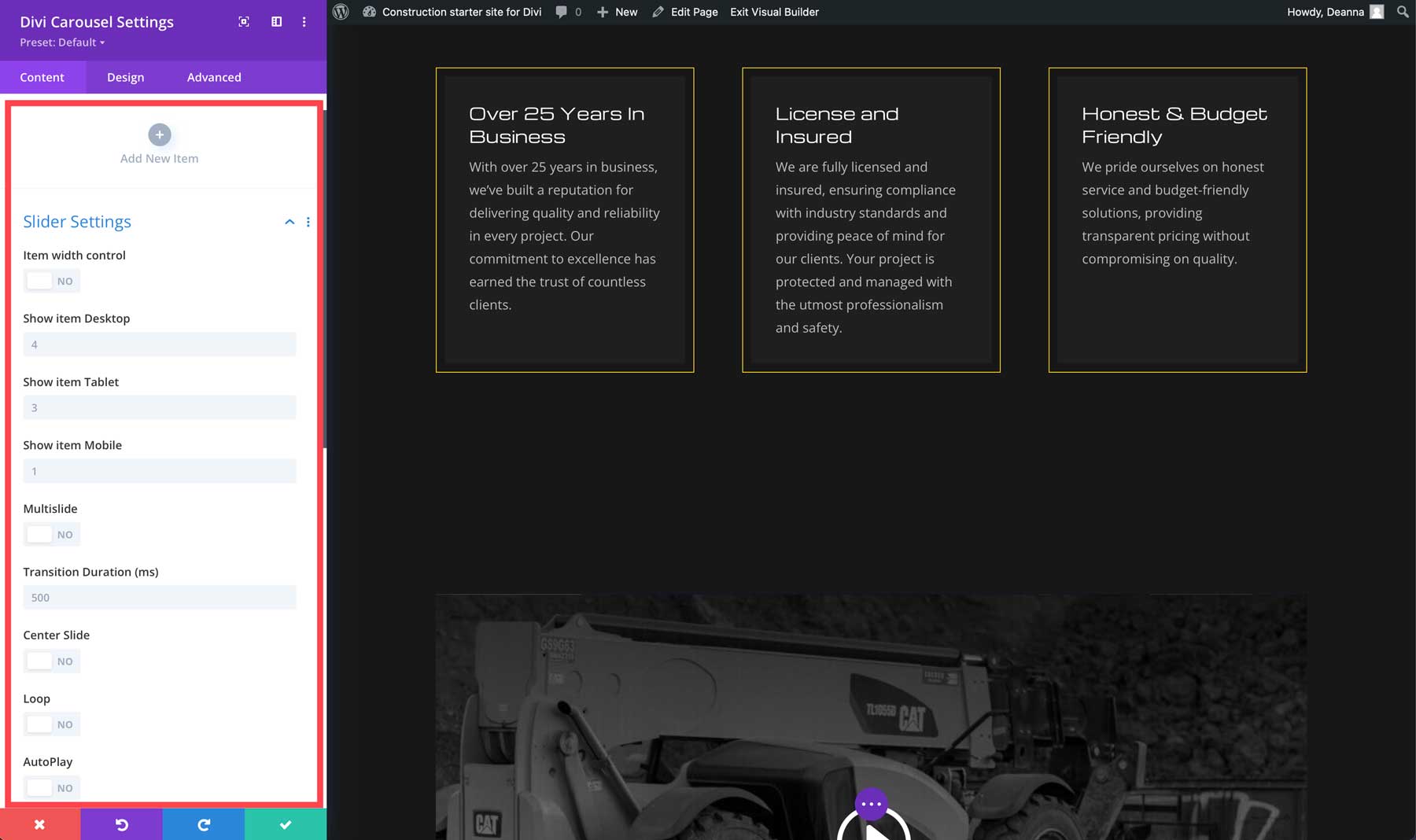
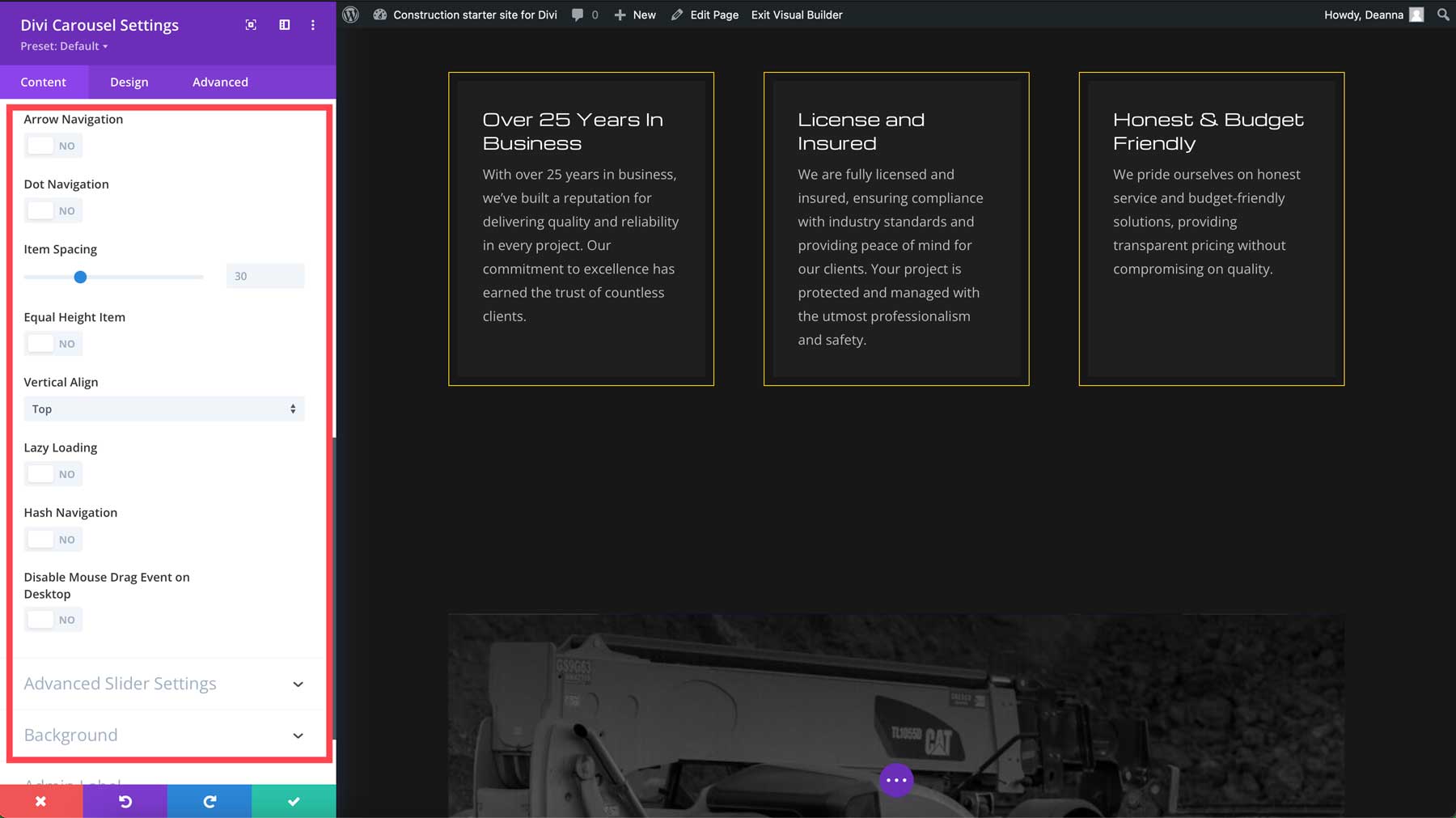
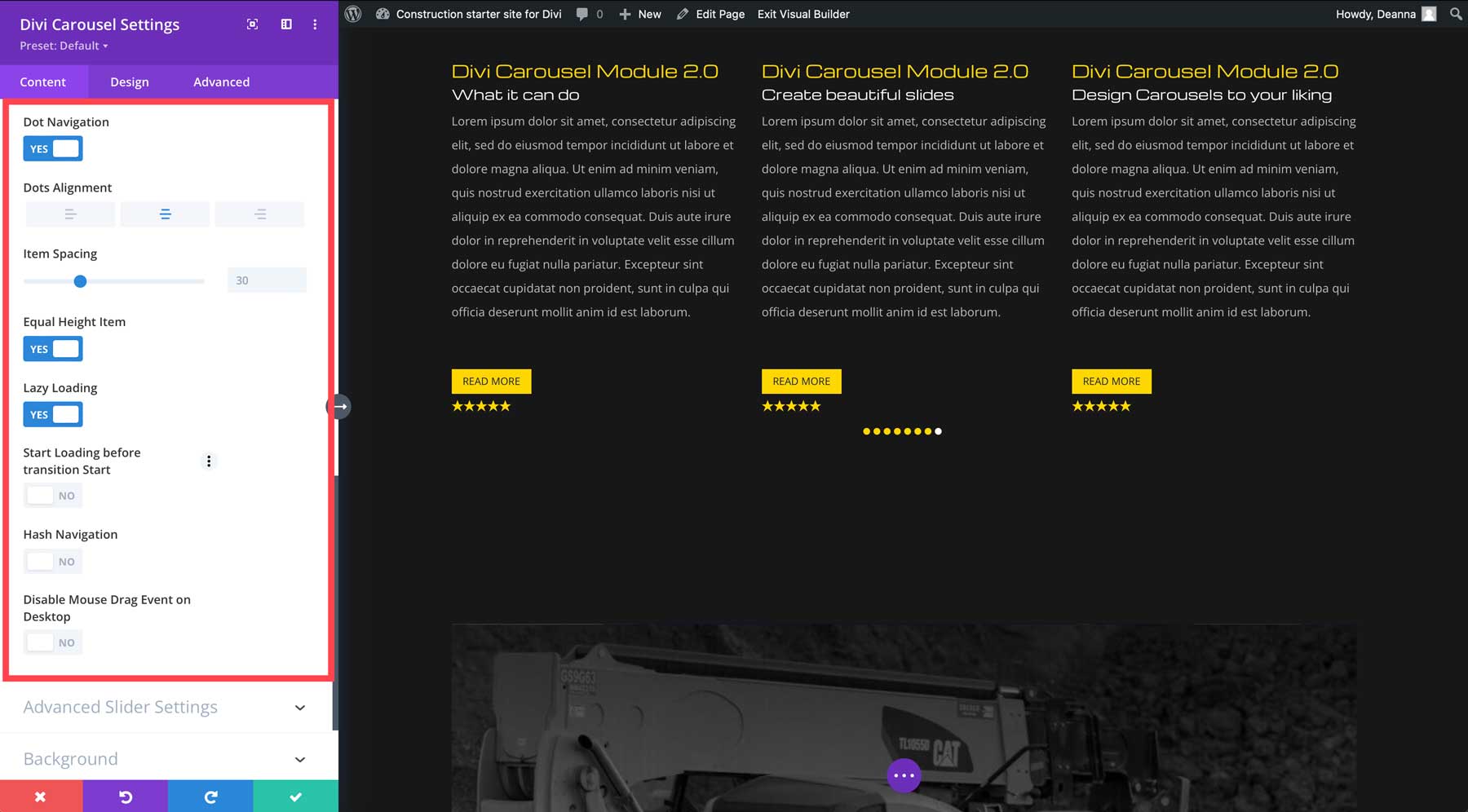
Additional options include enabling arrow and dot navigation, configuring spacing between slides, alignment, and advanced settings for slider effects — either default or coverflow.
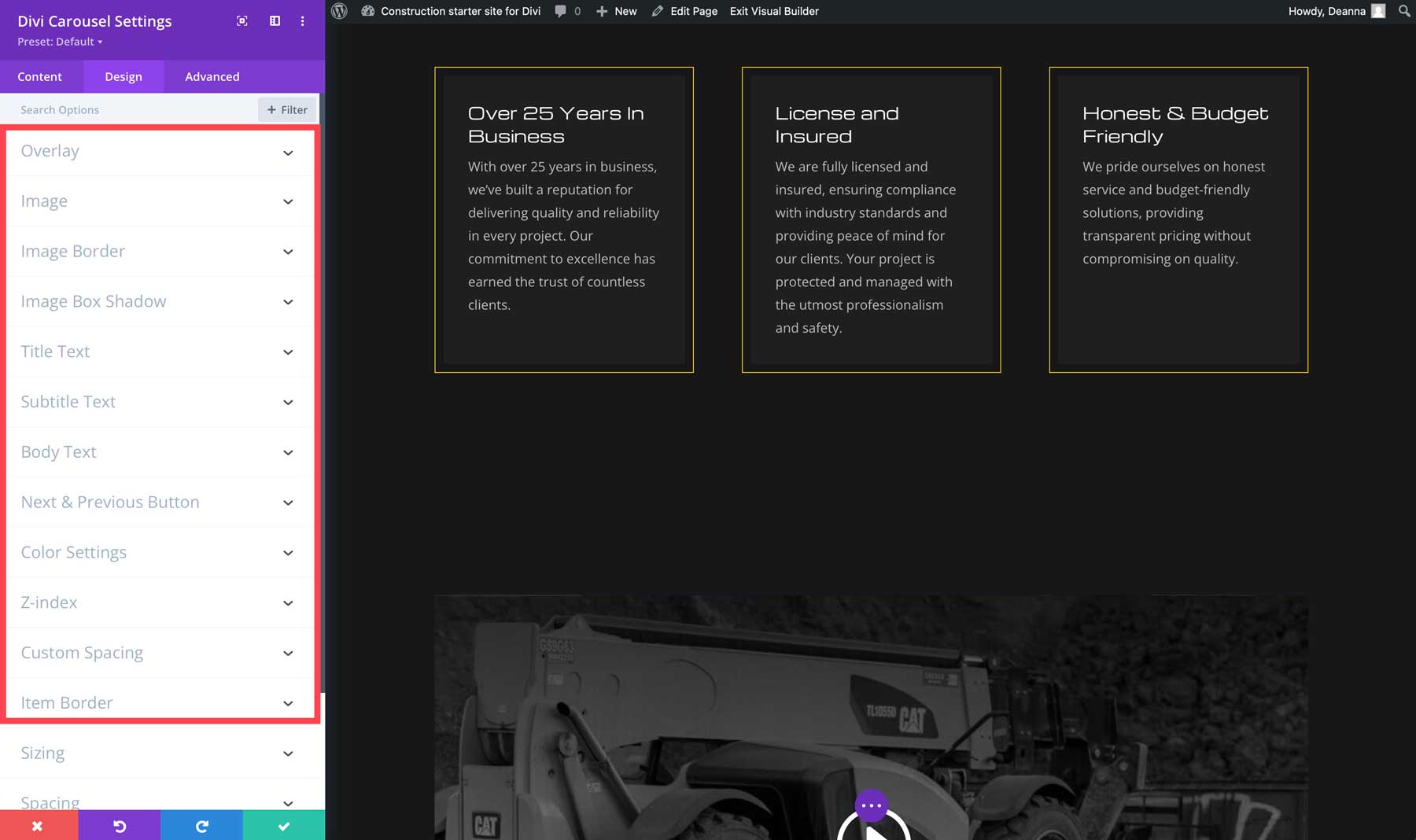
Divi Carousel Module 2.0 has design settings for the carousel and individual carousel slides. You can add overlay effects, control the image settings, text, next and previous buttons, adjust colors for the arrow and dot navigation, and more for the slider.
Adding a Slide To Divi Carousel Module 2.0
Click the Add New Item button to add a new slide.
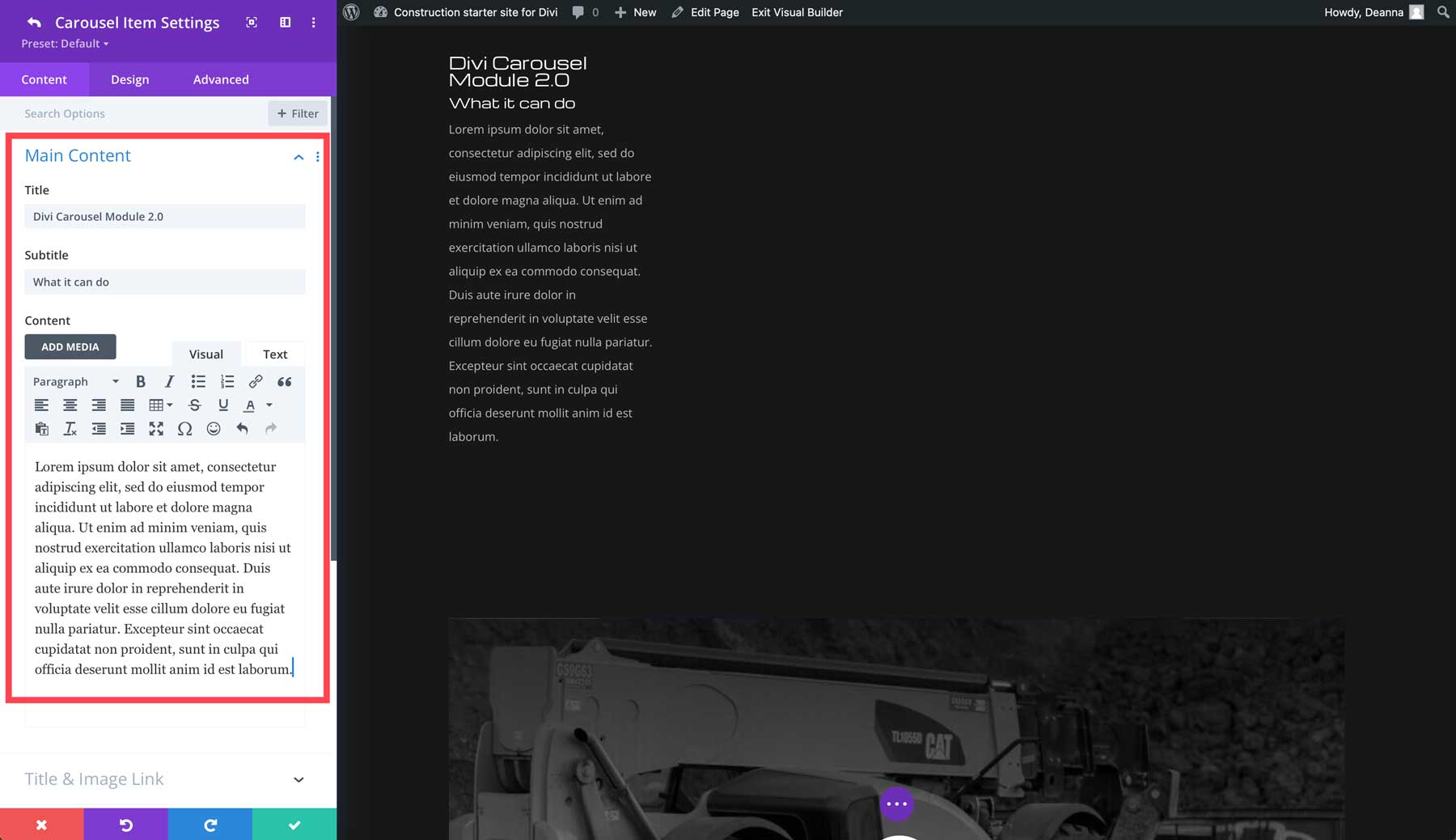
Next, add a title, subtitle (if desired), and content to the title.
Additional options include adding a link for your title or image, adding a button, using an icon or image, and including meta items, such as social media icons and ratings.
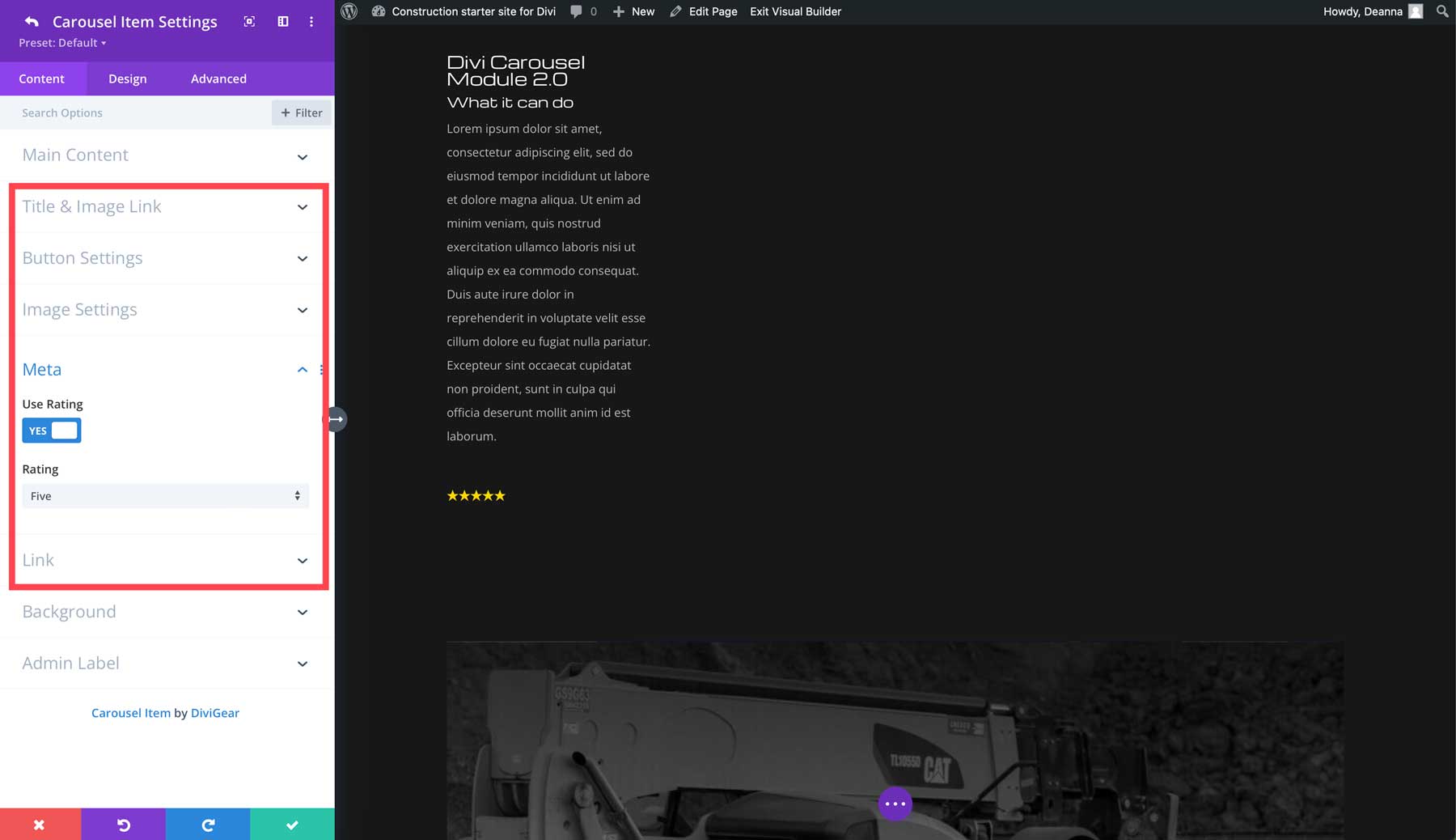
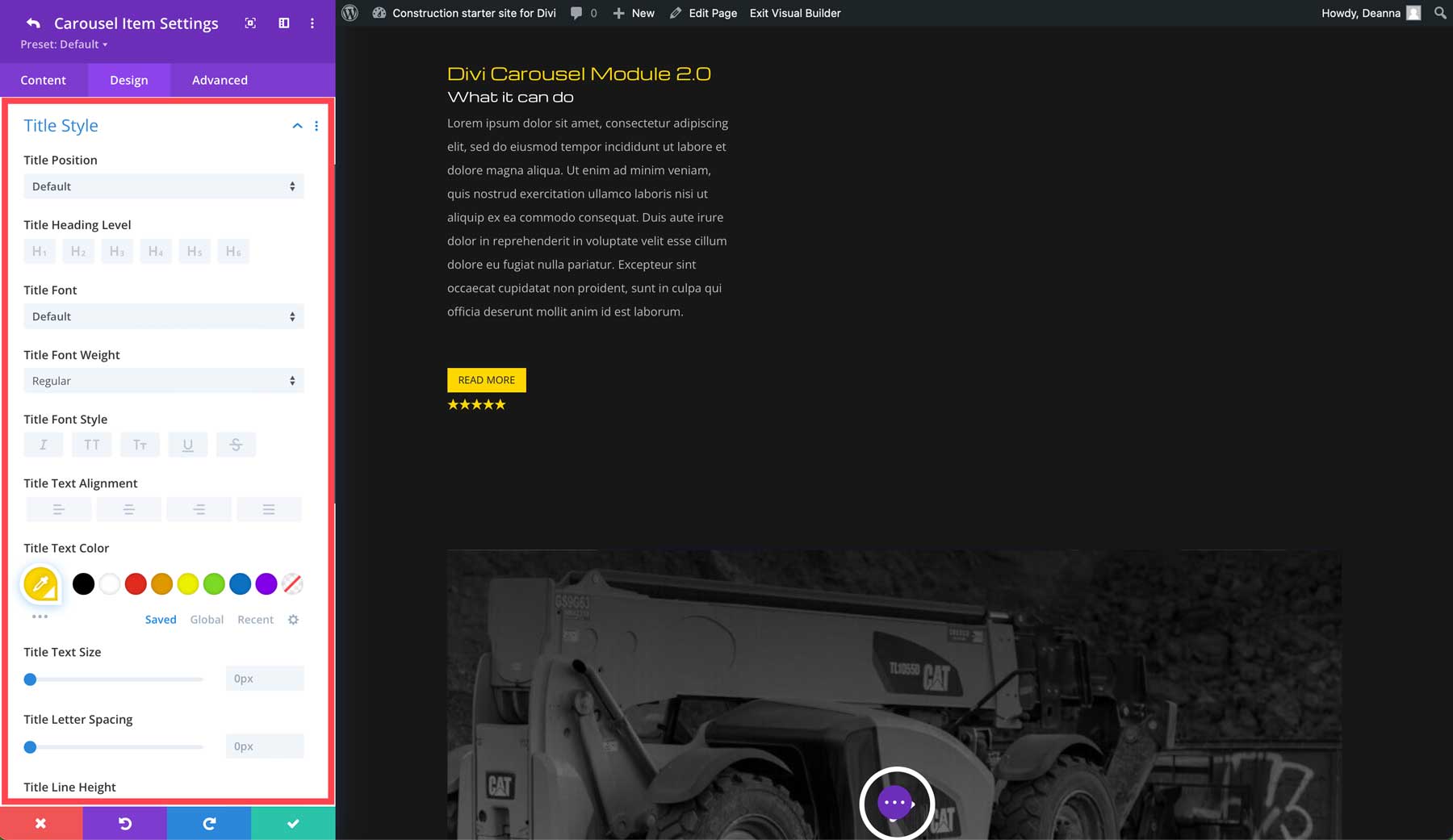
In the design tab, you can customize the title, content, images, rating, and button using Divi’s powerful Visual Builder.
You can add as many slides as you like. The great thing about the Divi Carousel Module 2.0 is you can design slides individually or duplicate one slide to keep the design consistent. Once your slides are created, you can control the number of visible slides, add navigation, turn on lazy loading, and more.
Divi Carousel Module 2.0 Pricing
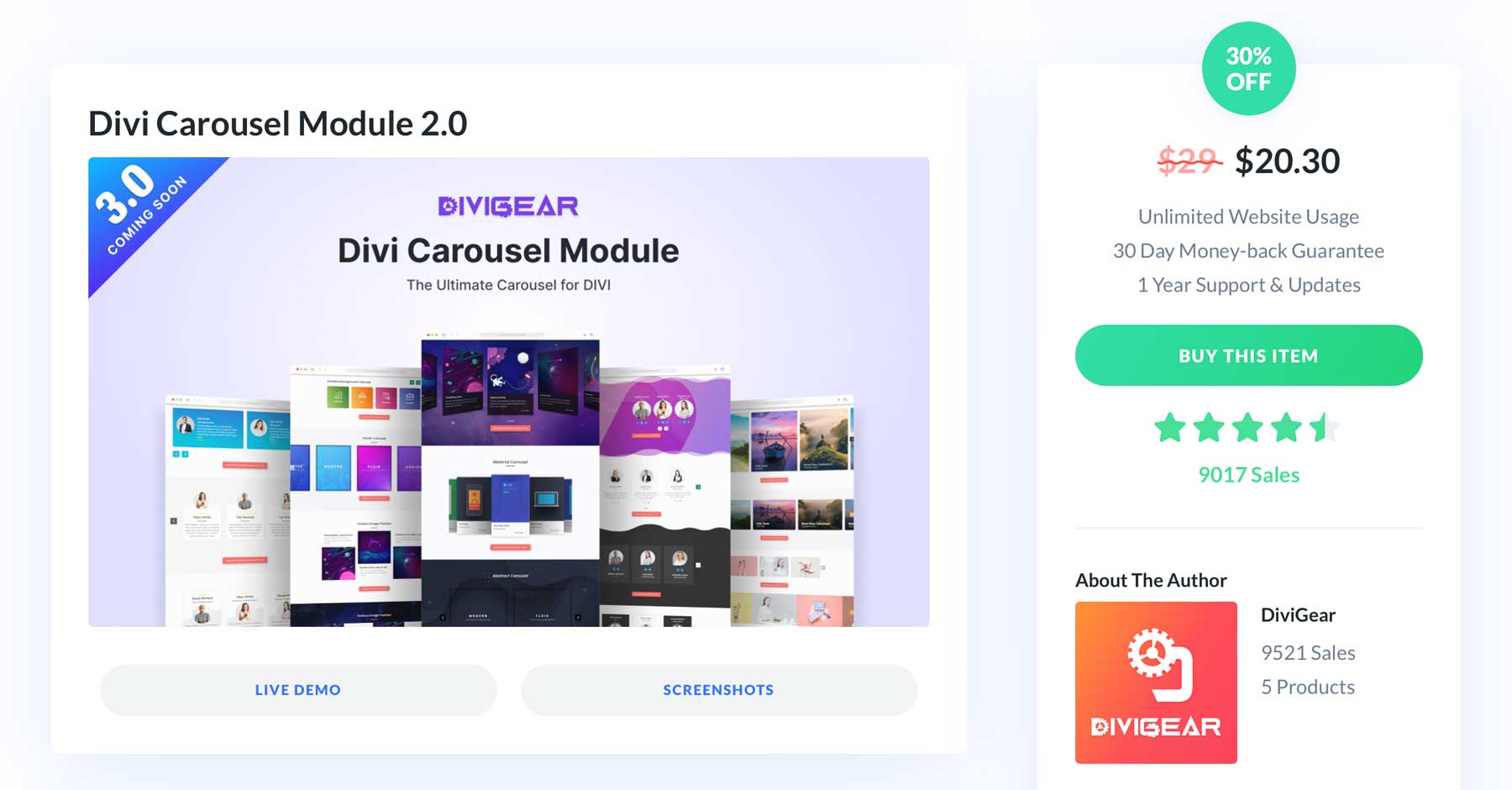
Divi Carousel Module 2.0 is normally $29, but right now, you can purchase the plugin for $20.30 – a savings of 30%. Your purchase grants unlimited website usage, one year of support and updates, and a 30-day money-back guarantee. With a generous refund policy, you can take the time to explore the Divi Carousel Module’s features and decide if it works for you. If not, no worries. You’ll get a refund with no questions asked.
Create Stunning, Customizable Carousels with Ease
Divi Carousel Module 2.0 is a powerful and versatile plugin that lets you create stunning carousels for your Divi website. With nearly unlimited design options, responsive controls, and the ability to showcase multiple content types, this plugin is a must-have for Divi users who want to create dynamic and engaging website sliders. Visit the Divi Marketplace to learn more and secure 30% off the normal price of $29.
The post Divi Plugin Highlight: Divi Carousel Module 2.0 appeared first on Elegant Themes Blog.
# Overview of the Divi Carousel Module 2.0: Key Features and Enhancements
The Divi Carousel Module 2.0 is an advanced feature of the popular Divi Theme by Elegant Themes, designed to enhance the way users display content on their websites. Carousels are a powerful tool for showcasing images, testimonials, products, and other content in a visually appealing and interactive manner. With the release of the 2.0 version, the Divi Carousel Module has undergone significant enhancements that elevate its functionality and user experience. This article provides an overview of the key features and improvements introduced in Divi Carousel Module 2.0.
## Key Features of Divi Carousel Module 2.0
### 1. **Enhanced User Interface**
The user interface of the Divi Carousel Module 2.0 has been revamped for a more intuitive experience. Users can easily navigate through the settings and options, making it simpler to customize the carousel to fit their website’s design and branding. The new layout allows for quicker adjustments and a more streamlined workflow.
### 2. **Responsive Design**
With the increasing use of mobile devices, having a responsive design is crucial. The Divi Carousel Module 2.0 ensures that carousels are fully responsive, automatically adjusting to different screen sizes. This feature guarantees that your content looks great on desktops, tablets, and smartphones, providing an optimal viewing experience for all users.
### 3. **Customizable Slide Layouts**
The 2.0 version introduces a variety of customizable slide layouts. Users can choose from different styles, including grid, stacked, and full-width layouts. This flexibility allows website owners to create unique presentations that align with their content strategy and aesthetic preferences.
### 4. **Advanced Animation Effects**
To capture visitors’ attention, the Divi Carousel Module 2.0 includes advanced animation effects. Users can select from a range of animations for slide transitions, such as fade, slide, and zoom effects. These animations can be customized in terms of duration and easing, providing a dynamic and engaging user experience.
### 5. **Multiple Content Types**
The module supports various content types, including images, text, videos, and buttons. This versatility allows users to create rich, multimedia carousels that can effectively convey messages and engage audiences. Whether showcasing a portfolio, displaying testimonials, or promoting products, the carousel can accommodate diverse content needs.
### 6. **Custom Navigation Options**
Divi Carousel Module 2.0 offers customizable navigation options, including arrows, dots, and thumbnails. Users can choose their preferred navigation style and customize its appearance to match their site’s design. This feature enhances usability, allowing visitors to easily navigate through the carousel.
### 7. **Autoplay and Looping Features**
The autoplay and looping features enable carousels to run automatically, providing a hands-free experience for users. The autoplay speed can be adjusted, and users can choose whether to loop the carousel continuously or stop after the last slide. This functionality is particularly useful for showcasing multiple items without requiring user interaction.
### 8. **Integration with Divi Builder**
As part of the Divi ecosystem, the Carousel Module 2.0 seamlessly integrates with the Divi Builder. Users can drag and drop the carousel into their layouts, making it easy to incorporate into any page or post. The module also supports global presets, allowing users to apply consistent styles across multiple carousels.
### 9. **Accessibility Improvements**
The 2.0 version places a strong emphasis on accessibility, ensuring that carousels are usable by all visitors, including those with disabilities. Features such as keyboard navigation and screen reader compatibility have been enhanced, making it easier for everyone to engage with the content.
## Conclusion
The Divi Carousel Module 2.0 represents a significant upgrade over its predecessor, offering a host of new features and enhancements that cater to the needs of modern web design. With its enhanced user interface, responsive design, customizable layouts, and advanced animation effects, the module empowers users to create stunning and engaging carousels that elevate their website’s content. Whether you’re a seasoned web designer or a novice, the Divi Carousel Module 2.0 provides the tools necessary to create visually appealing and interactive experiences for your audience. As the digital landscape continues to evolve, tools like the Divi Carousel Module are essential for staying ahead of the curve and delivering exceptional user experiences.

Recent Comments